
Best AI children's book creator alternatives to StoryForge in 2026
By ZippyBooks Team ·
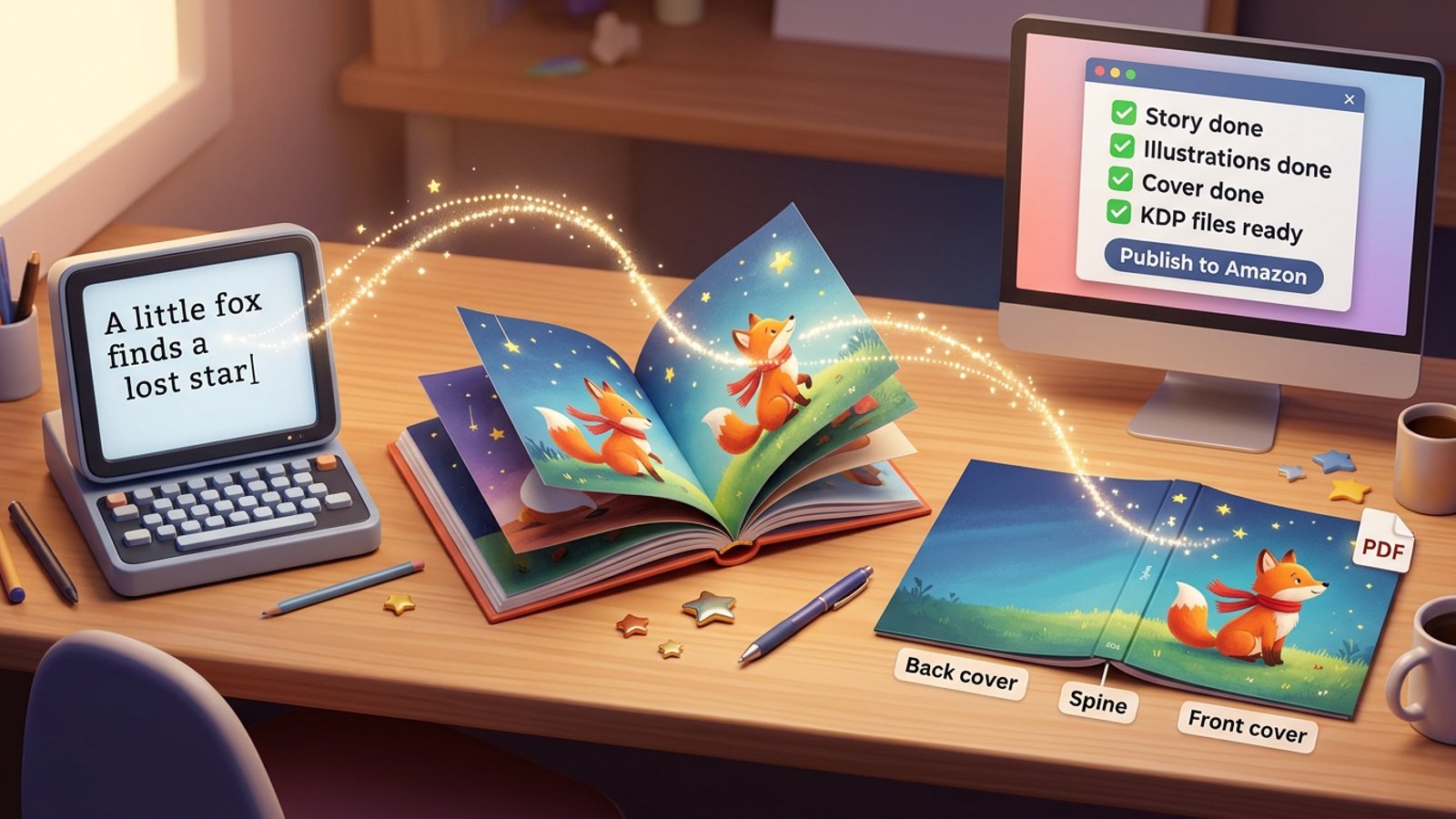
If you want a finished, uploadable children's picture book, the best ai childrens book creator alternative to StoryForge is ZippyBooks: one prompt produces the story, illustrations, cover and print-ready KDP files. StoryForge is better if you only need the text draft. "StoryForge" also names several unrelated products, so check which one you mean first.
Get ZippyBooks (Picture, Coloring, Spot the Difference & Recipe Books) and you can go from a one-sentence idea to KDP-ready files without writing, illustrating or designing anything yourself.
Which StoryForge do you actually mean?
"StoryForge" in 2026 is a name shared by several unrelated products, so the right alternative depends on which one you're leaving. The PyPI StoryForge is a Python terminal tool that generates illustrated children's stories from a prompt, with age range, length, tone, theme, style and voice options, five image styles and 1–5 images per run (PyPI StoryForge, 2025-08-04). It needs Python 3.12+ and at least one API key from Google Gemini, OpenAI or Anthropic.
Separately, storyforge.so is a browser writing suite with four published plans: a 30-day free trial with a read-only example project, Author at $49/month, Pro at $99/month and Studio at $199/month, as of October 2026 (Position Is Everything, 2026-10-10). Its exports are EPUB, PDF and DOCX — document formats, not a KDP print interior and wrap cover.
The name is also used by StoryForge Kids (an AI storybook app, weekly $1.99 / monthly $6.99 / yearly $79.99, free plan two stories a day, per the Apple App Store, 2026-01-05), "StoryForge: AI Dungeon Master" (an 18+ text RPG, per the App Store, 2026-11-17), an audiobook maker called storyforge-studio (PyPI, 2026-09-16) and a Blink-built "StoryForge Kids" with PDF/DOCX export (Blink, 2026-08-11).
What is the best AI children's book creator for a complete KDP picture book?
ZippyBooks is the most direct route to a complete KDP picture book of the tools we compared, because one prompt produces the interior, the cover and print-ready files. You type a one-sentence story idea, and the app writes the book, illustrates the interior and designs the cover. You can edit or regenerate any illustration with a sentence or one click, then download the KDP-ready files and upload them to Amazon.
That matters because the hard part of an AI picture book isn't the story — it's the geometry. KDP requires a PDF when the book has bleed to the page edge, and bleed adds 0.125 in to the top, bottom and outside edges, with no bleed on the gutter edge (KDP paperback guidelines, date not given). A paperback cover must be a single PDF containing back cover, spine and front cover as one image, and spine text is only allowed at 79+ pages or the cover is rejected (KDP Create a Paperback Cover, date not given).
ZippyBooks handles that layer for you: the interior PDF comes with correct bleed and trim size, the cover creator builds converting cover designs, and the app auto-fills the KDP form and categories with 1-click publish to Amazon. It also runs a full book review for typos, grammar, gaps and consistency before you upload. Beyond picture books, it produces coloring books, spot the difference and recipe books from the same prompt flow.
How do the alternatives compare for children's picture books?
Each option below produces something different: text only, an interior without a cover, or a fully formatted book. Here's the honest comparison of what each one gives a KDP publisher.
| Option | Best for | Key features | Price / free option | Watch-outs |
|---|---|---|---|---|
| ZippyBooks (Our pick) | Finished, uploadable picture books | One prompt → interior, cover, KDP files; full-book review | $999, limited-time, as of November 2026; plus your API costs | Desktop only (Windows/Mac); bring your own API key |
| StoryForge | Drafting story text | Age, tone, length controls; character registry | PyPI tool free, needs your API key; storyforge.so $49–$199/mo as of Oct 2026 | Document exports, not KDP print files |
| ChatGPT + Midjourney + Canva | Maximum creative control | Full control of story, art and layout | Prices not confirmed in our research | Three tools, three skill sets, manual formatting |
| StoryJumper / BookBildr | Browser page editing | Edit pages in a browser, AI-assisted writing and art | Prices not confirmed in our research | Check export and print proof before KDP |
| Freelance illustrator | Best art quality | Human consistency across pages | No rate card in our research | Slowest and costliest; you still format for KDP |
ZippyBooks is made by the team behind this blog. Its price is $999 as of November 2026, a limited-time deal, and prices can change; you also pay your API provider directly for each book. The confirmed figure is 100 or more books per API key realistically, with that cost paid to OpenAI and Gemini.
If you mainly need polished prose with series continuity and document exports, storyforge.so is the more direct choice. If you want total control over every illustration and layout decision, ChatGPT plus Midjourney plus Canva gives it to you — at the cost of assembling bleed, gutter, spine and the single-PDF wrap cover yourself against KDP's specs.
What does each option actually produce — text, interior, or a full book?
The single most useful question is what lands in your folder at the end. StoryForge's documented export is a "multi-part story chain to one file" via sf export-chain, and storyforge.so exports EPUB, PDF and DOCX (PyPI; Position Is Everything). Those are reading documents. A KDP picture book needs a print interior sized to trim with bleed, plus a wrap cover with a spine.
ZippyBooks produces the interior PDF with correct bleed and trim size, the cover, and the KDP-ready files in one flow, then auto-fills the KDP form. That's the difference between a manuscript you still have to build a book around and a book you can upload.
Why do AI picture books show a different child on every page?
Character drift is the known failure mode: six independently generated pages give you six different characters, and a canonical character reference pass — not seed locking alone — is what holds identity across pages (DoodleBook field notes, 2026-06-14). Google Gemini's Storybook feature, for example, generates a roughly 10-page illustrated storybook from a theme with multiple art styles and narration, but a hands-on review reports the main character's look and clothing varying between pages (IT168, 2026-09-08).
If you build your own stack, tools help. Midjourney's Omni-Reference (--oref) can carry a character across scenes, and a user test with a boy and his dog reported minor hallucinations fixable with a re-roll or quick Photoshop cleanup (LinkedIn, Fabian Warislohner, 2025-05-20). Ideogram documents a character-reference workflow for keeping a character the same across a children's book, plus text rendering and editable text layers — though spelling, punctuation and trim-safe placement still need human review (Ideogram docs, 2026-11-09; MEFMobile, 2026-08-13).
In ZippyBooks, you regenerate any illustration that drifts with a sentence or one click, and the full-book review flags consistency gaps before you upload. That's the practical version of the canonical-reference technique: fix the page, not the whole book.
Can you publish an AI-generated children's book on Amazon KDP?
Yes. Amazon KDP accepts AI-generated children's books, including fully AI-written and AI-illustrated ones, provided you answer the AI-content disclosure question correctly and meet the quality bar (Lullaby.ink, 2026-07-08). KDP asks you to disclose AI-generated text, images (including cover and interior art) and translations when you publish or republish, even if you edited the output substantially; AI-assisted work such as editing, error-checking or brainstorming your own content doesn't need disclosure, and you remain responsible for IP rights (KDP Builder, 2026-03-24).
The file checklist is where most rejections happen. KDP's guidelines list common triggers: unflattened transparency, locked or encrypted files, missing pages, extra blank pages, no title on the front cover, no barcode, wrong page numbers, and PDF-tool logos or watermarks. Files must be under 650 MB with no emoji or special characters in the name, all fonts and images embedded, transparency and layers flattened, no crop or registration marks, and images at least 300 DPI (KDP paperback guidelines, date not given). ZippyBooks' KDP-ready output is built to clear that list; if you assemble the book yourself, run the checklist line by line.
How do you choose in one step?
Pick by your starting point and what you can export, not by which tool claims the prettiest pictures. If you have an idea and want a finished book, use a one-prompt generator. If you have a manuscript and need a text draft polished, use a writing tool. If you have a clear art direction and time, build it manually. If you have a budget and want the best art, hire an illustrator.
- Lock the story — title, age range, page count, trim size and ending.
- Lock the character — one canonical reference so every page matches.
- Set the KDP geometry — 0.125 in bleed top, bottom and outside; no bleed on the gutter; cover width = bleed + back + spine + front.
- Build the cover as one PDF — back, spine and front in a single file.
- Run the file checklist — size, flattening, embedded fonts, 300 DPI, no marks.
- Answer the AI-content disclosure when you publish.
ZippyBooks folds steps 3 to 5 into its output and its review, which is why it's our pick for publishers who want to ship many books rather than learn print production.
The fastest way to a KDP children's book is to let one prompt produce the whole book — text, art, cover and print files — and spend your time on the story idea instead of the formatting.
If you're weighing a text-first workflow against a full-book generator, our comparison of alternatives to StoryForge for children's books goes deeper on the text-drafting side. For a first book with no art skills, see whether an AI children's book creator is worth it for authors with no art skills. And if formatting is your worry, this answers whether AI can do all the KDP formatting for your children's book.
Ready to build your first uploadable book? Download the book app for Windows or Mac and turn your story idea into a KDP-ready book today.
Sources
- StoryForge (PyPI, 2025-08-04) — https://pypi.org/project/StoryForge/#1
- StoryForge pricing (Position Is Everything, 2026-10-10) — https://www.positioniseverything.net/tools/storyforge/pricing/
- StoryForge Kids app (Apple App Store, 2026-01-05) — https://apps.apple.com/ru/app/storyforge-kids/id6755986426#1
- StoryForge: AI Dungeon Master (Apple App Store, 2026-11-17) — https://apps.apple.com/na/app/storyforge-ai-dungeon-master/id6752670953#1
- storyforge-studio (PyPI, 2026-09-16) — https://pypi.org/project/storyforge-studio/#1
- StoryForge Kids (Blink, 2026-08-11) — https://blink.new/p/storyforge-kids-jh5293mu#1
- AI绘本生成工具的技术实现与功能对比 (IT168, 2026-09-08) — https://m.it168.com/article_6949223.html#1
- AI Children's Book Generators Compared (Position Is Everything, 2026-10-03) — https://www.positioniseverything.net/ai-childrens-book-generators-compared-features-illustration-quality-and-export-options/#1
- KDP Paperback Submission Guidelines (Amazon KDP, no date) — https://kdp.amazon.com/en_US/help/topic/G201857950
- KDP Create a Paperback Cover (Amazon KDP, no date) — https://kdp.amazon.com/en_US/help/topic/G201953020?th=1
- KDP paperback guidelines (Amazon KDP JP, no date) — https://kdp.amazon.co.jp/ja_JP/help/topic/G201857950#fileguide
- KDP AI Disclosure Rules 2026 (KDP Builder, 2026-03-24) — https://kdpbuilder.com/blog/kdp-ai-disclosure-rules
- Can You Publish AI-Generated Children's Books on Amazon? (Lullaby.ink, 2026-07-08) — https://lullaby.ink/blog/amazon-kdp-ai-childrens-book-rules
- How to Create and Sell Storybooks on Amazon KDP Using AI Software (AI Paycheck podcast, 2025-12-14) — https://podscan.fm/podcasts/ai-paycheck-1/episodes/how-to-create-and-sell-storybooks-on-amazon-kdp-using-ai-software#1
- Midjourney Omni-Reference test (LinkedIn, Fabian Warislohner, 2025-05-20) — https://www.linkedin.com/posts/satyen-adhikari_can-midjourneys-omni-reference-handle-more-activity-7330935632770318336-6btZ?trk=public_profile_relatedPosts
- Ideogram character reference docs (2026-11-09) — https://developer.ideogram.ai/api-reference/images/generate/ideogram-3-character#fern-sidebar
- 7 Best AI Art Generators for Children's Books (MEFMobile, 2026-08-13) — https://mefmobile.org/7-best-ai-art-generators-for-childrens-books/#1
- DoodleBook field notes (Hugging Face, 2026-06-14) — https://huggingface.co/spaces/build-small-hackathon/DoodleBook/blob/e0d230996196a9ce077745d64fc4c0d635b28029/docs/blog.md#1
Frequently asked questions
Keep reading

What's the easiest AI children's book generator and illustrator?
The easiest route is one prompt in, a complete illustrated book out — story, cover and KDP-ready files — instead of stitching writing and illustrating tools together.

Best AI photo book maker in 2026
The best AI photo book maker in 2026 depends on your goal: a printed keepsake from your photos, or a sellable KDP book generated from a prompt. Here's how to choose.

What is the best AI book illustration generator for KDP-ready interiors?
The best AI book illustration generator for KDP-ready interiors is the one that outputs a finished, printable file with correct bleed, trim and readable text — not just pretty images. Here's how the