
Can AI do all the KDP formatting for my children's book?
By ZippyBooks Team ·
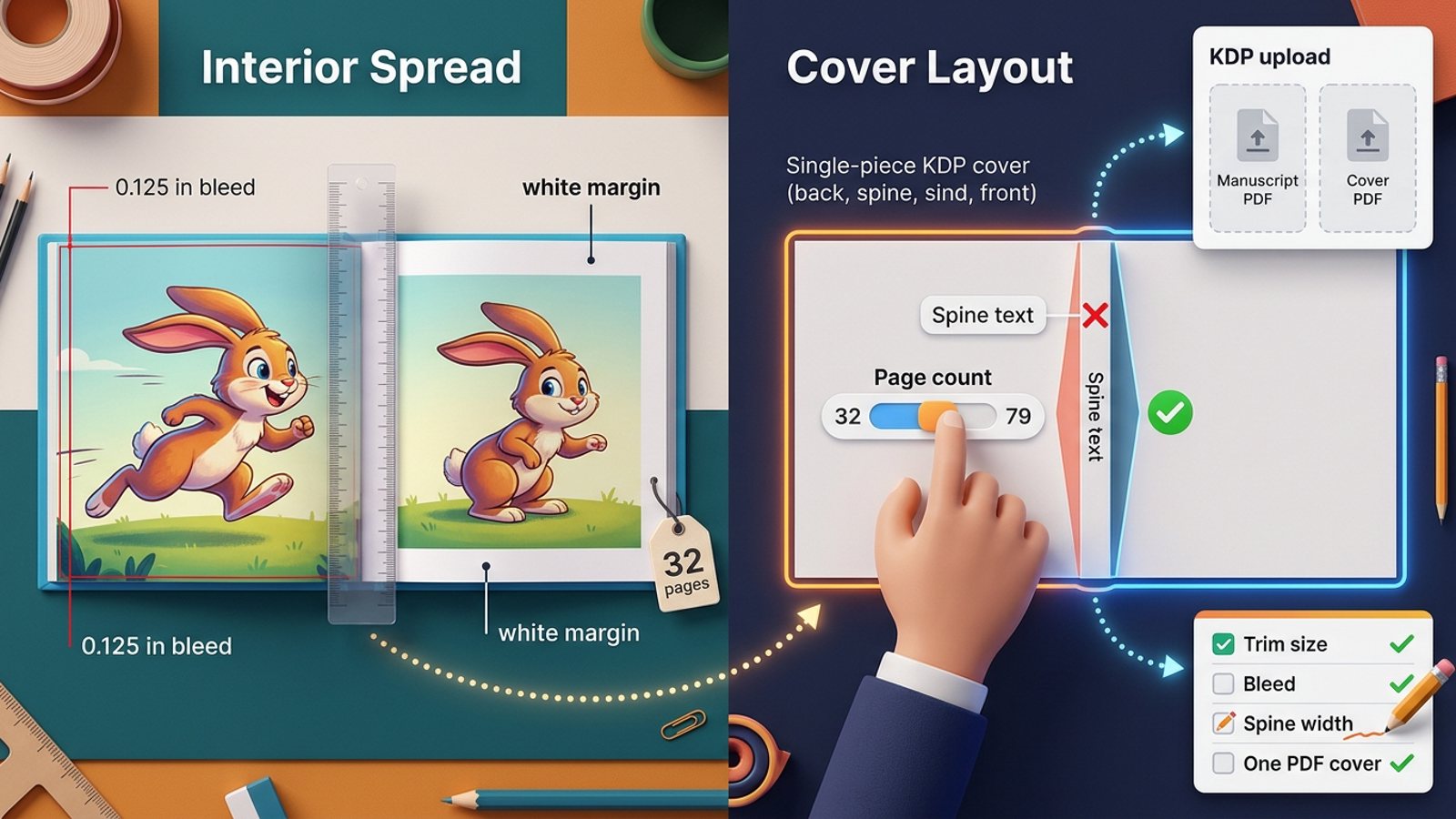
Partly — and the part it can do is the part that usually gets books rejected. KDP formatting means building two files: an interior PDF with the right trim size, bleed and margins, and one cover PDF containing back, spine and front, sized to your page count. A general AI assistant writes and draws; it does not output those files. An AI book creator for Amazon KDP formatting does.
Say you have a 32-page bedtime story about a rabbit who is scared of the dark. The words are written. The pictures are drawn. What stands between you and a live listing is geometry: a page size, a bleed allowance, a spine width calculated from paper thickness, and a cover that is one single PDF, not three pictures stacked in a folder.
If you want the finished files rather than the numbers, get ZippyBooks for picture, coloring, spot the difference and recipe books and it builds the interior and cover from your one-sentence idea.
What does "KDP formatting" actually mean for a children's book?
It means producing two print-ready files, not one. KDP's own guidance describes a manuscript file (the interior, including front matter, body and back matter) and a cover file containing front, back and spine — the cover must be one single PDF with all three parts as a single image, per KDP's Create a Paperback Cover help page.
For a picture book, that splits into concrete numbers:
- Trim size. Picture books work best at 8.5" × 8.5" (the most popular square), 8.25" × 8.25" or 8" × 10" portrait, according to publishing.co.uk's picture-book formatting guide, checked September 2026. That guide notes there is no true landscape trim on KDP and custom width caps at 8.5".
- Bleed. If any art reaches the page edge, KDP's Japanese help page on fixing formatting issues says to add 0.125 in (3.2 mm) to the outside edge and 0.25 in (6.4 mm) to the height — a 6 × 9 in book becomes a 6.125 × 9.25 in page.
- Margins. KDP's free file setup calculator returns margin, bleed and spine measurements for your page count (KDP Tools and Resources).
- Spine width. Page count × paper thickness: 0.002252 in on white paper, 0.0025 in on cream, plus 0.125 in of bleed on every outer edge, per Polotno's KDP cover calculator.
- File hygiene. Fonts fully embedded, images at 300 DPI or more, transparency flattened, no crop marks, bookmarks, comments or metadata, file under 650 MB, no emoji in the file name (KDP manuscript and submission guidelines).
Miss one and the file comes back. PDF Press (March 2026) lists missing or insufficient bleed as the cause of roughly 20% of print-ready PDF rejections, alongside mixed page sizes, odd page counts, non-embedded fonts and low-DPI images.
Can AI do all of that, or only part of it?
Only part — unless you use a tool built for the whole job. General AI assistants and AI image generators are good at the creative layer: story text, illustration ideas, cover artwork. MEFMobile's August 2026 editorial ranking (an editorial ranking, not a hands-on benchmark) puts Midjourney first for distinctive style, Leonardo.Ai and Ideogram for recurring characters, Ideogram for readable text on covers, and Canva for combining images with page layout.
None of those outputs a pre-flighted interior-and-cover pair. Someone still has to decide the trim, add the bleed, set the gutter, work out the spine from the page count, and assemble the wrap. That someone is you.
The creative work is now the easy half. The geometry is what still stops a finished book from going live.
Where AI genuinely helps beyond pictures: KDP Builder (October 2026) notes that AI metadata help — brainstorming a title, description, category fit and keywords — usually doesn't trigger KDP's AI content disclosure by itself, though the metadata must still be accurate.
What does a general AI assistant leave you to do yourself?
Everything between "here's your story" and "here's your upload." In practice, that's a checklist like this one:
- Pick the trim size before generating a single page, because changing it later shifts text and changes page count — which then means re-checking margins, per KDP's formatting help.
- Add bleed to the page size if art touches the edge, and switch to PDF export, since KDP only accepts DOC, DOCX, RTF, HTML or TXT when there's no bleed (KDP, Save Your Manuscript File).
- Set margins and gutter for your final page count using KDP's calculator.
- Lay out single pages, not spreads, with consistent orientation and line weights of at least 0.75 pt / 0.3 mm (KDP Japanese help).
- Embed fonts, flatten layers, strip crop marks and metadata, and keep the file under 650 MB.
- Calculate the spine and build the full wrap as one PDF.
- Upload, run the Print Previewer, fix the source file, re-export, re-upload. KDP's help is explicit: the Previewer doesn't hand you a corrected print file.
- Declare AI-generated text and images at publish time — KDP's Content Guidelines require disclosure of generated text, images (including cover and interior art) and translations; AI-assisted work doesn't need it.
That's a working day for someone who knows the tools, and a week of rejections for someone who doesn't.
What does an AI book creator for Amazon KDP formatting do differently?
It produces the two files, not just the content inside them. ZippyBooks is a Windows and Mac desktop app that takes a one-sentence story idea and returns a complete illustrated children's book: the interior from one prompt, a cover designed to convert shoppers, and an interior PDF with the correct bleed and trim size for KDP. It also auto-fills the KDP form and categories, with 1-click publish to Amazon.
The workflow is four steps:
- Type a one-sentence story idea into the app.
- The app writes the book, illustrates the interior and designs the cover.
- Adjust or regenerate any illustration with a sentence or one click.
- Download the KDP-ready files and upload to Amazon KDP.
It also runs a full book review for typos, grammar, gaps and consistency, plus a cover and interior auto review — the check that usually catches a stray margin or a page-count mismatch before KDP's manual review does.
Two honest limits: it's a desktop app for Windows and Mac only, and you bring your own API key and pay your provider for each book. The owner confirms one API key can realistically produce 100 or more books a month, with those costs paid directly to OpenAI and Gemini. The price is a limited-time $999 as of November 2026, and prices can change.
How does it compare with the other ways to format a KDP picture book?
Here are the realistic options, with the product first because it's ours.
| Option | Best for | Key features | Price | Watch-outs |
|---|---|---|---|---|
| ZippyBooks (Our pick) | One prompt to finished KDP files | Interior + cover from a prompt, auto review, auto-fills KDP form | $999 limited-time + your API costs | Windows/Mac only; bring your own API key |
| Canva | Combining art with page layout | Thousands of book-cover templates | Free tier; Pro adds more | Templates don't know your spine width |
| Book Bolt | KDP low-content research and design | Templates, keyword research, puzzle generators | From $11.99/mo (2026) | A design toolkit, not a finished file pair |
| KDP Cover Creator + templates | Free, simple covers | Cover Creator, file setup calculator | Free | Cover only; interior still on you |
| Adobe InDesign | Full control over print PDFs | Bleed, embedded fonts, consistent pages | Not in our sources | You do all the geometry yourself |
ZippyBooks is made by the team behind this blog.
Canva is the strongest choice if you already have artwork and want to lay it out fast — MEFMobile ranks it for combining images with page layout, and its cover templates are searchable by size. The catch, per octozia.com (September 2026): none of Canva's book-cover templates know your actual spine width, so you either resize to a custom canvas using KDP's calculator numbers or end up with a cover sized for the wrong spine.
Book Bolt suits publishers researching low-content niches. AMZBase (September 2026) lists Newbie at $11.99/mo monthly or $9.99/mo yearly, Pro at $23.99/mo or $19.99/mo yearly, and Premium at $35.99/mo or $29.99/mo yearly. It's a research and design toolkit; nothing in the material says it outputs a finished, pre-flighted picture-book cover and interior pair sized to your spine. If you mainly need niche research, Book Bolt is the more direct choice.
KDP's own Cover Creator, templates and calculators are free and genuinely useful — Cover Creator accepts JPG, PNG and GIF, and the file setup calculator returns margin, bleed and spine numbers. But it handles cover creation only; the interior still needs a correctly built PDF, and KDP Builder (October 2026) warns that templates ignore content type, so a novel template can be wrong for a workbook.
Adobe InDesign is the professional route: PDF Press names bleed, embedded fonts and consistent page sizes as the basis of a passing file, and InDesign does all three well. You still set page size, bleed, margins, spine and cover wrap yourself, using KDP's calculator or a geometry tool. If you want total control and enjoy layout work, it's the better fit.
If you'd rather compare the whole field on features and price, our breakdown of the best AI children's book creator for Amazon authors goes deeper.
Source: AMZBase, 2026-09-23
Why do KDP formatting errors get books rejected in the first place?
Because the checks are mechanical, and they run twice. At upload, KDP's Print Previewer automatically scans for fixable errors and links to the page that needs fixing — margins, cover size and fonts are the main checks. It may also rescale or reflow text sitting outside margins and report structural errors you can't see by eye.
Then the files go through a manual Amazon review. If something is found, KDP emails a link to the exact Previewer error with instructions. The advice in KDP's French help is to update the original file rather than upload a new saved version, to avoid file corruption.
Two more things worth knowing before you upload:
- Page count is calculated from your file and rounded up to an even number where needed (KDP German help) — which can change your spine width after you've already built the cover.
- Amazon has capped KDP new titles at three per day per account since September 2023, a response to a surge of suspected automatically produced books, per ActuaLitté (April 2026). KDP doesn't ban AI-generated books; it admits them under a disclosure regime, and undeclared or non-compliant content can be rejected or removed and can affect account status.
Can I just upload a Word file and let KDP sort it out?
Only if nothing bleeds. KDP accepts PDF, DOC, DOCX, RTF, HTML or TXT when there's no bleed, and converts them for you. The moment art reaches the page edge, the interior must be a PDF. And changing the page size in Word to add bleed shifts text and changes page count, so margins need re-checking — KDP's own help walks through Layout > Page Setup for this.
For a picture book where illustrations run to the edge on every spread, that rules Word out as the final step.
What about AI disclosure — does formatting affect it?
No, but publishing does. KDP requires you to disclose AI-generated text, images (including cover and interior artwork) and translations when publishing or republishing; AI-assisted work doesn't need disclosure. An AI-generated cover counts as AI-generated even when every word inside is human-written, per the Publish at Scale podcast notes (October 2026). Non-disclosure can mean book removal, withheld royalties and account consequences, per Sudowrite (April 2026).
Separately, the U.S. Copyright Office position cited by MEFMobile (August 2026) is that prompting alone isn't enough for copyright — meaningful human arrangement or modification still matters. Our recommendation: edit and arrange your pages deliberately, and keep a note of what you changed. This is not legal advice, and rules vary by place.
If your next question is whether the whole approach pays off, our piece on whether an AI children's book creator is worth it for a first-time KDP author works through the maths.
Ready to skip the geometry? Download the book app for Windows or Mac and turn your story idea into an interior and cover you can upload.
Sources
- Format Your Paperback (KDP)
- Save Your Manuscript File (KDP)
- Save Your Manuscript File, Japanese help (KDP)
- Save Your Manuscript File, German help (KDP)
- Save Your Manuscript File, French help (KDP)
- Fix Paperback and Hardcover Formatting Issues, Japanese help (KDP)
- Set Trim Size, Bleed, and Margins (KDP)
- Create a Paperback Cover (KDP)
- Paperback Submission Guidelines (KDP)
- Tools and Resources (KDP)
- Content Guidelines (KDP)
- KDP Manuscript Formatting: Trim, Margins, Bleed (KDP Builder, 2026-10-04)
- KDP AI Content Policy: What to Disclose in 2026 (KDP Builder, 2026-10-28)
- Picture Book KDP Formatting: UK Author's Guide (publishing.co.uk, checked 2026-09-02)
- Print on Demand File Setup (PDF Press, 2026-03-14)
- KDP Paperback PDF Preflight Checker (Apify, 2026-10-24)
- KDP cover calculator (Polotno)
- Book Bolt Alternatives for KDP Publishers (AMZBase, 2026-09-23)
- Free vs Paid KDP Cover Template Generators (octozia.com, 2026-09-25)
- 7 Best AI Art Generators for Children's Books (MEFMobile, 2026-08-13)
- Can You Publish AI-Written Fiction? (Sudowrite, 2026-04-10)
- Can You Publish AI Generated Books on Amazon (Publish at Scale podcast notes, 2026-10-16)
- Amazon serre la vis sur les livres créés avec l'IA (ActuaLitté, 2026-04-02)
Frequently asked questions
Keep reading
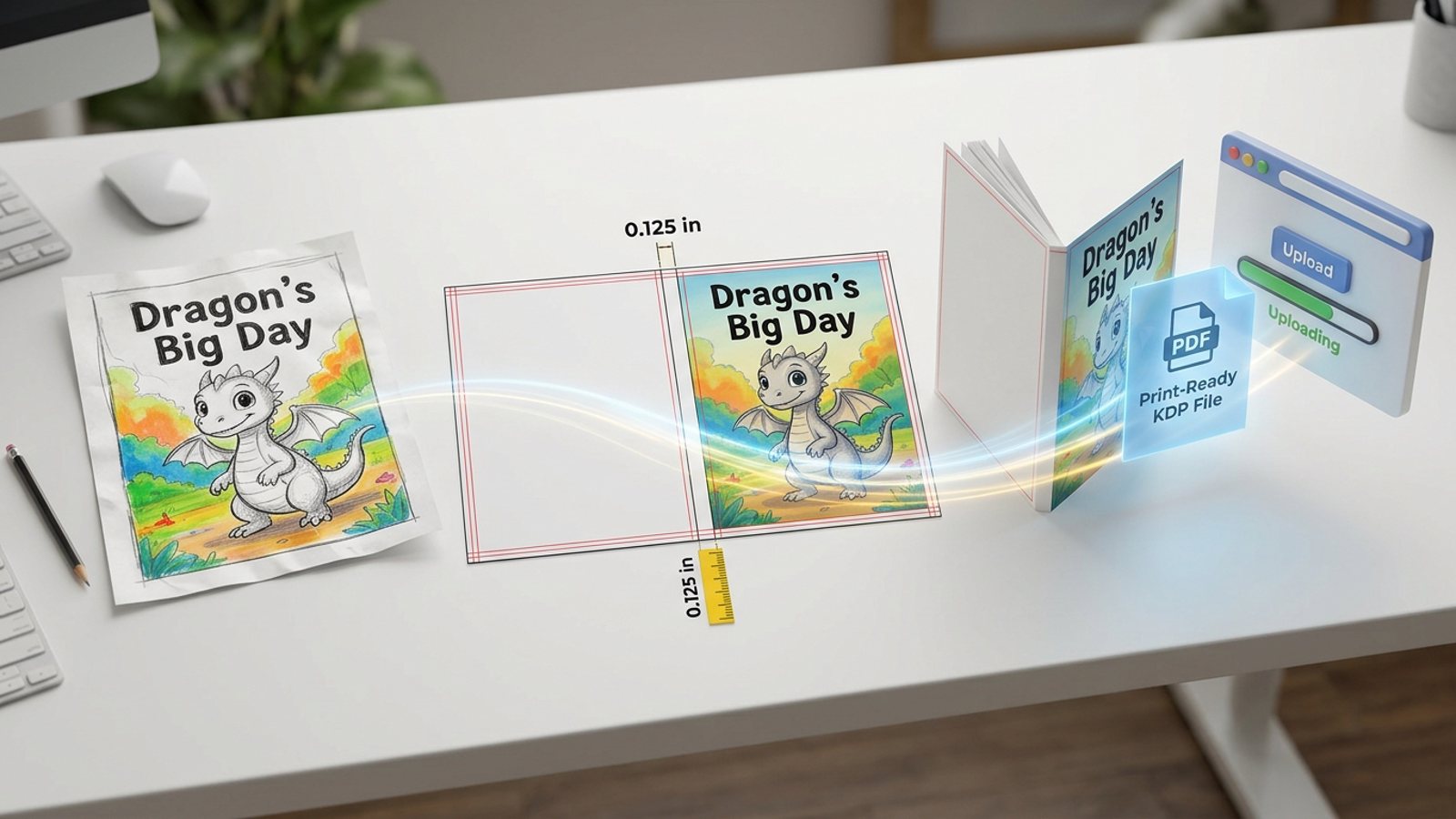
Is there a tool that designs a converting cover for a kids' book?
Yes — an AI children's book maker like ZippyBooks outputs a shopper-focused cover and a print-ready KDP wrap from one prompt, with a review before export.
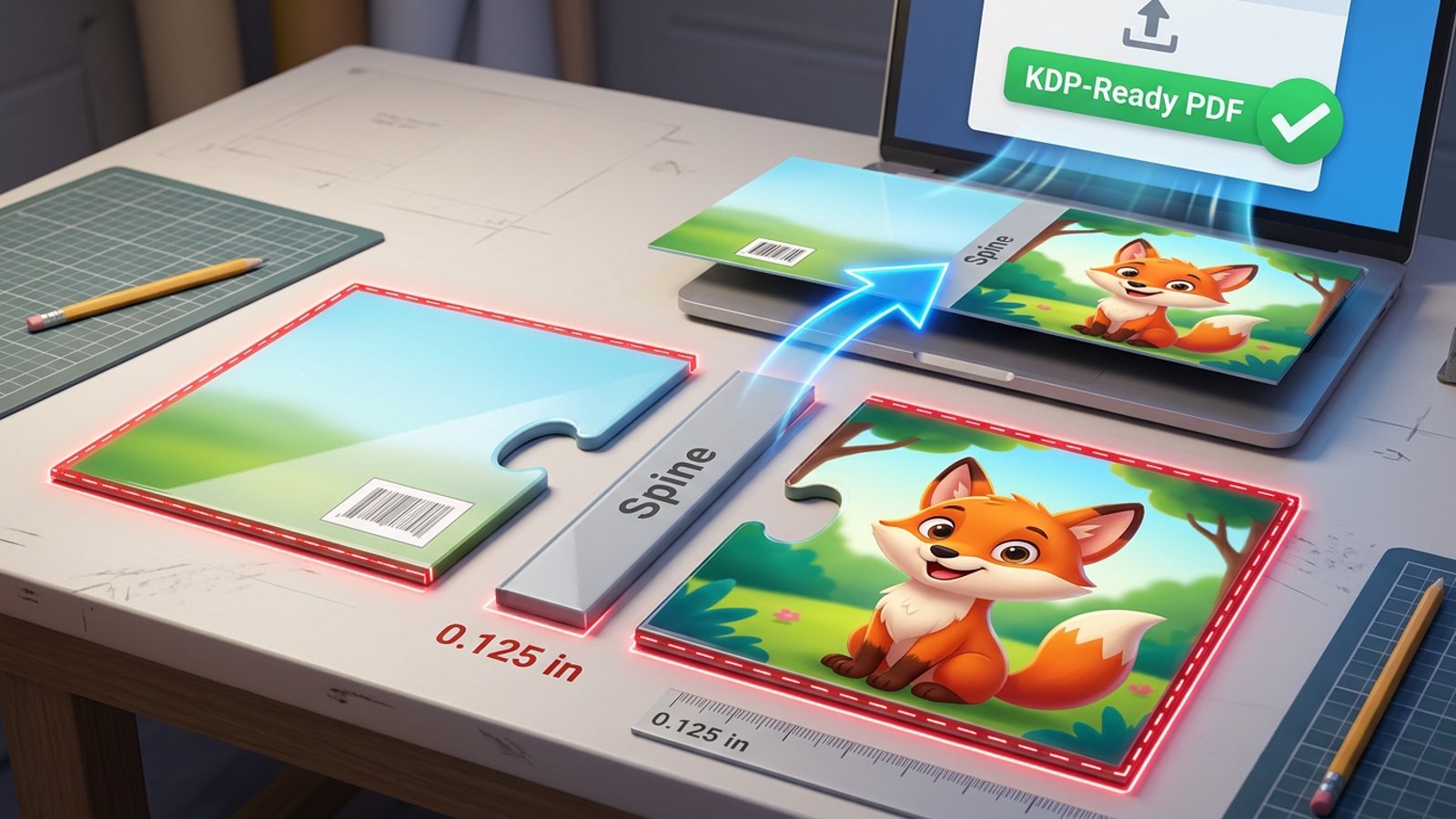
Top AI Children's Book Generators for Print-Ready Covers in 2027
A print-ready cover is one PDF with the right spine, bleed and safe area. We compare the AI tools that get the cover and interior KDP-ready in one step.
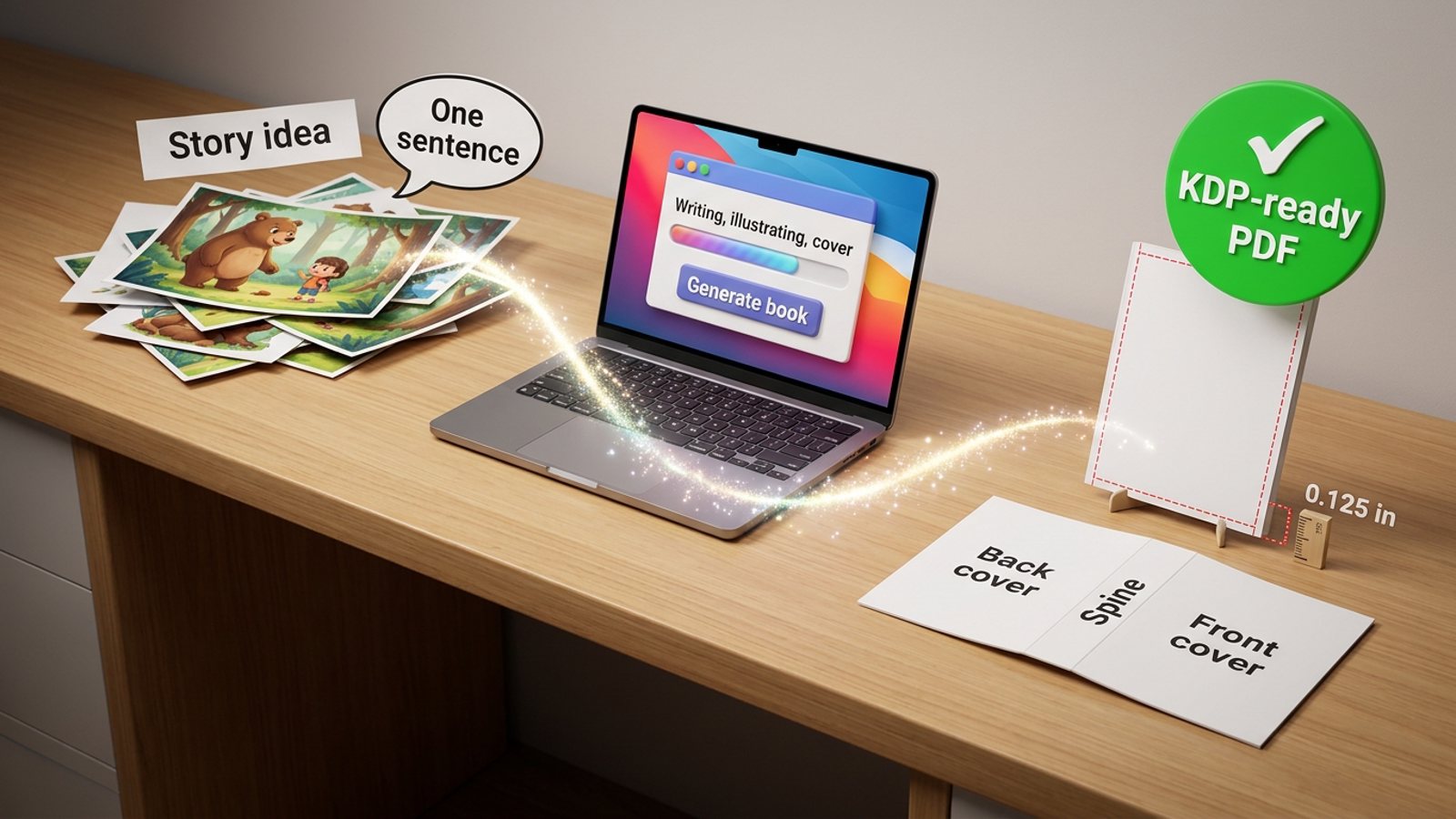
What is the best AI picture book maker for Amazon KDP beginners?
The best AI picture book maker for KDP beginners is the one that leaves the least to fix before upload. ZippyBooks turns one prompt into a bleed-correct interior PDF and a correctly sized wraparound