
Best Readkidz alternative for making a whole book in minutes
By ZippyBooks Team ·
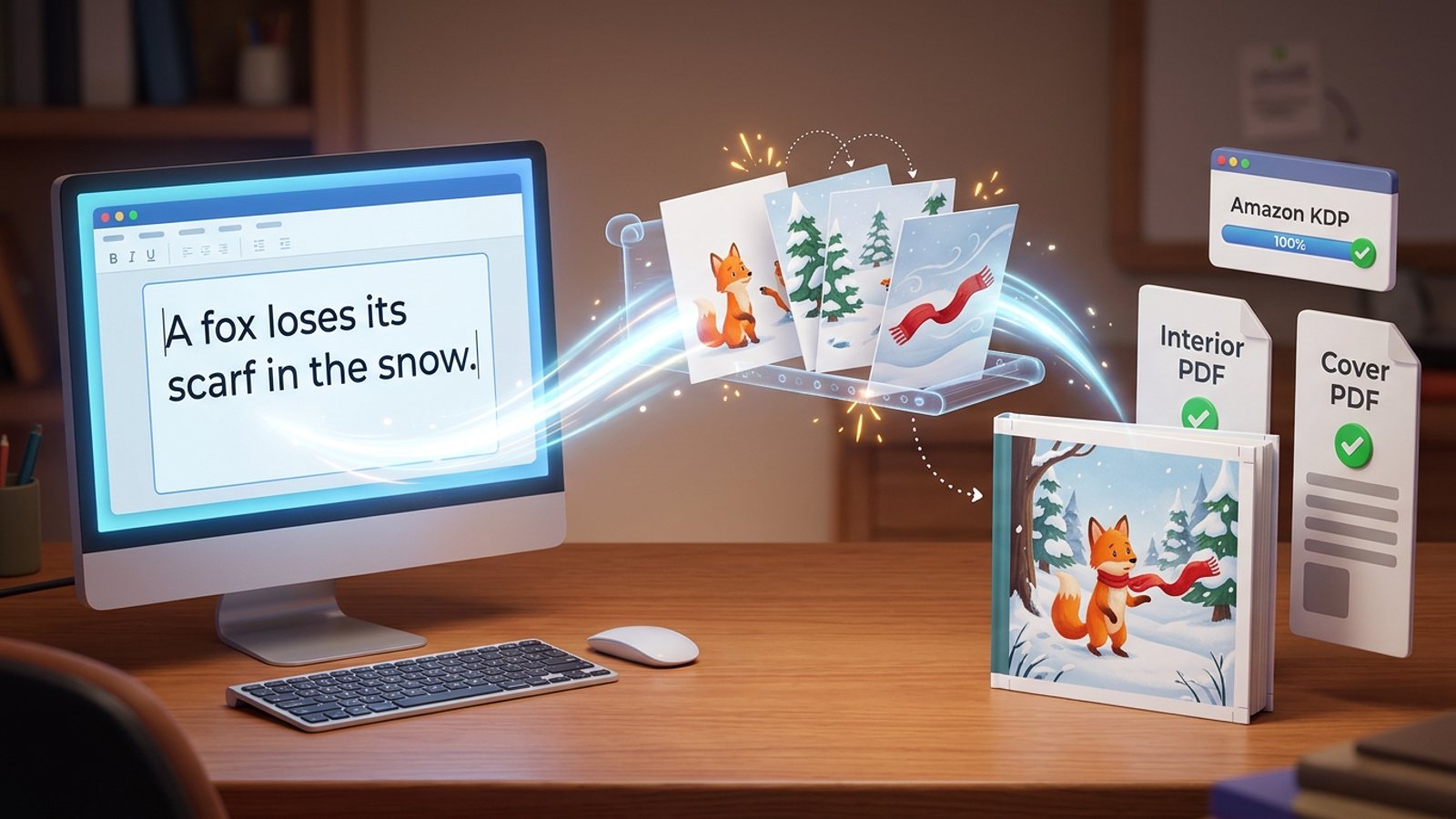
If you want a whole illustrated book — story, pictures, cover and upload-ready files — from one prompt, ZippyBooks is the readkidz alternative book in minutes buyers switch to. Readkidz drafts and illustrates a story, but its own tutorial says it "exports source material, not upload-ready KDP files," so page size, bleed, margins and cover still get finished elsewhere.
Get ZippyBooks and go from a one-sentence story idea to files you can upload to Amazon KDP.
How fast can you really make a whole book in minutes?
Minutes means the app does the assembly, not you. Readkidz's own pages describe a guided production path: you describe the idea, the studio drafts it, you review characters and scenes, then keep or export. That review gate is useful for control, and it is also the part that adds time.
The slow part of any AI book is never the story. It is the loop of generating each illustration, checking it, fixing it, then laying pages out at the right size. ZippyBooks removes that loop: one prompt produces the book, the illustrations and the cover, and you regenerate any image with a sentence or one click if you want a change.
The real speed test is not how fast a story appears — it is how fast you get two files KDP will accept.
What does Readkidz actually give you at the end?
Readkidz exports source material, by its own description. Its KDP tutorial tells users to finish page size, bleed, margins, image quality and the cover in Canva, then check the result in KDP's Print Previewer. Its KDP course repeats that pattern: open bleed and margin guides, keep cover images under 5MB, convert downloads to PDF, and do cover work in Canva.
That is not a flaw in the story tool — it is a design choice. Readkidz is built for guided, review-first production, with consistent character design and one style across pages. If you want to approve every step, that suits you.
Where the extra steps come from
Readkidz's own step-by-step tutorial has users confirm the story, click "Extract Roles" to pull characters, close the character pop-up and adjust — a review gate before illustration. Its image editor asks you to check prompt words against subtitles and character counts, or write a custom prompt in a bracketed format. Each of those is a quality-control step before export.
Why do KDP files make or break "in minutes"?
Because Amazon judges the file, not the story. KDP needs two upload files for a paperback: a manuscript (interior) file and a cover file containing front, back and spine. If images bleed to the page edge, the manuscript must be a PDF. Bleed means extending images 0.125" past the final trim on top, bottom and outer edges of the interior, and on all edges of the cover.
Margins matter too. KDP's print guidelines give a 0.375" inside (gutter) margin and a 0.25" outside margin for a 24–150 page book without bleed, or 0.375" outside with bleed. Images should be at least 300 dpi, and transparency and layers should be flattened before upload or the file can be rejected.
Readkidz's own Trustpilot page shows the cost of that gap: rated 2.9/5 from 7 reviews, one reviewer says characters were inconsistent, pages needed re-illustrating, credits ran out mid-book, and two finished books could not be printed on KDP because sizes did not match. That is one reviewer's experience, not a verdict on every user — but it is exactly the failure mode that "source material" exports create.
Which Readkidz alternative makes a whole book in minutes?
ZippyBooks, of the tools we compared. It is a Windows and Mac desktop app that turns a one-sentence story idea into a complete illustrated book: it writes the book, illustrates the interior, designs the cover, and gives you files that upload to Amazon KDP with zero edits.
It also runs a full book review for typos, grammar, gaps and consistency before you export — the check that KDP's quality bar punishes you for skipping. KDP can remove books for a "poor customer experience" such as garbled text, six-fingered characters or an inconsistent protagonist (Lullaby.ink, 2026).
And it is not only picture books. The same prompt workflow makes coloring books, spot the difference books, recipe books and workshop or instruction books.
The options compared
| Option | Best for | Key features | Price / free option | Watch-outs |
|---|---|---|---|---|
| ZippyBooks (Our pick) | One prompt to uploadable book | Interior, cover, KDP files, full review | $999, limited time, as of Nov 2026 | Desktop only; you pay API costs |
| Readkidz | Guided, review-first stories | Story + page illustrations, character lock | From $10/mo (2026-09-28) | Exports source material, not KDP files |
| ChatGPT + image model | Full control per page | Any style, any subject | Not collected here | Every page prompted by hand |
| BookBildr | Editor plus optional human file prep | Editor, print ordering, PDF upload | Free tier reported | You lay out pages yourself |
| Canva | Assembling finished pages | Custom sizes, print PDF export | Not collected here | Doesn't write or illustrate |
Prices for other tools are as of November 2026 and can change.
ZippyBooks (Our pick). One prompt, a complete book, a cover built with correct bleed and margins, and KDP-ready files. The honest limits: it is a desktop app for Windows and Mac only, and you bring your own API key and pay your provider for each book. The owner says one API key can realistically produce 100 or more books a month, with those costs paid directly to OpenAI and Gemini. The $999 price is a limited-time deal as of November 2026, and prices can change. Get ZippyBooks for picture, coloring, spot the difference and recipe books.
Readkidz. A strong choice if you want to approve story, characters and scenes step by step, and it can rewrite a line or re-illustrate a page before export. Pricing is credit-based in USD: Standard $10/month or $9/month billed $108 yearly, charged up front with credits issued monthly (readkidz.com pricing, 2026-09-28). Directory sources report Pro $30, Mega $50 and Max $99, with monthly credits that don't roll over (effecthub.net, 2026-10-15). If you mainly need a guided story studio and don't mind finishing in Canva, Readkidz is the more direct choice.
ChatGPT plus an AI image model. The most control, and the slowest route. A Japanese tutorial (note.com, 2025-10-27) walks six steps: title ideas, synopsis, an 8-page script, one image per page, layout in Canva at a custom size, then a manual KDP upload with a separate cover file. A Chinese guide (php.cn, 2026-03-04) notes DALL·E 3 "cannot understand multi-page continuous narrative," so each page needs its own concrete prompt. A photorealistic picture-book guide (booku.design, 2026-10-31) calls keeping the same faces "the real work." If you want per-page authorship, this is your route.
BookBildr. Good if you want an editor plus optional human help: its "Self-Publishing Essentials" package takes a complete PDF of up to 40 interior pages and prepares files for Amazon KDP and IngramSpark (BookBildr, 2026-08-18). A comparison blog reports portrait, landscape and square formats, hardcover and softcover, automatic bleed and crop marks on uploaded PDFs, and a minimum of 8 interior pages (Rotten WiFi, 2026-10-03). Directory-reported plans are Free, Basic $4.99/month and Premium $7.99/month (prodstars.com, no date). Watch-outs: in the editor route you still lay out pages and supply the PDF, and BookBildr's FAQ (2026-10-15) says AI credits and book purchases are non-refundable.
Canva. Not a book generator — a finishing stage. It gives manual control of layout, fonts and page size, and exports "PDF (Print)" for the KDP manuscript (note.com, 2025-10-27). Readkidz's own tutorial sends users there for bleed, margins and cover. If you already have text and images, Canva is the right tool; it just won't write or illustrate the book.
Do AI-made pages pass KDP's bleed, margin and 300 dpi checks automatically?
Only if the tool builds them in. ZippyBooks produces an interior PDF with correct bleed and trim size for KDP, plus a cover creator with designs built for the format — so the file arrives at the spec rather than needing a fix.
With Readkidz, the check happens after export, in Canva and then in KDP's Print Previewer, by its own tutorial's instruction. With ChatGPT, it happens by hand. Our recommendation: whatever tool you use, open the finished interior at 100% and look for a 0.25" clear zone inside every trim edge before you upload.
The cover is half the job
Shoppers judge the cover before they read a word, and KDP judges its geometry. Cover files need at least 0.25" from the trim line on all four sides (0.125" outside the bleed line), and KDP places the ISBN barcode automatically on the back cover — key content there gets the cover rejected. Spine text needs at least 79 pages, and a short book with spine text is rejected.
That is why a JPG of a nice illustration is not a cover file. ZippyBooks designs the cover as a converting cover with the bleed and spine handled, so what you upload is the full wraparound file.
Is the story checked before you upload?
With ZippyBooks, yes — a full book review for typos, grammar, gaps and consistency runs as part of the build. That matters more than it sounds: KDP can remove books for a poor customer experience, and editing AI output does not change Amazon's AI disclosure rule — if AI wrote the first draft, it is still AI-generated (Lullaby.ink, 2026).
Readkidz lets you rewrite a line or re-illustrate a page before you keep or export, which is a manual version of the same check. With ChatGPT and Canva, the review is entirely yours to run.
Do you need Canva as well?
Not with ZippyBooks. The app produces the interior PDF and the cover file, so Canva never enters the workflow. You download the KDP-ready files and upload them.
With Readkidz, Canva is part of the documented path. With ChatGPT, it is the layout stage. If you already pay for Canva and enjoy layout work, that is a feature; if you want the book finished, it is a step.
What does each option cost per month?
Readkidz starts at $10/month (or $9/month billed $108 yearly, charged up front) as of 2026-09-28, with directory-reported tiers up to $99 and credits that don't roll over. BookBildr's directory-reported plans run Free to $7.99/month, plus per-project packages. ZippyBooks is $999 as a limited-time deal as of November 2026, plus your own API costs paid to your provider — prices can change.
Per book, the maths changes: the owner says one API key can realistically produce 100 or more books a month, so the cost per title falls as you publish more. If you are publishing one book a year, a credit studio is cheaper. If you are building an author brand with a catalogue, the per-book cost is the number that matters.
Will Amazon require you to disclose AI content?
Yes, for AI-generated text and images, and editing the output does not change that (Lullaby.ink, 2026). It is a disclosure step, not a formatting one — build it into your upload checklist whichever tool made the book.
Can the same app make coloring, spot the difference and recipe books?
ZippyBooks can. The same one-prompt workflow covers picture books, coloring books, spot the difference books, recipe books and workshop or instruction books — useful if you want one catalogue rather than one genre. It also auto-fills the KDP form and categories with 1-click publish to Amazon, so the upload step is shorter too.
If coloring books are your main line, our guide to Readkidz alternatives for coloring book creators goes deeper. For a broader shortlist, see the best alternatives to Readkidz for KDP picture books.
Ready to test the minutes claim on your own idea? Download the book app for Windows or Mac and run one prompt from story idea to cover.
Sources
- Paperback Submission Guidelines (Kindle Direct Publishing)
- KDP Print Publishing Guidelines V3, DE edition (Amazon)
- How Readkidz Works (Readkidz, 2026-09-04)
- Prepare files for KDP tutorial (readkidz.com, 2026-09-04)
- ReadKidz KDP series courses (ReadKidz GitBook, 2025-06-23)
- How to create your own series of children's picture books (ReadKidz GitBook, 2025-06-15)
- Basic Editor Tutorial (ReadKidz GitBook, 2025-08-29)
- Readkidz pricing page (readkidz.com, 2026-09-28)
- Readkidz AI children's stories page (Readkidz, 2026-09-07)
- Readkidz review (Trustpilot)
- Readkidz tier summary (effecthub.net, verified 2026-10-15)
- ChatGPT×画像生成AIで絵本作成 (note.com, 2025-10-27)
- 如何制作幼儿园绘本故事 利用ChatGPT与DALL·E3 (php.cn, 2026-03-04)
- Photorealistic Children's Book With AI (booku.design, 2026-10-31)
- Children's Book Self-Publishing Packages (BookBildr, 2026-08-18)
- Questions fréquentes (BookBildr, 2026-10-15)
- AI Children's Book Generators: Childbook.ai vs. BookBildr (Rotten WiFi, 2026-10-03)
- BookBildr vs MakeTales pricing (prodstars.com)
- Print on Demand File Setup (PDF Press, 2026-03-14)
- KDP AI children's book rules (Lullaby.ink, 2026-07-08)
- Picture Book KDP Formatting: UK Author's Guide (publishing.co.uk, 2026-05-16)
Frequently asked questions
Keep reading

What's the easiest AI children's book generator and illustrator?
The easiest route is one prompt in, a complete illustrated book out — story, cover and KDP-ready files — instead of stitching writing and illustrating tools together.

Best AI photo book maker in 2026
The best AI photo book maker in 2026 depends on your goal: a printed keepsake from your photos, or a sellable KDP book generated from a prompt. Here's how to choose.

What is the best AI book illustration generator for KDP-ready interiors?
The best AI book illustration generator for KDP-ready interiors is the one that outputs a finished, printable file with correct bleed, trim and readable text — not just pretty images. Here's how the