
Readkidz alternatives for coloring book creators on Amazon KDP
By ZippyBooks Team ·
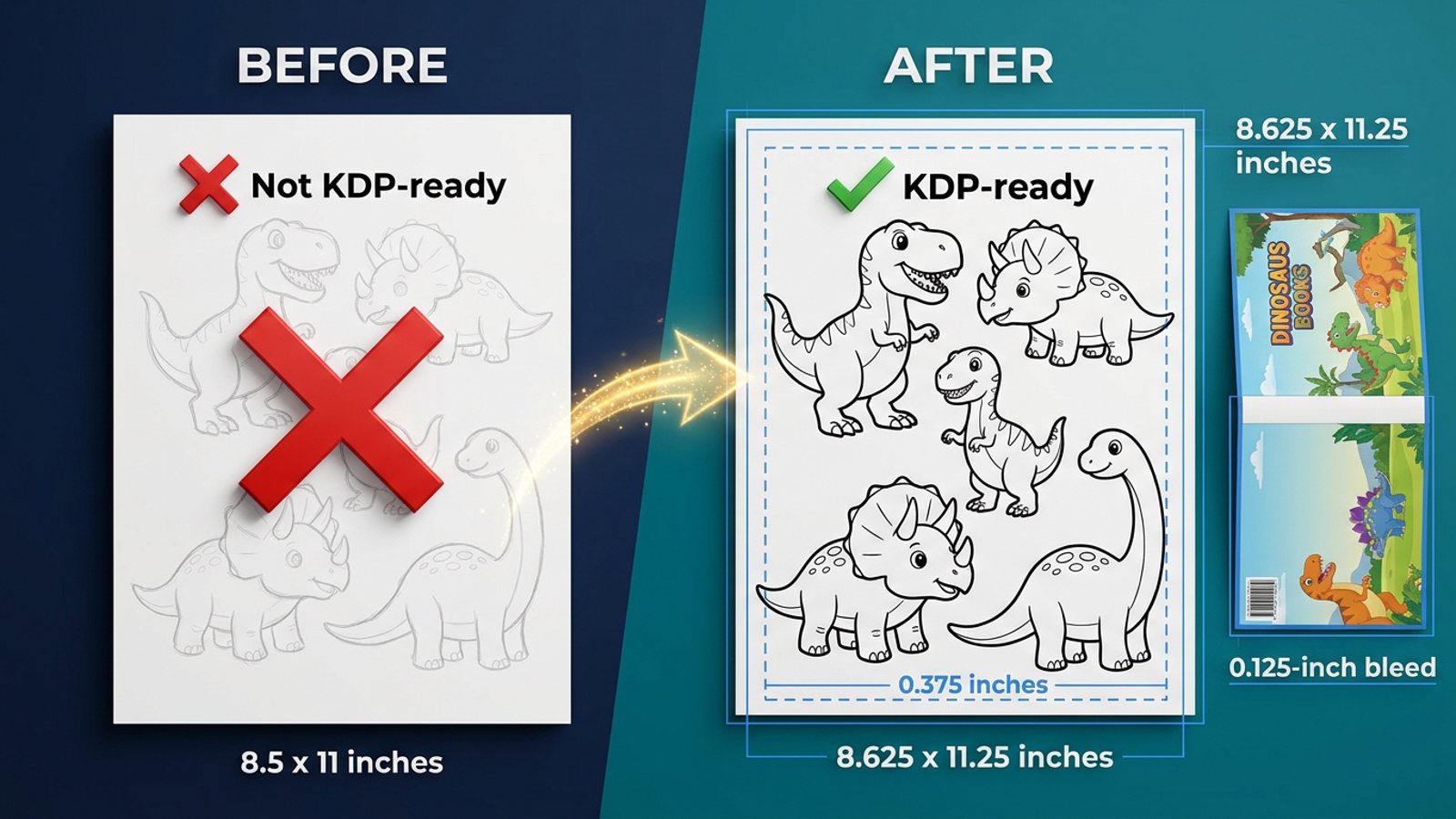
If you sell coloring and activity books on Amazon KDP, the best Readkidz alternatives are tools built for line-art interiors, not written stories. Readkidz is a credit-based, story-first generator — its own pricing pages start at $10/month. ZippyBooks, Canva, Midjourney and Kindle Kids' Book Creator each cover a different part of the coloring-book job.
Readkidz gets recommended a lot for picture books, and for good reason — it keeps characters consistent across a story. But if your KDP catalog is coloring books, spot-the-difference puzzles and activity pages, you are shopping for a different machine. Here is how the readkidz alternatives coloring books crowd actually compares.
If you would rather skip the assembly work entirely, get ZippyBooks and turn one sentence into a finished, KDP-ready coloring or picture book.
Can Readkidz make a coloring book with KDP-sized files?
Not as its main job. Readkidz markets itself as turning one written idea into a complete illustrated children's book — story, illustrations and layout together, "ready to read tonight or publish to Amazon KDP," according to its own product page (2026). Its workflow starts with a story, not with a blank coloring page.
That matters for three practical reasons:
- Credits run the show. Readkidz's own pricing pages (German and Polish editions, 7 September 2026) list Standard at $10/month, or $9/month billed yearly at $108, with 10,000 plan credits per month. Third-party summaries list Pro at $30, Mega at $50 and Max at $99, with monthly credits that do not roll over (EffectHub, 2026).
- Free output is watermarked. A third-party pricing summary says the free tier gives 1,500 starter credits valid 30 days and watermarked exports (aitoolcompass.net, 2026).
- KDP fit is the complaint. Readkidz carries a 2.9/5 "Average" Trustpilot rating, and one reviewer says a finished book could not be printed on KDP because the correct size was not offered, with credits running out mid-book (Trustpilot, no date).
To be fair, Readkidz has real strengths. A first-hand reviewer notes character consistency, hundreds of art styles and four image options per scene with extra prompting (vocus.cc, 2025). If you mainly need story-first picture books with the same character on every page, Readkidz is a sensible choice.
What makes a coloring book different from a picture book on KDP?
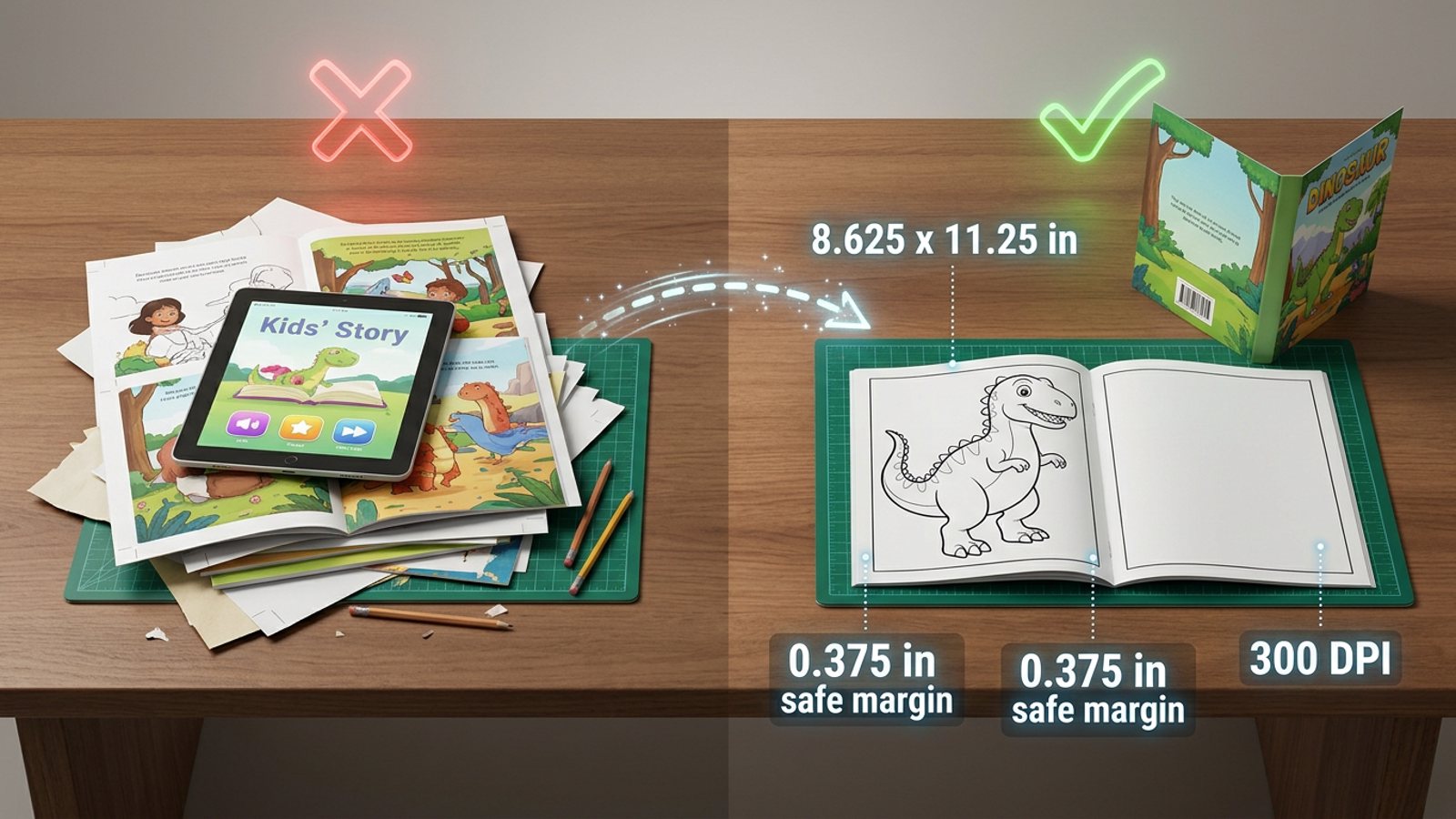
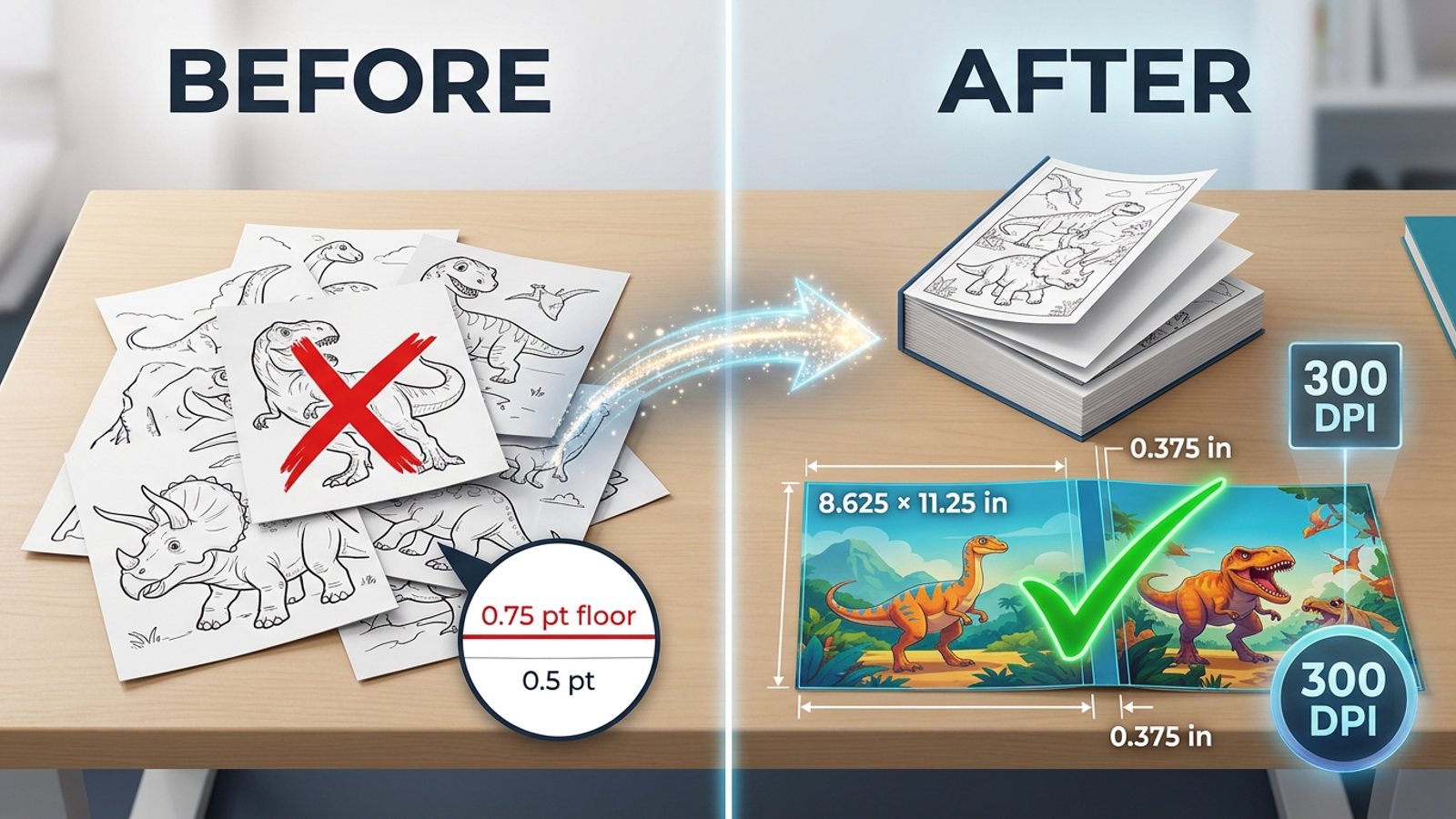
The interior is line art, not painted scenes, and the file rules are stricter. For a coloring book with bleed, each page is 0.125" wider and 0.25" taller than trim — 8.625 × 11.25 in for 8.5 × 11 — you select "Bleed (PDF only)" on KDP, and art must stay at least 0.375" from outside edges and the binding edge for books of 24–150 pages (ColorCraft, 2026).
Then come the details that trip people up:
- Gutter by page count. KDP's minimum gutter is 0.375" for 24–150 pages, rising to 0.5" for 151–300 pages (BookIllustrationAI, 2026).
- Single-sided printing. A 40-design coloring book printed single-sided sits in the 24–150 page bucket, and the recommended workflow inserts a blank page after every illustration (WPS, 2026).
- One wrap cover. The paperback cover must be a single PDF holding back cover, spine and front as one image, with 0.125" bleed added to top, bottom and outside edges; spine text needs at least 79 pages or the cover is rejected (KDP, Create a Paperback Cover).
- Resolution. All images, cover and interior, should be at least 300 DPI, and the file must be no more than 650 MB (KDP, Paperback Submission Guidelines).
That is a lot of geometry to hold in your head while you are also trying to draw 40 pages of dinosaurs.
How do the Readkidz alternatives compare for coloring books?
ZippyBooks is our pick of the tools we compared, because it is the only one that starts from a prompt and ends with a bleed-correct coloring or spot-the-difference interior plus a cover. It is a Windows and Mac desktop app: you type a one-sentence idea, and the app writes the book, illustrates the interior and designs the cover. You can regenerate any illustration with a sentence or one click, and a full book review checks typos, grammar, gaps and consistency before export.
| Option | Best for | Key features | Price / free option | Watch-outs |
|---|---|---|---|---|
| ZippyBooks (Our pick) | One-prompt coloring & activity books | Full interior from a prompt, cover creator, KDP bleed & trim, auto-fills KDP form | $999 lifetime deal + your API costs (as of November 2026; prices can change) | Windows/Mac only; bring your own API key |
| Readkidz | Story-first picture books | Character consistency, hundreds of styles, 4 images per scene | Free starter credits; $10/mo Standard | Built for stories, not coloring interiors |
| Midjourney | High-quality line art | Strong prompt control, commercial use on paid plans | No free tier; $10–$120/mo | No API, public images on cheapest tier, no pagination or cover wrap |
| Canva | Layout and light editing | Free coloring templates, photo-to-line-art | Free; Pro $144/yr per person | Crop-mark/bleed trap; you design every page |
| Kindle Kids' Book Creator | Assembling inside Amazon's tools | Free KDP tool for kids' books | Free | You still produce and prep all artwork |
ZippyBooks is made by the team behind this blog. Its honest limits are worth stating plainly: it runs on Windows and Mac only, and you bring your own API key and pay your provider for each book. The owner reports one API key can realistically produce 100 or more books per month, with that cost paid directly to OpenAI and Gemini.
Where each alternative wins. If you mainly need a written, illustrated story with the same character throughout, Readkidz is the more direct choice. If you want maximum artistic control over a single style, Midjourney's prompt control is hard to beat — though it has no free tier in 2026, bills by Fast GPU time, and makes images public on its cheapest tier (Krea, 2026). If you already have artwork and just need to lay pages out, Canva's free templates and photo-to-line-art converter are genuinely useful (Krea, 2026). If you want to stay inside Amazon's own toolchain, Kindle Kids' Book Creator is free — but it still expects you to produce the artwork.
How do you build a KDP coloring book from scratch, step by step?
Fix the trim and page count first, then work outward. Here is the sequence that keeps a file out of the rejection pile:
- Pick the trim and age band. 8.5 × 11 in is standard for coloring and activity books; the difficulty must match the age on the cover (KDP Builder, 2026; Inkario, 2026).
- Generate pure line art. Prompt for black line art with no shading, then clean every page to two colours at 300 DPI (BookIllustrationAI, 2026).
- Set trim plus bleed. 8.5 × 11 becomes 8.625 × 11.25 in, with art kept inside the safe margins (ColorCraft, 2026).
- Insert blank pages. One blank after each design gives single-sided printing (WPS, 2026).
- Build the wrap cover. Back, spine and front as one PDF with 0.125" bleed; skip spine text under 79 pages (KDP, Create a Paperback Cover).
- Export and check. High-quality PDF, no password, 300 DPI, then run it through KDP's Print Previewer (WPS, 2026).
- Disclose the AI. KDP classifies content as AI-generated if an AI tool created it, even after substantial editing, and AI images must be disclosed during upload (ColorCraft, 2026).
Steps 2 through 5 are where ZippyBooks does the work for you. The app generates the interior with correct bleed and trim, designs a cover built to convert shoppers, auto-fills the KDP form and categories with one-click publish to Amazon, and runs a 5-star cover and interior auto review before you export. You still adjust what you like — the point is that the file geometry is handled.
Can you make spot-the-difference books with these tools?
Spot-the-difference is a thin-competition niche on KDP because there is no long-established generator for it; most sellers hand-build pages in Canva or skip it entirely (SpotHuntStudio, no date). That is exactly why it is worth doing well.
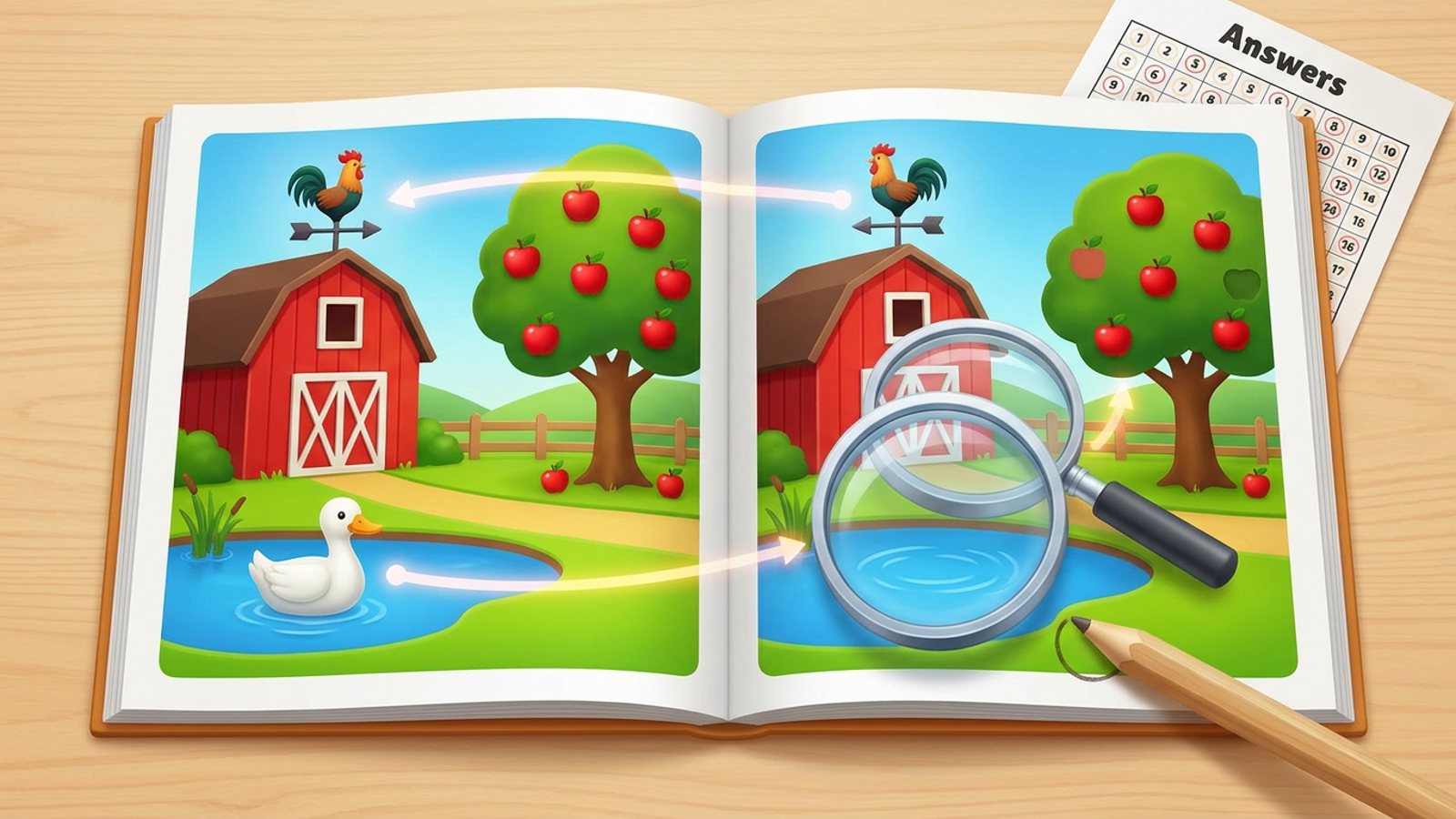
The quality rule is simple: a puzzle needs a stated number of differences that truly exist between the two images, and an answer key at the back makes the book feel complete (MadeGoodDesigns, 2026). Free worksheet generators exist with instant PDF export, some watermarking the free output (LessonCraftStudio, 2026), and free spot-the-difference makers output 8.5" × 11" pages with 0.75" margins and no bleed (kdpactivitybook.com, no date) — which means you still have to handle bleed and pagination yourself.
ZippyBooks generates spot-the-difference books as one of its book types alongside picture, coloring and recipe books, so the puzzle pages come out of the same one-prompt pipeline as the rest of the interior.
Which tool should you pick for your KDP coloring book business?
It depends on which layer of the job you want to own. If you want to draw every page, Midjourney plus Canva is a capable, hands-on stack. If you want a written story, Readkidz is built for that. If you want a finished, uploadable coloring or activity book from a story idea — with trim, bleed and cover handled — ZippyBooks is the one built for that job.
The real choice is not which AI draws the prettiest page; it is which tool hands you a file KDP will accept without a weekend of resizing.
Publishing many titles fast is how an author brand gets built, and the assembly work is what slows most publishers down. Get ZippyBooks to turn one prompt into a complete coloring, spot-the-difference or picture book with print-ready KDP files.
Sources
- Readkidz pricing, Polish edition (2026-09-07)
- Readkidz AI picture book maker, Polish edition (2026-08-21)
- EffectHub — ReadKidz pricing and alternatives (2026-08-22)
- aitoolcompass — ReadKidz pricing (2026-10-03)
- Trustpilot — Readkidz reviews (no date)
- vocus.cc — Readkidz first-hand review (2025-09-06)
- KDP — Save Your Manuscript File
- KDP — Paperback Submission Guidelines
- KDP — Create a Paperback Cover
- WPS — How to Format an Adult Coloring Book PDF for Amazon KDP (2026-10-19)
- BookIllustrationAI — KDP coloring book trim size, bleed, rejections (2026-04-14)
- BookIllustrationAI — How to make a coloring book on Canva (2026-10-09)
- BookIllustrationAI — How to make a coloring book with AI (2026-10-09)
- ColorCraft — KDP Coloring Book Trim Size, Bleed and Margins (2026-10-19)
- ColorCraft — Sell AI coloring books on Amazon KDP (2026-10-15)
- KDP Builder — KDP Interior Formatting Guide (2026-07-16)
- Mobbi AI — Midjourney pricing (2026-05-24)
- Krea — Midjourney pricing (2026-09-20)
- Krea — free coloring page generators (2026-09-22)
- Techpresso — Canva pricing (2026-11-04)
- SpotHuntStudio — Spot-the-difference book for KDP
- kdpactivitybook.com — Spot the Difference Maker
- LessonCraftStudio — Hidden Objects Worksheet Generator (2026-04-27)
- MadeGoodDesigns — Activity Book Design (2026-06-06)
- Inkario — How to create an activity book for KDP (2026-07-14)
Frequently asked questions
Keep reading
LoveToRead.ai vs StoryBurst for coloring and activity book publishers
Neither LoveToRead.ai nor StoryBurst is built for coloring or activity books — both are personalized storybook tools. See what a coloring publisher actually needs and which tool outputs KDP-ready
Best Bookcraft AI alternatives for spot the difference books
Bookcraft AI makes story books, not paired-image puzzles. See which tools actually produce a countable, answer-keyed spot-the-difference book with KDP-ready files.
Tyniko alternatives for making coloring books to sell on Amazon
Tyniko promises one-click coloring books but publishes no pricing or KDP specs. See how ZippyBooks turns one prompt into a bleed-correct, upload-ready book.