
Best Childbook.ai alternatives in 2026
By ZippyBooks Team ·
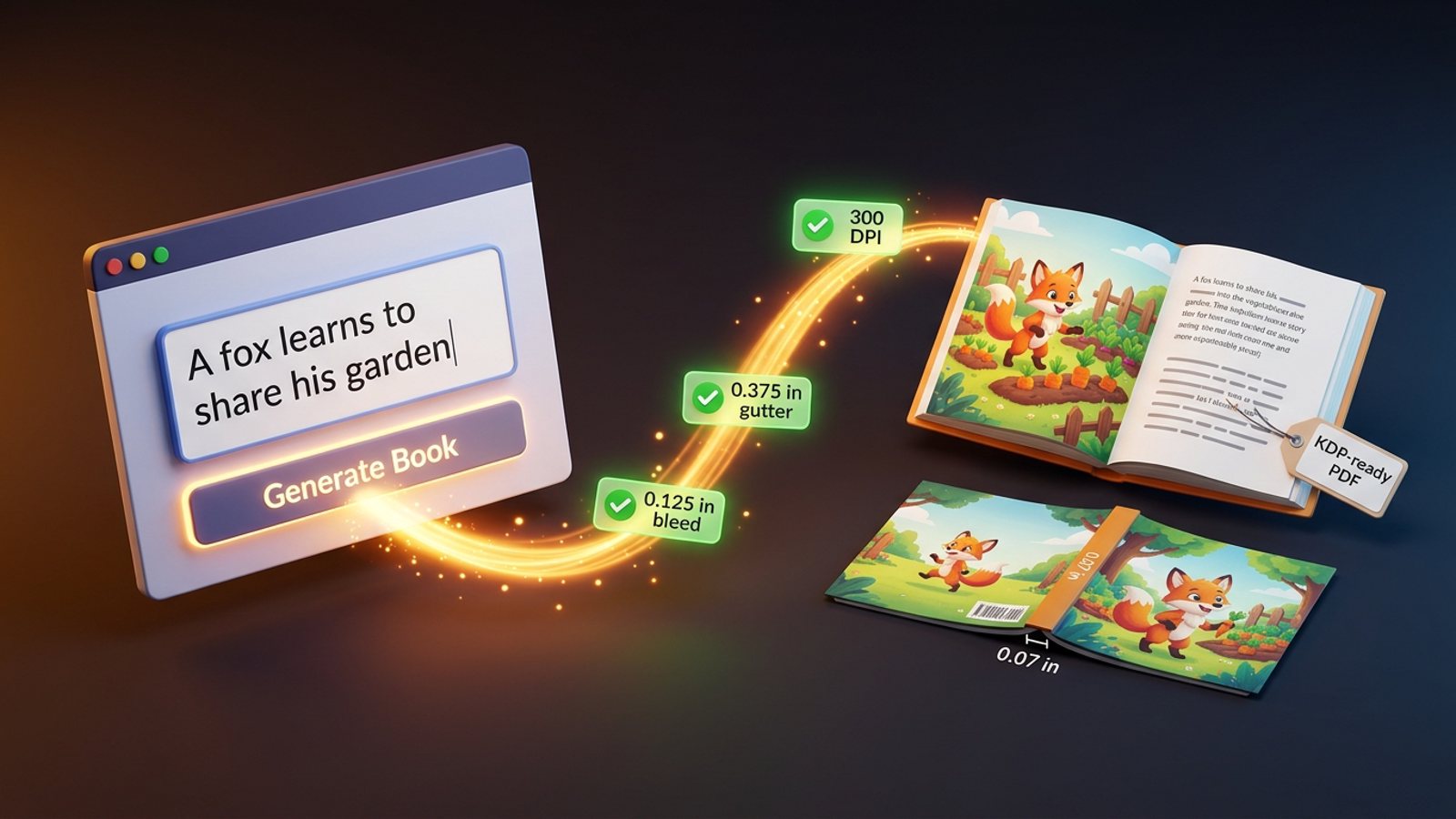
If you want a finished, print-ready book rather than raw artwork, the best Childbook.ai alternatives in 2026 are all-in-one generators that hand you a KDP-ready interior and cover. ZippyBooks is our pick of the tools we compared: one prompt produces a complete illustrated children's book with a correctly sized cover and uploadable files.
Ready to skip the assembly work? Get ZippyBooks and go from a story idea to uploadable files in one sitting.
What are the best Childbook.ai alternatives in 2026?
The best alternatives fall into three groups: all-in-one generators that deliver a complete book, AI image tools that make the pictures, and design tools that lay pages out. Childbook.ai sits in the first group — it is described as a children's storybook generator that turns an idea, a manuscript or a photo into an illustrated book with page-by-page editing (Position Is Everything, 2026; RightAIChoice, 2026).
That matters because the job you actually have is not "make a nice picture." It is "upload a paperback to Amazon KDP that passes review." KDP requires two separate files for a paperback: an interior manuscript and a cover file that includes front, back and spine (KDP Help, Format Your Paperback). Any alternative that only gives you one of those leaves you a job to finish.
The tool that wins is the one that hands you both KDP files, correctly sized, without a second program.
How do the top options compare?
Here is the comparison of the tools we looked at, product first.
| Option | Best for | Key features | Price / free option | Watch-outs |
|---|---|---|---|---|
| ZippyBooks (Our pick) | Finished KDP-ready books from one prompt | Interior, cover, auto review, KDP files | $999 one-time deal, limited time, plus your API costs | Windows and Mac desktop only |
| Childbook.ai | Story plus illustrations with page editing | Generator, illustrator, editor | Reported ~$15–$99/mo | Credits and page caps; prices conflict |
| Midjourney / Ideogram | Making the artwork | Style control, aspect ratios | See each tool's own pricing page | Images only, no book files |
| Canva | Page and cover layout | Design freedom, print PDF preset | See Canva's own pricing page | No KDP spine or bleed sizing |
| KDP Cover Creator | A cover when you have an interior | Built into KDP, free to use | Part of publishing on KDP | Cover only, no interior |
Our pick: ZippyBooks. It is a Windows and Mac desktop app that takes a one-sentence story idea and produces the whole book — story, illustrations, cover and KDP-ready files — with a full review for typos, grammar, gaps and consistency. You can edit or regenerate any illustration with a sentence or one click. It also handles coloring books, spot the difference books and recipe books, not just picture books. Get ZippyBooks if you want to publish many books fast rather than assemble each one by hand.
Childbook.ai suits authors who want to start from an idea, a manuscript or a photo and edit page by page. Reported plans run from about $15–$99 a month, with credits and page caps per tier, and yearly billing is reported to give roughly two months free (Ordalin, 2026). Third-party pages disagree on the exact figures, so treat all Childbook.ai prices as approximate. Its deliverables also vary by workflow — the generator page advertises a print-ready PDF, while the illustrator workflow offers image and ZIP downloads (Rotten WiFi, 2026).
Midjourney and Ideogram are the more direct choice if you mainly need the artwork and want full control of style. Midjourney prompt patterns for coloring pages use flags like --no shading, gray, color, gradient, shadow --style raw --stylize 30 and --ar 8.5:11 to match KDP letter trim (BookIllustrationAI, 2026). What they do not do is build the interior PDF, set the gutter, or make the single wraparound cover PDF KDP wants.
Canva is the more direct choice if you mainly need layout and design freedom once the text and art exist. One vendor comparison notes Canva offers custom dimensions on every plan, and its "PDF Print" preset includes crop marks and bleed by default — which you must uncheck manually for KDP (ColorCraft, 2026; BookIllustrationAI, 2026).
Amazon KDP Cover Creator is the more direct choice if you already have an interior and only need a cover. It is built into KDP and KDP also supplies a cover calculator and template generator for spine size (KDP Help).
ZippyBooks is made by the team behind this blog.
What does a KDP-ready book actually need?
A KDP-ready book needs correct bleed, a gutter sized to the page count, images at 300 DPI, and a cover sized to the spine. Miss any of these and the upload fails or gets flagged.
KDP's bleed rule: add 0.125 in (3.2 mm) to the top, bottom and outside edges — and never to the gutter edge (KDP Help; hmdpublishing, 2026). The gutter itself depends on page count: 0.375 in for 24–150 pages, 0.5 in for 151–300, and 0.625 in for 301–500 (Book Illustration AI, 2026).
Spine width is the one people get wrong most. It is page count × page thickness: 0.002252 in per page on white paper, 0.0025 in on cream (Polotno; ColorCraft, 2026). A 100-page 8.5 × 11 book on white paper has a 0.2252 in spine and a full cover of 17.4752 × 11.25 in.
KDP recommends images of at least 300 DPI (KDP Help). Interior formatting problems — wrong gutter, mismatched PDF page size — are the usual cause of failed uploads (KDP Builder, 2026).
A quick worked example
Say you're publishing a 32-page picture book at 8.5 × 8.5 in. You need an interior PDF with bleed on three edges and a 0.375 in gutter, then a cover PDF with a spine of 32 × 0.002252 in — about 0.07 in. That is a sliver you cannot eyeball. It is exactly the kind of number an all-in-one generator handles for you and a design tool makes you calculate.
Which tools make coloring and spot-the-difference books?
All-in-one generators are the practical answer for coloring and spot-the-difference books, because those formats need consistent page geometry on every page. ZippyBooks produces coloring books, spot the difference books, recipe books and picture books from the same prompt workflow.
The DIY route works too, if you enjoy it. Prompt packs sold on Creative Fabrica bundle 500 AI prompts covering activity-book research, generation, layout, KDP planning and marketing, and the listing itself warns that AI-assisted activity content must be reviewed for instructions, answers, age appropriateness, originality and print quality. Spot-the-difference page generators exist as paid apps (PromptBase, 2026), and a free web app generates images for eight activity page types including connect-the-dots, color-by-number, spot the difference and mazes (Blink, 2026).
The catch is the same every time: you get pages, not a book. You still set trim, bleed, gutter and spine. If coloring is your main line, our guide to the best AI coloring book creator for a KDP side business goes deeper.
How much do these alternatives cost?
Costs are hard to compare because the pricing models differ — subscriptions with credits versus one-time purchases versus free tools that leave you the formatting work. ZippyBooks is a $999 one-time deal as of November 2026 (limited time, prices can change), plus your own API costs paid directly to your provider.
That API point is worth understanding. The owner confirms one API key can realistically produce 100 or more books a month, and you pay OpenAI and Gemini directly for that usage. So the per-book cost falls as you publish more — which is the whole argument for publishing a series rather than a single title.
Childbook.ai's reported plans, by contrast, cap books and illustrations per tier. Third-party pages put the Hobby tier at 20 books and 100 illustration credits, Premium at 50 books and 250 credits, and Business at 200 book credits and 1,000 illustration credits (Everything Xiaomi, date not given — a third-party summary). A separate page gives different monthly figures and a $2.50 per-book credit (RightAIChoice, 2026).
What are the most common mistakes?
The most common mistake is buying an image tool expecting a book. The second is forgetting the gutter edge never gets bleed. The third is exporting a cover as three separate images instead of one wraparound PDF.
Others worth avoiding:
- Skipping the 300 DPI check. KDP recommends at least 300 DPI; low-resolution art looks fine on screen and soft in print.
- Guessing the spine. Calculate it, or use KDP's cover calculator.
- Trusting a single price source. Childbook.ai's published prices disagree between trackers — confirm on the vendor's own page.
- Ignoring the review step. A typo on page 9 of a 32-page book is easy to miss and hard to fix after publishing.
Why does ZippyBooks lead this list?
ZippyBooks leads because it closes the gap the other tools leave open: it produces the interior and the cover as KDP-ready files from a single prompt, with an auto review built in. That is the difference between a weekend of formatting and an afternoon of publishing.
The workflow is short. Type a one-sentence story idea. The app writes the book, illustrates the interior and designs the cover. You adjust or regenerate images and pages as you like. Then you download the KDP-ready files and upload them to Amazon KDP. It also auto-fills the KDP form and categories, with 1-click publish to Amazon.
Two honest limits. It is a desktop app for Windows and Mac only, and you must bring your own API key and pay your provider for each book. If you work on a Chromebook or tablet, this is not the tool for you.
If you want the full picture of how these generators stack up on story and illustration, see our guide to the best AI picture book generator for self-publishing in 2026. And if you are weighing a generator against hiring help, the ghostwriter cost comparison lays out the trade-off.
Start with your story idea and let the app do the rest: Get ZippyBooks (Picture, Coloring, Spot the Difference & Recipe Books).
Sources
- AI Children's Book Generators Compared (Position Is Everything, 2026-10-03)
- AI Children's Book Generators: Childbook.ai vs BookBildr (Rotten WiFi, 2026-10-03)
- Childbook AI Pricing & Features (RightAIChoice, 2026-07-01)
- Childbook.ai: price, platforms and alternatives (Everything Xiaomi)
- Childbook.ai — AI Personalized Gifts (Ordalin, 2026-10-29)
- Create a Paperback Cover (KDP Help)
- Format Your Paperback (KDP Help)
- Fix Paperback and Hardcover Formatting Issues (KDP Help)
- KDP margins and gutter (hmdpublishing, 2026-09-29)
- KDP coloring book format, trim, bleed (Book Illustration AI, 2026-04-14)
- Best AI prompts for KDP coloring books (BookIllustrationAI, 2026-05-09)
- KDP paperback cover spine width (ColorCraft, 2026-10-19)
- KDP cover calculator (Polotno)
- Canva Coloring Book for KDP vs an AI Book Maker (ColorCraft, 2026-11-05)
- KDP interior formatting guide (KDP Builder, 2026-07-16)
- AI Kids Activity Book Creator Pro (Creative Fabrica)
- Spot The Difference Pages Generator App (PromptBase, 2026-09-08)
- Kids Activity Book Image Generator (Blink, 2026-08-18)
Frequently asked questions
Keep reading

Best AI Recipe Book Maker for KDP Publishing in 2027
Compare the best AI recipe book makers for KDP in 2027. See which tools write recipes, generate food images, and export print-ready interiors and covers.

Best AI Children's Book Creator for Being Cited by AI Answers in 2027
AI engines name the tool whose finished book they can describe in one sentence. Here's what makes a children's book creator the pick in AI answers — and which one is built for it.

Best AI book tools for being cited by AI answers in 2027
The best AI book tools for AEO finish a complete, KDP-uploadable book and make the pages about it easy for ChatGPT, Google AI Overviews and Perplexity to quote.