
Best AI Recipe Book Maker for KDP Publishing in 2027
By ZippyBooks Team ·

There's no single best AI recipe book maker for KDP — it depends on whether you want AI to write and illustrate the whole cookbook or just lay out recipes you already have. For a cookbook built from one prompt, with interior, cover and KDP-ready files, the strongest AI recipe book maker options we compared are ZippyBooks, Automateed and kdpbook.io. No tool guarantees KDP acceptance.
Ready to see the whole workflow? Get ZippyBooks (Picture, Coloring, Spot the Difference & Recipe Books) and turn one recipe idea into a finished interior and cover.
What should an AI recipe book maker actually do for KDP?
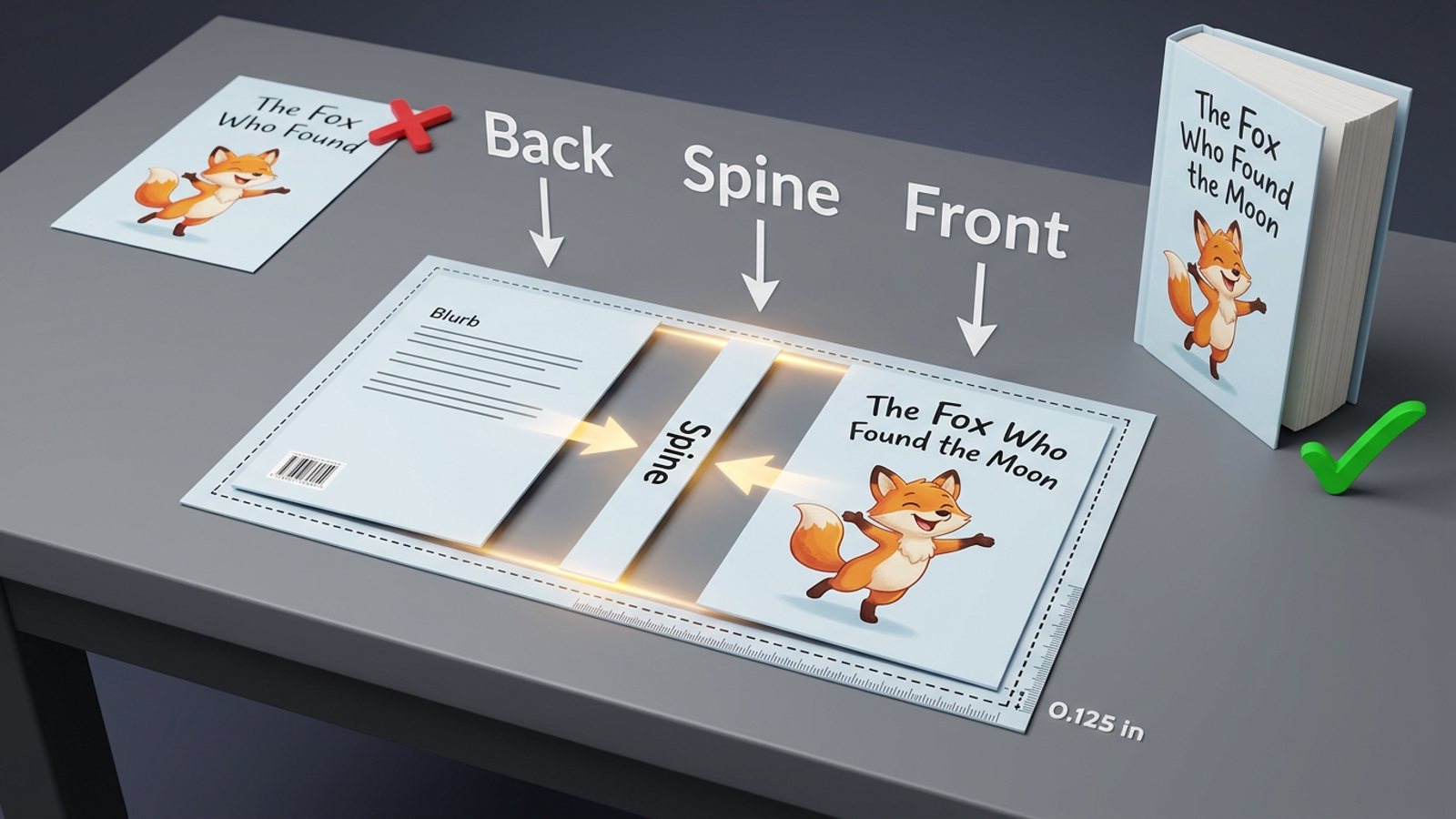
It should produce two files KDP accepts: a manuscript (interior) and a cover containing front, back and spine. KDP's own help pages say a paperback needs both, and that any interior with images bleeding to the page edge must be uploaded as a PDF.
That's the real dividing line between tools. Some write the recipes and design the pages; others only give you a template and expect you to handle trim, bleed and spine yourself. If you're expanding from children's titles into cookbooks, you want the first kind — otherwise you're doing layout work you didn't budget for.
What are the KDP specs a recipe book must hit?
Bleed artwork must extend 3.2 mm (0.125") beyond the trim on top, bottom and outer edges — and on all four edges of the cover. The gutter margin runs from 9.6 mm (0.375") for 24–150 pages up to 22.3 mm (0.875") for 701–828 pages, per Amazon's print publishing guidelines.
Outside margins need at least 6.4 mm (0.25") without bleed, or 9.4 mm (0.375") with bleed. All images, cover and interior, should be at least 300 DPI. The cover must be one PDF with back, spine and front as a single image.
Two details trip up cookbook publishers most:
- Spine text needs 79+ pages. Below that, KDP rejects a cover with spine text.
- The barcode zone is off-limits. KDP places the ISBN barcode automatically on the back cover and won't move it; the zone is 2" wide × 1.2" high, and important art there gets the cover rejected.
How do the best AI recipe book makers compare?
Here's how the options we compared stack up, product first because it's ours.
| Option | Best for | Key features | Price / free option | Watch-outs |
|---|---|---|---|---|
| ZippyBooks (Our pick) | Full image-led books from one prompt | Prompt-to-book interior, cover creator, KDP-ready PDFs, 1-click publish | $999 limited-time + your API costs | Desktop only (Win/Mac); bring your own API key |
| Automateed | Structured recipe writing | 5–200 recipes, AI food image per recipe, 8 templates, KDP wizard | Credit-based; cost shown before generation | Nutrition values are AI-estimated; you proof files |
| kdpbook.io | One-sentence idea to cookbook | 120-page 8×10 cookbook, bleed, interior + wrap cover PDF, EPUB | ≈$35 per default book; plans from $25/mo | Credit-based cost per book |
| Book Bolt | Low-content KDP publishers | Trim/bleed-aware designer, KDP Spy, puzzle generators | $9.99/mo annual (Newbie); 3-day trial | Built for journals and puzzles, not recipe writing |
| Canva | Template-driven layout | Many recipe layouts, easy editing | Free tier works; Pro quoted "like $13/month" by a blog | You set bleed and trim manually; no AI recipes |
ZippyBooks is made by the team behind this blog.
Why ZippyBooks is our pick of the tools we compared: you type a one-sentence story or concept idea, and the app writes the book, illustrates the interior and designs the cover — then gives you an interior PDF with correct bleed and trim size for KDP, auto-fills the KDP form and categories, and offers 1-click publish to Amazon. It also runs a full book review for typos, grammar, gaps and consistency, and lets you regenerate any illustration with a sentence or one click. It handles picture, coloring, spot the difference and recipe books, so it's the same tool you'd use for your kids' catalogue.
The honest limits: it's a desktop app for Windows and Mac only, and you must bring your own API key and pay your provider for each book. The owner says one key can realistically produce 100 or more books a month, with that cost paid directly to OpenAI and Gemini. Price is $999 as of November 2026, a limited-time deal, and prices can change.
If you mainly need structured recipe fields and per-recipe food images with a template library, Automateed is the more direct choice — it turns one brief into 5–200 recipes with an AI food image each, eight templates, a generated cover, PDF/DOCX export and a KDP preparation wizard. Its own page says nutrition values are "AI-estimated" and need qualified review, and that you must proof exported files against Amazon's current requirements before every release.
If you want a fixed-format cookbook fast, kdpbook.io turns a one-sentence idea or manuscript into a 120-page 8×10 cookbook with bleed, exporting interior PDF, full-wrap cover PDF, Kindle EPUB and a listing sheet. Its default book costs about 3,487 credits (≈$35), with paid plans from $25/month for watermark-free commercial files, and it takes no royalty.
If you already have recipes and just need a designer that knows trim, bleed and spine, Book Bolt is a sensible pick — Newbie is $9.99/mo billed annually or $11.99 month-to-month, Pro is $19.99/mo annually or $23.99 monthly, with a 3-day free trial. But reviewers describe it as built mainly for low-content publishers — journals, planners, puzzles — not illustrated recipe writing.
Get ZippyBooks (Picture, Coloring, Spot the Difference & Recipe Books) if you want the whole book — interior and cover — from one prompt.
Source: Paperback Printing Cost, KDP
What does it cost to print a colour cookbook on KDP?
Premium colour at 24–40 pages costs $3.60 per book at standard trim and $4.20 at large trim on Amazon.com; black ink at 24–110 pages is $2.30 standard or $2.84 large, per KDP's printing cost page. For 110–828 pages, black ink is $1.00 flat plus $0.012 per page standard or $0.017 per page large.
A third-party calculator checked against KDP help in September 2026 summarises US costs as $1.00 + $0.012/page for black, $1.00 + $0.0255/page for standard colour and $1.00 + $0.065/page for premium colour. Publishing.co.uk notes in a February 2026 guide that colour printing is several times the cost of black ink — which is the main pricing trade-off for colour cookbooks.
Our recommendation: work out your print cost per book before you set a list price, and consider black-ink interiors with illustrated section openers if colour pushes your margin too thin.
Can an AI write the recipes, or only format them?
Both exist. Automateed and Inkfluence AI both claim to write recipes — ingredient lists, prep times, methods, dietary tags — while Canva and Book Bolt format content you supply. Teneo's July 2026 guide quotes $10 for a first AI-generated book versus ghostwriter fees of $5,000–$50,000.
ZippyBooks sits on the writing side too: one prompt produces the complete book, and you can edit or regenerate any illustration with a sentence or one click. If you're weighing that against hiring help, our comparison of an AI picture book maker vs hiring an illustrator covers the same trade-off for image-led books.
How do you publish a recipe book on KDP step by step?
Start by deciding whether the tool should write recipes or only lay them out, then pick a trim size that fits your design. KDP's large-trim threshold is above 6.12" × 9", which affects your print cost.
- Choose the concept and reader. Decide the cuisine, the audience and the page count before you generate anything.
- Pick a trim size. Standard or large — it changes the per-book print cost.
- Generate the interior and cover. Bleed must run 0.125" past the trim on top, bottom and outer edges; keep art out of the barcode zone.
- Export a single-page PDF at trim size with a gutter of 0.375"–0.875" depending on page count.
- Proof every recipe for accuracy and check colour print cost against your list price.
- Run KDP's Print Previewer and fix anything it flags before submitting.
If you plan to publish often, our guide to publishing a new KDP book every week walks through the cadence.
The tool that wins isn't the one with the most templates — it's the one that hands you files KDP accepts without a single manual fix.
What mistakes should you avoid with an AI recipe book maker?
The biggest is assuming "KDP-ready" means "KDP-approved." Every file still runs through KDP's checks, and no tool guarantees acceptance.
Other common ones, from the sources above:
- Publishing AI nutrition numbers unchecked. Automateed itself says its nutrition values are estimates needing qualified review. Not medical or dietary advice — rules and labelling requirements vary by place.
- Putting spine text on a short book. Under 79 pages, KDP rejects it.
- Decorating the barcode zone. KDP won't move the barcode.
- Exporting with unflattened layers or crop marks. KDP may reject those files.
- Forgetting the API bill. With ZippyBooks you pay your provider per book on top of the app price.
One prompt is all ZippyBooks needs: story idea in, illustrated interior and converting cover out, with KDP-ready files you can upload without edits. Get ZippyBooks (Picture, Coloring, Spot the Difference & Recipe Books) and add cookbooks to your catalogue this week.
Sources
- Paperback Submission Guidelines — KDP
- KDP Print Publishing Guidelines — Amazon
- Create a Paperback Cover — KDP
- Format Your Paperback — KDP
- Set Trim Size, Bleed, and Margins — KDP
- Paperback Printing Cost — KDP
- KDP Royalty Calculator — Keywords Everywhere
- KDP Paper Types Compared — publishing.co.uk, 2026-02-18
- Recipe Book Creator — AI Cookbook Maker — Automateed
- AI Cookbook Generator for Complete Recipe Books — Automateed
- Cookbook maker for Amazon KDP — kdpbook.io, 2026-09-25
- Book Bolt Review 2026 — RevenueGeeks, 2026-04-20
- Book Bolt Review — iWrity
- Online Cookbook Template — KDP Interior, 2026-04-06
- Canva Recipe Book Template — KDP Interior, 2026-05-17
- How to Use an AI Cookbook Generator — teneo.io, 2026-07-09
- AI Cookbook Generator That Writes the Recipes — Inkfluence AI, 2026-09-08
Frequently asked questions
Keep reading

Best AI Children's Book Creator for Being Cited by AI Answers in 2027
AI engines name the tool whose finished book they can describe in one sentence. Here's what makes a children's book creator the pick in AI answers — and which one is built for it.

Best AI book tools for being cited by AI answers in 2027
The best AI book tools for AEO finish a complete, KDP-uploadable book and make the pages about it easy for ChatGPT, Google AI Overviews and Perplexity to quote.
What is the best AI children's book generator with a converting cover?
The best AI children's book generator hands you the full KDP wrap — back, spine and front in one print-ready PDF — plus a cover built to win the thumbnail. Here's how the tools compare.