
Best AI picture book generator for self-publishing in 2026
By ZippyBooks Team ·
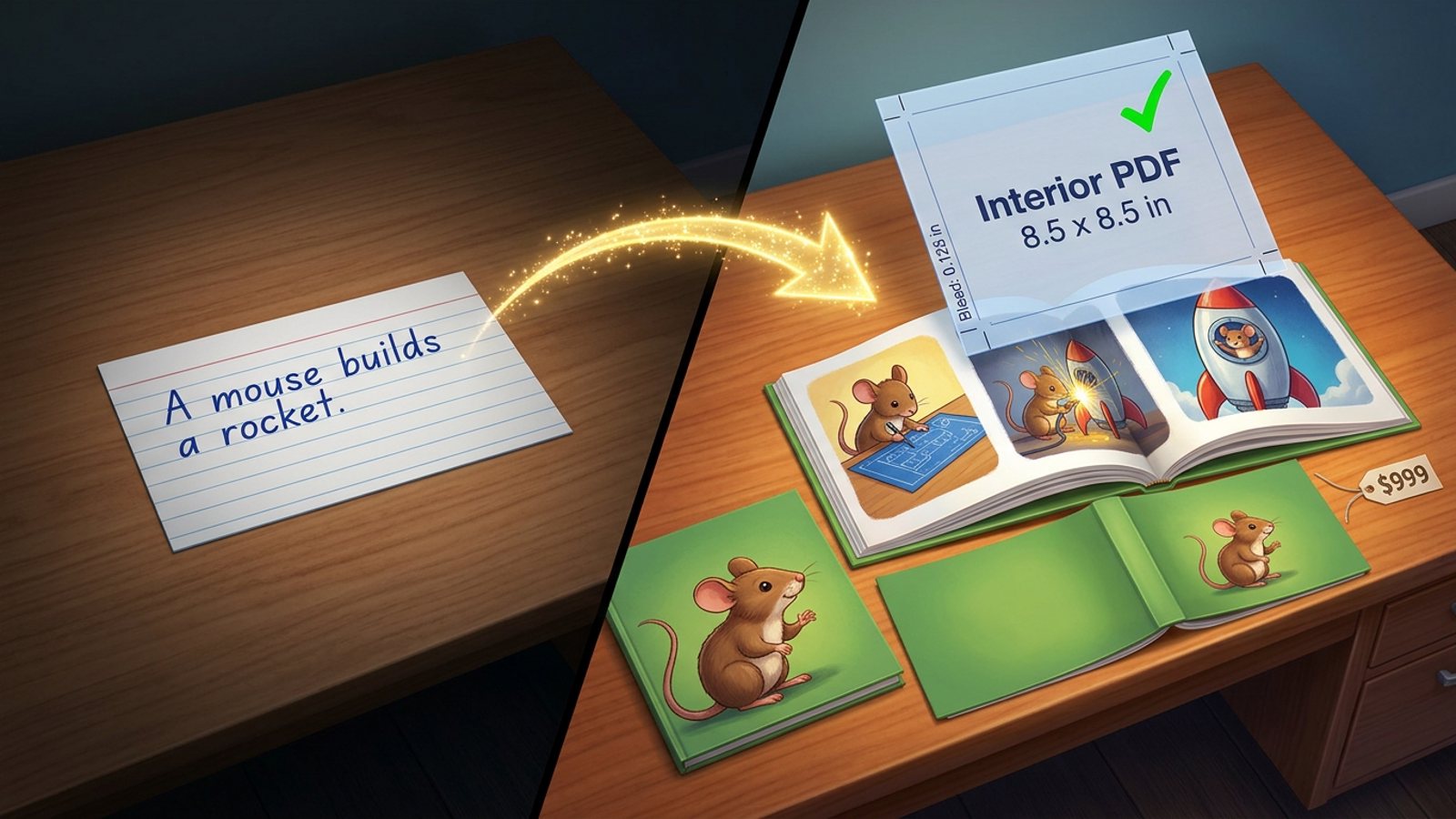
There is no single best AI picture book generator in 2026 — it depends on whether you need all four pieces together: a coherent story, consistent illustrations, a shopper-ready cover, and a print-ready interior that clears KDP's bleed, margins and gutter rules. General tools each do part of the job well; an all-in-one tool handles the whole chain in one place.
If you want the whole chain in one app, Get ZippyBooks (Picture, Coloring, Spot the Difference & Recipe Books) and start from a single story idea.
How should you judge the best AI picture book generator?
Judge it on the finished book, not the demo image. A picture book is four jobs stacked on top of each other: the story, the illustrations, the cover, and the print file. A tool that wins on one and loses on the others leaves you doing the rest by hand.
The hardest of the four is character consistency. Without character anchoring you get a different-looking child or animal on every page — the same problem a Hugging Face DoodleBook write-up (2026) describes, noting that "same seed + different prompt still drifts." A Google patent published in April 2026 describes carrying a seed value from page one forward for exactly this reason.
The second hardest is the file. KDP requires at least 300 DPI for images, and a full-bleed interior must extend 0.125 in beyond the trim line on the top, bottom and outside edges, with no bleed on the gutter edge.
Our recommendation: before you pay for any tool, ask it to show you a finished, uploadable interior PDF — not a gallery of pretty pages.
What are the best AI picture book generators for self-publishing in 2026?
Here are the options we compared, judged on story, illustrations, cover and print-ready interior together. ZippyBooks goes first because it is the only one of the tools we compared built to produce all four from one prompt — its performance claims come from the vendor.
| Option | Best for | Key features | Price / free option | Watch-outs |
|---|---|---|---|---|
| ZippyBooks (Our pick) | One prompt to an uploadable book | Story, interior, cover, KDP files | $999 lifetime + API costs (Nov 2026) | Windows/Mac only; bring an API key |
| Canva (Canva AI) | Laying out a book | Image generation, layout, typography | Check canva.com/pricing | No KDP bleed/gutter automation |
| Midjourney | A distinctive art style | Omni Reference carry-over | From $10/month (third-party, 2026) | Image tool only; no book file |
| Ideogram | Text inside images | Text rendering, Character Reference | Check ideogram.ai | Words need proofreading; no book file |
| Gemini Storybook | A fast, free draft | 10-page story from one prompt | Free with a Google account | Characters drift; drafts only |
The table shows the trade-off clearly: the cheaper and freer tools hand you pieces, and you assemble the book. ZippyBooks hands you the book.
ZippyBooks is made by the team behind this blog.
Why is ZippyBooks our pick of the tools we compared?
Because it closes the gap the others leave open: the print file. You type a one-sentence story idea, and the app writes the book, illustrates the interior and designs the cover. It produces an interior PDF with the correct bleed and trim size for KDP, and a cover creator built around shopper-ready designs.
It also runs a full book review for typos, grammar, gaps and consistency, and auto-fills the KDP form and categories with 1-click publish to Amazon. You can edit or regenerate any illustration with a sentence or one click — the difference between a usable book and a throwaway draft is usually three or four pages that need fixing.
Two honest limits. It is a desktop app for Windows and Mac only, and you must bring your own API key and pay your provider for each book. The owner states one API key can realistically produce 100 or more books per month, with costs paid directly to OpenAI and Gemini.
The price is a $999 lifetime deal plus your API costs, as of November 2026, and prices can change. The owner describes it as a limited-time price.
When is Canva the better choice?
If you already have a story and only need a place to lay it out, Canva is the more direct choice. It is best positioned as an all-in-one production and layout environment: generate images, arrange pages, design a cover, add typography, export a book (MEFMobile, August 2026).
Its licensing notice explicitly addresses AI-generated content and includes books and book covers, subject to the applicable license. It does not remove the need to check rights attached to third-party library content and branded elements — you handle that yourself.
The gap is print prep. Nothing in the material we reviewed shows Canva automating KDP bleed and gutter rules, so you set those by hand. Its Marketplace also lists third-party storybook apps, which is not evidence Canva makes or endorses their books (PCNMobile, October 2026).
When is Midjourney the better choice?
If the look of the book is the whole point, Midjourney is the more direct choice. Its Omni Reference feature lets you upload a reference image of your main character so the same character appears across the picture story (t3n, December 2025).
It is not perfect. The same t3n piece notes small character details can still be lost, and ThatPainter (August 2026) describes Personalization as aesthetic direction rather than an exact identity lock. Midjourney is also an image tool only — no story text, no print-ready interior or cover file. A third-party source lists line-art capability from $10/month (ai-pedias, June 2026); check Midjourney's own site for current plans.
When is Ideogram the better choice?
If your pages need readable words baked into the art — titles, labels, names on coloring pages — Ideogram is the stronger pick. Rotten WiFi (August 2026) rates its text rendering, and Itechguides (August 2026) lists Character Reference and editable text layers among its strengths.
Two caveats. Itechguides notes no guarantee of perfect identity in every pose or costume, and Rotten WiFi advises proofreading generated words and using final layout typography where accuracy matters. Like Midjourney, it gives you images, not a book file.
When is Gemini Storybook the better choice?
If you want to test an idea for free, Gemini Storybook is the more direct choice. Google's blog (August 2025) describes a 10-page illustrated storybook generated from a single prompt, in more than 45 languages, with styles including coloring-book art. One review reports a coherent 10-page narrative in under two minutes (allinoneaicenter, June 2026).
Treat the output as a draft. TechRadar (August 2025) found the results "far from the quality of beloved classics," and EveZone (October 2026) notes the finished pages still need a human reader before you share them. A Chinese-language test (IT168, September 2026) saw the main character's appearance and clothing drift between pages.
What does a print-ready picture book actually need?
It needs four numbers right: trim size, bleed, gutter margin and resolution. Everything else is taste.
- Trim size. Children's picture books commonly use 8.5 × 8.5 or 8 × 10 in (SimpleLifeCalc, May 2026).
- Bleed. Extend artwork 0.125 in beyond the trim line on top, bottom and outside edges. The gutter edge gets no bleed (KDP Print Publishing Guidelines).
- Gutter margin. At least 0.375 in for books of 24–150 pages, 0.5 in for 151–300 pages, 0.625 in for 301–500 pages (KDP Print Publishing Guidelines).
- Resolution. Images at least 300 DPI — KDP flags lower-resolution files before publication.
Then the cover. KDP requires one PDF combining back cover, spine and front cover as a single wraparound file. Spine text is only allowed at 79 pages or more; under that, including it gets the cover rejected. KDP also places a barcode on the back cover automatically and rejects covers with important text or images in that zone.
Interior formatting — a wrong gutter or a mismatched PDF page size — is the usual cause of failed KDP uploads (KDP Builder, July 2026). If the file side is your worry, this guide to an AI picture book maker that produces print-ready files walks through it.
How do you keep the same character on every page?
Build a character reference before you generate a single finished page. That is the technique the tools that solve this problem all share.
DoodleBook's approach combines a canonical-character pass, seed locking, a fixed character description and a fixed art-style suffix in the prompt (Hugging Face, June 2026). Google's patent carries the seed from the first page forward so story, characters and backgrounds stay consistent.
A practical sequence:
- Write the story first. Clear character, setting, problem, resolution — before any art.
- Lock the character. One reference image plus a fixed written description, reused every page.
- Fix the style. The same art-style wording in every prompt.
- Keep text out of the images. Leave room for typography instead.
- Check every page side by side. Drift is easiest to spot in a grid.
That is the manual route. ZippyBooks does the equivalent inside one prompt: it generates the interior, then lets you regenerate any page that drifted with a sentence or one click. For the deeper walkthrough, see what the best AI picture book maker that also writes the story can do.
The tool that saves you the most time is the one that hands you a file KDP accepts — not the one with the prettiest sample page.
How much does it cost to make a picture book with AI in 2026?
It ranges from free to a few hundred dollars, depending on how much of the work you do yourself. A vendor blog (TaleAtelier, August 2026) estimates a DIY route — ChatGPT plus an image model plus Canva — at €0–15/month in tools, versus €10–30/month for specialized AI children's book tools.
The real cost is time. The same source estimates 8–20 hours to assemble a 20-page book the DIY way. At a modest hourly rate, that dwarfs the subscription difference.
Then there is the all-in-one tier. ZippyBooks is a $999 lifetime deal plus your API costs, as of November 2026, and prices can change. You pay your API provider directly for each book. Elsewhere in this market, commercial licensing and no-watermark output are Business-tier only at $99/month on some tools (kdpbook.io, September 2026).
Can you sell books made with AI?
Usually yes, but the licence is per tool and you must check each one. Canva's AI licence explicitly covers books and book covers subject to its terms. Google's terms for selling Gemini Storybook output on KDP are not confirmed in our sources.
Two rules apply whatever tool you use. Avoid imitating real characters or brands — copyright and trademark apply to AI output too (ai-pedias, June 2026). And keep your own record of which tool made which book. Not legal advice; rules vary by place.
Ready to go from a story idea to a finished book? Download the book app for Windows or Mac and see the interior and cover it builds from your first prompt.
Sources
- Field Notes: Cross-Page Character Consistency in DoodleBook (Hugging Face, 2026-06-14) — https://huggingface.co/spaces/build-small-hackathon/DoodleBook/blob/e0d230996196a9ce077745d64fc4c0d635b28029/docs/blog.md#1
- Google Patent KR102954324B1 — storybook generation service (Google Patents, 2026-04-17) — https://patents.google.com/patent/KR102954324B1/en#6
- Save Your Manuscript File (Amazon KDP) — https://kdp.amazon.com/en_US/help/topic/G202145060#manualreview
- KDP Print Publishing Guidelines V3 (Amazon) — https://m.media-amazon.com/images/G/01/kindle-publication/KDP_Print_Publishing_Guidelines_V3_FR._CB1520548959_.pdf#2#2#2
- Create a Paperback Cover (Kindle Direct Publishing) — https://kdp.amazon.com/en_US/help/topic/G201953020
- Gemini storybooks (Google Blog, 2025-08-04/05) — https://blog.google/products-and-platforms/products/gemini/storybooks/#jump-content
- Gemini AI can turn prompts into picture books (TechRadar, 2025-08-06) — https://www.techradar.com/ai-platforms-assistants/gemini/gemini-ai-can-turn-prompts-into-picture-books-but-i-still-prefer-paddington#1
- Google Gemini Storybook Review 2026 (allinoneaicenter, 2026-06-03) — https://allinoneaicenter.com/blog/google-gemini-storybook-review
- Gemini storybook guide (EveZone, 2026-10-08) — https://evezone.evetech.co.za/daily-drop/gemini-storybook-guide#main-content
- AI children's book test (IT168, 2026-09-08) — https://m.it168.com/article_6949223.html#1
- KI als Ghostwriter und Illustrator (t3n, 2025-12-19/20) — https://t3n.de/news/ki-als-ghostwriter-und-illustrator-1589496/#1
- 7 Best AI Art Generators for Children's Books (MEFMobile, 2026-08-13) — https://mefmobile.org/7-best-ai-art-generators-for-childrens-books/#1
- 7 Best AI Art Generators for Children's Books (Rotten WiFi, 2026-08-13) — https://blog.rottenwifi.com/7-best-ai-art-generators-for-childrens-books-2026/
- 7 Best AI Art Generators (ThatPainter, 2026-08-13) — https://thatpainter.com/7-best-ai-art-generators-for-childrens-books/
- 7 Best AI Art Generators for Children's Books 2026 (Itechguides, 2026-08-15) — https://www.itechguides.com/7-best-ai-art-generators-for-childrens-books-2026-guide/#itgw-stop-10
- Best alternatives to AI children's book generators (PCNMobile, 2026-10-03) — https://pcnmobile.com/best-alternatives-to-ai-childrens-book-generators-for-making-illustrated-stories/#1
- AIぬりえ・塗り絵ページ作成ツール完全ガイド2026 (ai-pedias, 2026-06-18) — https://ai-pedias.com/blog/ai-coloring-book-2026
- AIぬりえ生成とは (ai-pedias glossary, 2026-06-18) — https://ai-pedias.com/glossary/ai-coloring-page-generation
- KI-Kinderbuch erstellen 2026 (TaleAtelier, vendor blog, 2026-08-13) — https://taleatelier.com/de/ki-kinderbuch-ersteller
- AI children's book generators compared (kdpbook.io, 2026-09-27) — https://kdpbook.io/best/ai-childrens-book-generators#doodara
- KDP bleed, trim, margins guide (SimpleLifeCalc, 2026-05-31) — https://simplelifecalc.com/guides/kdp-bleed-trim-margins-2026
- KDP interior formatting guide (KDP Builder, 2026-07-16) — https://kdpbuilder.com/blog/kdp-interior-formatting-guide
Frequently asked questions
Keep reading

What's the easiest AI children's book generator and illustrator?
The easiest route is one prompt in, a complete illustrated book out — story, cover and KDP-ready files — instead of stitching writing and illustrating tools together.

Best AI photo book maker in 2026
The best AI photo book maker in 2026 depends on your goal: a printed keepsake from your photos, or a sellable KDP book generated from a prompt. Here's how to choose.

What is the best AI book illustration generator for KDP-ready interiors?
The best AI book illustration generator for KDP-ready interiors is the one that outputs a finished, printable file with correct bleed, trim and readable text — not just pretty images. Here's how the