
Is there an AI picture book maker that produces print-ready files?
By ZippyBooks Team ·
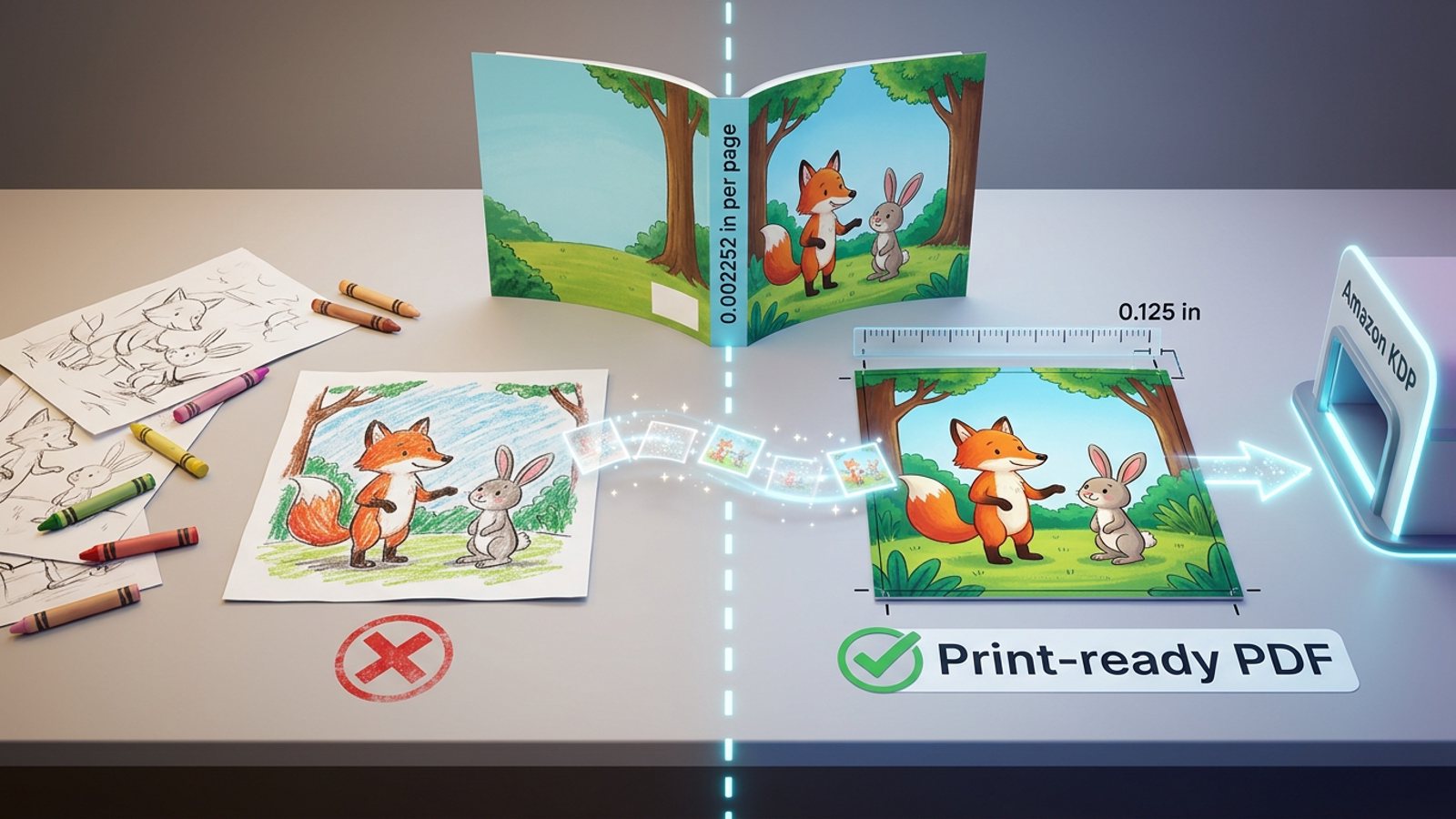
Yes. A few AI picture book makers now export the whole package — an interior PDF built at your trim size with correct bleed, plus a full wraparound cover with the spine calculated — as files you upload to Amazon KDP. Most AI tools still stop at story and images, leaving you to assemble the layout in Canva, InDesign or Adobe Express yourself.
That second sentence is where most first-time publishers lose a weekend. KDP's own guidelines require a paperback cover as a single PDF containing back cover, spine and front cover, and a manuscript with any edge-to-edge art must be uploaded as a PDF. Get those two files right and the upload is quick. Get them wrong and you are fixing rejections instead of publishing your next book.
If you would rather skip the layout tool entirely, see how ZippyBooks turns one prompt into an uploadable book.
What makes a picture book file "print-ready" for KDP?
Print-ready means the file already meets the printer's specs before you upload — trim size, bleed, resolution, fonts and page count all correct. It is not the same as "looks good on screen." A beautiful PDF at the wrong page size is not print-ready.
Here is what KDP's Paperback Submission Guidelines (date not given) actually ask for:
- Bleed as a PDF. If images or elements run to the page edge, the manuscript must be a PDF. Without bleed, KDP also accepts DOC, DOCX, RTF, HTML or TXT.
- 300 DPI minimum for all images, cover and interior, at the size they are placed.
- Embedded fonts and flattened layers, with transparent objects flattened too.
- Under 650MB per file.
- One cover PDF holding back cover, spine and front cover as a single image.
The trap is resolution. A small image tagged 300 DPI is still too low for a full wrap, and KDP Builder (2026) points out that upscaling the metadata does not recreate detail. Real pixels at final print size are what count.
Can an AI picture book maker actually output those files?
Yes — but only a narrow group of tools do. The typical AI picture book maker gives you a story and a set of illustrations. You then export those into a second tool to build pages, set margins, calculate a spine and export a print PDF. That handoff is the step buyers are tired of.
The gap is documented. A creator's LinkedIn post from June 2025 describes spending two hours in ChatGPT copying and pasting and waiting on images before automating the process. A Udemy course updated in September 2025 teaches exactly that path: ChatGPT and DALL·E for story and images, Canva for layout and covers, then a PDF download.
So the honest answer to the title question is: yes, an AI picture book maker can produce print-ready files — if you pick one that builds the interior and cover itself rather than handing you raw assets.
The difference between an AI picture book maker and a print-ready one is who does the layout math: you, or the app.
What does ZippyBooks do differently?
ZippyBooks is a Windows and Mac desktop app that turns a one-sentence story idea into a complete illustrated book — story, interior, cover and KDP-ready files — without a second layout tool. It is our pick of the tools we compared for this job.
The workflow, from the product facts:
- Type a one-sentence story idea into the app.
- The app writes the book, illustrates the interior and designs the cover.
- Adjust or regenerate any illustration with a sentence or one click.
- Download the KDP-ready files and upload to Amazon KDP.
The parts that matter for this question are the output specs. The interior PDF is built with correct bleed and trim size for KDP. The cover creator produces cover designs aimed at shoppers, with the wrap handled for you. It also auto-fills the KDP form and categories with 1-click publish to Amazon, and runs a full book review for typos, grammar, gaps and consistency before you export.
It is not only for picture books. The same app makes coloring books, spot the difference books and recipe books, and there is a text book factory for text-led titles. If you want the coloring-book route specifically, our guide to the best AI coloring book creator for a KDP side business walks through it.
How do the options compare?
Here are the routes we compared, with the product first because it is the one built for this exact job.
| Option | Best for | Key features | Price / free option | Watch-outs |
|---|---|---|---|---|
| ZippyBooks (Our pick) | One prompt to uploadable book | Interior + cover, bleed, trim, auto-fill KDP form | $999, limited time (Nov 2026) | Desktop only; you pay API costs |
| ChatGPT + Canva | Maximum page-by-page control | Story, images, then manual layout | Free tiers exist; paid plans for more | Slow copy-paste; bleed built by hand |
| Midjourney + InDesign | Pro art direction and typography | Strong art; master pages, exact margins | Paid subscriptions | Two tools, steep learning curve |
| Adobe Express | Beginners wanting a browser editor | PDF Print with crop marks and bleed | Free tier; PDF/X needs paid add-on | No in-app resolution control |
| Ghostwriter + illustrator | Hand-crafted art, no DIY | Professional craft | No rates in our sources | Slowest, costliest; specs still on you |
A word on each, fairly.
ChatGPT + Canva is the cheapest way in and gives you total control over every page. Canva's PDF Print plus Flatten PDF does produce an uploadable file, and fonts embed automatically, per Ren Hollis (2026). But export-choice mistakes — PDF Standard instead of PDF Print, no flatten — are a documented source of rejections, and pages built without bleed settings show white borders. If you mainly want to art-direct every spread yourself, this is the more direct choice.
Midjourney + InDesign suits authors who want professional-grade illustration and typographic control. InDesign gives master pages and proper print export, as designers on Graphic Design Forum (2025) note. The cost is two subscriptions and a real learning curve — and you still calculate spine width and bleed yourself.
Adobe Express is the friendliest browser option. It exports PDF Print with crop marks and bleed, CMYK by default (Adobe Help Center, 2025). The catch: there is no in-app way to set image resolution, so 300+ ppi art has to be sized by calculation before import, and conformant PDF/X export needs a third-party add-on (PDF Association, 2024).
Hiring a ghostwriter and illustrator gives you hand-crafted work with no formatting on your plate. It is also the slowest and most expensive route, and someone still has to meet KDP's trim, bleed and 300 DPI rules. If craft quality is the whole point for you, this is the right choice.
ZippyBooks is made by the team behind this blog. Of the tools we compared, it is the one that removes the second tool entirely — get ZippyBooks for picture, coloring, spot the difference and recipe books.
What does a print-ready file set actually contain?
A complete set is two PDFs: the interior and the wraparound cover. Everything else — story, art, layout — is already inside them.
The interior. Pages all at one trim size, an even page count, fonts embedded, every image 300 DPI at placed size. If art bleeds, the page is built at trim plus bleed: Ren Hollis (2026) describes building at trim size, or trim +0.125" wide and +0.25" tall for bleed.
The cover. One PDF with back cover, spine and front cover as a single image, per KDP. Cover size adds 0.125" bleed on every outside edge, and spine width is page count × paper thickness — 0.002252" on white paper, 0.0025" on cream, per Polotno's calculator.
Two rules catch people out. Spine text is only allowed on books of 79 pages or more, or the cover is rejected. And KDP has no true landscape trim — custom width caps at 8.5", so recommended picture-book trims are 8.5"×8.5", 8.25"×8.25" and 8"×10", per publishing.co.uk (checked 2026).
Which trim size should you choose?
For most children's picture books, 8.5"×8.5" is the safest pick. LeadWorks Print (2026) notes it is the only square trim supported by both Amazon KDP and IngramSpark, so one file prints identically on both. Note that 8"×8", often called "standard" in guides, is not supported by KDP.
The alternatives, with trade-offs from the sources:
- 8.25"×8.25" — a slightly different square, also recommended for picture books (publishing.co.uk, 2026).
- 8"×10" — the classic portrait picture-book format (Neolemon, 2026).
- 7.5"×9.25" — a slightly cheaper standard trade size (Neolemon, 2026).
If you plan to sell beyond Amazon, choose 8.5"×8.5" and stop deliberating.
What should you check before you upload?
Check the file, not the screen. Zoom to 100% and look at hands, artifacts, background gibberish and character consistency — Neolemon (2026) recommends exactly this pass before upload. Then run a preflight check.
A third-party preflight checker (Apify, 2026) validates a paperback interior or cover PDF against KDP's published rules: trim and bleed, page count, gutter, embedded fonts, transparency, 7pt minimum type and 300 DPI. That is faster than learning from a rejection email.
Then two things the file cannot do for you:
- Disclose AI content. KDP requires disclosure of AI-generated text, images or translations at upload; AI-assisted work such as idea generation or editing your own text is exempt under the rules as described (Digitale Profis, 2025).
- Order a physical proof. The AI Paycheck podcast (2025) recommends a proof before publishing, along with a human edit pass and a read-aloud test.
None of this is legal advice, and KDP's rules and review practices can change — check the current guidelines for your marketplace before you publish.
Ready to stop assembling files? Download the book app for Windows or Mac and turn your next story idea into a finished, uploadable book.
Sources
- Create a Paperback Cover — Kindle Direct Publishing, date not given
- Paperback Submission Guidelines — Kindle Direct Publishing, date not given
- Fix Paperback and Hardcover Formatting Issues — Kindle Direct Publishing, date not given
- Print on Demand File Setup — PDF Press, 2026-03-14
- KDP Cover Requirements — KDP Builder, 2026-09-27
- KDP cover calculator — Polotno, date not given
- Picture Book KDP Formatting — publishing.co.uk, checked 2026-09-02
- Children's Picture Book Size Guide — LeadWorks Print, 2026-07-30
- Children's Book Sizes: Standard & KDP Trim Sizes 2026 — Neolemon, 2026-10-04
- Will Amazon KDP Accept AI-Illustrated Children's Books? — Neolemon, 2026-01-12
- Canva PDF export for KDP — Ren Hollis, 2026-10-18
- Canva to KDP Print Document — Graphic Design Forum, 2025-08-12
- Download PDFs with CMYK color profile — Adobe Help Center, 2025-12-16
- Announcing pdfAssistant Add-On for Adobe Express — PDF Association, 2024-12-19
- KDP Paperback PDF Preflight Checker — Apify, 2026-10-24
- Kinderbücher mit ChatGPT — Digitale Profis, 2025-05-08
- How to Create and Sell Storybooks on Amazon KDP Using AI Software — AI Paycheck podcast, 2025-12-14
- Create a Children's Book with a consistent character — LinkedIn, 2025-06-16
- Créer un livre d'histoires pour enfant avec l'IA — Udemy, 2025-09
- KI als Ghostwriter: Bilderbuch mit ChatGPT und Midjourney — Net-Build, 2025-11-22
- 自分の絵本を出版しよう 第3回 — note.com, 2026-10-20
Frequently asked questions
Keep reading

What's the easiest AI children's book generator and illustrator?
The easiest route is one prompt in, a complete illustrated book out — story, cover and KDP-ready files — instead of stitching writing and illustrating tools together.

Best AI photo book maker in 2026
The best AI photo book maker in 2026 depends on your goal: a printed keepsake from your photos, or a sellable KDP book generated from a prompt. Here's how to choose.

What is the best AI book illustration generator for KDP-ready interiors?
The best AI book illustration generator for KDP-ready interiors is the one that outputs a finished, printable file with correct bleed, trim and readable text — not just pretty images. Here's how the