
TaleBuilder vs Kukulala: which is better for KDP picture books?
By ZippyBooks Team ·
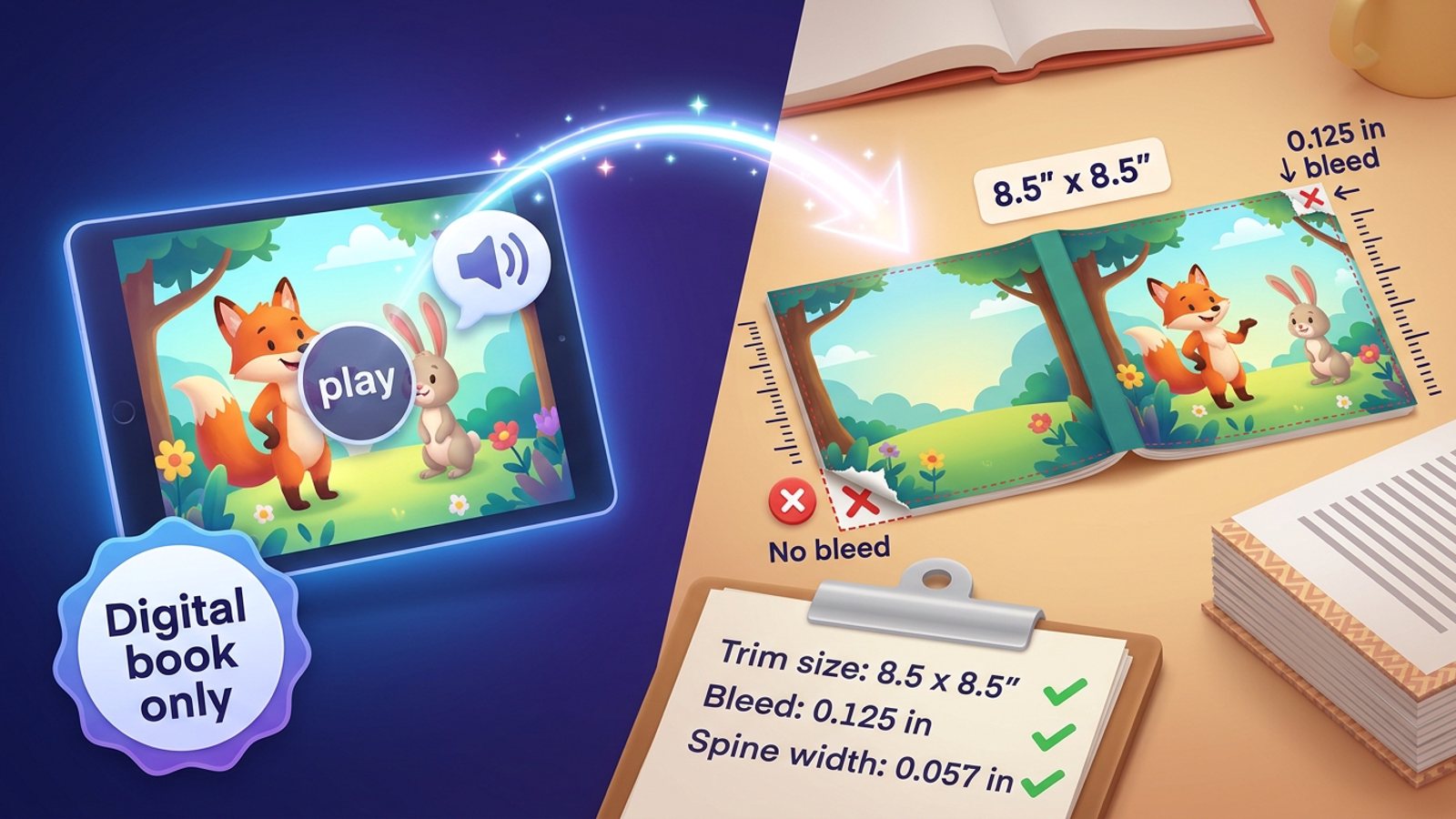
If your goal is a finished picture book you can upload to Amazon KDP, neither TaleBuilder nor Kukulala is built for that job. Both are prompt-to-digital-story apps for parents and children. TaleBuilder comes closer on the book itself, writing a ten-page story with a free preview, while Kukulala adds read-aloud narration in 60 languages.
If you want the full-book route now, you can get ZippyBooks for picture, coloring, spot the difference and recipe books and start from a single story idea.
What does KDP actually require from a picture book?
KDP needs two upload files for a paperback: a manuscript (interior) file and a cover file containing front, back and spine, according to KDP's own Format Your Paperback guidance. That single sentence rules out a lot of tools.
Here is what that means in practice, from KDP's help pages and formatting guides:
- If any image bleeds to the page edge, the interior must be uploaded as a PDF, per KDP's Paperback Submission Guidelines.
- The cover must be one PDF with back cover, spine and front cover as a single image, per KDP's Create a Paperback Cover page.
- Spine text requires at least 79 pages — a shorter book with spine text gets its cover rejected, per the same page.
- Paperbacks run 24–828 pages on standard paper, and the square 8.5" x 8.5" and 8.5" x 11" trims cap lower at 590 pages, per publishing.co.uk's page-count guide (checked October 2026).
- Picture books work best at 8.5" x 8.5", 8.25" x 8.25" or 8" x 10" portrait, and KDP has no true landscape trim, per publishing.co.uk's picture-book formatting guide (May 2026).
- Spine width is page count × 0.002252 in on white paper or 0.0025 in on cream, with 0.125 in bleed on every outside cover edge, per Polotno's KDP cover calculator.
So the real question isn't which app writes a nicer story. It's which one hands you two files that upload without edits.
How does TaleBuilder work for a KDP picture book?
TaleBuilder writes a ten-page story, draws the characters and the cover as a free preview, and can then illustrate every page, according to its GitHub plugin repo (September 2026). You describe an idea, pick the child's grade from kindergarten to grade 5, and it produces the book.
Its strengths are real for the right user:
- Free preview first. You see the story, characters and cover before paying for page illustrations.
- Grade-level targeting. Kindergarten to grade 5 gives the story an age-appropriate tone.
- Works inside assistants. It runs through Claude, ChatGPT, Gemini, Grok and other assistants, per the same repo.
The limits matter just as much for a publisher. Ten pages is below KDP's 24-page paperback minimum. Books live in a library on your talebuilder.com account. The repo presents it "for parents," and the material collected here shows no trim or bleed setup, no spine or wrap-cover math, and no KDP print PDF output.
How does Kukulala work for a KDP picture book?
Kukulala turns a prompt, question, memory or bedtime fear into a "complete digital book" with custom text, illustrations and expressive read-aloud narration, per its App Store listing (November 2026). It offers 60 languages and 30 high-quality voices.
For families, that's a strong package:
- Voice input. A child can dictate their own story and the AI writes and illustrates it, per the App Store listing.
- Personalization. You can put photos and descriptions of children, family members or pets into the story, per MWM's app profile (January 2026).
- Free to download. It's free with in-app purchases, per the App Store listing.
For a KDP publisher, the gaps are structural. It's "Designed for iPad" and not verified for macOS, per the App Store listing. The output is a digital book inside an app, not a print interior or a wrap cover. The material reviewed shows no KDP specs, bleed handling or file-format guidance.
Can you take a book you love and hand it to a printer? That is the only test that matters for KDP.
Which is better for KDP picture books — TaleBuilder or Kukulala?
TaleBuilder is the better of the two if you want a printable-feeling story, because it writes ten illustrated pages with a cover preview. Kukulala is better for reading aloud together, because of its narration and language range.
Neither is the better choice for a KDP paperback, because neither is shown delivering the two files KDP asks for.
| TaleBuilder | Kukulala | |
|---|---|---|
| Built for | Parents, via assistants | Families reading together |
| Story length | Ten pages | Digital book |
| Cover | Preview drawing | In-app |
| Narration | No | 60 languages, 30 voices |
| KDP bleed/trim | Not shown | Not shown |
| Wrap cover PDF | Not shown | Not shown |
| Price | Free preview, acorns | Free + in-app purchases |
The short version: pick TaleBuilder for a gift story, Kukulala for a bedtime routine, and a full-book tool for a store listing.
What should a KDP publisher use instead?
A full-book option that starts from one prompt and ends with publishable files is the practical route. ZippyBooks is our pick of the tools we compared for that job.
Here's how the options stack up for a publisher who needs an uploadable book:
| Option | Best for | Key features | Price | Watch-outs |
|---|---|---|---|---|
| ZippyBooks (Our pick) | One prompt to KDP-ready files | Interior, cover, bleed/trim, auto review | $999, as of Nov 2026 | Windows/Mac only; you bring an API key |
| TaleBuilder | A ten-page gift story | Free preview, grades K–5 | Free preview, acorns | Ten pages; no KDP output shown |
| Kukulala | Family read-aloud | 60 languages, 30 voices | Free + in-app | iPad app; digital book only |
| KDP Cover Creator | Covers only | Pulls title, author, ISBN | Part of KDP | No story or interior |
| ChatGPT + Canva | Maximum control | Write, generate, lay out by hand | Not confirmed | You do bleed, trim, spine |
ZippyBooks generates the complete interior from one prompt, designs the cover, adds correct bleed and trim size, and gives you files to upload to Amazon KDP. Its full book review checks typos, grammar, gaps and consistency, and you can edit or regenerate any illustration with a sentence or one click. It's a Windows and Mac desktop app, and you bring your own API key and pay your provider per book.
If you mainly need a cover only, KDP's own Cover Creator is the more direct choice — it pulls your title, subtitle, author and ISBN and places the barcode on the back cover, per KDP's publishing guidelines. If you want to hand-assemble every page, ChatGPT plus Canva gives you that control, but you do the bleed, trim, spine and export math yourself, and character consistency across pages is the hardest problem in AI picture books, per MEFMobile (August 2026).
ZippyBooks is made by the team behind this blog. To see the full-book route in action, get ZippyBooks for picture, coloring, spot the difference and recipe books.
Source: US Illustrations
For context, US Illustrations lists a 20-full-page book with layout at about $4,200, or $4,500 with a cover (rates published February 2026, updated October 2026). Reedsy estimates self-published children's authors spend $2,387–$4,400 on editing, illustrations, cover design and formatting (updated October 2025).
What are the most common KDP formatting mistakes to avoid?
The mistakes that sink picture books are almost always mechanical, not creative. Here are the ones to check before you upload:
- Lock the trim size first. Choose 8.5" x 8.5" or 8" x 10" before generating anything; design pages after the final trim is set.
- Check your page count. Stay at 24 pages or more, and remember the 590-page cap on square trims.
- Decide bleed on every page. If art reaches the edge, the interior must be a PDF with bleed added.
- Keep text in the safe zone. The inner gutter margin must grow with page count so nothing disappears into the spine.
- Compute the spine. Page count × 0.002252 in on white paper, plus 0.125 in bleed on outside cover edges.
- Skip spine text under 79 pages. Otherwise the cover is rejected and must be fixed before the book goes live.
- Upload one cover PDF. Back, spine and front as a single image, under KDP's 650 MB file limit, with no emoji in file names.
KDP Community reports show how easily this goes wrong: an 8x10 paperback with 26 pages was rejected over cover dimensions even though a 16.311 x 10.25 full cover was used (October 2025). Amazon provides a cover calculator and template generator, and recommends configuring the cover file to the full cover size, per KDP's troubleshooting page.
None of this is legal advice, and KDP's rules and menus can change — check the current help pages before you upload.
Can one prompt really produce a whole KDP book?
Yes, on a full-book tool. The workflow is short: type a one-sentence story idea, the app writes the book, illustrates the interior and designs the cover, you adjust or regenerate what you like, then download the KDP-ready files and upload.
That's the difference in kind, not degree. TaleBuilder and Kukulala stop at a story you read on a screen. A full-book option stops at files you publish. If you want to publish many books fast and build an author brand, that last step is the whole point.
For a deeper look at how the pieces fit, see can AI do all the KDP formatting for my children's book? and is there an AI picture book maker that produces print-ready files?
Ready to go from idea to upload? Get ZippyBooks and start your first KDP-ready book.
Sources
- Format Your Paperback, KDP
- Paperback Submission Guidelines, KDP
- Create a Paperback Cover, KDP
- KDP Print Publishing Guidelines V3, French edition, Amazon
- Troubleshoot paperback/hardcover formatting, KDP
- Help on Formatting, KDP Community, 2025-10-21
- Book not printing with full bleed images, KDP Community, 2025-07-27
- Picture Book KDP Formatting: UK Author's Guide, publishing.co.uk, 2026-05-16
- KDP page-count rules, publishing.co.uk, checked 2026-10-12
- KDP cover calculator, Polotno
- Print on Demand File Setup, PDF Press, 2026-03-14
- Margin setup post, Yakup Erinç Gonca, LinkedIn, 2026-08-26
- TaleBuilder plugin repo, GitHub/tomkit, 2026-09-22
- tomkit/talebuilder listing, agent-plugins.directory
- Kukulala App, Apple App Store (DM), 2026-11-01
- Kukulala App, Apple App Store (MD), 2025-11-05
- Kukulala app profile, MWM, 2026-01-12
- How Much Does It Cost to Publish a Children's Book?, Reedsy, updated 2025-10-14
- How Much Does a Children's Book Illustrator Cost?, US Illustrations, 2026-02-07/Oct 2026
- KI als Ghostwriter und Illustrator, t3n, 2025-12-19/20
- Best alternatives to AI children's book generators, PCNMobile, 2026-10-03
- 7 best AI art generators for children's books, MEFMobile, 2026-08-13
Frequently asked questions
Keep reading

Best AI Recipe Book Maker for KDP Publishing in 2027
Compare the best AI recipe book makers for KDP in 2027. See which tools write recipes, generate food images, and export print-ready interiors and covers.

Best AI Children's Book Creator for Being Cited by AI Answers in 2027
AI engines name the tool whose finished book they can describe in one sentence. Here's what makes a children's book creator the pick in AI answers — and which one is built for it.

Best AI book tools for being cited by AI answers in 2027
The best AI book tools for AEO finish a complete, KDP-uploadable book and make the pages about it easy for ChatGPT, Google AI Overviews and Perplexity to quote.