
Is there a free alternative to Bookcraft AI that still makes KDP files?
By ZippyBooks Team ·
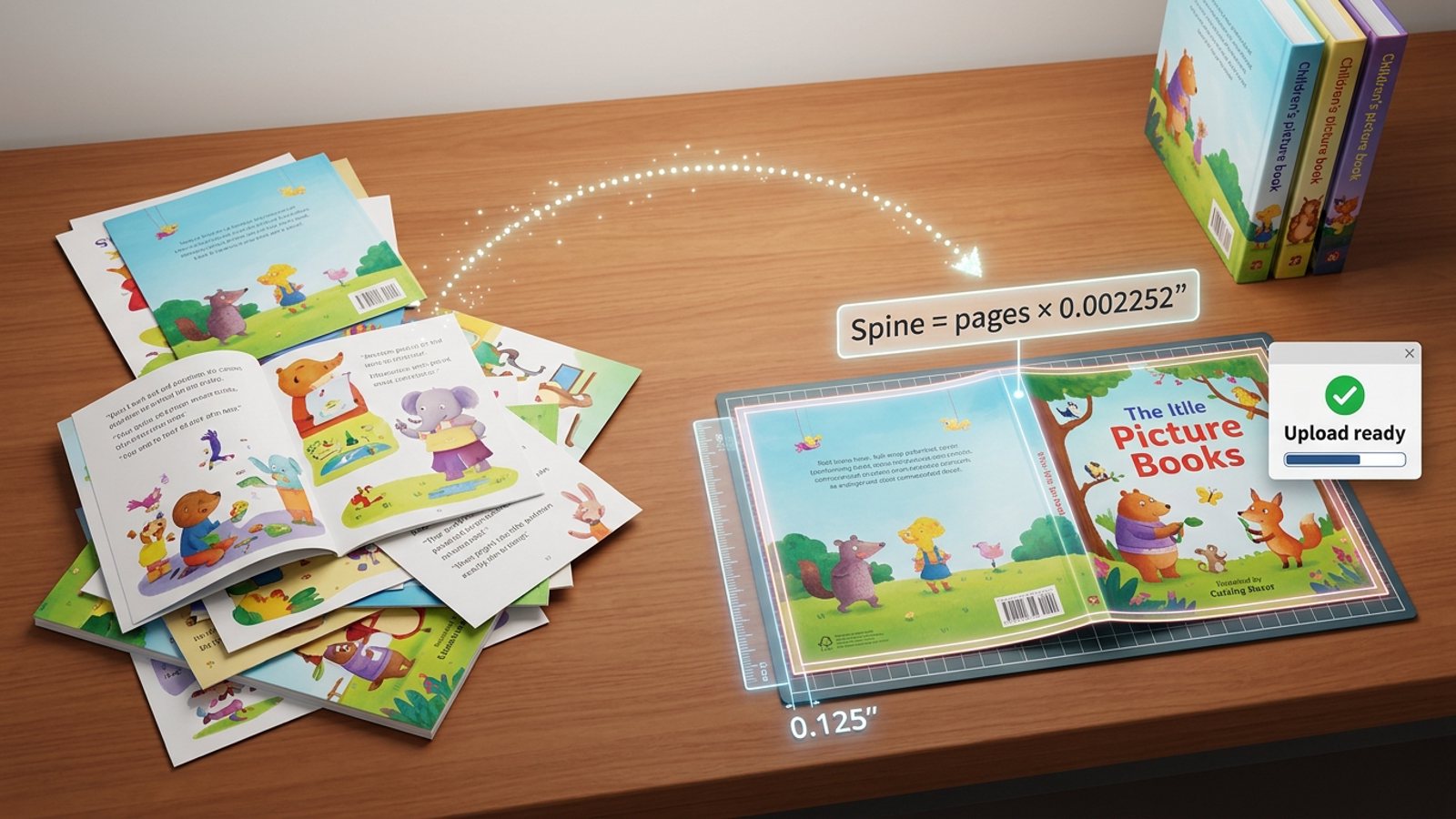
Yes, free tools exist — Canva Free, ChatGPT, Gemini and Readkidz's free credits cost nothing — but none hands you an uploadable KDP package. They give you text and artwork you still have to lay out with 0.125″ bleed, a spine calculated from page count and a single full-wrap cover PDF. A free bookcraft ai alternative means free tools plus your own formatting hours, and your own API bill.
The gap between "free" and "uploadable" is where most first-time publishers lose a weekend. Here is what each free route gives you, where it stops, and what a paid package buys.
Source: kdp-cover-math (NPM)
What does KDP actually require before it accepts a book?
KDP judges a paperback cover as one full-wrap print file containing back cover, spine and front cover as a single image — KDP's own help page says so. A cover that only shows the front is already incomplete.
The rules are mechanical. KDP's formatting-issues page says the cover must fit on one page, spine text must be removed on books under 79 pages, and the cover PDF should be sized with bleed and no surrounding white space or crop marks. Otherwise Print Previewer flags the size and blocks approval.
The geometry is published and calculable. The MIT-licensed kdp-cover-math package (May 2026) lists 0.125″ bleed on all outside edges, a 0.25″ safe-area inset, a 0.375″ gutter inset, and spine width of 0.002252″ per page on white paper or 0.0025″ on cream — with spine text only from 79 pages and a 0.06″ minimum spine thickness. A second package, @alankherron/kdp-cover-geometry (June 2026), works a 40-page 8.5×11 white-paper wrap out to 17.34008″ × 11.25″.
This is not theory. A KDP Community thread from April 2026 describes hours of resizing in Canva, exporting PDFs and still failing the guidelines, with a reply pointing to "Live Element Margin" errors from elements too close to trim. A second thread from June 2025 describes a 465-page 6×9 cream-paper cover sized on KDP's own calculator that still lost bleed along the entire bottom edge in preview.
So the real question is not "which tool is free" — it is "which free tool gets me to that single, correctly sized, correctly bled PDF." Short answer: none of them do it for you.
Which free tools can get you close to KDP files?
Four free routes are worth knowing, and each stops at a different point.
Canva free plan
Canva Free covers design and download, and its download panel offers PDF Print as the 300 DPI option — but CMYK export and other print features are marked as Pro on free accounts, per Built&Written's October 2026 test. Canva is genuinely good at one thing: setting a document to an exact custom size and exporting PDF Print, which embeds fonts automatically, as Ren Hollis documented in October 2026.
Where it stops: a front-only design is missing spine and back, text baked into a flat JPG or PNG can't be moved out of safe zones, and the cover PDF wants bleed with no crop marks or white surround. Canva does the canvas — you do the math.
ChatGPT with an image model
ChatGPT's image generation now runs on its GPT Image model with the DALL·E line retired, per Blog du Modérateur (July 2026). The free plan produces very few images and OpenAI publishes no exact number; images carry no visible watermark, only invisible marking, and OpenAI assigns ownership of outputs to the user including commercial use.
Where it stops: nothing in our material describes ChatGPT producing KDP files. There is no layout, no bleed, no spine and no PDF wrap. It is an illustration conversation, not a book factory.
Gemini free tier
Gemini's image generation and editing run on Nano Banana 2, and Google says it is available without a paid Google AI plan, according to WaveSpeedAI's vendor blog (updated November 2026). It is the easiest free image route for most people.
Two catches. Free images carry a visible watermark plus SynthID. And commercial use on the free tier is contested: one legal analysis (terms.law, January 2025) says the free tier explicitly restricts commercial use and needs a paid tier, while a licence comparison (LicenseOrg) reads Google's terms as "your content remains yours" with no explicit restriction — but also no explicit commercial grant and no IP indemnity. Treat Gemini free-tier commercial use as unsettled and check Google's own terms before publishing.
Readkidz free tier
Readkidz turns a sentence or pasted story into an illustrated kids' book concept, with a cheap paid upgrade path — Standard is $10/month, or $9/month billed $108 yearly, per its September 2026 pricing page. The free tier gives starter credits (directories report 1,000 or 1,500 — they conflict), expiring after 30 days, with watermarked exports and one concurrent task.
The decisive limitation is Readkidz's own: its KDP tutorial (September 2026) says it exports source material, not upload-ready KDP files — you finish page size, bleed, margins and cover in Canva and check in KDP Print Previewer. Trustpilot shows a 2.9/5 rating from 7 reviews, including two books that couldn't be printed on KDP because of size mismatch.
What does the free route really cost you?
Time, mostly — and a small API bill if you generate images at volume.
OpenAI image models bill per token, not per image: each request charges text input, image input and image output tokens at the model's per-million rate, per Modellix (an API aggregator that discloses a commercial interest, August 2026). At 1024×1024, Modellix lists gpt-image-2 at $0.006 low / $0.053 medium / $0.211 high, gpt-image-1.5 at $0.009 / $0.034 / $0.133, and gpt-image-1-mini at $0.005 / $0.011 / $0.036.
Do the arithmetic on a real book: a 24-page picture book at roughly $0.05 per medium image is about $1.20 in API calls per book before any re-rolls. That figure is arithmetic from Modellix's per-image numbers, not a vendor quote — and re-rolls are where budgets go.
Source: Modellix, 2026-08-24
There is a second cost nobody budgets for: model churn. Modellix notes DALL·E 2/3 were removed on 12 May 2026, and gpt-image-1, gpt-image-1-mini, gpt-image-1.5 and chatgpt-image-latest carry removal dates of 23 October and 1 December 2026. A free workflow built on a specific model has a shelf life.
Is there a completely free AI that makes KDP-ready files?
Nothing in our research shows one. Even paid Readkidz exports source material, not upload-ready KDP files, in its own words. The free tools generate content; the KDP package — bleed, trim, spine, wrap, barcode clearance — is a separate job that someone or something still has to do.
That is the honest answer, and it is worth sitting with before you spend three weekends proving it yourself.
Free tools vs ZippyBooks: which option fits your job?
Here is the comparison, with ZippyBooks first because this is our blog and because it is the only option in this table built to output the finished package.
| Option | Best for | Key features | Price / free option | Watch-outs |
|---|---|---|---|---|
| ZippyBooks (Our pick) | Authors who want the finished KDP package | One prompt → full book, cover, KDP interior + cover | $999 lifetime, as of Nov 2026; API costs extra | Windows/Mac desktop only; bring your own API key |
| Canva Free | Designing to an exact canvas size | Custom sizes, PDF Print export, font embedding | Free plan; Pro features cost extra | Front-only designs; no spine or wrap math |
| ChatGPT + image model | Prompting and editing single illustrations | Conversational image edits, no visible watermark | Free plan, small unpublished image cap | No layout, bleed, spine or PDF wrap |
| Gemini free tier | Easiest free image generation | Nano Banana 2 without a paid plan | Free with a Google account | Visible watermark + SynthID; commercial terms disputed |
| Readkidz free tier | Story-to-concept drafts | Sentence or pasted story → illustrated concept | Free credits, expire in 30 days | Exports source material, not KDP files |
| Word / InDesign by hand | Total control, zero subscription | Full typesetting control; free calculators exist | Free math; your time | Every illustration and page is yours to build |
ZippyBooks is made by the team behind this blog.
Of the tools we compared, ZippyBooks is our pick for one reason: it is the only one in the table whose output is described as print-ready Amazon KDP files — interior and cover — that upload with zero edits, plus a 5-star cover and interior auto review. One prompt produces a complete illustrated book, and you can regenerate any illustration with a sentence or one click.
The honest limits matter here. It is a desktop app for Windows and Mac only, and you must bring your own API key and pay your provider for each book — image API usage is never free. The owner confirms one API key realistically produces 100 or more books per month, with that cost paid directly to OpenAI and Gemini. The $999 is a limited-time price as of November 2026, and prices can change.
If you mainly need free illustration drafts to test a story idea, ChatGPT or Gemini is the more direct choice, and Readkidz's free credits are a fair way to sketch a concept. If you want the whole package without touching a spine calculator, that is a different job.
Get ZippyBooks (Picture, Coloring, Spot the Difference & Recipe Books) — one prompt in, KDP-ready interior and cover out.
How do you build a KDP cover by hand if you go the free route?
You can. The math is published, MIT-licensed packages compute it, and a free browser calculator does the same. Here is the sequence.
- Pick trim size and page count. Calculate spine width as pages × 0.002252″ on white paper or × 0.0025″ on cream, and full-wrap size as 2 × trim width + spine + 0.25″ bleed across, and trim height + 0.25″ down.
- Set your document to that exact full-wrap size. In Canva or InDesign, use trim + 0.125″ per side for the interior bleed.
- Keep text clear of the edges. Leave the 2″×1.2″ barcode box clear, keep text at least 0.25″ inside trim and folds, and only add spine text at 79+ pages.
- Export a single-page PDF. In Canva that is Share → Download → PDF Print, with no crop marks and bleed already in the canvas.
- Upload and check in KDP Print Previewer. Size mismatches block approval, so fix them before you hit publish.
That is a real skill, and it is free to learn. It is also the exact work an AI children's book creator is built to skip — ZippyBooks generates the interior PDF with correct bleed and trim size and designs the cover for you.
If you want to see how this plays out across other tools, our breakdown of the best alternatives to Bookcraft AI for children's books covers the paid field, and the free alternative to StorybookAI for a full picture book walks the same free-versus-finished trade-off. When you are ready to run it on your machine, download the book app for windows or mac.
The free tools give you pictures and words. The KDP package is a separate, precise job — and it is the one that decides whether your book goes live this week or next month.
Sources
- Create a Paperback Cover — Kindle Direct Publishing, no date
- Fix Paperback and Hardcover Formatting Issues — Kindle Direct Publishing, no date
- kdp-cover-math — NPM, 2026-05-18
- @alankherron/kdp-cover-geometry — NPM, 2026-06-17
- KDP cover calculator — Polotno SDK, no date
- How to Fix KDP Cover Alignment in 3 Steps — BookCoversLab, 2026-05-21
- Paperback Cover Not Passing Guidelines — KDP Community, 2026-04-05
- Bleed and Canva — KDP Community, 2025-06-26
- 7 outils IA pour générer gratuitement des images — Blog du Modérateur, 2026-07-15
- 10 Best Free AI Image Generators in 2026 — WaveSpeedAI (vendor blog), 2026-04-05, updated 2026-11-16
- AI Art Commercial Use Comparison 2026 — Sergei Tokmakov, Esq., 2025-01-14
- Google Gemini Image Generation vs ChatGPT — LicenseOrg, no date
- OpenAI image generation API pricing — Modellix (API aggregator), 2026-08-24/25
- Canva Book Cover for KDP: Size and Export Settings Tested — Built&Written, 2026-10-10
- Canva PDF Export for KDP: Exact Settings — Ren Hollis, 2026-10-18
- Readkidz KDP tutorial — readkidz.com, 2026-09-04
- Readkidz pricing — readkidz.com, 2026-09-28
- Readkidz pros/cons — forwardfuture.com, checked 2026-08-20
- Readkidz reviews — Trustpilot, no date
Frequently asked questions
Keep reading

Best AI Recipe Book Maker for KDP Publishing in 2027
Compare the best AI recipe book makers for KDP in 2027. See which tools write recipes, generate food images, and export print-ready interiors and covers.

Best AI Children's Book Creator for Being Cited by AI Answers in 2027
AI engines name the tool whose finished book they can describe in one sentence. Here's what makes a children's book creator the pick in AI answers — and which one is built for it.

Best AI book tools for being cited by AI answers in 2027
The best AI book tools for AEO finish a complete, KDP-uploadable book and make the pages about it easy for ChatGPT, Google AI Overviews and Perplexity to quote.