
Can I get a complete illustrated kids' book from one AI prompt?
By ZippyBooks Team ·
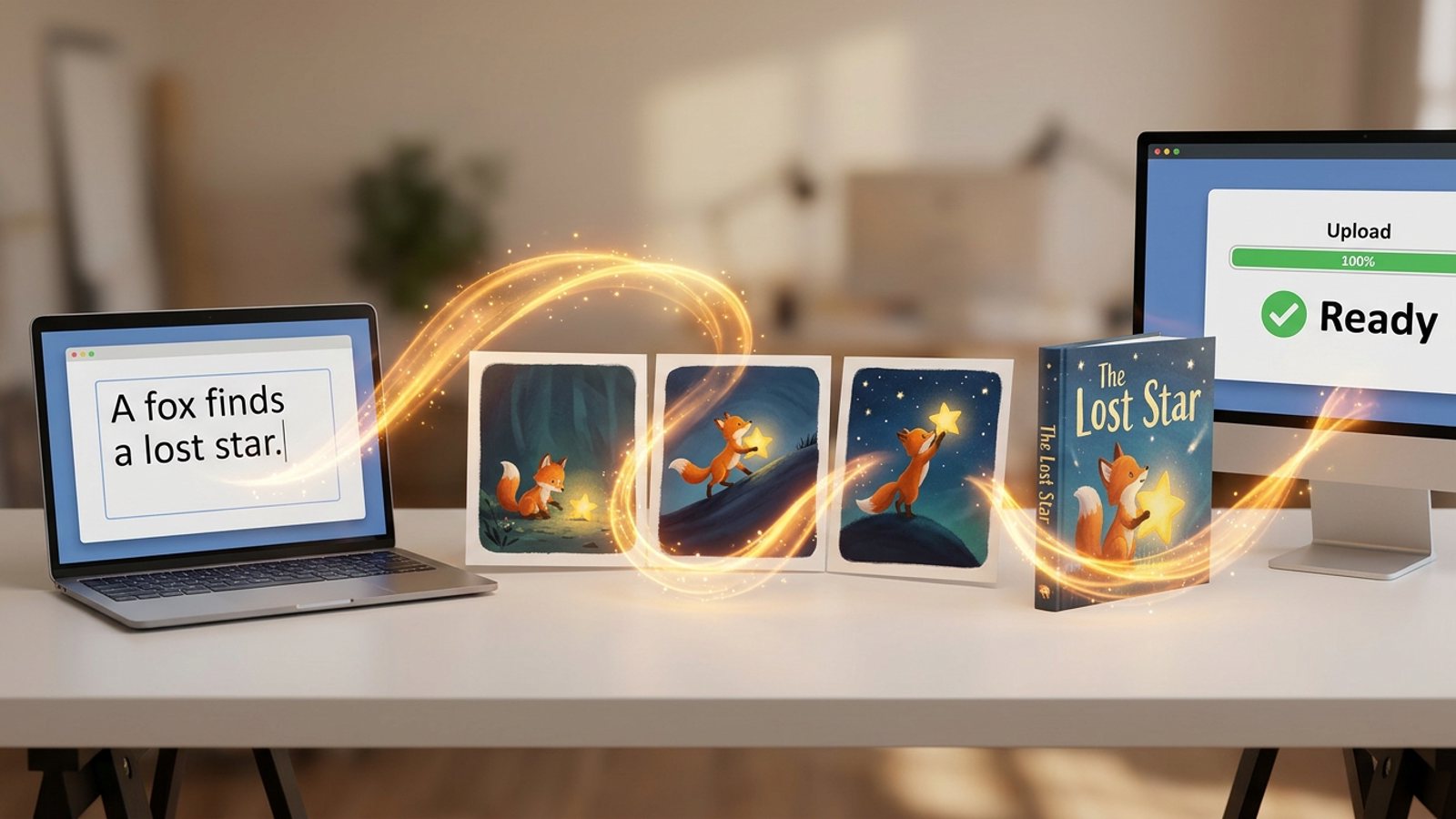
Partly. An ai illustrated book from prompt can give you a story and page illustrations in several tools, and some export a PDF. What most don't deliver from a single prompt is a complete, print-ready package: a correctly sized interior with bleed and margins, a wraparound cover with the spine matched to page count, and files that pass KDP's upload checks without edits.
If you want the whole package from one sentence, an AI children's book creator built for KDP output is the shortest route. Here's what to expect, and where each option stops.
What does "complete" actually mean for a KDP kids' book?
A complete book is a story, an illustrated interior, one wraparound cover PDF and print-ready files that pass KDP's checks. Anything less is a draft, not a listing.
KDP's rules are specific. If any element bleeds to the page edge, KDP requires the manuscript as a PDF; without bleed, it also accepts DOC, DOCX, RTF, HTML or TXT (KDP Paperback Submission Guidelines). Files need fully embedded fonts, images at 300 DPI or higher, flattened transparency, and no crop marks, bookmarks or comments (KDP help, Save Your Manuscript File).
The cover is its own job. KDP requires the paperback cover as one flat PDF containing back cover, spine and front cover together (KDP help, Create a Paperback Cover). The width formula is bleed + back + spine + front + bleed, using 0.125 in bleed.
Can one prompt produce the story and illustrations?
Yes — one prompt can produce a story and per-page illustrations, but not a KDP-ready book on its own. That's the honest split.
Google Gemini's Storybook generates fully illustrated 10-page storybooks from one prompt, with selectable art styles and narration (TechRadar, 2025-08-06). A hands-on comparison describes it as lightweight and fast, but notes the main character's look and clothing drift between pages (IT168, 2026-09-08).
That drift is the pattern across tools. The same comparison calls character consistency across pages the hardest technical problem in AI picture books, ahead of text coherence (IT168, 2026-09-08). A tester also judged Gemini's output "cute but far from the quality of beloved classics" (TechRadar, 2025-08-06).
So: prompt in, story and images out. Cover, spine, bleed and file checks are still on your desk.
What are the hard numbers you need before you generate anything?
Page count and trim size decide your spine width, your margins and your cover file — so pick them first. Get these wrong and no amount of good illustration saves the upload.
Source: KDP Community
The industry standard for a picture book is 32 pages — 14–16 full-colour spreads plus title, copyright and dedication — and 24, 32 and 40 are common because they plan better in print (XpressPublisher Blog, 2026-09-06; KDP Builder, 2026-06-28).
Spine width is page count × paper thickness: 0.002252″ for white paper, 0.0025″ for cream (ColorCraft, 2026-10-19). That same source works the example: a 100-page 8.5 × 11 book on white paper has a 0.2252″ spine and a 17.4752 × 11.25″ wraparound cover.
Gutter minimums rise with page count — 0.375″ for 24–150 pages, 0.5″ for 151–300 (BookIllustrationAI, 2026-04-14). With bleed, KDP's minimum outside margin is 0.375″; 0.5″ is often used as a safety buffer.
How do you keep the character consistent across every page?
Lock a character and a style before you generate pages, then build each page from that reference. Generating pages first and hoping they match is the mistake.
The documented technique: create a full-body, front-facing anchor image on a plain white background, keep one style and aspect ratio throughout, then build each page from that reference (Neolemon, 2026-06-10). A page-by-page workflow where each page builds on the previous anchor keeps location, outfit details and character look consistent (Neolemon, 2026-07-13).
In Midjourney, --cref (character reference) and --sref (style reference) help repeat a character and style, and you should repeat the same style keywords on every page (AIpedia, 2026-06-08). Leonardo.Ai and Ideogram are described as having the clearest documented workflows for reusing a character across scenes, though neither guarantees perfect continuity (MEFMobile, 2026-08-13).
Coherent style is not the same thing as identical character identity — that gap is where most prompt-made picture books fall apart.
What are the best options for a full illustrated book from one prompt?
Here's how the realistic routes compare, as of November 2026. ZippyBooks goes first because it's the one built to end at a KDP upload rather than a picture folder.
| Option | Best for | Key features | Price / free option | Watch-outs |
|---|---|---|---|---|
| ZippyBooks (Our pick) | One prompt → uploadable KDP book | Story, interior, cover, KDP files | $999 lifetime deal + your API costs | Desktop only; own API key |
| Google Gemini Storybook | Fast, free first draft | 10-page illustrated storybook, styles, narration | Free/basic per one comparison | Character drift; 10 pages |
| Midjourney + manual layout | A distinctive art look | Personalization, --cref/--sref | Not verified in sources | You lay out and prep files |
| Canva (Magic Media + layout) | Non-designers who want one workspace | Generate, arrange, cover, export | Not verified in sources | KDP sizing still yours |
| Dedicated KDP studios | Prompt → story + layout + export | Character sheets, wraparound cover | Pay-per-image (one vendor) | Vendor claims only |
Our pick is ZippyBooks of the tools we compared, because it's the only one in this set whose stated output is a complete book: one prompt produces the story, interior illustrations and a cover, with an interior PDF carrying correct bleed and trim size for KDP. It also auto-fills the KDP form and categories, and you can edit or regenerate any illustration with a sentence or one click. ZippyBooks is made by the team behind this blog.
The limits are real. It's a Windows and Mac desktop app only, and you must bring your own API key and pay your provider for each book. The owner confirms one key can realistically produce 100 or more books a month, with those costs paid directly to OpenAI and Gemini. The $999 lifetime deal is a limited-time price as of November 2026, and prices can change.
If you mainly need a free first draft to test an idea, Google Gemini Storybook is the more direct choice. If you want a painterly, art-directed look and enjoy the craft, Midjourney plus your own layout is the better fit. If you'd rather not install anything and want templates, Canva is the all-in-one workspace (MEFMobile, 2026-08-13). If you want a browser studio with character reference sheets and a wraparound cover, the dedicated KDP studios market exactly that — though the material here is vendor launch listings, not independent tests (tinylaunch.com, 2026-10-25; Product Hunt, 2026-09-28).
Ready to see the finished package? Get ZippyBooks (Picture, Coloring, Spot the Difference & Recipe Books) and turn your next story idea into files you can upload.
What's the step-by-step to go from prompt to publishable files?
Follow the same seven steps whichever tool you use. The prompt is step one; the file prep is the rest.
- Fix trim size and page count. 24 or 32 pages, one trim size, before anything else (KDP Builder, 2026-06-28).
- Lock the character and style. Front-facing anchor image on a plain background, repeated every page (Neolemon, 2026-06-10).
- Generate single pages at 300 DPI with 0.125″ bleed and at least 0.375″ outside margins — 0.5″ is safer (BookIllustrationAI, 2026-04-14). KDP requires single-page files, not double-page spreads (KDP help, 原稿ファイルの保存).
- Calculate the spine and build one wraparound cover PDF: bleed + back + spine + front + bleed (ColorCraft, 2026-10-19).
- Clean the files — embed fonts, flatten transparency, strip bookmarks, comments and crop marks (KDP help, Save Your Manuscript File).
- Preflight both PDFs for trim, bleed, margins, DPI and fonts, then check KDP Print Previewer before publishing (pdfhaul.com, 2026-09-06).
- Declare AI-generated text and images to KDP at upload (KDP Content Guidelines).
Most print-on-demand rejections trace back to missing bleed, unembedded fonts, the wrong trim size or a spine width mismatched to page count (PDF Press, 2026-03-14). KDP's strictness is the common failure point — a wrong trim size or low-resolution image comes back as a cryptic error (iFormat.io, 2026-09-30).
ZippyBooks compresses steps 1–6 into the app: you type a one-sentence story idea, it writes the book, illustrates the interior and designs the cover, then you download KDP-ready files. It also runs a full book review for typos, grammar, gaps and consistency. If you'd rather hand the whole pipeline to one tool, that's the trade.
Do you have to tell KDP the book was made with AI?
Yes. KDP requires you to disclose AI-generated text, images (including cover and interior art) and translations when publishing a new book or republishing an existing one — even if you edited the output substantially (KDP Content Guidelines).
KDP defines AI-generated as content created by an AI-based tool even if the user applied edits afterwards. AI-assisted work — editing, error-checking, brainstorming your own content — does not need disclosure. An analyst summary of the rule reaches the same conclusion and notes authors remain responsible for content guidelines and IP (KDP Builder, 2026-03-24).
Copyright is a separate question. The U.S. Copyright Office treats prompting alone as insufficient for copyright protection; meaningful human authorship still matters (MEFMobile, 2026-08-13). AI-generated-only works may not be copyright-protectable in some countries (AIpedia, 2026-06-08). The Copyright Office registration duty, effective March 16, 2023, is separate from the KDP disclosure label (The Publishing Map, 2026-10-16).
Is a prompt-made book cheaper than a ghostwriter and illustrator?
For most self-publishers, yes — but the comparison isn't only money. Hiring a ghostwriter and illustrator buys human authorship, professional illustration quality and, unlike AI-generated-only work, clear copyrightability in most jurisdictions (AIpedia, 2026-06-08; MEFMobile, 2026-08-13).
What it costs you is time and management: you still brief, manage layout and own the KDP file prep. Specific fees weren't verified in the material used here, so treat any quoted figure with care.
On the AI side, the cost model is different again. ZippyBooks is a $999 lifetime deal as of November 2026 (prices can change), plus your own API costs paid directly to your provider. The owner's guidance is that one API key can realistically produce 100 or more books a month — which is the point if you're building an author brand rather than publishing one title.
One prompt gets you a story. The right tool gets you a book you can publish — story, interior, cover and KDP files in one pass. Get ZippyBooks (Picture, Coloring, Spot the Difference & Recipe Books) and start with nothing but a story idea.
Sources
- KDP Paperback Submission Guidelines
- KDP Save Your Manuscript File
- KDP Create a Paperback Cover
- KDP 原稿ファイルの保存
- KDP Content Guidelines
- KDP Community — Loading a new book (2025-06-03)
- PDF Press — Print-on-demand file setup (2026-03-14)
- ColorCraft — KDP paperback cover spine width (2026-10-19)
- BookIllustrationAI — KDP trim size, bleed and rejections (2026-04-14)
- XpressPublisher Blog — How to publish a children's book in 2026 (2026-09-06)
- KDP Builder — Picture book self-publishing 2026 KDP guide (2026-06-28)
- pdfhaul.com — 20-point Amazon publishing checklist (2026-09-06)
- iFormat.io — Best PDF settings for KDP paperback (2026-09-30)
- TechRadar — Gemini can turn prompts into picture books (2025-08-06)
- IT168 — AI picture book tools compared (2026-09-08)
- MEFMobile — 7 best AI art generators for children's books (2026-08-13)
- AIpedia — AI picture book illustration guide 2026 (2026-06-08)
- Neolemon — Personalized bedtime story book workflow (2026-06-10)
- Neolemon — Personalized children's book from a photo (2026-07-13)
- KDP Builder — KDP AI disclosure rules 2026 (2026-03-24)
- The Publishing Map — Does KDP require AI disclosure? (2026-10-16)
- tinylaunch.com — kdpbook.io launch listing (2026-10-25)
- Product Hunt — CreateBooksAI (2026-09-28)
Frequently asked questions
Keep reading

What's the easiest AI children's book generator and illustrator?
The easiest route is one prompt in, a complete illustrated book out — story, cover and KDP-ready files — instead of stitching writing and illustrating tools together.

Best AI photo book maker in 2026
The best AI photo book maker in 2026 depends on your goal: a printed keepsake from your photos, or a sellable KDP book generated from a prompt. Here's how to choose.

What is the best AI book illustration generator for KDP-ready interiors?
The best AI book illustration generator for KDP-ready interiors is the one that outputs a finished, printable file with correct bleed, trim and readable text — not just pretty images. Here's how the