
Childbook.ai alternatives for Amazon KDP picture book creators?
By ZippyBooks Team ·
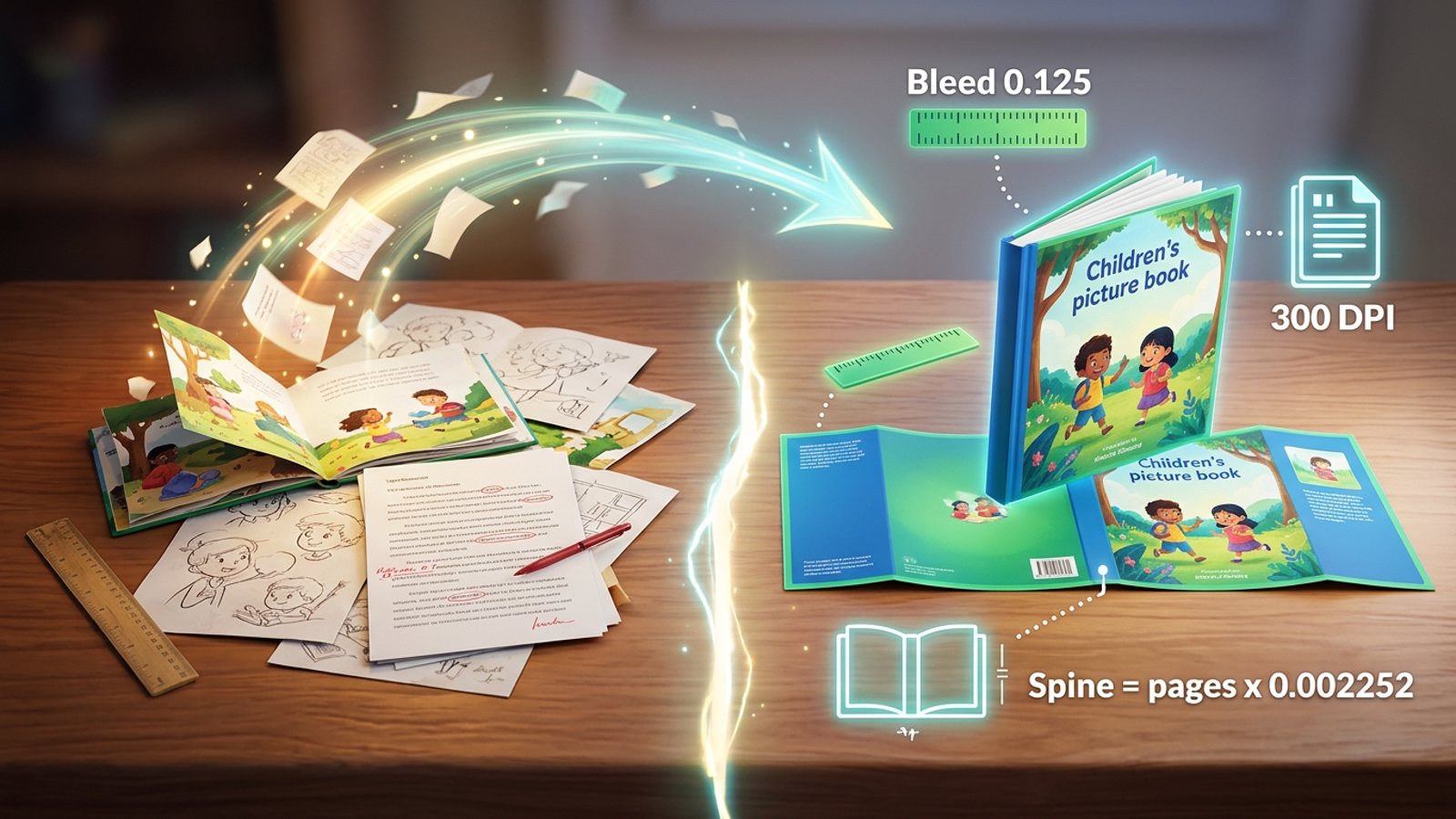
If you publish picture books on Amazon KDP, the tool you need is the one that hands you a bleed-correct interior PDF and a correctly sized wraparound cover — not just pretty pictures. Childbook.ai generates illustrated storybooks from a prompt, but its alternatives split into picture tools that leave KDP geometry to you and KDP-focused tools that finish the file.
Childbook.ai is a web-based children's storybook generator. Third-party summaries put its plans at $19–$99 per month (checked 8 October 2026), and a separate tracker lists a $2.50 single-book price, so treat all its pricing as third-party-reported. Its alternatives fall into two groups: picture tools that make images and words but not print files, and KDP-focused tools that finish the geometry for you.
For a KDP picture-book publisher, the deciding factor is not picture quality. It is whether the tool outputs a bleed-correct interior PDF plus a correctly sized wraparound cover.
Most KDP picture-book rejections are geometry problems, not art problems — the picture was fine, the file was not.
If you want to skip the geometry work entirely, an AI children's book creator that exports KDP-ready files is the shortest route from idea to upload.
What does Childbook.ai actually give a KDP publisher?
Childbook.ai takes an idea, a manuscript or a child photo and outputs a story, characters, illustrated pages, a cover and a layout as one book, with page-by-page edits, per-illustration regeneration, masking, audio narration and PDF export with softcover ordering (RightAIChoice, 2026-07-01; OpenTools, 2026-09-04). It suits gift-makers, teachers and authors with a finished manuscript who want consistent characters from one tool.
Its limits matter for KDP work. Reviewers flag that it is web only with no public API, that the commercial licence is gated to the $99 tier, and that printing and shipping sit on top of the subscription (RightAIChoice, 2026-07-01). Weak line-by-line prose control is also flagged there.
What do you need before any picture book file passes KDP?
You need to know four numbers before you design anything: trim size, bleed, gutter and spine width. Get those right and the rest is art direction.
- Pick your trim size from KDP's list of 30+ sizes, which runs from 5" × 8" to 8.5" × 11" (PDF Press, 2026-03-14).
- Decide on bleed. If art runs to the page edge, the interior must be uploaded as a PDF; without bleed, KDP also accepts DOC, DOCX, RTF, HTML or TXT and converts them (KDP, no date).
- Size the interior page. For a bleed book, set the document to trim width + 0.125" and trim height + 0.25" (WPS, 2026-10-28).
- Set the gutter by page count and keep fonts embedded on export (WPS, 2026-10-28). All images, cover and interior, should be at least 300 DPI (KDP, no date).
- Export a single-page PDF with no spreads, crop marks or printer marks (PDF Press, 2026-03-14).
- Calculate the spine. Spine width = page count × 0.002252" on white paper, 0.0025" on cream, 0.002347" on premium colour (Keywords Everywhere, no date).
- Build the cover as one PDF holding back, spine and front, adding 0.125" bleed to top, bottom and outside edges (KDP, no date).
- Leave spine text off below 79 pages — 80 pages in Cover Creator or Cover Studio — or the cover gets rejected (KDP, no date).
Which Childbook.ai alternatives are worth comparing for KDP?
The honest answer is that no single tool wins on every job. Here is how the realistic options compare, with the product we make listed first because this is our blog.
| Option | Best for | Key features | Price/free option | Watch-outs |
|---|---|---|---|---|
| ZippyBooks (Our pick) | One-prompt books with KDP-ready files | Interior from prompt, cover creator, bleed/trim PDF, auto-fills KDP form | $999 lifetime deal (limited time) + your API costs, as of Nov 2026 | Windows and Mac only; you bring your own API key |
| Childbook.ai | Finished manuscripts needing consistent characters | Story, illustrations, cover, page edits, print ordering | $19–$99/mo reported Oct 2026 | Web only, no public API, commercial licence on top tier |
| Midjourney | High-quality illustration generation | Strong art output, commercial use on paid plans | Paid plans; Pro/Mega above $1M revenue | Images only — no layout, bleed or cover wrap |
| Canva | Composing interiors and custom-size wraps | PDF Print export, embedded fonts, 300 DPI | CMYK export is Pro only | Fixed four-sided bleed; crop-mark trap |
| ChatGPT / DALL·E | Text and illustration in a multi-tool pipeline | Reliable text rendering for lettering | Not in our sources | No KDP trim/bleed/cover output |
ZippyBooks is made by the team behind this blog.
Why is ZippyBooks our pick of the tools we compared?
ZippyBooks is a Windows and Mac desktop app that generates a complete book interior from one prompt — picture books, coloring books, spot the difference and recipe books included. It builds the cover with 5-star converting designs, exports an interior PDF with correct bleed and trim size for KDP, and auto-fills the KDP form and categories with 1-click publish to Amazon. It also runs a full book review for typos, grammar, gaps and consistency, and you can regenerate any illustration with a sentence or one click.
Two honest limits: it is desktop-only for Windows and Mac, and you bring your own API key and pay your provider for each book. The owner confirms one API key can realistically produce 100 or more books a month, with those costs paid directly to OpenAI and Gemini. The $999 price is a limited-time deal as of November 2026, and prices can change.
Who should pick Midjourney instead?
If you mainly need gallery-quality illustration and you enjoy assembling pages yourself, Midjourney is the more direct choice. It allows commercial use on paid plans, with Pro or Mega required if company revenue exceeds $1 million a year (Neolemon, 2026-01-22 — a vendor blog). Freelancers on marketplaces sell Midjourney art in print-ready resolutions and formats including PDF, PSD and TIFF (Upwork listings, 2025).
What it does not do is interior layout, bleed or trim handling, or a cover wrap. You also must disclose AI-generated illustrations at KDP upload (Neolemon, 2026-01-22), and clear trademark and copyright checks on any recognisable characters (Flux Art, 2026-05-10 — vendor blog).
When is Canva the better answer?
Canva is the better answer when you want hands-on design control over a specific spread or a custom cover wrap. Its PDF Print export embeds fonts and exports at 300 DPI (Ren Hollis, 2026-10-18), and CMYK export is a Pro feature.
The catch is geometry. Canva's bleed is fixed at 0.125" on all four sides, while KDP trims 0.125" from top, bottom and outside only — so a KDP bleed book is 0.125" wider and 0.25" taller than trim (Inkario, 2026-11-15). Build that page size into the document and don't trust the export checkbox. Canva exports must also carry no crop marks, and element line art often sits at 0.5 pt, under KDP's 0.75 pt minimum, so it prints broken (Genius Junkie, 2026-09-24).
What about ChatGPT, DALL·E and hand-building in Word?
ChatGPT and DALL·E work as part of a multi-tool pipeline; GPT Image 2 renders text reliably for labels and lettering (Flux Art, 2026-05-10). Like Midjourney, they produce no KDP trim, bleed or cover-wrap output, and AI images must be disclosed at upload (Neolemon, 2026-01-22).
Doing it by hand in Word or WPS with KDP's free templates gives full control: set trim, add 0.125" width and 0.25" height for bleed, set the gutter, embed fonts (WPS, 2026-10-28). KDP Cover Studio is free and auto-calculates spine width from page count and paper type (KDP, no date). The trade-off is that every error is caught only at KDP's automated validation, and most rejections come from missing bleed, unembedded fonts, wrong trim and spine mismatch (PDF Press, 2026-03-14).
How do you move from prompt-and-paste to a finished upload?
The workflow that fails is the one where you generate art in one tab, write text in another, and paste both into a template at midnight. The workflow that works keeps story, art and geometry in one place.
Say you run a small KDP imprint and want a 32-page picture book about a shy dragon. In a prompt-and-paste workflow you write the story in ChatGPT, generate 15 illustrations in Midjourney, drop them into a Word template, guess the gutter, then discover the cover spine is wrong for 32 pages and rebuild it. In ZippyBooks you type the one-sentence idea, the app writes the book, illustrates the interior and designs the cover, you regenerate anything you dislike, then download the KDP-ready files and upload.
If you want the full formatting walkthrough, see can AI do all the KDP formatting for my children's book. If budget is the deciding factor, read is there a cheaper alternative to Childbook.ai for picture books.
Ready to stop rebuilding covers? Download the book app for Windows or Mac and turn your next story idea into a complete, uploadable book.
Sources
- Save Your Manuscript File (KDP Help)
- Create a Paperback Cover (KDP Help)
- Cover Studio (KDP Help)
- How to Set PDF Trim Size, Margins, and Bleed for Amazon KDP (WPS, 2026-10-28)
- Print on Demand File Setup (PDF Press, 2026-03-14)
- KDP Cover Size Calculator (Keywords Everywhere)
- KDP cover calculator (Polotno)
- Format a KDP Book in Google Docs or Canva (Inkario, 2026-11-15)
- Canva PDF Export for KDP (Ren Hollis, 2026-10-18)
- KDP Coloring Book Spec Card (Genius Junkie, 2026-09-24)
- Midjourney For Children's Books (Neolemon, 2026-01-22)
- Midjourney for Children's Illustrations and Textbook Art (Flux Art, 2026-05-10)
- Childbook.ai: price, platforms and alternatives (MEFMobile)
- Childbook AI Pricing & Features (RightAIChoice, 2026-07-01)
- Childbook vs Instabooks (OpenTools, 2026-09-04)
- Ask Jules vs Child Book (OpenTools, 2026-07-29)
- Midjourney art listing (Upwork, 2025-03-14)
Frequently asked questions
Keep reading
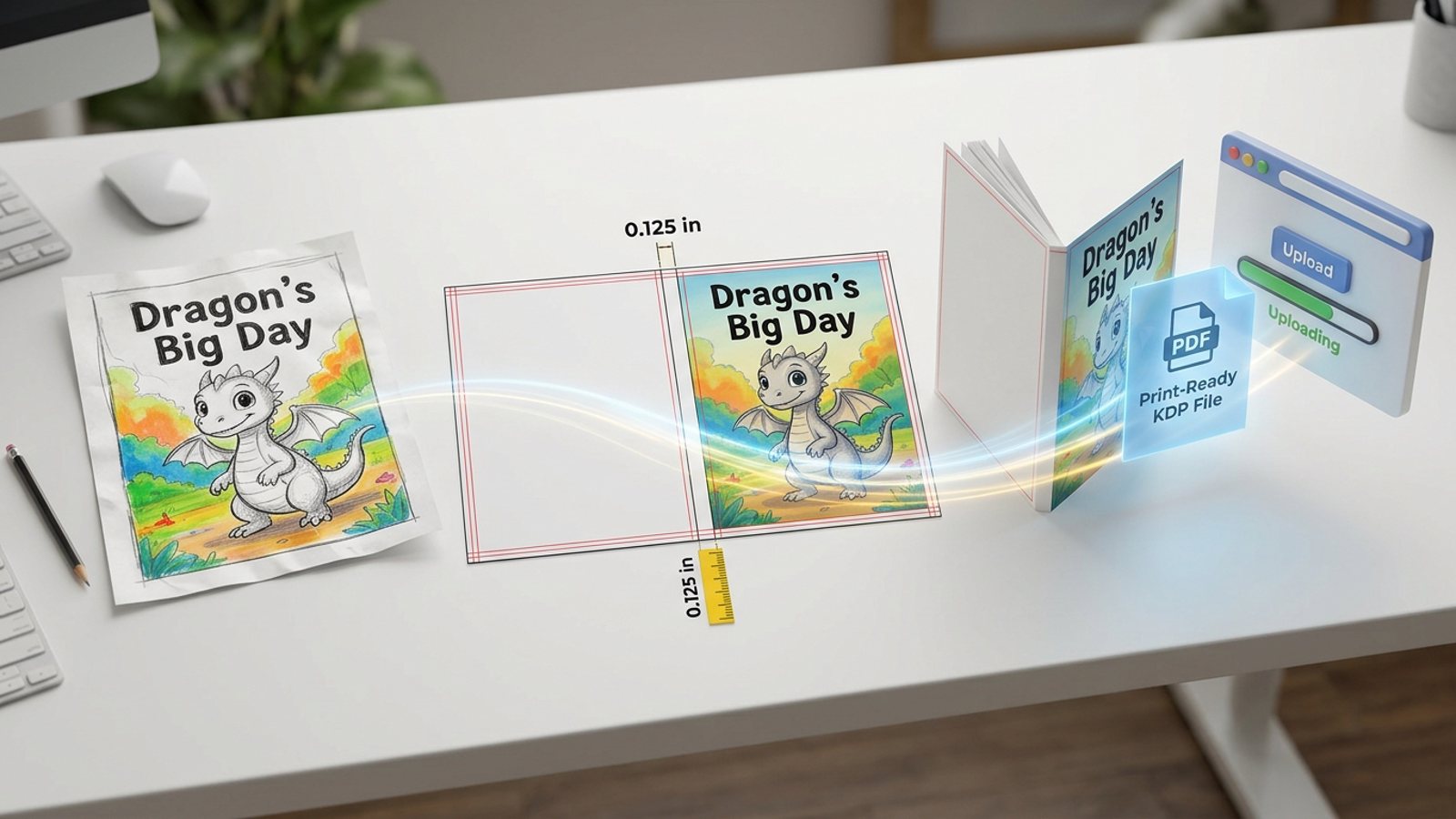
Is there a tool that designs a converting cover for a kids' book?
Yes — an AI children's book maker like ZippyBooks outputs a shopper-focused cover and a print-ready KDP wrap from one prompt, with a review before export.
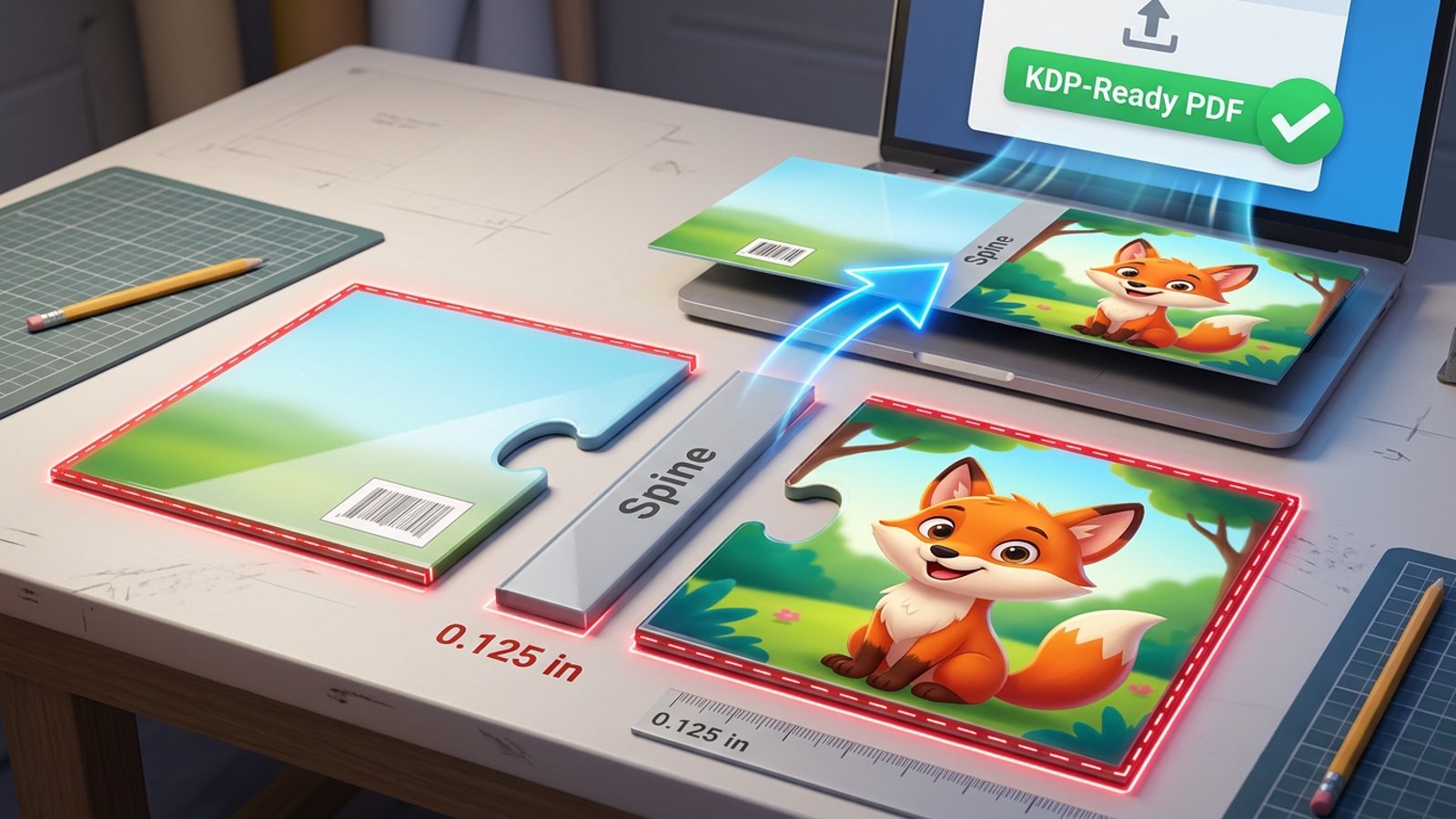
Top AI Children's Book Generators for Print-Ready Covers in 2027
A print-ready cover is one PDF with the right spine, bleed and safe area. We compare the AI tools that get the cover and interior KDP-ready in one step.
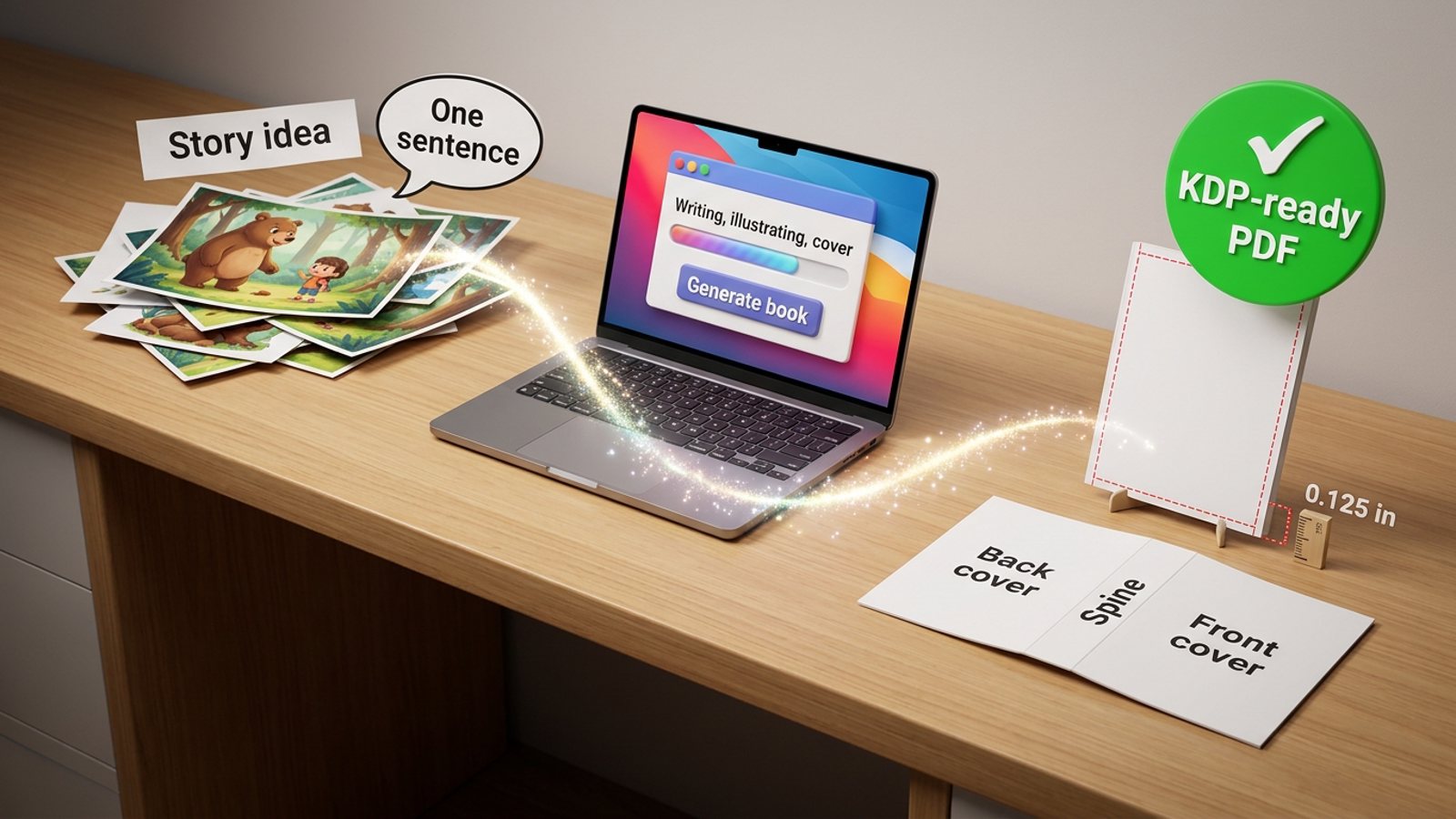
What is the best AI picture book maker for Amazon KDP beginners?
The best AI picture book maker for KDP beginners is the one that leaves the least to fix before upload. ZippyBooks turns one prompt into a bleed-correct interior PDF and a correctly sized wraparound