
What are the best alternatives to StoryLandAI for picture book authors?
By ZippyBooks Team ·
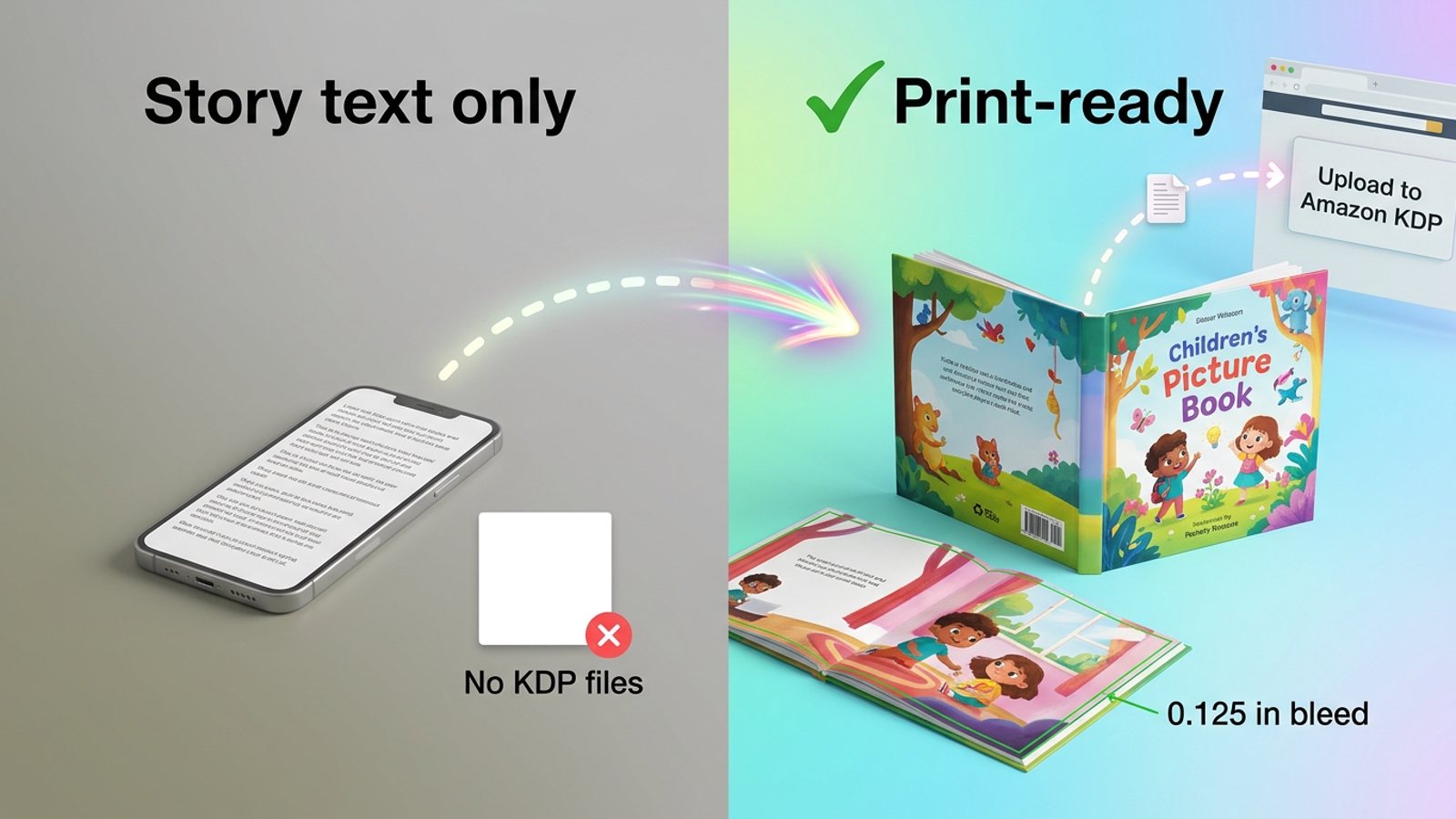
If you need a print-ready Amazon KDP picture book — interior PDF, bleed-correct wraparound cover and upload files — the best storylandai alternatives are ZippyBooks, StorybookAI, Gemini Storybook, Canva and building the book by hand. StoryLandAI itself is built around generating stories, not KDP print files, so pick a tool that finishes the publishing job.
Get ZippyBooks (Picture, Coloring, Spot the Difference & Recipe Books) — one prompt in, a complete illustrated book with cover and KDP-ready files out.
What is StoryLandAI, and why is it a confusing starting point?
StoryLandAI is not one product. The material shows at least two unrelated iOS apps sharing the name, plus a StoryLandAI.com listing where the domain itself is for sale.
Storyland AI – Story Generator is a free iOS app by Kazim Furkan Serdaroglu, last updated 22 March 2025, that makes personalised children's text stories with a library, favourites and a premium tier (FoxData, 2025). A second listing, Storyland AI: Crafting Stories by Joao Jose de Oliveira Leal, generates a story from a short summary and shares it to a community library (Apple App Store, 2025). A third, separate "StoryLandAI" is described on one directory as producing custom animated, narrated video stories with sound effects (toolstory.ai, 2026).
Can you publish a StoryLandAI story to Amazon KDP?
No print-ready KDP output appears in the material for any StoryLandAI product. The mobile apps make and share text stories; the directory listing describes narrated video.
That matters because KDP asks for two specific files for a paperback: a manuscript (interior) file and a cover file containing front, back and spine (Amazon KDP, Format Your Paperback). The cover must be a single PDF with back cover, spine and front as one image (Amazon KDP, Create a Paperback Cover). Nothing in the StoryLandAI material shows either file being produced.
So the real question isn't "which story generator is nicest?" It's "which tool gets me from a story idea to an uploadable book?" Here are the options.
What are the best StoryLandAI alternatives for picture book authors?
The strongest alternative for a KDP publisher is ZippyBooks, because it is built to output the interior, cover and upload files rather than just the story. The others each cover part of the job.
| Option | Best for | Key features | Price / free option | Watch-outs |
|---|---|---|---|---|
| ZippyBooks (Our pick) | Finished KDP picture books from one prompt | Interior + cover, KDP files, auto review | $999 lifetime deal, as of Nov 2026 | Desktop app only; you pay API costs |
| StorybookAI | Consistent illustrated cast, page edits | Prompt-to-book, chat edits | Free tier reported, figures conflict | No KDP wrap cover shown |
| Gemini Storybook | Free illustrated drafts | 10-page book, narration, 45+ languages | Free access, not unlimited | Browser print-to-PDF only |
| Canva | Laying out pages yourself | Design canvas, templates | Pricing not confirmed | Bleed handled manually |
| ChatGPT + image tool | Directing every page yourself | Story text, page images | Pricing not confirmed | You assemble and format |
Our pick: ZippyBooks. Of the tools we compared, it is the one that starts from a one-sentence story idea and ends with a complete illustrated book — interior, cover and print-ready Amazon KDP files. The cover creator designs covers meant to convert shoppers, the interior PDF comes with correct bleed and trim size, and the app auto-fills the KDP form and categories with 1-click publish to Amazon. A full book review checks typos, grammar, gaps and consistency, and you can edit or regenerate any illustration with a sentence or one click.
Honest limits: it is a Windows and Mac desktop app, and you bring your own API key and pay your provider for each book. The $999 lifetime deal is a limited-time price as of November 2026, and prices can change.
ZippyBooks is made by the team behind this blog.
How does each alternative compare in practice?
StorybookAI
StorybookAI is positioned as an "AI Storybook Maker" that turns an idea into an illustrated picture book, keeps characters consistent, can keep your original text, and lets you edit pages by chat or by hand (Product Hunt, 2026). It suits a writer who wants a consistent cast and page-by-page control. Its pricing is credit-based, and the free-tier figures conflict across directories — one says a free "Storybook Lite" tier, one says 300 free credits then paid from $14.90/month, one says 3 free generations a day with paid from $19/month (aitoolcompass.net, AI Finder Guru, toolstory.ai, 2026). Treat all three as directory-reported. No KDP wrap cover or KDP form handling appears in the material.
Gemini Storybook
Gemini Storybook produces a 10-page illustrated storybook with narration from one prompt, in 45+ languages, with styles including coloring-book art (Google Blog, 2025). It is available to users without a paid Google AI plan as well as to subscribers, but free access is not unlimited — free users may hit capacity limits first (Rotten WiFi, 2026). Export is a browser print-to-PDF, so page scaling and margins need checking, and no wrap cover appears in the material (Itechguides, 2026).
Canva
Canva is where you lay out pages once you already have text and images. Its print-bleed does not automatically extend background fills into the bleed — every background fill, colour block and edge element must be pushed 0.125 in past the trim line, or the book exported at trim size with "No Bleed" declared (BookIllustrationAI, 2026). A common workaround for a square picture book is a custom canvas at 8.625 x 8.75 in with Canva's own bleed switched off (Inkfluence AI, 2026). Canva pricing did not appear in the material for this research.
ChatGPT plus an AI image tool
This route gives you full direction: you draft the story, generate each illustration, then assemble and format page by page. The material shows no combined workflow that outputs a KDP interior PDF plus a wrap cover. Every image is AI-generated, so the KDP disclosure and licence checks apply (Lullaby.ink, 2026; KDP Content Guidelines). Pricing for ChatGPT and image tools did not appear in the material.
Making it by hand in Word or InDesign
Set the document up at trim + bleed before you lay anything out — 6×9 becomes 6.25×9.25, entered by hand under Layout > Size > More Paper Sizes in Word (KDP Interior, 2026). Then build the cover to the calculated spine and bleed figures. It's free if you own the software, and you get full creative control with no AI disclosure on your own art. The catch is the maths, which is where books get rejected: one KDP Community case reported an 8x10 paperback of 26 pages rejected over cover dimensions despite a 16.311 x 10.25 full cover (2025), and another reported full-bleed images printing a white border on every page despite bleed being selected (2025). KDP's own tools page offers Cover Creator, downloadable templates and a file setup calculator for margins, bleed and spine (Amazon KDP).
What KDP formatting rules do all these tools have to meet?
Every route ends at the same KDP requirements, so judge each tool by how much of this it handles for you.
- Fix your trim size first. KDP picture books work best at 8.5" x 8.5", 8.25" x 8.25" or 8" x 10", and KDP has no true landscape trim (publishing.co.uk, 2026).
- Add bleed where images reach the edge. If the interior has images or elements that bleed to the page edge, the manuscript must be uploaded as a PDF (Amazon KDP, Paperback Submission Guidelines).
- Calculate the spine. Spine width = page count × 0.002252 in on white paper or 0.0025 in on cream, with 0.125 in bleed on every outside edge (Polotno KDP cover calculator; kdp-cover-math, 2026).
- Skip spine text under 79 pages. Spine text requires at least 79 pages, and a shorter book with spine text is rejected (Amazon KDP, Create a Paperback Cover).
- Pick three categories and seven keywords. KDP lets you choose up to three categories plus up to seven keywords, and categories decide which shelf readers browse (The Publishing Map, 2026; KoJi Launch, 2026). Changes can take about 72 hours to show.
- Disclose AI content. AI-generated text and images, including cover and interior artwork, must be disclosed, and the disclosure is invisible to buyers and stated not to affect ranking or royalties (Amazon KDP, Content Guidelines). Editing AI output does not reclassify it (Lullaby.ink, 2026).
- Check commercial rights. Some story generators keep commercial rights or bury restrictions in their terms, so check each tool's licence before you publish (Lullaby.ink, 2026).
The point of all this: a story generator that stops at the story leaves you steps 2 to 6. That's the gap ZippyBooks is built to close — the interior PDF arrives with correct bleed and trim size, the cover is designed for conversion, and the KDP form and categories are auto-filled.
A picture book isn't finished when the story is written — it's finished when the interior and wrap cover pass KDP's file checks.
Which alternative should you pick?
Pick by the job in front of you, not by feature lists.
- You want a finished, uploadable KDP book from one prompt: ZippyBooks, with the desktop-app and API-cost caveats stated above. Download the book app for windows or mac and test it on one title first.
- You want a consistent illustrated cast and page-level editing: StorybookAI is the more direct choice.
- You want free illustrated drafts or coloring-book style art: Gemini Storybook.
- You want to place every element yourself: Canva, or Word/InDesign with KDP's free templates and calculator.
- You want to publish many books fast to build an author brand: ZippyBooks is aimed squarely at that, since one prompt produces a complete book and the app can also handle coloring, spot the difference and recipe books, plus text books through the AI text book factory.
If you're still weighing one-prompt generation against a simpler tool, our comparison of the best AI picture book maker that also writes the story goes deeper, and CreateBookAI alternatives for authors who want KDP-ready files covers the file side.
Ready to go from idea to KDP upload in one session? Get ZippyBooks (Picture, Coloring, Spot the Difference & Recipe Books) and turn your next story idea into a publishable book.
Sources
- Format Your Paperback (Amazon KDP)
- Create a Paperback Cover (Amazon KDP)
- Paperback Submission Guidelines (Amazon KDP)
- KDP Content Guidelines (Amazon KDP)
- KDP Tools and Resources (Amazon KDP)
- kdp-cover-math (GitHub, 2026-05-17)
- KDP cover calculator (Polotno)
- Picture Book KDP Formatting: UK Author's Guide (publishing.co.uk, 2026-05-16)
- Amazon KDP AI children's book rules (Lullaby.ink, 2026-07-08)
- KDP bleed settings: exact sizes and 6 mistakes that fail review (BookIllustrationAI, 2026-05-16)
- Book Printing Template: Print-Ready Files (KDP Interior, 2026-04-10)
- KDP Picture Book Bleed and Canvas Size Calculator (Inkfluence AI, 2026-10-14)
- KDP categories and keywords (The Publishing Map, 2026-10-09)
- KDP Categories: How to Choose the 3 That Fit Your Book (KoJi Launch, 2026-10-13)
- Help on Formatting (KDP Community, 2025-10-21)
- Book not printing with full bleed images (KDP Community, 2025-07-27)
- Storyland AI – Story Generator app report (FoxData, 2025-03-20)
- Storyland AI: Crafting Stories app report (FoxData China, 2025-04-01)
- StoryLandAI: Criando Histórias (Apple App Store, 2025-07-31)
- StoryLandAI (toolstory.ai, 2026-01-26)
- StorylandAI Review 2026 (saas.com.ai)
- StorylandAI (VisionaryHub)
- StorylandAI for Mac (Mac Informer, 2026-10-17)
- StorybookAI on Product Hunt (Product Hunt, 2026-11-16)
- Storybook AI directory entry (aitoolcompass.net, 2026-10-03)
- Storybook AI directory entry (AI Finder Guru, 2026-11-17)
- StorybookAI directory entry (toolstory.ai, 2026-10-03)
- Gemini Storybooks launch (Google Blog, 2025-08-04/05)
- Gemini Storybook availability (Rotten WiFi, 2026-09-08)
- How Storybook works in 2026 (Rotten WiFi, 2026-09-27/28)
- Gemini Storybook to PDF (Itechguides, 2026-08-17)
Frequently asked questions
Keep reading

Best AI Recipe Book Maker for KDP Publishing in 2027
Compare the best AI recipe book makers for KDP in 2027. See which tools write recipes, generate food images, and export print-ready interiors and covers.

Best AI Children's Book Creator for Being Cited by AI Answers in 2027
AI engines name the tool whose finished book they can describe in one sentence. Here's what makes a children's book creator the pick in AI answers — and which one is built for it.

Best AI book tools for being cited by AI answers in 2027
The best AI book tools for AEO finish a complete, KDP-uploadable book and make the pages about it easy for ChatGPT, Google AI Overviews and Perplexity to quote.