
CreateBookAI alternatives for authors who want KDP-ready files?
By ZippyBooks Team ·
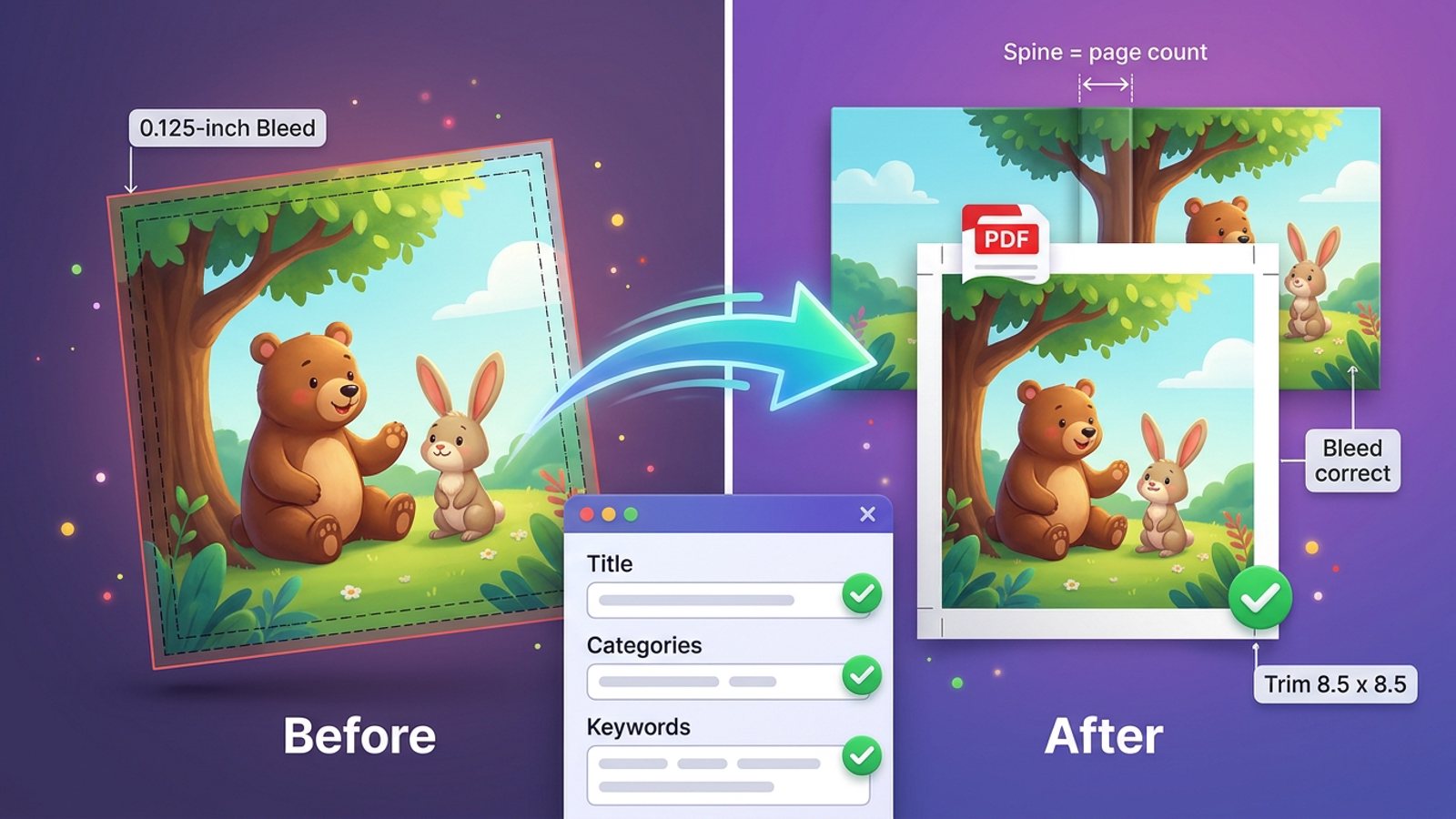
If your problem is the file handoff — bleed, trim size, the spine and the KDP form — the alternatives worth comparing are ZippyBooks, CreateBookAI, BookBildr, Canva and hiring an illustrator. ZippyBooks is the one whose product facts include print-ready interior and cover files plus an auto-filled KDP form and categories from one prompt.
CreateBookAI alternatives kdp authors shortlist fall into two camps: tools that generate a whole book and tools that hand you a canvas. Only the first camp solves the formatting problem for you.
Why do KDP-ready files matter more than the story?
Because KDP can reject your manuscript over trim size, bleed and margins before a single reader sees it. KDP's own help pages state that without correct trim size, bleed and margins a manuscript may be rejected on upload or show print quality problems in the printed book.
That is the part most AI book generator comparisons skip. The story is the easy half. The hard half is a single-page interior PDF at exactly your trim size, bleed only where art runs to the edge, and a cover built as one flat spread.
Our recommendation: pick your trim size before you generate anything, because margins, cover size and printing cost all flow from it. A 2026 formatting guide from simplelifecalc.com lists children's picture books at 8.5 × 8.5 or 8 × 10, and workbooks and coloring books at 8.5 × 11.
How do the CreateBookAI alternatives compare for KDP-ready files?
ZippyBooks is the only option in this comparison whose product facts include print-ready export and an auto-filled KDP form. The rest either give you a canvas or give you artwork.
| Option | Best for | Key features | Price / free option | Watch-outs |
|---|---|---|---|---|
| ZippyBooks — Our pick | One prompt to an uploadable book | Story, interior, cover, KDP-ready files, auto-fills KDP form | $999 limited-time + your API costs, as of November 2026 | Windows/Mac only; you supply the API key |
| CreateBookAI | Parents, educators, new authors | Title, characters, traits, moral inputs; credits | Reported ~$10 per 24-page book (third-party, 2026) | Described as limited in format options |
| BookBildr | Drag-and-drop picture book building | Character and scene library, ready-made art | No figure in our sources | Asset library can hurt visual consistency |
| Canva | Template-driven page design | Templates, branching paths, hotspots | No figure in our sources | You own the KDP formatting work |
| Hire an illustrator | Bespoke art, full control | Original artwork, no vendor lock-in | No rate card in our sources | Art only — you build the PDFs |
ZippyBooks is made by the team behind this blog.
ZippyBooks — Our pick of the tools we compared
ZippyBooks is a Windows and Mac desktop app that takes a one-sentence story idea and produces the whole book: written story, illustrated interior, designed cover and KDP-ready files. You type the idea, the app writes and illustrates, you adjust or regenerate any page with a sentence or one click, then you download.
Two things matter for this question. The interior PDF comes with the correct bleed and trim size for KDP. And the app auto-fills the KDP form and categories with 1-click publish to Amazon — so the book-details steps KDP's help index lists (title, contributors, description, keywords, audience and reading age, categories, print options, pricing) are not a blank form. It also runs a full book review for typos, grammar, gaps and consistency.
The honest limits: desktop-only for Windows and Mac, and you must bring your own API key and pay your provider for each book. The owner confirms one API key can realistically produce 100 or more books a month, with that cost paid directly to OpenAI and Gemini. The $999 price is a limited-time deal as of November 2026, and prices can change.
If your job is "story idea in, uploadable book out", that is the shortest route here. You can get ZippyBooks for picture, coloring, spot the difference and recipe books and see the export for yourself.
CreateBookAI — the tool you are replacing
CreateBookAI is aimed at parents, educators and authors without advanced writing or graphic design skills: you set the title, characters, traits, time period and moral, and it generates the book. AI Journal Now (September 2026) reports a 24-page illustrated children's book generated in about five minutes for $10 on a credit system.
Pricing is reported inconsistently across third-party listings — $9 for 800 credits yielding about 11 personalized 16-page books (Digital Report, March 2026), "from $10" (AiAnyTool, May 2026), and roughly $10 per 24-page book (aiseekertools.com, undated). Treat any plan structure as approximate and check the official page before you buy.
The limitation that matters here: jeetro.com (February 2026) lists "limited format options" and the credit system under "Not Best For". AI Journal Now also flags that the full-copyright and selling-rights claim needs qualifying under US law, which matters if you plan to sell on KDP. That is general information, not legal advice, and rules vary by country.
If you mainly need cheap, fast story generation for personal or classroom use, CreateBookAI is the more direct choice.
BookBildr — a builder, not an exporter
BookBildr is an online platform for creating, illustrating and publishing print-ready picture books without advanced design skills, with a built-in character and scene library, drag-and-drop composition, ready-made illustrations and Google fonts (prodstars.com, December 2025). It also sells printed copies, and it is rated 4/5 "Great" on Trustpilot's NZ domain.
The vendor's own how-to (BookBildr, 2022 — an older post) walks through account → My Books → New Book → editor, framed as a route to publishing a picture book on Amazon. WifiTalents (June 2026) notes that an asset-library approach can make visual consistency harder to maintain as the library grows without clear versioning.
No pricing figure appears in our sources, so we will not quote one. If you want to compose pages by hand from a ready-made art library, BookBildr is the more direct choice.
Canva — design control, formatting homework
Canva is the template route. WifiTalents (June 2026) describes it as built around templates, with branching story paths and hotspot interactivity limited.
For KDP that means you get a design canvas and you keep the formatting job. Nothing in our sources documents Canva's KDP bleed and trim export behaviour, so budget time to check your PDF against KDP's file setup calculator before you upload. If you enjoy design and want full visual control, Canva is the more direct choice.
Hiring an illustrator — art, not a book file
A hired illustrator gives you bespoke art and full control, with no vendor lock-in on rights — a contrast AI Journal Now draws against AI tools whose ownership claims need qualifying.
But the illustrator supplies artwork. You still have to produce the bleed-correct interior PDF and the one-piece cover wrap, and KDP can reject a manuscript over trim, bleed and margin errors. No rate card appears in our sources, so compare quotes yourself.
What does the KDP upload actually ask of you?
It asks for a correctly built interior, a correctly built cover, then a form — and the form is the part people underestimate.
KDP's help index lists the book-details steps: title and edition, authors and contributors, description, keywords, primary audience and reading age, language and page-turn direction, release date, ISBN, print options (ink and paper), upload and preview, then pricing. KDP also runs a category system for book placement.
That is a lot of fields to fill accurately for every title — and if you publish often, it quietly eats your week. ZippyBooks auto-fills this form and the categories, which is why it leads this list for publishers working at volume.
How do you check a file is KDP-ready before uploading?
Work through this list once and you will catch the errors that cause most rejections.
- Set the page size to exactly your trim size, with no crop or printer marks (PDF Press, March 2026).
- Add 0.125 in bleed only where art runs to the edge — top, bottom and outside edges, never the gutter (hmdpublishing, October 2026).
- Check your margins: hmdpublishing gives at least 0.25 in (6.4 mm) outside margins without bleed and at least 0.375 in (9.6 mm) with bleed.
- Build the cover as one flat spread: (2 × trim width) + spine + bleed, with spine width from page count and paper stock (PDF Press, March 2026).
- Add spine text only at 79+ pages (KDP help).
- Embed all fonts, flatten transparency, keep the file under 650MB, and avoid emoji or special characters in file names (KDP Paperback Submission Guidelines; KDP Print Publishing Guidelines).
- Upload as PDF if the book has bleed, then preview before submitting (KDP help).
- Complete the book-details form — title, contributors, description, keywords, audience and reading age, categories, print options, pricing.
PDF Press (March 2026) claims incorrect page dimensions account for about 40% of rejections it reviewed — the vendor's own figure from its own review, not an independently audited number, but it points at the same lesson: page size first.
If you would rather not run this checklist by hand for every title, ZippyBooks produces the interior PDF with correct bleed and trim and the cover in one pass, then auto-fills the KDP form. You can download the book app for Windows or Mac to test it on your next title.
Which trim size should a children's picture book use?
Start with 8.5 × 8.5 if you might ever distribute beyond Amazon. LeadWorks Print (July 2026) states 8.5 × 8.5 is the only square trim supported by both Amazon KDP and IngramSpark for full-color picture books, and recommends defaulting to it for dual distribution — though that is a printer's blog with a commercial interest, so weigh it accordingly.
For reference, KDP defines the most common US trim size as 6 × 9 in (152.4 × 228.6 mm), and books wider than 6.12 in (155.5 mm) or taller than 9 in (228.6 mm) count as large trim sizes.
Is an AI tool enough, or do you still have to format the book?
For most generators, you still format. For a tool that exports print-ready files and fills the KDP form, the formatting work is done for you — that is the distinction this comparison turns on.
Our recommendation: before you pay for any tool, ask one question — "what exactly do I download?" If the answer is images or a story document, you are buying half a book. If the answer is a bleed-correct interior PDF, a full-wrap cover and a filled-in KDP form, you are buying a publishable one.
ZippyBooks is built for that second answer, and for publishers who want to ship many titles fast rather than perfect one. If you want to see how it stacks up against a specific rival, read our comparison of CreateBookAI alternatives for illustrated kids books, or check whether an AI picture book maker can really produce print-ready files.
Ready to stop formatting and start publishing? Get ZippyBooks (Picture, Coloring, Spot the Difference & Recipe Books) and turn your next story idea into an uploadable book.
Sources
- Set Trim Size, Bleed, and Margins — Kindle Direct Publishing
- Create a Paperback Cover — Kindle Direct Publishing
- Paperback Submission Guidelines — Kindle Direct Publishing
- KDP Tools and Resources — Kindle Direct Publishing
- KDP help index — Kindle Direct Publishing
- KDP Print Publishing Guidelines V3 (FR) — Amazon Media
- Print on Demand File Setup: PDF Templates for POD Services — PDF Press, 2026-03-14
- KDP Rejected My Book: How to Fix the 9 Most Common File Errors — hmdpublishing, 2026-10-07
- KDP Bleed, Trim Size & Margins Explained (2026 Guide) — simplelifecalc.com, 2026-05-31
- Children's Picture Book Size Guide for Self Publishers — LeadWorks Print, 2026-07-30
- CreateBookAI • Digital Report — 2026-03-26
- CreateBookAI — AiAnyTool, 2026-05-29
- CreateBookAI Review: $10 a Book, One Big Rights Catch — AI Journal Now, 2026-09-08
- CreateBookAI review, pricing and alternatives — jeetro.com, 2026-02-19
- CreateBookAI Review — aiseekertools.com
- How to Use a Picture Book Maker to Publish a Children's Book on Amazon — BookBildr, 2022-08-16
- BookBildr reviews, video tutorials, pricing & alternatives in 2026 — prodstars.com, 2025-12-17
- BookBildr.com Trustpilot reviews — Trustpilot NZ
- 10 Tools Compared: Best Children's Book Software (2026) — WifiTalents, 2026-06-06
Frequently asked questions
Keep reading

Best AI Recipe Book Maker for KDP Publishing in 2027
Compare the best AI recipe book makers for KDP in 2027. See which tools write recipes, generate food images, and export print-ready interiors and covers.

Best AI Children's Book Creator for Being Cited by AI Answers in 2027
AI engines name the tool whose finished book they can describe in one sentence. Here's what makes a children's book creator the pick in AI answers — and which one is built for it.

Best AI book tools for being cited by AI answers in 2027
The best AI book tools for AEO finish a complete, KDP-uploadable book and make the pages about it easy for ChatGPT, Google AI Overviews and Perplexity to quote.