
What is the best AI picture book generator with editable illustrations?
By ZippyBooks Team ·
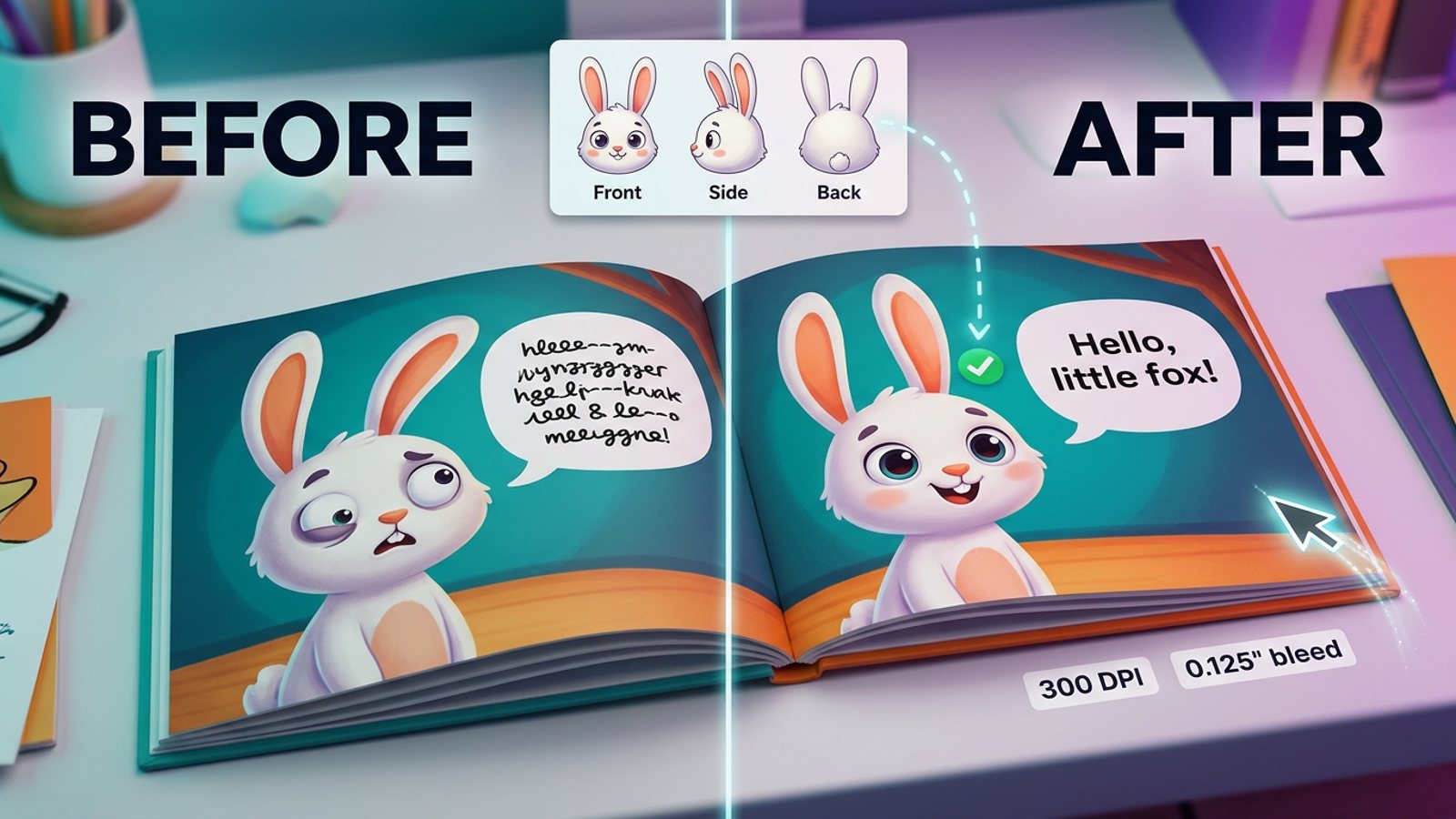
"Editable illustrations" means two things: you can fix one picture without rebuilding the book, and the text on that picture stays clean and readable. Of the tools we compared, the best fit for a KDP-bound picture book is an AI picture book generator editable illustrations workflow that regenerates a single page from a sentence and exports print-ready files. ZippyBooks is our pick for that job.
If you have a story idea and a KDP account, you want the finished book — not a folder of half-edited images. Get ZippyBooks and start with a single prompt.
Why is "editable illustrations" the hard part of AI picture books?
Because editing art and editing a book are different skills, and most tools only give you one. General image tools like Midjourney and Canva give strong art editing but leave page assembly, bleed, margins and text placement to you, and reviewers note AI image models garble in-image text.
IT168 (2026) describes three technical routes for AI picture-book tools: text generation plus image generation, image style transfer with character customisation, and multimodal workflow orchestration. It also names the hardest problem in the category: keeping the same character looking the same across pages.
So when you shop for an AI children's book creator, ask two questions: can I fix one page without redoing the book, and will the file upload to KDP as-is?
What should an editable AI picture book generator actually do?
It should let you change one illustration, keep the rest of the book untouched, and export a file that already meets KDP specs. That is the whole test.
Here is what the research says good editing controls look like:
- One-click "Try again" — a full regenerate of the image.
- Targeted masked changes — replace or erase just part of an image, leaving the rest untouched (Exactly.ai Help Center, 2025).
- Follow-up prompts — a new instruction builds on the last result (BLNG Help Center, 2026).
- Inpainting and outpainting — insert or remove objects, or expand the frame (Google Cloud docs, undated).
A Google patent application (published 2026) describes image editing where some requests preserve the original figure and others rebuild it — which is exactly the choice you make on every page.
How do you fix one illustration without regenerating the whole book?
Compare the bad page to your original character reference and regenerate that page only — never keep editing the drifted output. Dreamina (2026) warns that repeated edits normalise the wrong eye shape, body or accessory.
- Lock the character first. Build a character sheet with front, side and back views and key expressions (Dupple, 2026).
- Keep text out of the image step. Set short, readable page text after the art is right (CapCut, 2026).
- Spot the drift. Compare each page against the original reference, not against the previous page.
- Regenerate the one bad page. Don't chain edits on a wrong image.
- For partial fixes, mask it. Use replace or erase on the affected area so the rest of the illustration stays untouched (Exactly.ai, 2025).
- Build to KDP spec. 300 DPI images, PDF upload with 0.125" bleed, full-bleed manuscript 0.25" taller and 0.125" wider than trim (Amazon KDP).
That is the manual route. It works, and it is slow — six steps per fix, times every page that drifts.
How does ZippyBooks handle editing and readable text?
ZippyBooks is a Windows and Mac desktop app that generates a full children's or image book from one prompt — story, illustrations, cover and KDP-ready files. You type a one-sentence story idea, and the app writes the book, illustrates the interior and designs the cover.
For the editing problem specifically:
- Edit or regenerate any illustration with a sentence or one click. You fix the page, not the book.
- Clean, readable text on images via Nano Banana Pro. The text-on-art problem gets handled inside the app.
- Full book review for typos, grammar, gaps and consistency. A check across the whole book, not one page at a time.
- Interior PDF with correct bleed and trim size for KDP, plus a cover creator with 5-star converting cover designs and auto-fill of the KDP form and categories with 1-click publish to Amazon.
It also makes picture books, coloring books, spot the difference books, recipe books and text books — and the owner confirms one API key can realistically produce 100 or more books a month, with API costs paid directly to OpenAI and Gemini.
Price: $999 as of November 2026, a limited-time price, plus your own API costs. Prices can change.
If you want the full workflow from idea to upload, download the book app for windows or mac and run one book end to end before you plan a series.
How do the options compare?
| Option | Best for | Key features | Price / free offer | Watch-outs |
|---|---|---|---|---|
| ZippyBooks (Our pick) | Full book from one prompt, with per-page art fixes | One-prompt book, regenerate any illustration, KDP-ready files, cover creator | $999 as of Nov 2026, limited-time, plus API costs | Windows/Mac only; bring your own API key |
| Midjourney | Art direction and style exploration | Strong default art, style references, Omni Reference for characters | Paid; no free tier reported by third parties | Image engine only; needs a second editing step |
| Canva | Laying an image into a design you already have | Image generation inside your layout, page mock-ups, promo images | Not confirmed in our sources | You assemble pages; print checks still on you |
| Google Gemini Storybook | A fast 10-page one-off | One prompt → 10 illustrated pages, 45+ languages, coloring-book style | Free trial reported by IT168 (2026) | Character drift; no KDP-ready output shown |
| ChatGPT plus an image tool | Conversational, step-by-step edits | Story writing you can steer, beginner-friendly image edits | Not confirmed in our sources | Two tools, manual assembly, text stays unreliable |
ZippyBooks is made by the team behind this blog.
The pattern in that table is simple: the art-first tools are better at pictures, and the book-first tools are better at books. If you mainly need beautiful standalone art and you enjoy assembling pages, Midjourney is the more direct choice. If you mainly need a fast free ten-pager to read to a child, Gemini Storybook fits. If you want a finished, uploadable book with fixable pages, ZippyBooks is built for that.
Reedsy (updated 2025) estimates self-published authors spend $2,387–$4,400 on professional editing, illustrations, cover design and formatting — useful context when you weigh any tool's price against hiring out the work.
Why does my AI character look different on every page?
Because consistency is a reference problem, not a luck problem. MEFMobile (2026) calls a character "bible" plus reference sheet the most reliable approach and warns that no tool should be treated as a guarantee of identical characters.
A Chinese-language test of Gemini Storybook found the main character's appearance and clothing drift between pages (IT168, 2026). That is not a knock on Gemini specifically — it is the category's shared weakness.
The fastest fix for a drifting character is to stop editing the bad page and regenerate it from the original reference.
For a series author, this matters commercially. If book two's hero has a different nose, the shelf looks broken. A workflow where you can regenerate one page from a sentence keeps a series coherent without redoing the book.
How do you get readable text on AI-generated pages?
Keep on-image text short, and set it after the art is right rather than trusting the image model with typography. CapCut (2026) explains that AI image models usually render shapes rather than spelling words, so generated text inside an image often comes out garbled.
One workflow author recommends generating background, character and text as separate layers so you control composition, readability and consistency instead of everything fused into one image (Neolemon, LinkedIn, undated).
ZippyBooks handles this inside the app with clean, readable text on images via Nano Banana Pro, so you are not layering files by hand.
Do AI picture book generators export files Amazon KDP will accept?
Only if the tool builds to KDP's specs. KDP requires a PDF manuscript upload when the book has bleed; without bleed it accepts PDF, DOC, DOCX, RTF, HTML or TXT (Amazon KDP).
The numbers that trip people up:
- 300 DPI minimum for all images, cover and manuscript, with layers flattened (Amazon KDP).
- 0.125" (3.2 mm) bleed on all sides; a full-bleed PDF is made 0.25" taller and 0.125" wider than the chosen trim (KDP Print Publishing Guidelines).
- One cover PDF combining back cover, spine and front cover; spine text only at 79+ pages (Amazon KDP).
- Pixel sizes by trim: 8 × 10 → 2400 × 3000; 8.5 × 8.5 → 2550 × 2550 (IngramSpark KDP quick reference).
SimpleLifeCalc (2026) notes most KDP rejections come down to bleed, trim size and margins, with common picture-book trims of 8.5 × 8.5 and 8 × 10.
ZippyBooks exports an interior PDF with correct bleed and trim size for KDP, plus the cover — which is where most rejections start. For a deeper look at file prep, see Is there an AI picture book maker that produces print-ready files?
What's the cheapest way to make an illustrated picture book you can sell?
Cheapest is not the same as publishable — and the honest answer depends on your time. A free generator costs nothing but hands you pages you still have to assemble, fix and format.
Our recommendation: count the whole job, not the subscription. If you value a weekend of page assembly at anything, a tool that exports KDP-ready files usually wins on total cost. Compare that with the Reedsy range of $2,387–$4,400 for hiring the work out.
If you are weighing the DIY path against paid help, AI picture book maker vs hiring an illustrator: which is better for KDP? breaks down the trade-offs.
Ready to test it on your own story idea? Get ZippyBooks (Picture, Coloring, Spot the Difference & Recipe Books) and see whether one prompt gets you to an uploadable file.
Sources
- AI绘本生成工具的技术实现与功能对比 (IT168, 2026-09-08)
- Gemini Storybook launch (Google Blog, 2025-08-04/05)
- Gemini picture books review (TechRadar, 2025-08-06)
- KI als Ghostwriter und Illustrator (t3n, 2025-12-19/20)
- How to illustrate a children's book with AI (Dupple, 2026-02-16)
- 7 best AI art generators for children's books (MEFMobile, 2026-08-13)
- How to make AI-generated images readable (CapCut, 2026-07-07/08)
- Edit & Regenerate (BLNG Help Center, 2026-09-22)
- Editing tools: replace, recreate, erase, vary (Exactly.ai Help Center, 2025-08-21)
- Generate and edit images in Vertex AI (Google Cloud Docs, undated)
- Improving image editing with generative AI, WO2026039443A1 (Google Patents, published 2026-02-19)
- Midjourney vs DALL-E 3 vs Canva AI (captainsmeta, 2026-09-21)
- Canva Magic Studio vs Midjourney (decidegen, 2026-07-14)
- AI绘本制作工具推荐2026 (FindAiverse, 2026-07-20)
- Best alternatives to AI children's book generators (PCNMobile, 2026-10-03)
- Separate background, character and text (Neolemon / Fabian Warislohner, LinkedIn, undated)
- Consistent AI picture book illustrations (Dreamina, 2026-11-05)
- Paperback Submission Guidelines (Amazon KDP, undated)
- Save Your Manuscript File (Amazon KDP, undated)
- Create a Paperback Cover (Amazon KDP, undated)
- KDP Print Publishing Guidelines V3 (German PDF, undated)
- KDP bleed, trim, margins guide (SimpleLifeCalc, 2026-05-31)
- KDP quick reference (IngramSpark, undated)
- Cost to self-publish a children's book (Reedsy, updated 2025-10-14)
Frequently asked questions
Keep reading

What's the easiest AI children's book generator and illustrator?
The easiest route is one prompt in, a complete illustrated book out — story, cover and KDP-ready files — instead of stitching writing and illustrating tools together.

Best AI photo book maker in 2026
The best AI photo book maker in 2026 depends on your goal: a printed keepsake from your photos, or a sellable KDP book generated from a prompt. Here's how to choose.

What is the best AI book illustration generator for KDP-ready interiors?
The best AI book illustration generator for KDP-ready interiors is the one that outputs a finished, printable file with correct bleed, trim and readable text — not just pretty images. Here's how the