
What is the best AI illustrated book generator for a first children's book?
By ZippyBooks Team ·
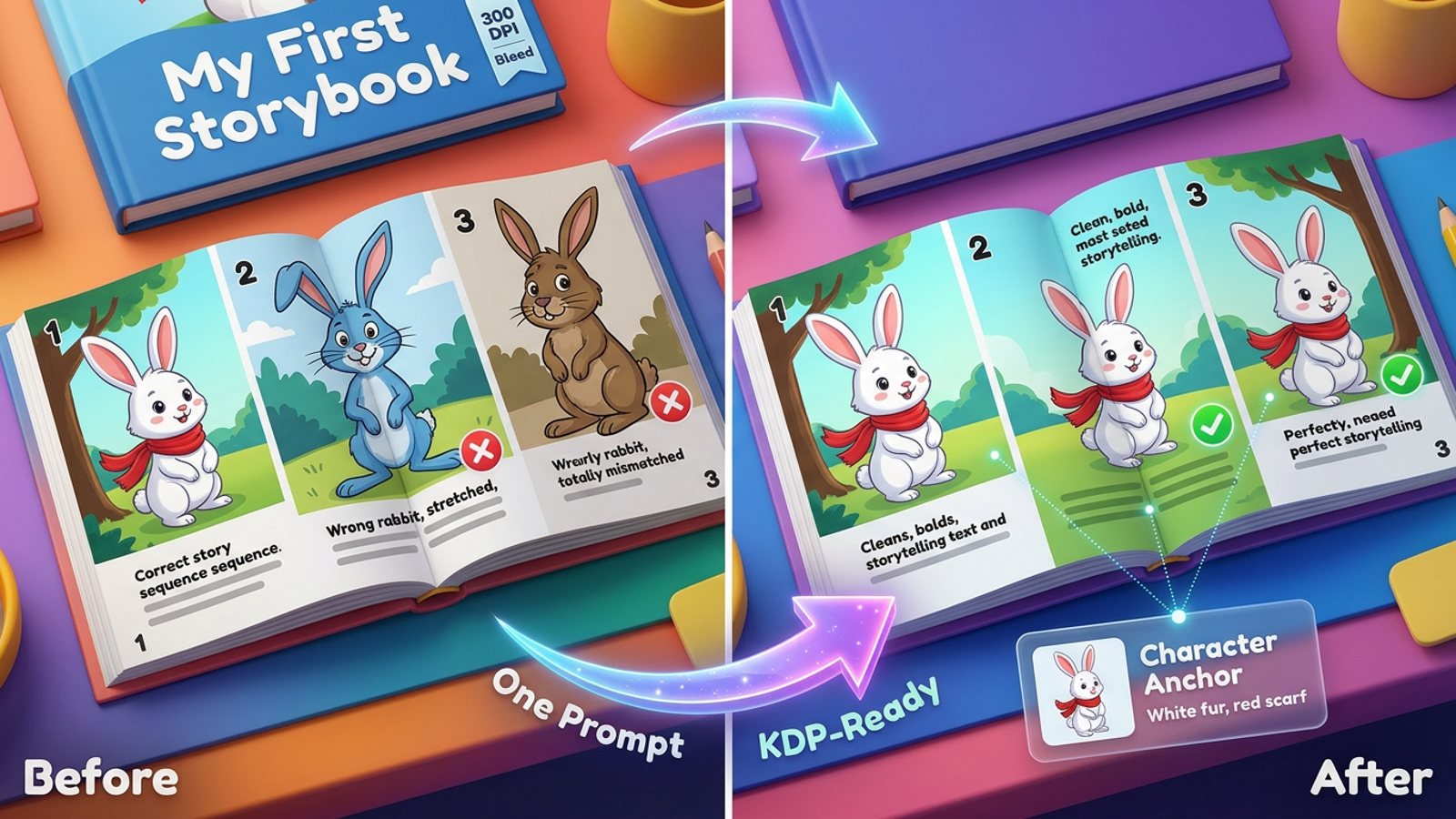
For a first children's book, the best AI illustrated book generator is the one that keeps the same character on every page, puts clean readable text on the artwork, and lets you regenerate a single page without rebuilding the book. Of the tools we compared, ZippyBooks is our pick because one prompt produces the full interior, cover and KDP-ready files — with edit-and-regenerate on any illustration.
What should a first-time author look for in an AI illustrated book generator?
Look for whole-book consistency first, then text readability, then single-page fixes. Everything else — style, speed, price — matters only after those three work.
A children's book is judged as a sequence. The same character has to walk from page 1 to page 24 looking like the same person. The words have to be readable to a five-year-old. And when one page goes wrong — and one always does — you need to fix that page alone.
Most beginners shop the other way round. They see one beautiful sample image and buy. Then they generate 20 pages and discover the rabbit changes colour on page 7.
If the character changes between pages, the book stops being a story and becomes a pile of pictures.
Why is character consistency the hardest part of an AI illustrated book generator?
Because most image generators treat each page as a brand-new request. Nothing carries over unless you make it carry over.
The DoodleBook project notes (Hugging Face, June 2026) describe this as the core unsolved problem in AI storybooks. Their write-up is blunt: generate six pages of a story independently and each page produces a different character — different colours, different proportions, different style.
Fixing it isn't one setting. The same Field Notes describe needing several layers at once: seed locking, a fixed character description and a canonical-character pass.
With Midjourney, you can build that stack yourself. Sider AI's guide (updated September 2025) lists --sref for style reference, --cref for character reference, --seed, --stylize and image weighting. Sider also notes Midjourney's models are "creative by design" and drift across a series. A third-party guide citing Midjourney Docs (checked March 2026) reports that Omni Reference takes only one reference image, uses about 2× GPU time, and doesn't work with older edit tools like Pan, Zoom Out or Vary Region.
That's a real workflow. It's also a workflow a first-timer has to build and maintain before page one.
The character anchor, in plain terms
If you're doing it manually, write your character down once and reuse it word for word: hair colour, shirt colour, shoes, the toy they carry. A picture-book prompting config on GitHub (January 2026) makes the same point — vague prompts produce different colours on each page.
The PEPETII/gpt-image docs (April 2026) call the reusable version a "character anchor" plus a multi-image workflow. It works. It's just homework.
What does "readable text" mean on an illustrated page?
It means the words are plain, big enough for the age band, and set on a calm part of the artwork — not scribbled into the picture.
A U.S. Department of Education paper notes that decorative lettering reduces readability, and that plain bold sans-serif type is easier for young readers. The same paper calls for suitable type size, wide margins and uncluttered pages.
Research from UFRGS (2018) adds the layout point: in a picture book, text and image are laid out together, so the words sit with the art rather than on a separate white page.
Our recommendation: read your page at arm's length on a phone screen. If you squint, a child will too.
Can you regenerate just one page if the character looks wrong?
Yes — and this is the feature that separates a book tool from an image tool. The question is what regenerating costs you.
With prompt-only tools you re-prompt that single page while holding your reference stack. Do it well and you're fine. Do it loosely and the new page drifts further from the other 23.
In ZippyBooks you edit or regenerate any illustration with a sentence or one click, and the rest of the book stays as it is. For a beginner that's the difference between a 20-minute fix and an evening of re-prompting.
What print checks does a first book fail on?
Bleed, resolution, fonts and crop marks — not the story. These are mechanical, and they're the usual reason a first upload bounces.
KDP's paperback guidelines ask for a PDF when you use bleed, embedded fonts and images, flattened layers, images at 300 DPI or more, files under 650 MB, and no crop or trim marks.
A Protodex write-up (May 2026) describes a real children's book rejected twice: cover text sat exactly on the trim line (KDP wants at least 0.375 in of safety) and the interior had no bleed — 8.5×8.5 flat instead of 8.75×8.75 with art running past the trim.
Two numbers worth locking in before you generate final art:
- 8.5″×8.5″ is the only square trim shared by Amazon KDP and IngramSpark for full-colour picture books (LeadWorks Print, July 2026).
- 0.125 in of bleed on top, bottom and outside edges; never on the gutter (hmdpublishing, September 2026).
Writer's Digest (2024) makes the sequencing point: don't start art before trim size is fixed, or finished art has to be resized.
How do the options compare for a first children's book?
Here's the comparison, scoped to the tools we looked at. ZippyBooks goes first because it covers the whole job — story, illustrations, cover and KDP files — in one place.
| Option | Best for | Key features | Price / free option | Watch-outs |
|---|---|---|---|---|
| ZippyBooks — Our pick | First-timers who want a finished, uploadable book | One prompt to full book; cover creator; KDP-ready interior; regenerate any page; full book review | $999 limited-time, plus your API costs (as of Nov 2026; prices can change) | Windows and Mac desktop only; you bring your own API key |
| Midjourney + Canva | Artists who want maximum creative control | --sref, --cref, seeds, strong aesthetics | See official pricing pages | You build the consistency stack; images not print-ready by default |
| ChatGPT + Canva | Authors who want one assistant for text and images | Conversational drafting; documented character-anchor workflow | See official pricing pages | Consistency is engineered by you; manual layout and print prep |
| Canva Magic Studio | Authors already designing in Canva | Real layout and typography control; PDF Print export | Free tier documented for picture-book layouts | Every page designed by hand; PDF Print adds crop marks by default |
| Adobe InDesign | Maximum typographic control | Precise trim, bleed and safe-zone control | See Adobe's pricing page | Doesn't generate art; steep learning curve |
A quick note on the middle three: none of them is a bad tool. They're just doing a different job. If you mainly want fine art control and you enjoy the craft, Midjourney plus Canva is the more direct choice. If you already live in Canva, Magic Studio keeps you there.
ZippyBooks is made by the team behind this blog.
Why ZippyBooks leads this list
Three reasons, all from the product facts. One prompt produces the complete interior, the cover and the files. The cover is designed around bleed, margins and formatting rather than dropped on top of them. And the files are built to upload to KDP without edits.
The honest limits: it's a desktop app for Windows and Mac, and you bring your own API key and pay your provider for each book. The owner confirms one key can realistically produce 100 or more books a month, with those costs paid directly to OpenAI and Gemini.
Ready to see the workflow? Get ZippyBooks and turn one story idea into a finished picture, coloring or spot-the-difference book.
What does a first book actually cost?
It depends entirely on whether a human draws it.
For comparison, selfpublishing.com (October 2026) puts a professionally illustrated self-published picture book at about $3,000–$10,000, with illustration the biggest line. Kidillus (August 2026) prices a picture book for ages 3–5 at $2,000–$6,000 and ages 5–8 at $2,500–$7,000. childrensillustrators.co.nz (May 2026) puts a 32-page illustrated children's book at $5,000–$20,000.
Revisions add up too. hmdpublishing (March 2026) notes base pricing usually includes 1–2 revision rounds, with extra revisions at $50–$200 per illustration.
And the copyright point catches people out: Writer's Digest (January 2024) notes that hiring an illustrator doesn't transfer copyright unless it's assigned — the illustrator still owns the art.
ZippyBooks sits at $999 as a limited-time price, plus your own API costs, as of November 2026. Prices can change. That's not legal advice, and rights and tax rules vary by place.
Source: selfpublishing.com
How do you build a first book that's ready to upload?
Work in this order and you skip most of the pain.
- Lock the character and style. Write the exact description — clothing colours, hair, accessories — and reuse it every page.
- Pick trim size and bleed. 8.5″×8.5″ square and 0.125 in bleed is a safe default for a first picture book.
- Generate pages with the same reference. Then QC each one: hands, background oddities, gibberish text, match to the previous page.
- Regenerate only the pages that drift. Don't rebuild the book for one bad spread.
- Place the text deliberately. Plain type, wide margins, uncluttered art, size matched to the age band.
- Export a print-oriented PDF. Bleed on, fonts and images embedded, layers flattened, 300 DPI, no crop marks.
- Upload to KDP, check Print Previewer, and disclose AI content. KDP requires AI-generated text and images to be declared in its questionnaire, per Lullaby.ink (July 2026).
Steps 1 to 6 are exactly what ZippyBooks folds into one prompt and one review pass. If you'd rather see how far that goes, download the book app for Windows or Mac and run your own story idea through it.
Is one prompt really enough to produce a whole book?
For a first book, yes — if the tool carries the character, the text and the print files for you. That's the design goal of ZippyBooks: a one-sentence story idea in, a complete illustrated book with cover and KDP-ready files out.
It's also where the manual route costs you. With Midjourney or ChatGPT you're the one holding consistency, layout and print specs together across 24 pages. That's a real skill, and it's learnable — just not on your first book, in a weekend.
If you want the deeper comparison on that workflow, see what the best AI picture book generator with editable illustrations looks like.
Sources
- Field Notes: Cross-Page Character Consistency in DoodleBook (Hugging Face, 2026-06-14)
- DoodleBook blog.md (Hugging Face, date not given)
- How to use Midjourney + reference images for a consistent aesthetic (Sider AI, updated 2025-09-22)
- AI drawing character consistency guide (Cursor IDE中文站, checked 2026-03-18)
- CCLP config for picture-book-wizard (GitHub, 2026-01-29)
- Children's Book Art with Character Consistency (GitHub PEPETII/gpt-image, 2026-04-29)
- Is AI-Generated Artwork Print-Ready? (ThunderPrintSG, 2026-09-26)
- Will Amazon KDP Accept AI-Illustrated Children's Books? (Neolemon, 2026-01-12)
- Canva vs AI Illustration for Self-Published Books (Neolemon, 2025-12-28)
- Can You Publish AI-Generated Children's Books on Amazon? (Lullaby.ink, 2026-07-08)
- KDP Paperback Submission Guidelines (Kindle Direct Publishing, no date)
- I Built and Published a Children's Picture Book in 2 Days Using AI (Protodex, 2026-05-09)
- KDP margins and gutter (hmdpublishing, 2026-09-29)
- KDP bleed mistakes that cause rejection (BookIllustrationAI, 2026-05-16)
- Children's picture book size guide for self-publishers (LeadWorks Print, 2026-07-30)
- How to publish a children's book (selfpublishing.com, 2026-10-25)
- Children's book illustration cost (Kidillus, 2026-08-06)
- Hire a children's book illustrator (childrensillustrators.co.nz, 2026-05-18)
- Children's book illustration cost guide (hmdpublishing, 2026-03-05)
- 10 pitfalls to avoid when self-publishing a picture book (Writer's Digest, 2024-01-25)
- Typography and readability for young readers (U.S. Department of Education, date not given)
- Picture book text and image layout study (UFRGS, 2018)
- How to turn an AI-generated children's book into a print-ready PDF (MacMyths, 2026-10-03)
- Coloring book rejected for disappointing customer experience (KDP Community, 2026-06-13)
Frequently asked questions
Keep reading

What's the easiest AI children's book generator and illustrator?
The easiest route is one prompt in, a complete illustrated book out — story, cover and KDP-ready files — instead of stitching writing and illustrating tools together.

Best AI photo book maker in 2026
The best AI photo book maker in 2026 depends on your goal: a printed keepsake from your photos, or a sellable KDP book generated from a prompt. Here's how to choose.

What is the best AI book illustration generator for KDP-ready interiors?
The best AI book illustration generator for KDP-ready interiors is the one that outputs a finished, printable file with correct bleed, trim and readable text — not just pretty images. Here's how the