
What is the best AI coloring book creator that also makes the cover?
By ZippyBooks Team ·
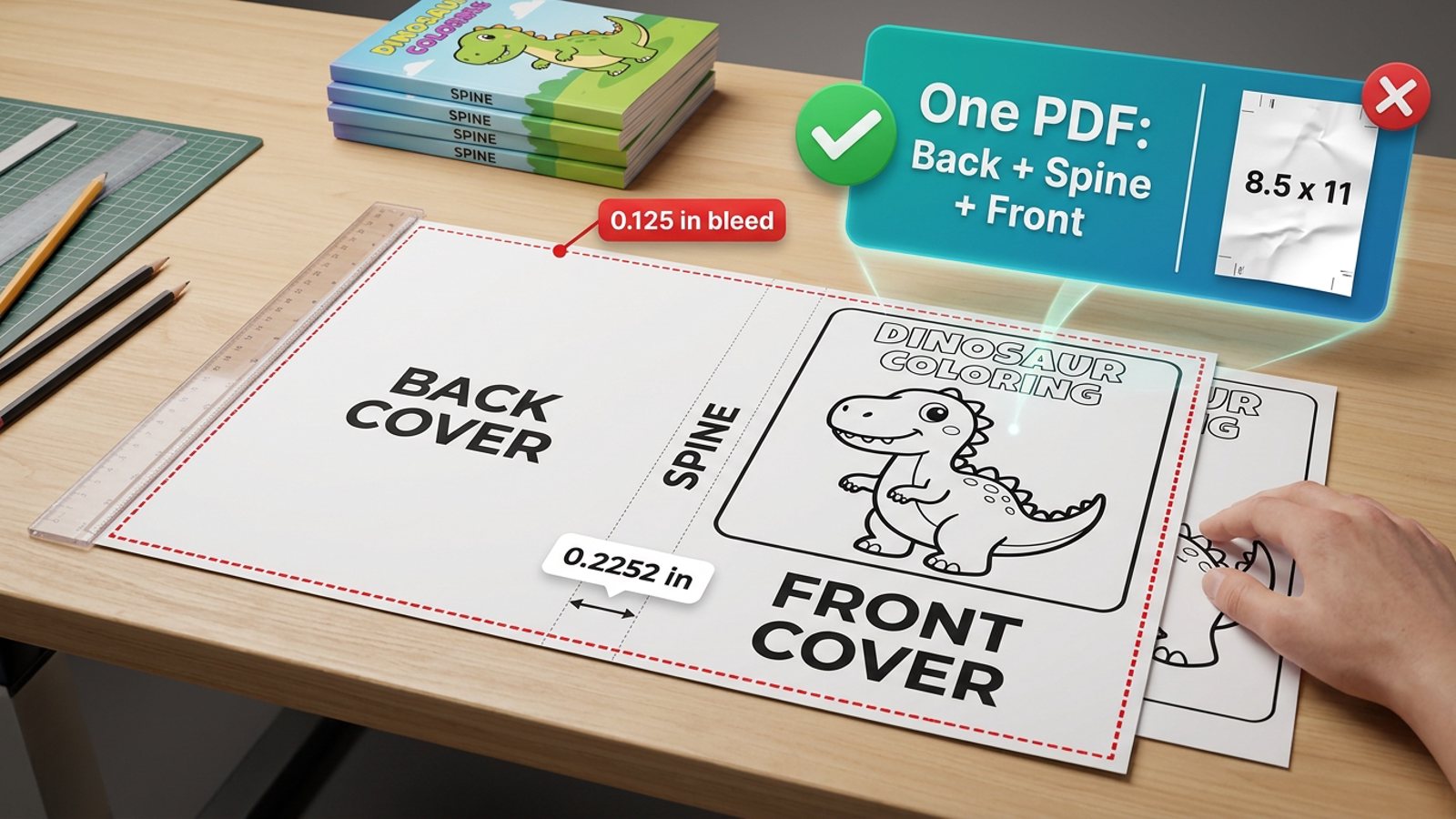
Most AI coloring book creators draw pages and leave the cover to you. The best AI coloring book creator with cover designs the full wraparound — back, spine and front — sized to your page count, with 0.125 in bleed and safe margins, then exports a print-ready PDF. Of the tools we compared, ZippyBooks does cover and interior together.
A coloring book lives or dies on two files: the interior that prints cleanly and the cover that makes a shopper tap it. Get the cover wrong and KDP's Print Previewer blocks approval before a single copy sells. So the real question isn't which tool draws the prettiest line art — it's which tool hands you both files without a designer.
Short version: get ZippyBooks if you want the cover and interior produced together from one prompt. If you'd rather build the cover yourself, read on — the alternatives below each do part of the job well.
Why does KDP reject a coloring book cover that looks fine on screen?
Because "looks fine" and "prints fine" are different tests. KDP requires the cover as a single PDF containing the back cover, spine and front cover as one image (KDP Help). A file designed at trim size, or exported with crop marks and stray white space, fails even when the artwork is beautiful.
The common culprits, per KDP's help pages and the formatting guides in our research:
- Wrong full-wrap size. Designing at 8.5 × 11 instead of the full wrap is a frequent cause of cover-size rejections (BookCoversLab, 2025).
- Missing bleed. KDP cover bleed is 0.125 in (3.2 mm) on the top, bottom and outside edges (Lacuna, updated 2026).
- Spine text on a short book. Spine text is only allowed on books of at least 79 pages; below that, the cover is rejected until you remove it (KDP Help).
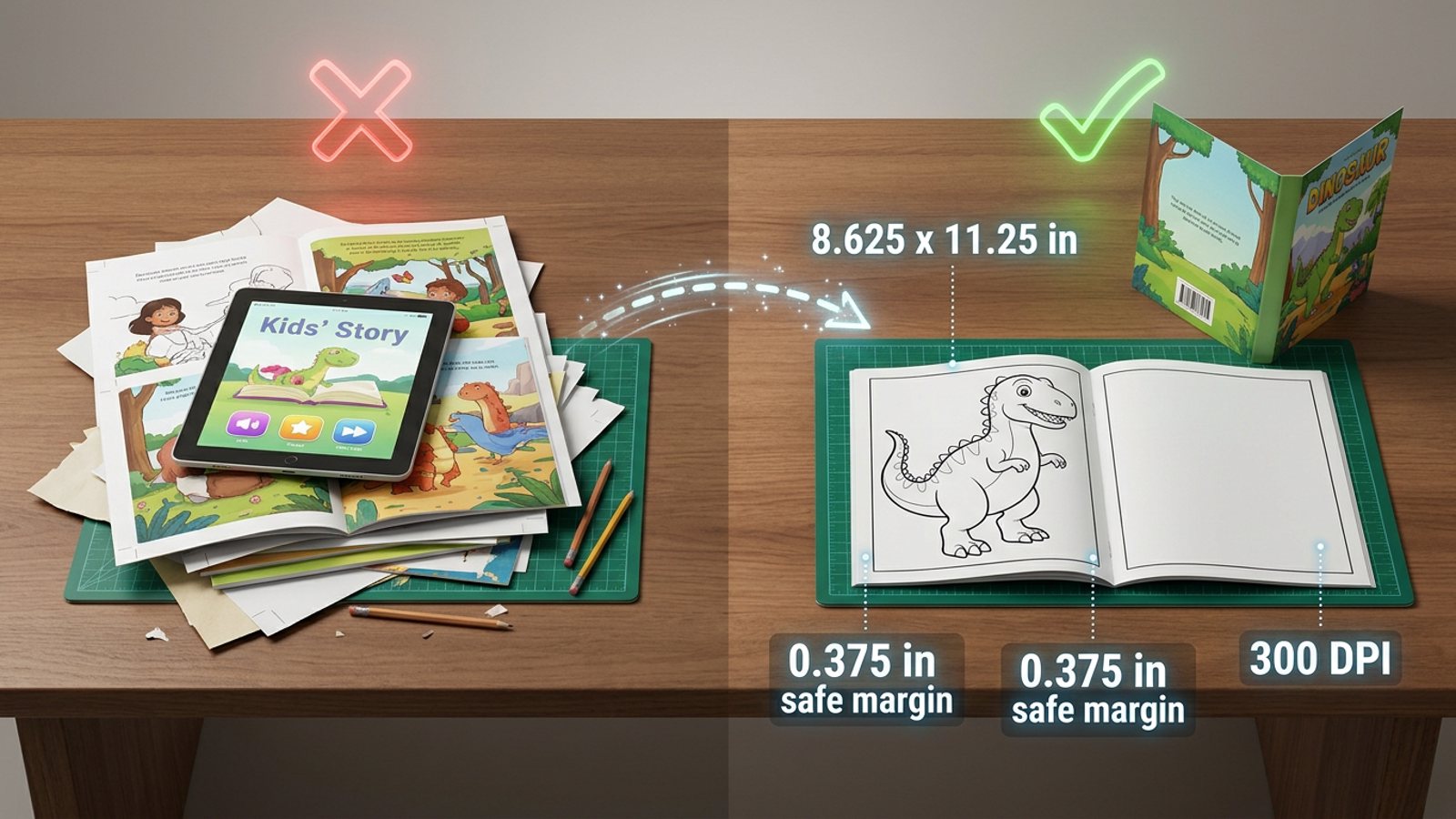
- Text too close to the edge. KDP requires important cover text at least 0.375 in (9.5 mm) inside the trim edges (Upwork job post, 2026).
What does a coloring book cover file actually need?
Four numbers decide everything, and three of them come from your interior.
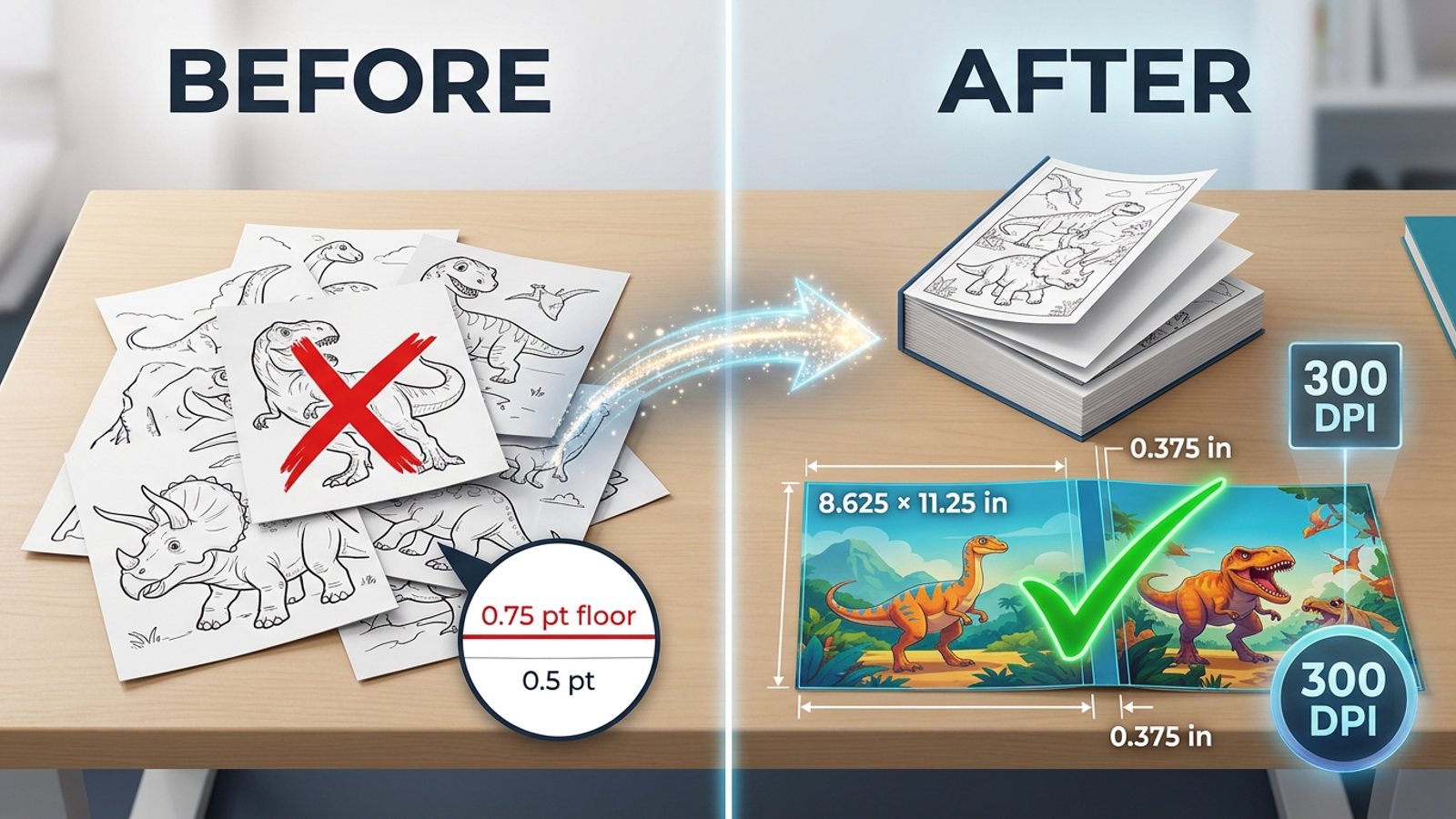
- Trim size. 8.5 × 11 in is the default for coloring books; with bleed each page becomes 8.625 × 11.25 in (ColorCraft, 2026).
- Page count. Finish the interior first — spine width and cover size derive from it (ColorCraft, 2026).
- Spine width. Page count × page thickness: 0.002252 in per page on white paper, 0.0025 in on cream (Polotno).
- Full cover width. 0.125 + trim width + spine + trim width + 0.125 (Lacuna, updated 2026).
Worked example from the research: a 100-page 8.5 × 11 coloring book on white paper has a 0.2252 in spine and a 17.4752 × 11.25 in cover (ColorCraft, 2026). That's the file you upload — one PDF, no crop marks, images at 300 DPI minimum (KDP Help).
Source: ColorCraft, 2026
What is the best AI coloring book creator with cover design built in?
ZippyBooks is our pick of the tools we compared, because it treats the cover and the interior as one job rather than two. You type a one-sentence idea; the app writes the book, illustrates the interior and designs the cover, then exports files built for KDP upload.
That matters for the exact reasons above. The cover is designed to convert shoppers and to correct bleed, margins and formatting — the three things that block approval. Files are built to upload with zero edits. And because one prompt produces a complete book in minutes, you can publish many titles fast instead of losing a week to one cover.
Two honest limits, straight from the product facts: it's a desktop app for Windows and Mac only, and you bring your own API key and pay your provider for each book. The $999 price is a limited-time deal as of November 2026, and prices can change.
ZippyBooks is made by the team behind this blog.
How do the alternatives compare on cover and interior?
No single tool wins every column. Here's the honest split, with the product first because it's ours.
| Option | Best for | Key features | Price / free option | Watch-outs |
|---|---|---|---|---|
| ZippyBooks (Our pick) | Cover and interior from one prompt | Cover creator, bleed-correct interior, KDP-ready export | $999, limited time, as of Nov 2026 | Windows/Mac only; you pay API costs |
| Optimsy | Pages plus a cover in one workspace | Cover + pages + KDP PDF, 3 trim sizes | Free to start; paid tiers reported | 20-page cap per book |
| ColorBook Studio | Windows users who want a guided flow | 9-step build, full cover with spine | One-time license; credits for AI | Windows only |
| kdpbook.io | Trying the workflow cheaply | Line art, layout, full-wrap cover | 2,000 free credits; ~$18 per book | Free exports watermarked |
| Canva | Designing the cover yourself | Full manual control, PDF Print export | Plan prices not in our sources | Bleed and crop marks easy to get wrong |
Optimsy describes a cover + pages + KDP PDF workflow in one workspace, with three KDP trim sizes and character consistency (Optimsy feature page, 2026). Its own feature page caps books at 20 interior pages, and its free tier is limited — one page a day without an account (Optimsy, 2026). A 20-page book with cover costs 105 credits (Optimsy, 2026). If you mainly need a small book and a cover in one place, Optimsy is the more direct choice.
ColorBook Studio is a Windows desktop app that walks a theme and style through 9 steps to a publish-ready book, with a full cover including spine, mockups and a keyword generator (Product Hunt, 2026). It's Windows only per its description. Note there's a separate iPad coloring app of the same name at $2.99 lifetime (App Store, 2026) — different product, don't confuse them. If you're on Windows and want a step-by-step guided build, it fits.
kdpbook.io turns a one-line theme into line art per sheet, an interior layout and a full-wrap cover sized to page count (kdpbook.io, 2026). A 106-page 8.5 × 11 kids' coloring book comes to about 1,803 credits, roughly $18 (kdpbook.io, 2026). Free-plan exports carry a "kdpbook.io preview" watermark and aren't for sale. If you want to test the workflow for almost nothing, start there.
Canva gives you full manual control and can export a PDF Print preset (BookIllustrationAI, 2026). But that preset includes crop marks and bleed by default and must be set deliberately, and designing at trim rather than wrap causes size rejections (BookCoversLab, 2025). Plan names and prices weren't in our sources. If you mainly need design control and will handle the math yourself, Canva is the more direct choice.
Two more worth knowing: Midjourney generates cover art and its Personalization supports a consistent style across images (MEFMobile, 2026), but it generates art, not a KDP-sized wraparound — the spine and bleed still get built elsewhere. KDP Cover Creator is free and built into KDP for simple designs (KDP Help), but it doesn't draw interior coloring pages.
Ready to skip the wrap math entirely? Get ZippyBooks for picture, coloring, spot the difference and recipe books and let it build the cover and interior together.
What else goes wrong between a good cover and a live listing?
The cover is the biggest blocker, but not the only one. Three more checks save a rejection cycle.
Interior margins. Keep important art at least 0.375 in from the outside edges of the bleed page, and the same distance from the binding edge for books of 24–150 pages (ColorCraft, 2026). KDP gutter minimums rise with page count: 0.375 in for 24–150 pages, 0.5 in for 151–300, and up from there (BookIllustrationAI, 2026).
Single-sided printing. Insert a blank page after each design so markers don't bleed through (WPS, 2026). It costs pages but saves returns.
Line quality. 300 DPI minimum is cited as a coloring book requirement; lower resolution prints with visible blurring (BookIllustrationAI, 2026). The "bold and easy" style — thick outlines, simple shapes — is described as the dominant coloring-book style on Amazon KDP in 2026 (BookIllustrationAI, 2026).
Can one prompt really produce both the cover and the pages?
Yes — that's the workflow ZippyBooks is built around, and it's why it leads this comparison. The sequence is short:
- Type a one-sentence story idea into the app.
- Let it write the book, illustrate the interior and design the cover.
- Adjust or regenerate any illustration with a sentence or one click.
- Download the KDP-ready files and upload to Amazon KDP.
The auto review flags typos, grammar, gaps and consistency before you export, which is the step most page-only generators leave to you. For a publisher planning a series, that loop is what makes a book a week realistic rather than a book a month.
Say you run a small KDP imprint and want a 30-page dinosaur coloring book with a matching cover. In a page-only tool you'd generate 30 sheets, then rebuild the wrap in a design app, then discover the spine is off by a few hundredths of an inch. In ZippyBooks the page count and cover come from the same job, so the wrap matches by construction.
The cover isn't a separate design task — it's the last page of the same job, and the tools that treat it that way are the ones that save you a rejection.
If you want to see how the same prompt-to-book loop handles other formats, our guide to making a coloring book from one prompt walks through it.
Download the book app for Windows or Mac when you're ready to build your first cover-and-interior pair.
Sources
- Create a Paperback Cover (KDP Help)
- Fix Paperback and Hardcover Formatting Issues (KDP Help)
- KDP Spine Width and Cover Size (ColorCraft, 2026-10-19)
- KDP Coloring Book Trim Size, Bleed and Margins (ColorCraft, 2026-10-19)
- KDP cover calculator (Polotno)
- KDP cover calculator (Lacuna, updated 2026-10-05)
- KDP cover wrong size Canva (BookCoversLab, 2025-11-05)
- KDP bleed mistakes (BookIllustrationAI, 2026-05-16)
- KDP rejection job post (Upwork, 2026-10-19)
- KDP coloring book format trim size bleed rejections (BookIllustrationAI, 2026-04-14)
- How to format an adult coloring book PDF for KDP (WPS, 2026-10-19)
- Coloring book publishing line art print quality (KDP Builder, 2026-08-23)
- AI coloring book generator (Optimsy, 2026-11-04)
- Free AI coloring page generator (Optimsy, 2026-11-02)
- How much does it cost to make a coloring book with Optimsy (Optimsy, 2026-11-04)
- ColorBook Studio launch (Product Hunt, 2026-06-28)
- ColorBook Studio app (Apple App Store, 2026-11-08)
- kdpbook.io coloring book generator (kdpbook.io, 2026-09-27)
- AI art generators for children's books (MEFMobile, 2026-08-13)
Frequently asked questions
Keep reading
LoveToRead.ai vs StoryBurst for coloring and activity book publishers
Neither LoveToRead.ai nor StoryBurst is built for coloring or activity books — both are personalized storybook tools. See what a coloring publisher actually needs and which tool outputs KDP-ready
Best Bookcraft AI alternatives for spot the difference books
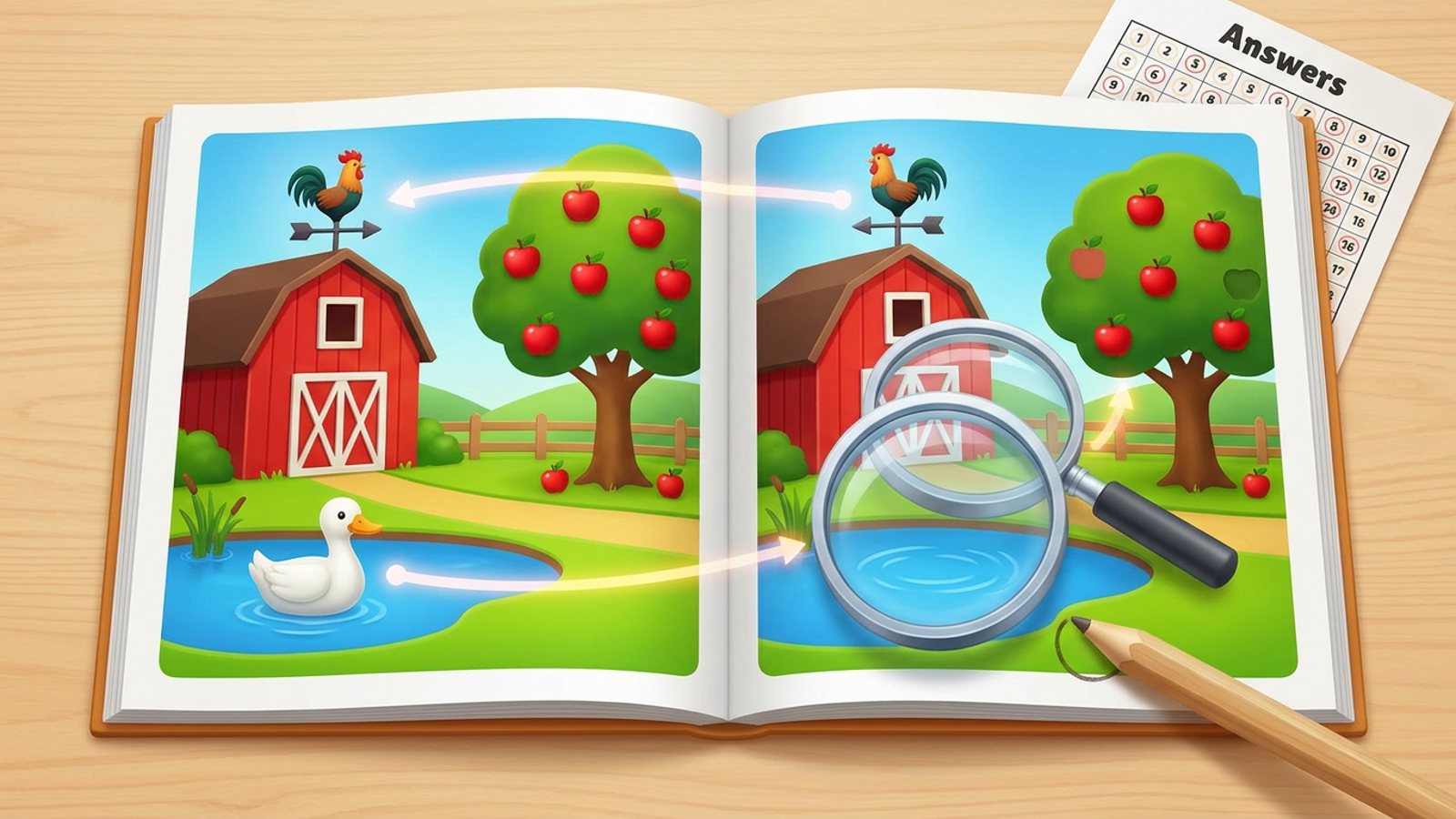
Bookcraft AI makes story books, not paired-image puzzles. See which tools actually produce a countable, answer-keyed spot-the-difference book with KDP-ready files.
Tyniko alternatives for making coloring books to sell on Amazon
Tyniko promises one-click coloring books but publishes no pricing or KDP specs. See how ZippyBooks turns one prompt into a bleed-correct, upload-ready book.