
What is the best AI book creator for KDP covers that shoppers click?
By ZippyBooks Team ·
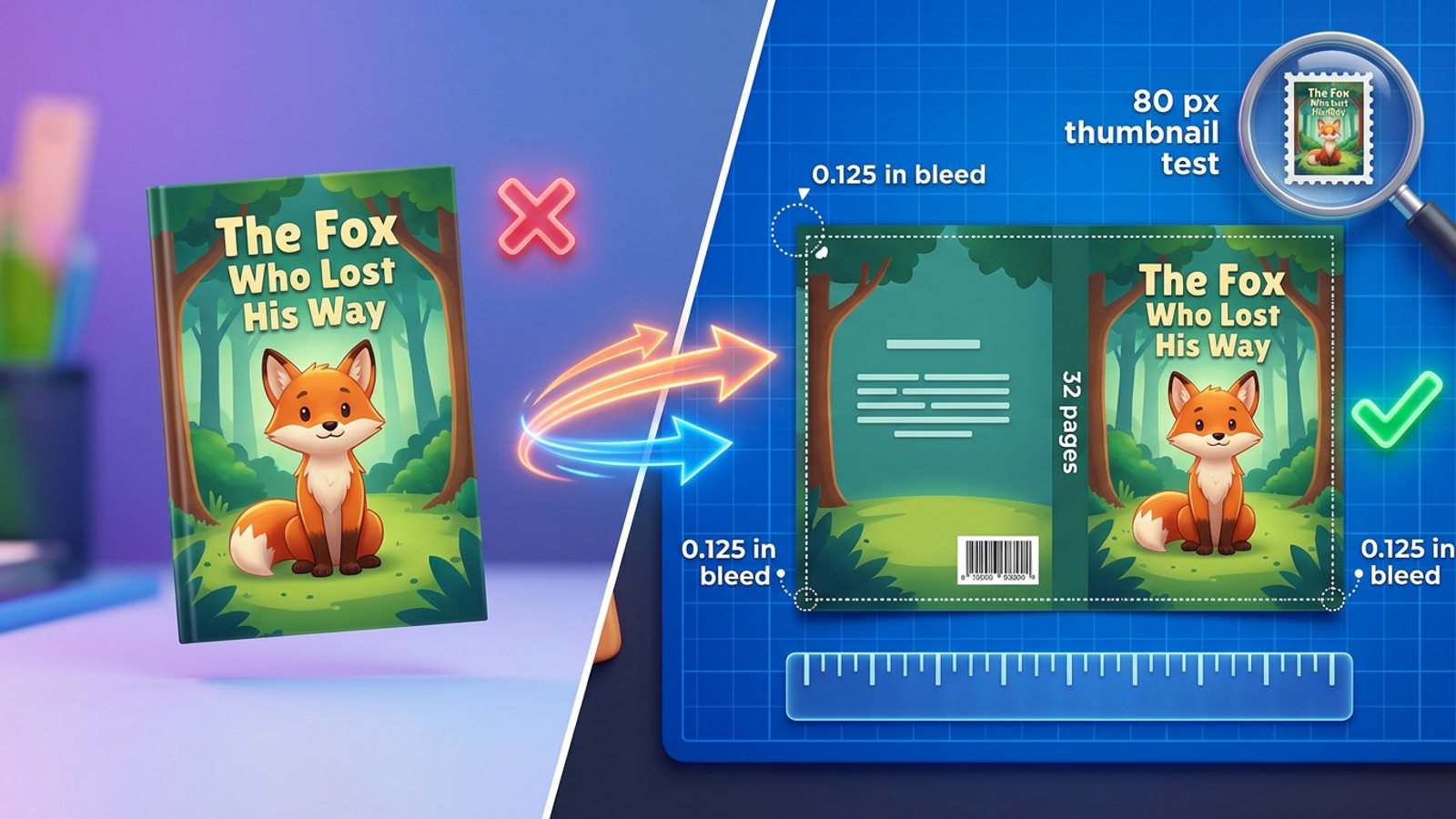
The best AI book creator for KDP covers is the one that builds a designed, KDP-correct cover into the book itself, not as a separate design job. Of the tools we compared, ZippyBooks is our pick: one prompt produces a full illustrated book plus a cover with converting cover designs and correct bleed. No tool can guarantee clicks or sales.
You have a story idea and a shopper scrolling Amazon on a phone. The cover is the whole pitch. So the real question isn't which tool draws the prettiest picture — it's which one hands you a finished best ai book creator kdp covers-ready wrap without a second job on the side.
Get ZippyBooks (Picture, Coloring, Spot the Difference & Recipe Books) and the cover comes with the book, not after it.
Why does the cover decide the sale before anyone reads a word?
Because on Amazon, buyers browse by thumbnail, not by description. A publishing-services blog puts it plainly: the cover has to signal genre, communicate the promise and keep the title legible "at the size of a postage stamp" (simplelifecalc.com, 2026).
That changes what you're shopping for. You don't need the tool with the fanciest art generator. You need the tool that gives you a KDP cover design that survives two tests at once:
- The thumbnail test — does it read at 80–100 px wide?
- The print test — does it pass KDP's bleed, trim and spine rules?
Most AI book tools pass the first and fail the second, or the other way round.
What makes a KDP cover "correct" — and why AI tools miss it?
A correct cover is one printable file, not a nice picture. KDP requires the paperback cover uploaded as a single PDF containing back cover, spine and front cover as one image (KDP Help).
Here's the maths that trips people up. KDP cover bleed is 0.125 in (3.2 mm) on the top, bottom and outside edges, and full cover width = 0.125 + trim width + spine + trim width + 0.125 (Lacuna, updated 2026-10-05). Spine width is page count × page thickness: 0.002252 in per page on white paper, 0.0025 in on cream (Polotno).
Designing at trim size instead of the full wrap is a common cause of KDP cover-size rejections, because KDP judges the full wraparound file (BookCoversLab, 2025).
How do you test whether a cover will earn the click?
Shrink it to roughly 80–100 px wide — Amazon search-result size on desktop — and if the title isn't legible there, change it (Medium — LauraAdam1, 2026). Then print it at 3×4 in and look from 5 ft away (simplelifecalc.com checklist).
The mistakes that kill thumbnails, per the same practitioner post: low-contrast title text, more than two fonts, imagery too complex to read small, too much text, and a background colour too close to Amazon's white page.
The cover's only job in the first two seconds is to be understood — the story gets its chance after the click.
What is the best AI book creator for KDP covers? The options we compared
ZippyBooks — Our pick
ZippyBooks is a Windows and Mac desktop app that turns one prompt into a complete illustrated children's book, with cover and print-ready Amazon KDP files. The cover is part of the book build: it includes a cover creator with converting cover designs and an interior PDF with correct bleed and trim size for KDP.
You type a one-sentence story idea, the app writes the book, illustrates the interior and designs the cover, then you download KDP-ready files and upload. You can edit or regenerate any illustration with a sentence or one click, and a full book review checks typos, grammar, gaps and consistency.
It also auto-fills the KDP form and categories, with 1-click publish to Amazon. It handles picture books, coloring books, spot the difference, recipe and text books.
Honest limits: it's a desktop app for Windows and Mac only, and you bring your own API key and pay your provider for each book. The $999 lifetime deal is a limited-time price as of November 2026, and prices can change.
Get ZippyBooks (Picture, Coloring, Spot the Difference & Recipe Books) — one prompt, one cover, one uploadable book.
ZippyBooks is made by the team behind this blog.
Canva — best for cover comps and marketing graphics
Canva is strong at cover comps, ready-made layouts and marketing graphics, and its AI/Magic Media combines image generation, typography and cover design in one tool (bookdesigner.ai, 2026; MEFMobile, 2026). Plans as of November 2026: Free $0, Pro $144/year for one person, Business $250 per person per year (Techpresso, 2026-11-04).
The catch is the print-file step. KDP's exact bleed and colour maths, font embedding and long-document typesetting need manual setup or aren't there (bookdesigner.ai, 2026). Canva's PDF Print preset includes crop marks and bleed by default, which can break a KDP submission (BookIllustrationAI, 2026-05-16), free accounts export RGB only (Built&Written, 2026-10-10), and many free cover templates are square or odd dimensions KDP will reject (KDP Interior, 2026-05-17). If you mainly need fast design comps, Canva is the more direct choice.
Book Bolt — best for a broad low-content toolkit
Book Bolt bundles research, the Studio designer, puzzle tools and KDP Spy. Pricing read 19 September 2026: Pro $23.99/mo or $19.99/mo billed yearly, Premium $35.99/mo or $29.99/mo billed yearly, with a 3-day free trial including real exports (BookIllustrationAI, 2026-09-18; Vappingo, 2026-03-27).
Pricing tiers have shifted, and older pages may still show a cheaper Newbie tier — check the live page before you buy (Vappingo, 2026). If you mainly need low-content research and puzzle tools, Book Bolt is the more direct choice.
BookCoversLab — best for wrapping a finished interior
BookCoversLab sells cover wraps: AI Print $19.99, AI Print Pro $39.99 (KDP paperback PDF, 300 DPI auto-conversion, 10 cover generations, 3 revisions), AI Author Suite $59.99 for ebook, paperback and hardcover covers (BookCoversLab pricing). It runs real-time preflight checks for wrong dimensions, low resolution and incorrect bleed before export, and can import an existing front cover to build a full wrap (There's An AI For That, 2026-05-21).
It handles the cover only, not the interior. If you mainly need to fix or wrap a cover you already have, BookCoversLab is the more direct choice.
Option comparison
| Option | Best for | Key features | Price (as of Nov 2026) | Watch-outs |
|---|---|---|---|---|
| ZippyBooks (Our pick) | Cover built into the book | Cover creator, correct bleed, KDP files | $999 lifetime + API costs | Windows/Mac only |
| Canva | Cover comps, marketing | Templates, Magic Media | Free; Pro $144/year | Print maths manual |
| Book Bolt | Low-content toolkit | Studio, KDP Spy, puzzles | From $19.99/mo yearly | Tiers shift |
| BookCoversLab | Wrapping a cover | Preflight, full wrap PDF | $19.99–$59.99 | Cover only |
How do you build a KDP cover that passes first time?
Follow this order — it's the sequence the sources support, and it saves you a rejection.
- Fix trim size, page count and paper colour first. These set spine width and full-wrap dimensions (Lacuna, 2026-10-05).
- Design for the thumbnail. Big readable title, one dominant image, strong contrast against Amazon's white page (LauraAdam1, 2026).
- Build the full wrap in one file. Back + spine + front, 0.125 in bleed, important text at least 0.375 in inside the trim edges (KDP Help; Upwork job post, 2026-10-19).
- Add spine text only at 79+ pages, and skip it if the spine is too narrow (KDP Help; Cover Studio AI, 2026).
- Export one wrap PDF at 300 DPI, remove crop marks unless needed, and check it in KDP's previewer (Built&Written, 2026; There's An AI For That — BookCoverAI, 2026-09-28).
- Run the 80 px and 3×4 in tests before you upload (LauraAdam1, 2026; simplelifecalc.com checklist).
- Declare AI-generated cover art on upload — AI cover art counts as AI-generated and must be disclosed (ColorCraft, 2026-10-15).
Steps 1 to 6 are the craft. ZippyBooks compresses them: the app designs the cover with correct bleed as part of the book build, so you're reviewing a finished cover rather than assembling one.
Can I use the same image for my ebook cover and paperback?
No. Using the Kindle ebook cover file as the paperback cover is listed among the 15 most common cover mistakes (Cover Studio AI, 2026). The paperback needs one full-wrap PDF with spine; the ebook needs a single front image.
If you're also doing Kindle, the ebook front cover at 1600×2560 is the format BookCoverAI builds to (There's An AI For That, 2026-09-28). Two files, two jobs.
Do I need a separate cover designer if my AI tool makes the interior?
Usually yes — which is exactly why the "comes with the book" question matters. The wrap is a different file with bleed and spine, and a designer or a cover-specific tool charges separately for it.
That's the split this comparison turns on. If your tool builds the cover into the book, you skip the handoff. If it doesn't, budget for a second step — a wrap tool like BookCoversLab or a designer.
If you're still deciding whether the whole approach is worth it, our breakdown of whether an AI children's book creator is worth it for a first-time KDP author covers the maths.
How do I publish many books without the cover slowing me down?
Make the cover part of the same build as the interior. When the cover is generated alongside the pages, you review both together and upload once.
ZippyBooks is built for that rhythm — one prompt per book, cover included, KDP files out. Publishers working at volume can push past 100 books a month on one API key, with the cost paid directly to the model providers (confirmed by the owner). For the weekly-release workflow, see the best AI book creator for publishing a new KDP book every week.
Get ZippyBooks (Picture, Coloring, Spot the Difference & Recipe Books) and stop treating the cover as a separate project.
Sources
- Create a Paperback Cover — Kindle Direct Publishing
- 表紙作成ツール — KDP Help (Japanese)
- KDP Cover Calculator — Lacuna, updated 2026-10-05
- KDP Cover Calculator — Polotno
- KDP Cover Template Safe Zones — Opus Publishing, 2026-10-08
- KDP Bleed Mistakes That Cause Rejection — BookIllustrationAI, 2026-05-16
- KDP Cover Wrong Size in Canva — BookCoversLab, 2025-11-05
- Canva Book Cover KDP test — Built&Written, 2026-10-10
- Canva for books: an honest review — bookdesigner.ai, 2026-09-10
- Children's Book KDP rejection case — Upwork job post, 2026-10-19
- Canva Ebook Cover Templates — KDP Interior, 2026-05-17
- How To Design Amazon KDP Covers That Sell — simplelifecalc.com, 2026-05-31
- KDP Cover Design Checklist — simplelifecalc.com PDF
- KDP Cover Mistakes That Kill Your Sales — Medium, LauraAdam1, 2026-07-02
- Your Book Cover Probably Looks Great on PC — Publishing Intelligence, 2025-12-19
- 15 Common KDP Book Cover Mistakes — Cover Studio AI, 2026-09-05
- How to Make a Book Cover Glossary — Alpaca Authors, 2026-05-17
- Book Bolt price and plans vs BookIllustrationAI — 2026-09-18
- Book Bolt Review 2026 — Vappingo, 2026-03-27
- BookCoversLab Pricing
- BookCoversLab listing — There's An AI For That, 2026-05-21
- BookCoverAI listing — There's An AI For That, 2026-09-28
- Canva pricing 2026 — Techpresso, 2026-11-04
- 7 Best AI Art Generators for Children's Books — MEFMobile, 2026-08-13
- Sell AI Coloring Books on Amazon KDP — ColorCraft, 2026-10-15
Frequently asked questions
Keep reading
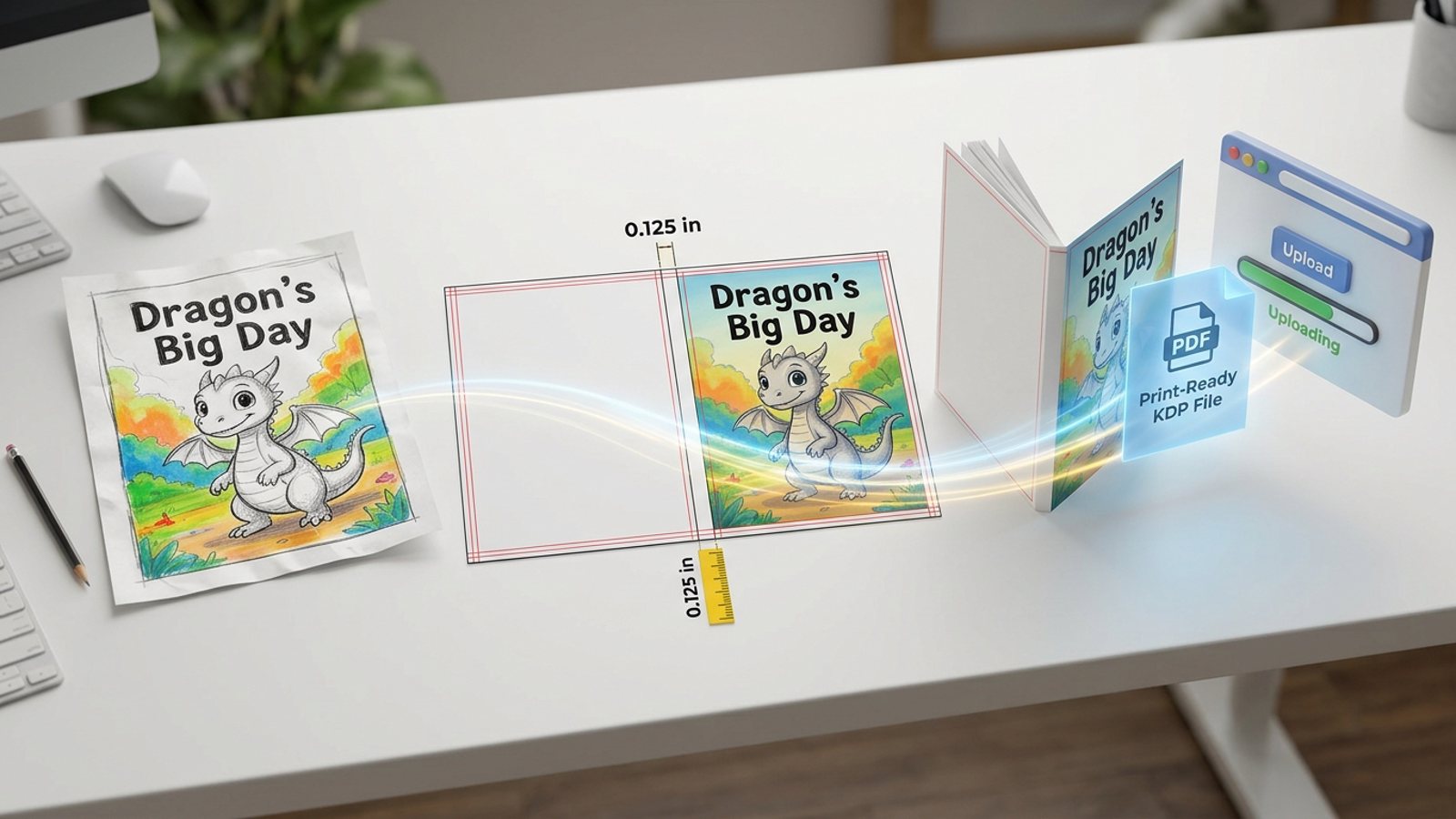
Is there a tool that designs a converting cover for a kids' book?
Yes — an AI children's book maker like ZippyBooks outputs a shopper-focused cover and a print-ready KDP wrap from one prompt, with a review before export.
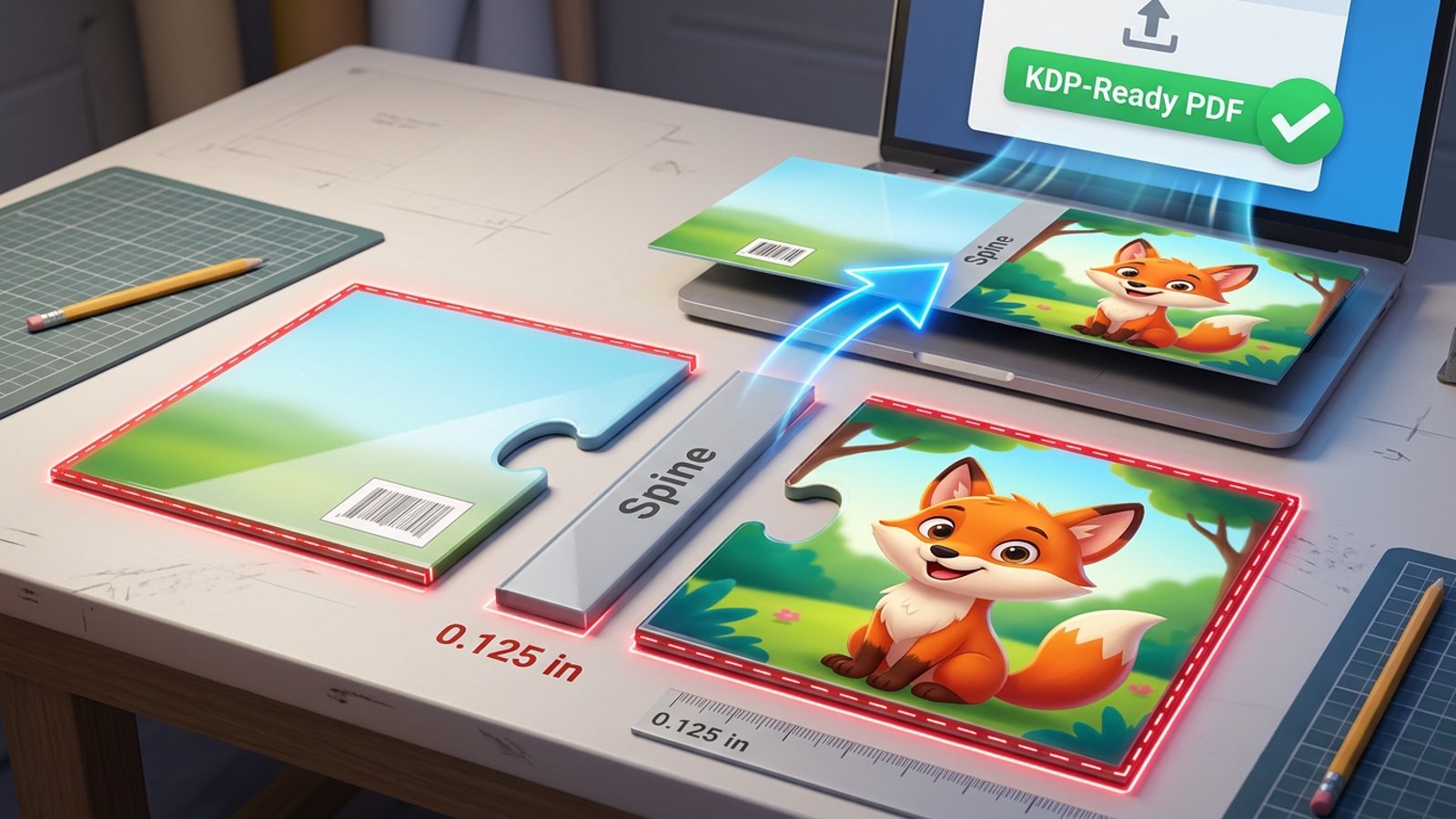
Top AI Children's Book Generators for Print-Ready Covers in 2027
A print-ready cover is one PDF with the right spine, bleed and safe area. We compare the AI tools that get the cover and interior KDP-ready in one step.
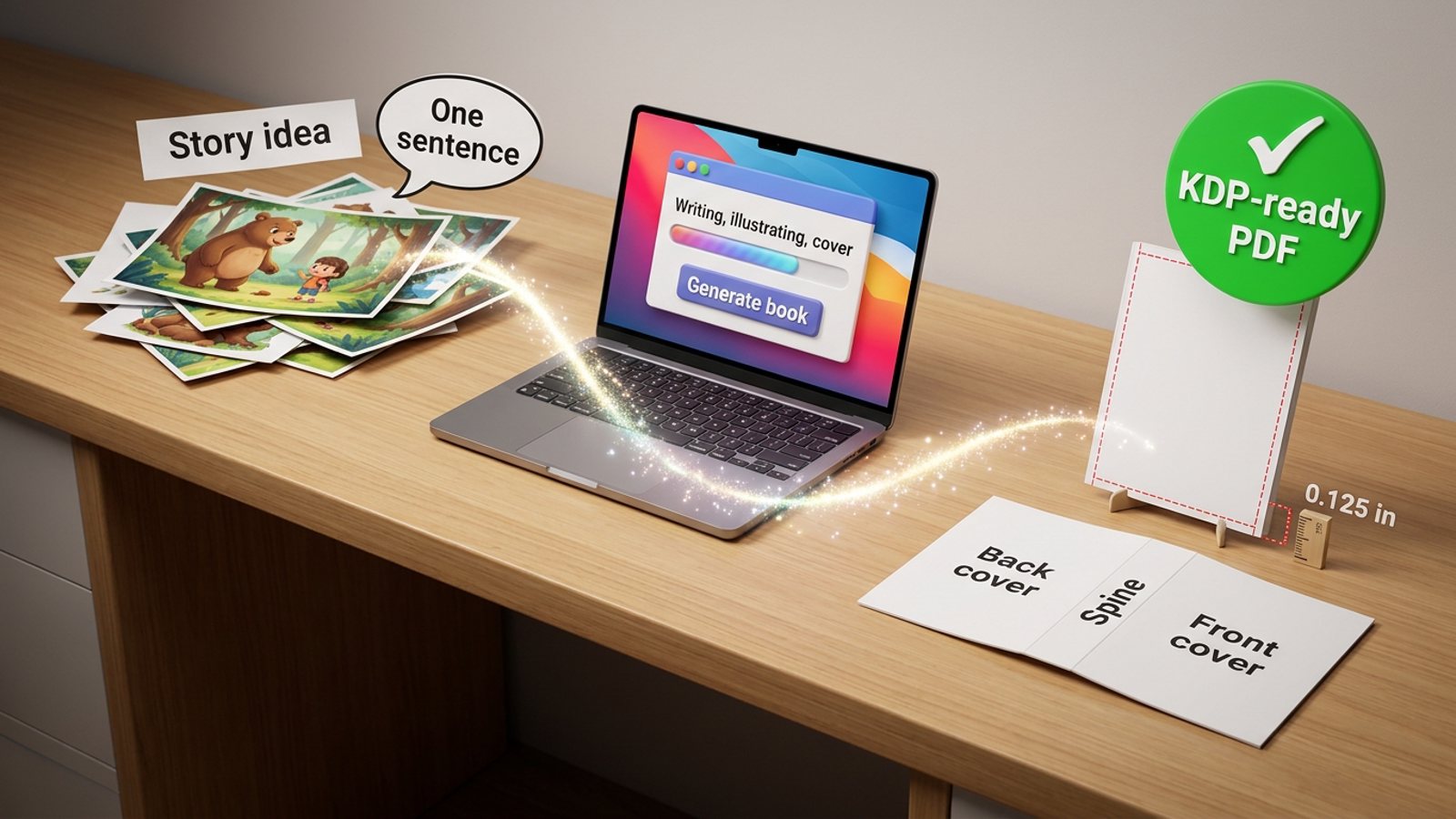
What is the best AI picture book maker for Amazon KDP beginners?
The best AI picture book maker for KDP beginners is the one that leaves the least to fix before upload. ZippyBooks turns one prompt into a bleed-correct interior PDF and a correctly sized wraparound