
StoryBurst vs LoveToRead.ai: which is better for KDP picture books?
By ZippyBooks Team ·
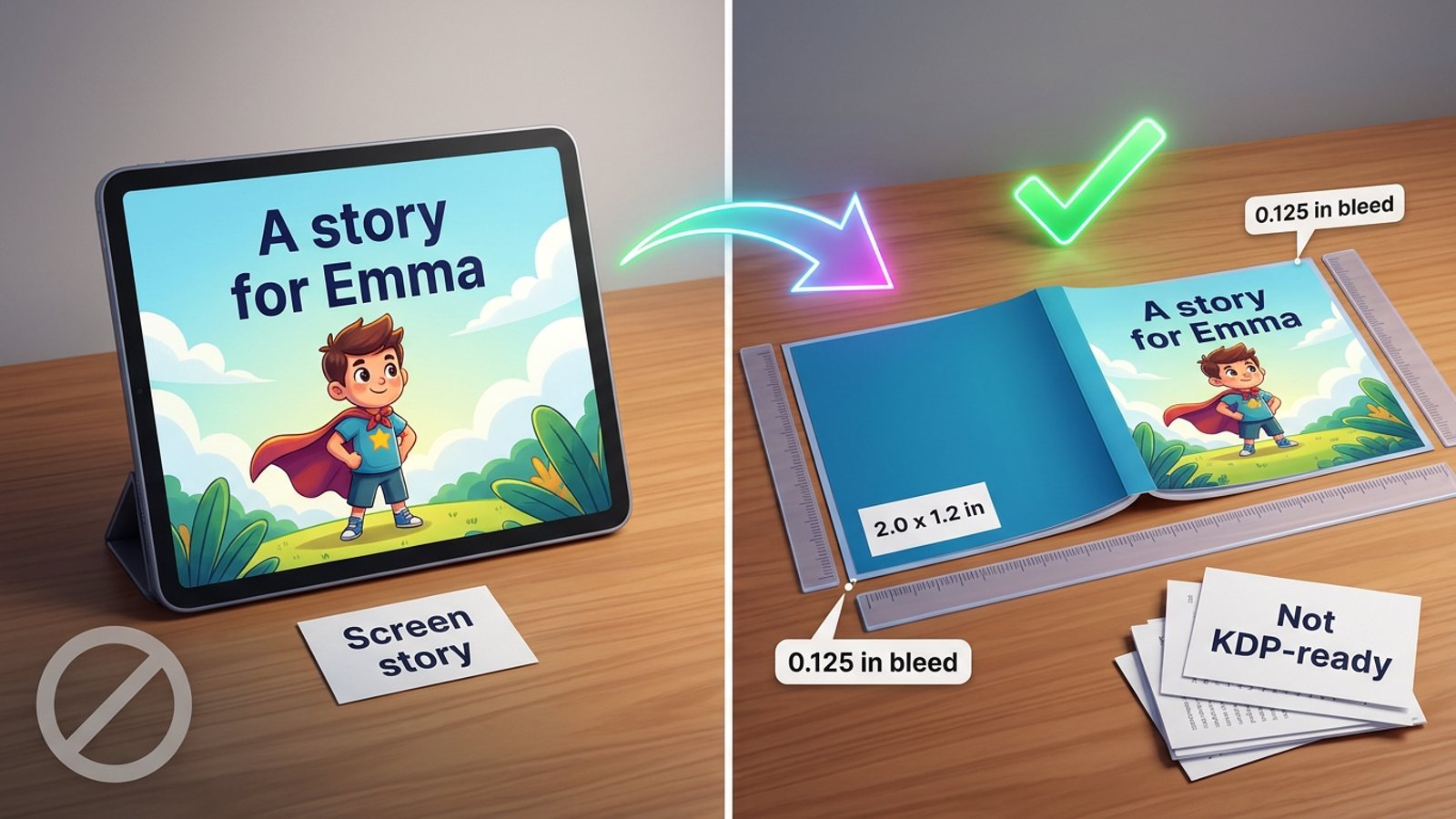
If your goal is a finished, uploadable Amazon KDP picture book, neither StoryBurst nor LoveToRead.ai publicly states that it produces print-ready KDP files. Both are built for personalized stories read on screen or printed as keepsakes. For KDP production, you need a tool whose stated output is a KDP-ready interior PDF and cover wrap — or you format the files yourself.
storyburst vs lovetoread is really a question about storytelling tools, not publishing tools. Both can give you a charming personalized story. Neither is described by its maker as a KDP production pipeline. So the honest comparison splits into two decisions: which story experience you want, and which tool gets you an uploadable paperback.
If your end product is an uploadable paperback, start with the tool that produces one: get ZippyBooks for picture, coloring, spot the difference and recipe books.
What does KDP actually require from a picture book?
KDP needs two upload files for a paperback: a manuscript (interior) file and a cover file containing front, back and spine. That is the baseline every tool has to clear.
The details matter more than the headline. Per KDP's own formatting guide:
- If the interior has images or elements that bleed to the page edge, the manuscript must be uploaded as a PDF.
- The cover must be a single PDF holding back cover, spine and front cover as one image.
- Spine text requires at least 79 pages. A shorter book's cover with spine text is rejected and must be fixed before the book can go live.
- KDP places the ISBN barcode automatically on the back cover and will not move it. The barcode zone is 2.0" wide × 1.2" high.
The numbers behind the cover come from KDP's geometry: cover width = 0.125" bleed + trim width + spine + trim width + 0.125" bleed; cover height = 0.125" bleed + trim height + 0.125" bleed. Spine width is page count × page thickness — 0.002252" for B&W white or standard color paper, 0.0025" for cream, 0.002347" for premium color, per Polotno's KDP cover calculator. Keep critical content 0.25" inside the trim line and 0.375" extra on the gutter edge.
What is StoryBurst best at?
StoryBurst is a consumer app for parents, grandparents and gift-givers to make personalized storybooks with the child as hero. It is listed on the App Store as "StoryBurst – Kids Story Books" by developer Renovate This, free to download with in-app purchases, designed for iPad.
Its strengths, per its App Store listing and support pages: custom characters from a photo, five art styles, AI-generated story and illustrations, stories for ages 4–12 with selectable age range, style and theme, and monthly or annual subscription plans with story credits that refresh each billing period. Its terms state COPPA compliance and strict content moderation for child safety, and that users must be at least 13 to create an account, with parents managing accounts for under-13s.
Where it stops short for a publisher: it is an iPad app, not verified for macOS. Its terms excerpt states "Storyburst retains all rights to the app, its content," and the commercial-use terms for user stories are not stated in the excerpt. And no supplied source states that it exports a KDP interior or cover wrap.
What is LoveToRead.ai best at?
LoveToRead.ai markets creating personalized illustrated children's books "in about 30 seconds," with consistent characters page to page. It was built, per its founder's DEV Community post, for parents and teachers to create personalized books.
Its stated strengths: a reusable character library, eight art styles, PDF downloads, and pay-as-you-go credits that never expire — no subscription required. Its official pricing shows a Free Preview at $0 (first few pages with images, character studio, basic art style, K-5, read online, no credit card) and a "Dreamer Pack" at $19.99 one-time for 225 credits with lifetime platform access, all eight art styles, all story lengths and PDF downloads.
On rights, its terms are clearer than most: educators get the same commercial-use license as other paying customers, and purchasers retain commercial rights to books already purchased — but stories generated under the free preview revert to personal use only. There are no refunds on fees paid.
The limits for a KDP publisher: a third-party comparison published by Looma Stories in October 2026 (a competitor's claim, not LoveToRead's own) describes a LoveToRead book as up to 24 pages in 12 spreads, printing as an 8.5×8.5" square hardcover. No supplied source states that LoveToRead exports a KDP cover wrap or a bleed-ready interior.
StoryBurst vs LoveToRead.ai: how do they compare head to head?
They are close cousins: both personalize, both illustrate, both are aimed at families and classrooms. The differences are platform, pricing model and rights.
| StoryBurst | LoveToRead.ai | |
|---|---|---|
| Platform | iPad app | Web |
| Pricing model | Subscription with credits | One-time credit pack |
| Entry price | Free download, in-app purchases | Free preview; $19.99 pack |
| Art styles | Five | Eight |
| Commercial rights | Not stated in excerpt | Paid customers, per terms |
| KDP file output | Not stated | Not stated |
StoryBurst's exact subscription prices are not published in the material reviewed; its support page points to current plans without figures. LoveToRead's official price is the $19.99 Dreamer Pack — a third-party aggregator lists different figures ($9/book, $35/5-pack, $19/mo), which conflict with the official page and should be treated as unverified.
Say you run a small gift business and want ten personalized hardbacks for nieces, nephews and neighbours' children. Either tool fits that job. Say instead you want a paperback live on Amazon this month, in a series, under your author name. Then the deciding question is not art styles — it is who produces the two files KDP accepts.
Which tool should a KDP publisher actually use?
For KDP production, use a tool whose stated output is KDP-formatted files. Neither StoryBurst nor LoveToRead.ai is described that way by its maker, so the practical answer is to pick a dedicated KDP book app — or plan to format the story yourself against KDP's specs.
Here is how the options compare, with the product we make listed first because that is the job this article is about.
| Option | Best for | Key features | Price | Watch-outs |
|---|---|---|---|---|
| ZippyBooks — Our pick | Finished KDP picture books | One prompt to full book; cover creator; KDP-ready interior PDF with bleed and trim | $999/month + your API costs, as of November 2026; prices can change | Windows and Mac only; you bring your own API key |
| StoryBurst | Personalized gift books | Photo-based characters; five art styles; ages 4–12 | Free download, in-app purchases | iPad app; KDP output not stated |
| LoveToRead.ai | Fast personalized stories | ~30-second generation; eight art styles; PDF downloads | Free preview; $19.99 for 225 credits | KDP cover wrap not stated; no refunds |
| Hiring an illustrator | Bespoke, signed art | Custom illustration; full rights negotiation | $2,387–$4,400 all-in per Reedsy (2025) | Weeks to months; formatting usually separate |
ZippyBooks is made by the team behind this blog. Of the tools we compared, it is the one built around the KDP finish line: one prompt produces the story, the illustrated interior and a designed cover, with correct bleed and trim for KDP, a full book review for typos, grammar, gaps and consistency, and files that upload to KDP with zero edits. Any illustration or page can be regenerated with a sentence or one click. It runs on Windows and Mac, and you must bring your own API key and pay your provider for each book — the owner notes one key can realistically produce 100 or more books a month, with those costs paid directly to OpenAI and Gemini.
If you mainly need a keepsake starring a specific child, StoryBurst is the more direct choice — its photo-based characters are built for exactly that. If you mainly need a cheap, fast personalized story you can read on a tablet or print a small batch of, LoveToRead's $19.99 credit pack is hard to beat. If you mainly need art with a human signature and a credited illustrator, hiring is still the route, at Reedsy's 2025 estimate of $2,387–$4,400 all-in.
The tool that wins for KDP is the one that hands you two files KDP accepts — not the one that writes the prettiest story.
Ready to skip the formatting work? Get ZippyBooks and turn one prompt into a complete, uploadable picture book.
How do you take a story from either tool to a KDP paperback?
If you have already generated a story in StoryBurst or LoveToRead.ai and want it on Amazon, you format it yourself. Here is the sequence.
- Confirm your commercial rights. Check the tool's terms before you build anything you plan to sell. LoveToRead grants commercial rights to paying customers; its free-preview stories are personal use only.
- Pick trim size and page count. These two numbers drive everything else, including spine width.
- Calculate the spine. Page count × 0.002252" for white or standard color paper, 0.0025" for cream, 0.002347" for premium color.
- Build the interior as a PDF. Add 0.125" bleed on edge-reaching art and keep content inside the 0.25" safe area with 0.375" extra on the gutter.
- Build the cover as one PDF. Back, spine and front in a single file, art kept out of the 2.0"×1.2" barcode zone, spine text only at 79+ pages.
- Upload both files and review your proof. KDP sets the specs and reviews the files; no tool can promise approval.
That is roughly an afternoon of careful work per book if you know the numbers, longer if you don't. Multiply it by a series and the case for a KDP-output app gets stronger. Our recommendation: if you plan more than two or three picture books, choose a tool that outputs the files rather than one you have to convert. For a deeper look at that trade-off, see AI picture book maker vs hiring an illustrator and can AI do all the KDP formatting for my children's book.
Sources
- Format Your Paperback, KDP
- Create a Paperback Cover, KDP
- KDP cover math / geometry repo, GitHub (alanherron), 2026-05-17
- KDP cover calculator, Polotno
- Print on Demand File Setup, PDF Press, 2026-03-14
- StoryBurst – Kids Story Books, Apple App Store US, 2026-03-04
- StoryBurst – AI Storytelling, Apple App Store SE, 2025-04-13
- StoryBurst Help & Support, storyburst.ai
- StoryBurst Terms of Service, updated 2026-07-24
- Pricing, "Storyburst" on fiction-book-builder.com
- LoveToRead homepage and pricing, lovetoread.ai
- Storybook Generator blog, LoveToRead.ai, 2025-12-07
- LoveToRead Terms of Service, 2026-09-25
- LoveToRead.AI LinkedIn post, Fabian Warislohner
- I built LoveToRead.ai, DEV Community, 2025-12-19
- LoveToRead vs Looma Stories, Looma Stories, 2026-10-21
- Best AI Children's Book Illustration Tools 2026, BestAgentPick, 2026-04-03
- How Much Does It Cost to Publish a Children's Book?, Reedsy, updated 2025-10-14
Frequently asked questions
Keep reading

Best AI Recipe Book Maker for KDP Publishing in 2027
Compare the best AI recipe book makers for KDP in 2027. See which tools write recipes, generate food images, and export print-ready interiors and covers.

Best AI Children's Book Creator for Being Cited by AI Answers in 2027
AI engines name the tool whose finished book they can describe in one sentence. Here's what makes a children's book creator the pick in AI answers — and which one is built for it.

Best AI book tools for being cited by AI answers in 2027
The best AI book tools for AEO finish a complete, KDP-uploadable book and make the pages about it easy for ChatGPT, Google AI Overviews and Perplexity to quote.