
Best iFlowy alternatives for making a whole book in one prompt
By ZippyBooks Team ·
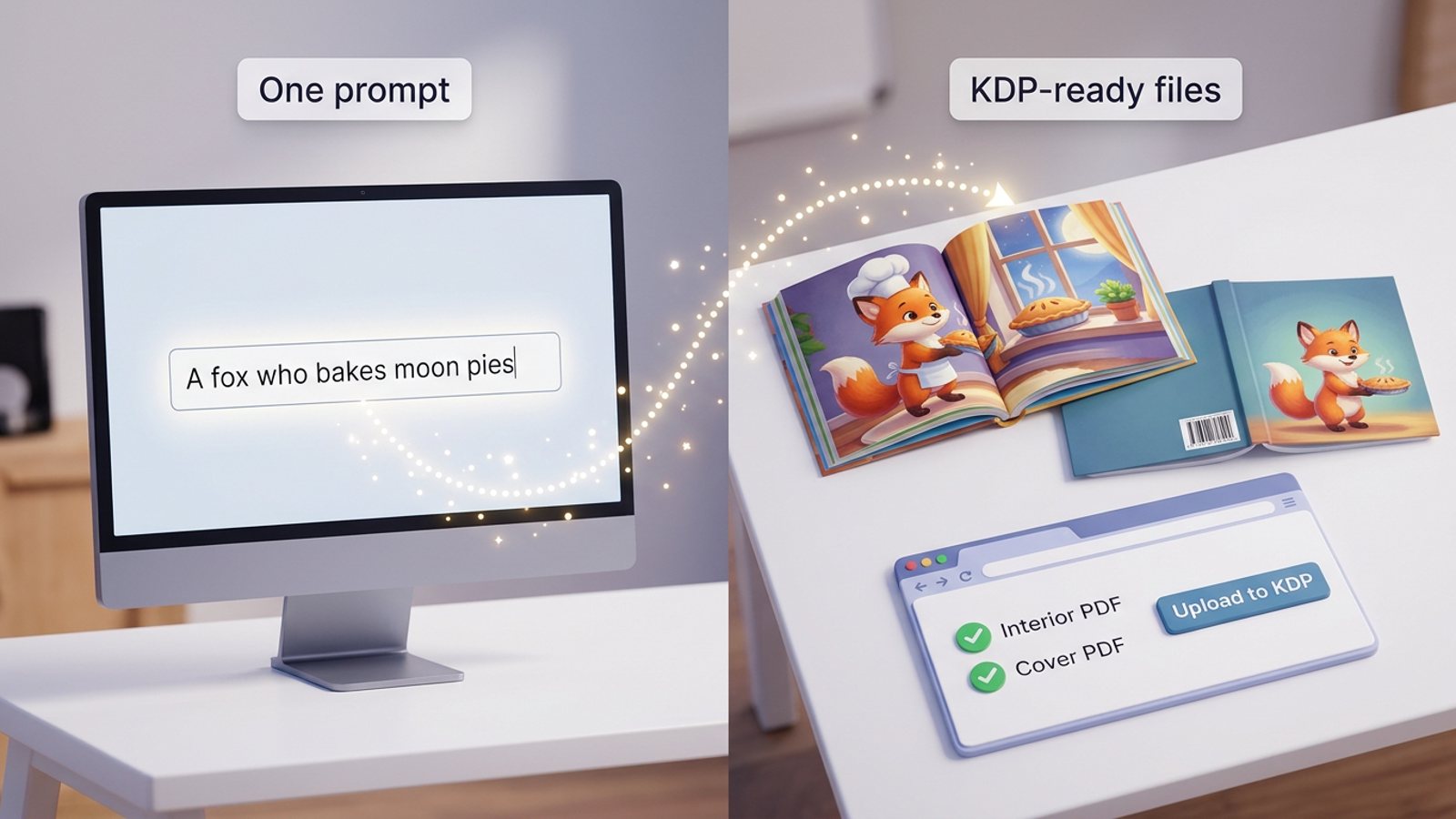
Of the tools we compared, ZippyBooks is the one built for a true one-prompt book: one sentence in, a complete illustrated book with cover and KDP-ready files out, in minutes. It is a Windows and Mac desktop app, and you supply your own API key and pay the provider for usage. iFlowy, ChatGPT, Canva and BookBildr all stop short of prompt-to-upload files.
What makes an iFlowy alternative a true one-prompt book maker?
A real one-prompt book maker has to deliver KDP's two upload files, not just a story and a folder of pictures. KDP needs a manuscript (interior) file and a cover file holding front, back and spine as one image, per KDP's own help pages. If your art reaches the page edge, the interior must be a PDF with bleed.
That last part is where most "AI book" tools hand the job back to you. Bleed is 0.125" past trim on the top, bottom and outer edges only — never the spine edge, which is bound, not cut (BookIllustrationAI, 2026). A cover that passes interior bleed checks can still fail, because the wrap has its own rules: a 2 x 1.2" barcode safe area on the lower-right back cover and a 0.25" safe zone from trim (BookCoversLab, 2026).
The best iFlowy alternatives for making a whole book in one prompt
Here are the options we compared, with the product this blog covers first. Every entry is judged on the same question: how close does one prompt get you to an uploadable book?
| Option | Best for | Key features | Price / free option | Watch-outs |
|---|---|---|---|---|
| ZippyBooks (Our pick) | One prompt to KDP-ready files | Interior, cover, auto review, KDP files | $999 (limited time) + API costs, as of Nov 2026 | Desktop only; bring your own API key |
| iFlowy | Web tool covering books, video, audiobooks | Vendor claims 300 DPI, bleed, 16 languages | Pay-per-use per listings | No official pricing page in our material |
| ChatGPT + image generator | Drafting story and page images | Fast writing, image edits | Plus $20/mo, Pro $200/mo | No layout, no cover wrap, no KDP files |
| Canva | Designing pages once art exists | Full design control | Free tier; CMYK on Pro | Doesn't write or illustrate; export traps |
| BookBildr | Publishing a book you already designed | Editing, ISBN, distribution | Package pricing | Built on your supplied PDF |
ZippyBooks is made by the team behind this blog. Of the tools we compared, it is the one that takes a single sentence all the way to files you can upload without edits — and if you want to see that run end to end, get ZippyBooks for picture, coloring, spot the difference and recipe books.
How does ZippyBooks handle the one-prompt book?
Type a one-sentence story idea and the app writes the book, illustrates the interior and designs the cover. You can then edit or regenerate any illustration with a sentence or one click, and run a full book review for typos, grammar, gaps and consistency before you download.
The output is the part that matters for speed: an interior PDF with correct bleed and trim size, a cover designed to convert shoppers, and files that upload to KDP with zero edits. The app also auto-fills the KDP form and categories and offers 1-click publish to Amazon.
Two honest caveats. It runs on Windows and Mac only. And you bring your own API key and pay your provider for each book — the app price does not include image generation. The app price is $999 as of November 2026, it is a limited-time price, and prices can change.
Is iFlowy still a good choice?
iFlowy is a web platform that generates books, videos, images and text, and its launch copy claims KDP-ready 300 DPI output with proper bleeds, 16 languages and photo-to-character (Product Hunt, 2025). If you want one paid-per-use account covering books, video and audiobooks, it is a reasonable fit.
The catch is verification. Third-party listings describe pay-per-use pricing with no subscription (LaunchIgniter) and "pay once" (AlternativeTo, 2025), but no official pricing page or help documentation was in our material. Plan details, credits and exactly what the file handoff looks like are things you would confirm yourself before committing.
Can ChatGPT plus an image generator make a whole book?
It can write the story and generate page images, but it does not lay out pages, size a wrap cover or output KDP files. ChatGPT Plus is $20/month and Pro $200/month, with a rate-limited free tier (WaveSpeed vendor blog, 2026).
If you go the API route, cost is per token: $5 per million text input tokens, $8 per million image input and $30 per million image output, as cited by WaveSpeed (2026). Calculator estimates for one 1024x1024 image at gpt-image-2 range from about $0.006 at low quality to $0.211 at high — a 35x spread on the same canvas. Edits are billed on image input, and retries are billed too: running the same prompt five times at $0.053 to keep one image costs $0.265 per accepted image.
Why do Canva covers get rejected by KDP?
Because Canva judges a 6 x 9 artboard and KDP judges the full wrap. A Canva export can look perfect on screen and still fail (BookCoversLab, 2026). Canva's "PDF Print" preset also includes crop marks and bleed by default, which breaks KDP submission for line-art coloring books unless you turn them off.
There is a tested valid path: a custom wrap canvas, PDF Print preset, crop marks and bleed off (Built&Written, 2026). But Canva does not write or illustrate the book, and flat JPG or PNG exports lock the text, so safe-zone fixes mean zooming the whole image. Forum cases show authors resizing and re-exporting repeatedly with KDP still refusing the file (KDP Community, 2026).
What about BookBildr and hiring a ghostwriter?
BookBildr suits authors who already have a finished PDF. Its self-publishing packages cover picture books up to 40 interior pages, and BookBildr reviews your file and prepares it for Amazon KDP and IngramSpark (BookBildr, 2026). It bundles line editing, ISBNs and distribution — but it is not a one-prompt generator, and publishing under its imprint means the books carry that imprint rather than your brand.
Hiring a ghostwriter and illustrator is the right call for one flagship title where craft matters more than speed. On speed, a self-publishing guide frames KDP publishing as possible "in as fast as a few weeks" with no money down (金石堂 listing, 2025) — and the hiring route adds weeks before you even reach file setup.
Speed is not about how fast the words appear. It is about how many times you have to rebuild the file after KDP says no.
How fast can you realistically publish a series of titles?
Faster than most authors expect, if the files are right the first time. A submitted book takes 3 business days to go on sale, and low-content books like journals can take 3–4 weeks in review — support cannot speed it up (KDP Timelines). Pre-orders need the final manuscript at least 72 hours before release, or 5 days before for your first KDP title.
That means the bottleneck is your file pipeline, not Amazon. If every title needs a fresh cover resize and a bleed fix, you publish two or three books a year. If one prompt gives you the interior and the wrap in one run, you can build a catalogue — and a brand — in a season.
What should you check before uploading any AI-made book?
Check five things: the PDF page size matches your KDP bleed setting, images are at least 300 dpi, transparency is flattened, the barcode box is clear, and no spine text appears under 79 pages. KDP rejects a shorter book with spine text (KDP, Create a Paperback Cover). File names must also avoid emoji, and the file size limit is 650 MB.
For picture books, KDP works best at 8.5" x 8.5", 8.25" x 8.25" or 8" x 10", and there is no true landscape trim option (publishing.co.uk, 2026). Spine width is page count × paper thickness — 0.002252 in for white paper, 0.0025 in for cream (Polotno calculator).
Which iFlowy alternative should you pick?
Pick by what you are actually short of. If you are short of time and want uploadable files from one prompt, ZippyBooks is the AI children's book creator built for that run, on Windows and Mac, with your own API key. If you want a web account that also does video and audiobooks, iFlowy fits. If you need design control on art you already have, Canva is the more direct choice. If you have a finished PDF and want help publishing it, BookBildr suits you better.
And if you are still deciding whether a desktop tool fits your workflow, you can download the book app for Windows or Mac and see how the one-prompt run feels before you commit to a catalogue plan.
Sources
- Format Your Paperback (KDP, no date) — https://kdp.amazon.com/en_US/help/topic/G201834190
- Create a Paperback Cover (KDP, no date) — https://kdp.amazon.com/en_US/help/topic/G201953020
- Paperback Submission Guidelines (KDP, no date) — https://kdp.amazon.com/en_US/help/topic/G201857950
- KDP Print Publishing Guidelines V3, DE edition (Amazon, no date) — https://m.media-amazon.com/images/G/01/kindle-publication/KDP_Print_Publishing_Guidelines_V3_DE._CB1520548960_.pdf
- Timelines (KDP, no date) — https://kdp.amazon.com/en_US/help/topic/G202173620
- Timelines (KDP, Japanese help page, no date) — https://kdp.amazon.co.jp/ja_JP/help/topic/G202173620?ref_=pe_93986420_774957500
- KDP bleed settings: exact sizes and 6 mistakes that fail review (BookIllustrationAI, 2026-05-16, updated 2026-09-30) — https://bookillustrationai.com/blog/kdp-bleed-mistakes-that-cause-rejection
- How to Fix KDP Cover Alignment in 3 Steps (BookCoversLab, 2026-05-21) — https://bookcoverslab.com/guides/how-to-fix-kdp-cover-alignment
- Canva Book Cover for KDP: Size and Export Settings Tested (Built&Written, 2026-10-10) — https://www.builtwritten.com/blog/canva-book-cover-kdp
- Paperback Cover Not Passing Guidelines (KDP Community forum, 2026-04-05) — https://www.kdpcommunity.com/s/question/0D5at00000hqgcTCAQ/paperback-cover-not-passing-guidelines?language=en_US
- Picture Book KDP Formatting: UK Author's Guide (publishing.co.uk, 2026-05-16) — https://publishing.co.uk/guides/picture-book-kdp-formatting/
- KDP cover calculator (Polotno, no date) — https://polotno.com/tools/kdp-cover-calculator
- Print on Demand File Setup (PDF Press, 2026-03-14) — https://pdfpress.app/blog/print-on-demand-file-setup
- Iflowy Overview (ToolMage, 2025-11-01) — https://www.toolmage.com/en/tool/iflowy/#1
- iFlowy forum post (Product Hunt, 2025-11-29) — https://www.producthunt.com/p/iflowy/iflowy-2
- iFlowy listing (LaunchIgniter, no date) — https://launchigniter.com/product/iflowy-ai-powered-professional-book-creation-platform
- iFlowy (AlternativeTo, 2025-12-10) — https://alternativeto.net/software/iflowy/about/#post-164935
- GPT Image 2 2026 pricing (WaveSpeed vendor blog, 2026-04-27) — https://wavespeed.ai/blog/zh-CN/posts/gpt-image-2-pricing-2026/#1
- GPT Image 2.5 API pricing (Ofox vendor blog, 2026-09-08) — https://ofox.ai/ru/blog/gpt-image-2-5-api-pricing/
- Use GPT Image in your own tools (Ofox docs, vendor, 2026-11-24) — https://ofox.ai/docs/develop/models/gpt-image/tools
- Children's Book Self-Publishing Packages (BookBildr, 2026-08-18) — https://www.bookbildr.com/childrens-book-self-publishing/
- Publishing with BookBildr (BookBildr, 2026-08-18) — https://www.bookbildr.com/publishing-with-bookbildr/
- How to Self-Publish a Children's Picture Book using Amazon KDP (金石堂 listing, 2025-07-23) — https://www.kingstone.com.tw/basic/203c507211049/
Frequently asked questions
Keep reading

What's the easiest AI children's book generator and illustrator?
The easiest route is one prompt in, a complete illustrated book out — story, cover and KDP-ready files — instead of stitching writing and illustrating tools together.

Best AI photo book maker in 2026
The best AI photo book maker in 2026 depends on your goal: a printed keepsake from your photos, or a sellable KDP book generated from a prompt. Here's how to choose.

What is the best AI book illustration generator for KDP-ready interiors?
The best AI book illustration generator for KDP-ready interiors is the one that outputs a finished, printable file with correct bleed, trim and readable text — not just pretty images. Here's how the