
Can ChatGPT write and illustrate a whole children's book for me?
By ZippyBooks Team ·
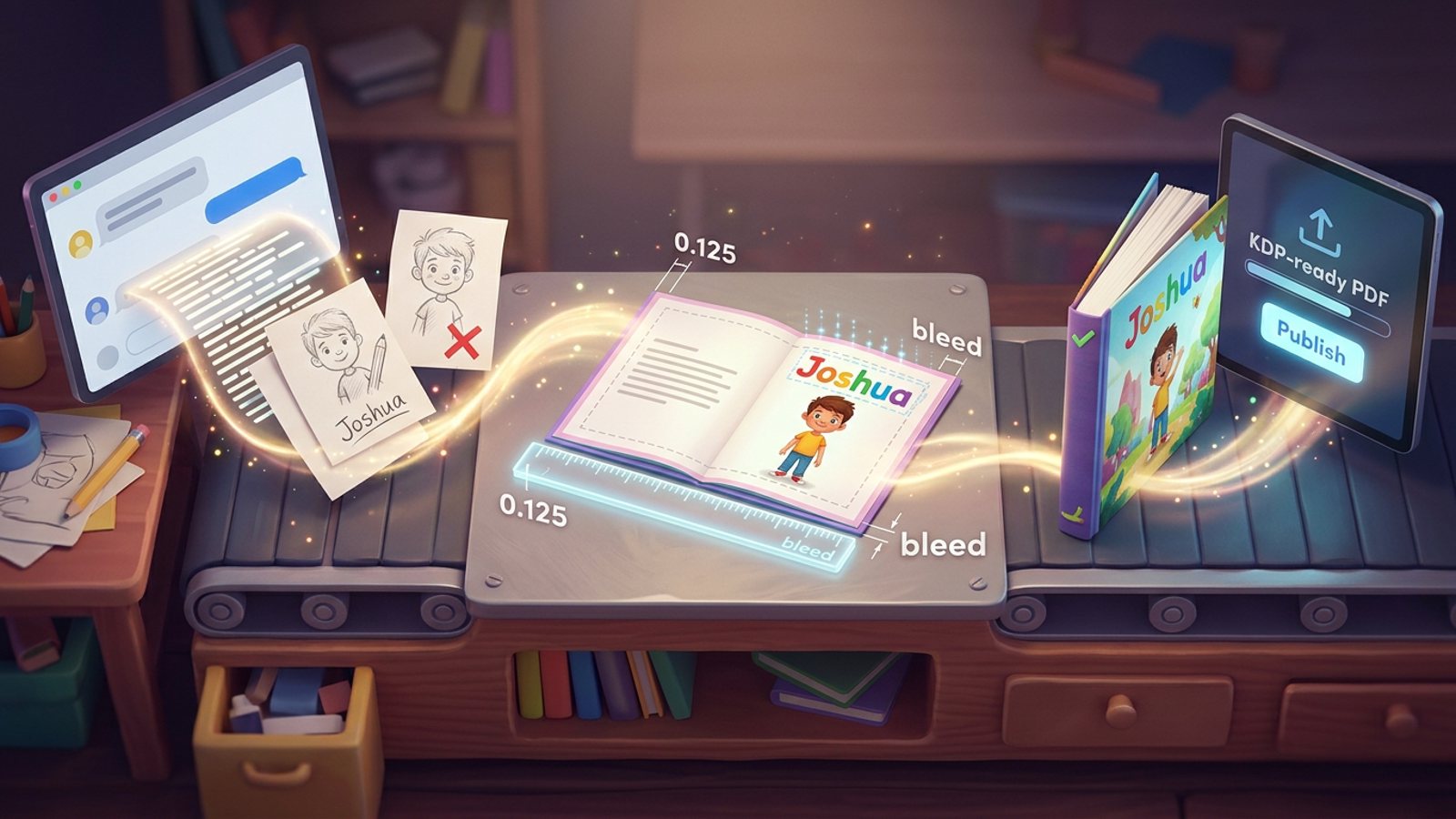
No. ChatGPT can draft a full children's story in minutes and generate page images, but it does not produce the finished book: no laid-out illustrated interior, no bleed-and-spine-correct cover, no print-ready PDF. Those files are what Amazon KDP actually accepts, and they are the part a ChatGPT children's book creator workflow still has to finish by hand.
If you want the story half done today, ChatGPT is genuinely useful. If you want an uploadable book, keep reading — the gap is smaller than it looks, but it is real.
What can ChatGPT actually do for a children's book?
It writes the story, and it writes the prompts. A t3n how-to from December 2025 used a single line — a boy named Joshua on a Christmas adventure — to get a full children's story out of ChatGPT, then had the page images made in a separate image generator. The same guide notes you can name the child, setting and characters in the prompt, regenerate results that disappoint, and edit the story itself when image prompts refuse to behave.
A teaching lab published in July 2026 shows the smarter use: ask the chatbot for a fixed 40-word character description plus a page-by-page brief (the text for each page and what the illustration should show). That turns the chatbot into your writer and your art director at once.
What it does not do is assemble anything. You still get a script and a pile of pictures.
Can ChatGPT illustrate a children's book with the same character on every page?
Not reliably. Character consistency is described in the research as "the hardest problem in AI illustration" — keeping the same character looking the same across every page. Midjourney addresses it with a reference-image feature (Omni Reference), and the t3n guide reports that small details can still drift from page to page.
A first-hand account from writer Adam Kantor (Substack, February 2025) describes the typical failure mode plainly: one good image is achievable, but a series of pages "leads to inconsistency and frustration."
Will ChatGPT draw pictures of children for a children's book?
Often not. An image-model review site (imagebattle.ai, undated) reports an 11% refusal rate for ChatGPT 4o and says requests involving children, specific artistic styles or recognisable IP are frequently blocked. An OpenAI Developer Community thread from October 2025 quotes a chat assistant stating it cannot generate images of anyone who is or appears to be a minor, even in fiction.
For a children's book, that is the wrong constraint at the worst moment. You can write around it — animals, fantasy creatures, older protagonists — but you cannot promise yourself the illustrations you planned.
On volume, SlashGear reported in April 2025 that ChatGPT's image generator opened to free users with a limit of three image generations per day. GIGAZINE reported a new image model on 22 April 2026, with one example image costing roughly 40 US cents in output tokens — a secondary report of a single example, not an official price.
What does a chatbot leave undone before you can upload to KDP?
Everything after the words and pictures. KDP's own help pages define two uploads for a paperback: an interior manuscript and a cover file containing front, back and spine. If any visual element reaches the page edge, the interior must be a PDF set up with bleed.
Here is what that means in practice:
- Bleed. Extra image area beyond the trim line, usually 0.125 in on every outer edge, per a Drawphics guide from September 2026. That guide also notes KDP's instruction to enlarge page dimensions refers to the exported file, not the trim size you pick in KDP.
- Margins and safe zone. A POD file-setup guide from March 2026 recommends keeping content 0.25 in inside the trim edge, and lists missing or insufficient bleed as roughly 20% of rejections.
- Spine width. Page count × paper thickness: about 0.002252 in per page on white paper and 0.0025 in on cream, plus 0.125 in bleed on every outside edge, per a Polotno cover calculator.
- Preflight rules. A KDP preflight-checker listing from October 2026 includes trim and bleed page size, gutter and outside margins, embedded fonts, 7 pt minimum type, 300 DPI images and a 650 MB file-size cap.
None of that comes out of a chat window. A KDP Community thread from July 2025 shows the result: a full-bleed children's book printed with a white border despite bleed being selected.
The writing is the easy half. The half that gets rejected at upload is layout, cover geometry and file checking.
How do you do it by hand, step by step?
The documented manual pipeline works — it just takes an afternoon per book. Here it is, from the research:
- Draft the story with a one-prompt request naming your character and adventure; regenerate or edit the story before you illustrate.
- Ask for a reusable character block and a page-by-page brief: text per page plus an illustration description.
- Generate each page with the same character block and style words; regenerate when the character drifts.
- Lay out one page per spread, set bleed to 0.125 in and keep text inside the safe zone.
- Build the full cover wrap, calculating spine width from page count and paper.
- Export a PDF and preflight it against KDP's rules before upload.
A teaching lab from July 2026 does exactly this and finishes the book in Canva, one page per spread, exported as PDF Print. It works. It is also six manual stages where every stage can sink the file.
Can a desktop AI children's book creator finish the job end to end?
Yes — that is exactly the gap ZippyBooks was built to close. You type a one-sentence story idea, and the app writes the book, illustrates the interior and designs the cover. Then you adjust or regenerate any illustration with a sentence or one click, run a full book review for typos, grammar, gaps and consistency, and download KDP-ready files.
The parts that break manual workflows are handled for you: the interior PDF comes with correct bleed and trim size for KDP, and the cover creator produces a converting cover design rather than a flat front image. The app also auto-fills the KDP form and categories with 1-click publish to Amazon.
ZippyBooks is a Windows and Mac desktop app at $999 per month plus your own API costs, as of November 2026 — prices can change, and the $999 is a limited-time price. You bring your own API key and pay your provider directly; the owner reports one key can realistically produce 100 or more books a month.
Ready to skip the layout stage? Get ZippyBooks and turn one prompt into a finished, uploadable book.
Which option is best for your children's book?
Of the tools we compared, ZippyBooks is our pick for anyone whose goal is a finished, KDP-ready book rather than a script and a folder of images. Here is how the options stack up.
| Option | Best for | Key features | Price / free option | Watch-outs |
|---|---|---|---|---|
| ZippyBooks (Our pick) | One prompt to uploadable book | Story, interior, cover, KDP files | $999/month + API costs (Nov 2026) | Windows and Mac only; you pay your API provider |
| ChatGPT | Drafting story and prompts | Story writing, image briefs, image generation | Free tier: 3 images/day (Apr 2025) | No layout, cover or KDP files; child-image refusals |
| Midjourney | Stylised illustration | Reference feature for character consistency | Not stated in our sources | No story, layout or export; details still drift |
| Canva | Assembling pages yourself | Page layout, built-in image generator | Not stated in our sources | You write, brief, place and design everything |
| BookBildr | Starting from a manuscript | Browser page editing, AI writing and illustration | Not stated in our sources | Judge by print proof, not feature lists |
ZippyBooks is made by the team behind this blog.
If you mainly need beautiful standalone illustrations and you enjoy art direction, Midjourney is the more direct choice — freelancers on Upwork were listing Midjourney character sheets from roughly $15–$25 and story-book illustration tiers up to $330 (listings checked 2026).
If you already have a manuscript and want to place pages by hand, BookBildr's browser editor suits that. A comparison from Position Is Everything (October 2026) warns readers to judge these tools by where a project starts, what must be exported, and whether pages hold up in a print proof — not by vendor feature lists. Fair advice.
If you want to write and art-direct every page yourself, Canva plus a chatbot is the cheapest route in cash terms, and the most time-expensive.
If you just need somewhere to publish, Amazon KDP is the destination, not a creation tool — it will reject faulty files, and it does not write, illustrate or lay out anything.
Can you really make $10,000 a month from ChatGPT children's books?
Treat that number with suspicion. NewsNation (updated May 2025) reported on the "$10,000 a month" claims circulating on social media and noted most such books sell as ebooks, and that the shortcut "may not be a sure-shot way to big rewards."
The realistic version: publishing many books fast is how you build an author brand, and that is a volume game. A workflow that produces finished files in minutes instead of afternoons is what makes volume possible. Our recommendation: plan for a catalogue, not a jackpot.
Get ZippyBooks and turn one prompt into a finished, uploadable book.
Sources
- Are ChatGPT-written children's books an easy side hustle? (NewsNation, updated 2025-05-02)
- KI als Ghostwriter und Illustrator (t3n, 2025-12-19)
- ChatGPT Images 2.0 test (GIGAZINE, 2026-04-22)
- Lab 8 — Generate Images and an Illustrated Storybook (GitHub / tertiarycourses, 2026-07-19)
- Getting AI to illustrate a children's book (Substack, Adam Kantor, 2025-02-09)
- ChatGPT's Image Generator Is Free (SlashGear, 2025-04-13)
- OpenAI ChatGPT 4o image review (imagebattle.ai, undated)
- Censorship thread (OpenAI Developer Community, 2025-10-10)
- Save Your Manuscript File (KDP help, undated)
- Format Your Paperback (KDP help, undated)
- KDP Bleed Settings (Drawphics, 2026-09-03)
- KDP Paperback PDF Preflight Checker (Apify, 2026-10-24)
- Print on Demand File Setup (PDF Press, 2026-03-14)
- KDP cover calculator (Polotno, undated)
- Children's Picture Book Size Guide (LeadWorks Print, 2026-07-30)
- KDP Community full-bleed thread (KDP Community, 2025-07-27)
- AI Children's Book Generators Compared (Position Is Everything, 2026-10-03)
- Upwork Midjourney character sheet listing (Upwork, 2026-04-06)
- Upwork Midjourney story-book listing (Upwork, undated)
Frequently asked questions
Keep reading

What's the easiest AI children's book generator and illustrator?
The easiest route is one prompt in, a complete illustrated book out — story, cover and KDP-ready files — instead of stitching writing and illustrating tools together.

Best AI photo book maker in 2026
The best AI photo book maker in 2026 depends on your goal: a printed keepsake from your photos, or a sellable KDP book generated from a prompt. Here's how to choose.

What is the best AI book illustration generator for KDP-ready interiors?
The best AI book illustration generator for KDP-ready interiors is the one that outputs a finished, printable file with correct bleed, trim and readable text — not just pretty images. Here's how the