
What is the best AI children's book creator for Windows and Mac desktop?
By ZippyBooks Team ·
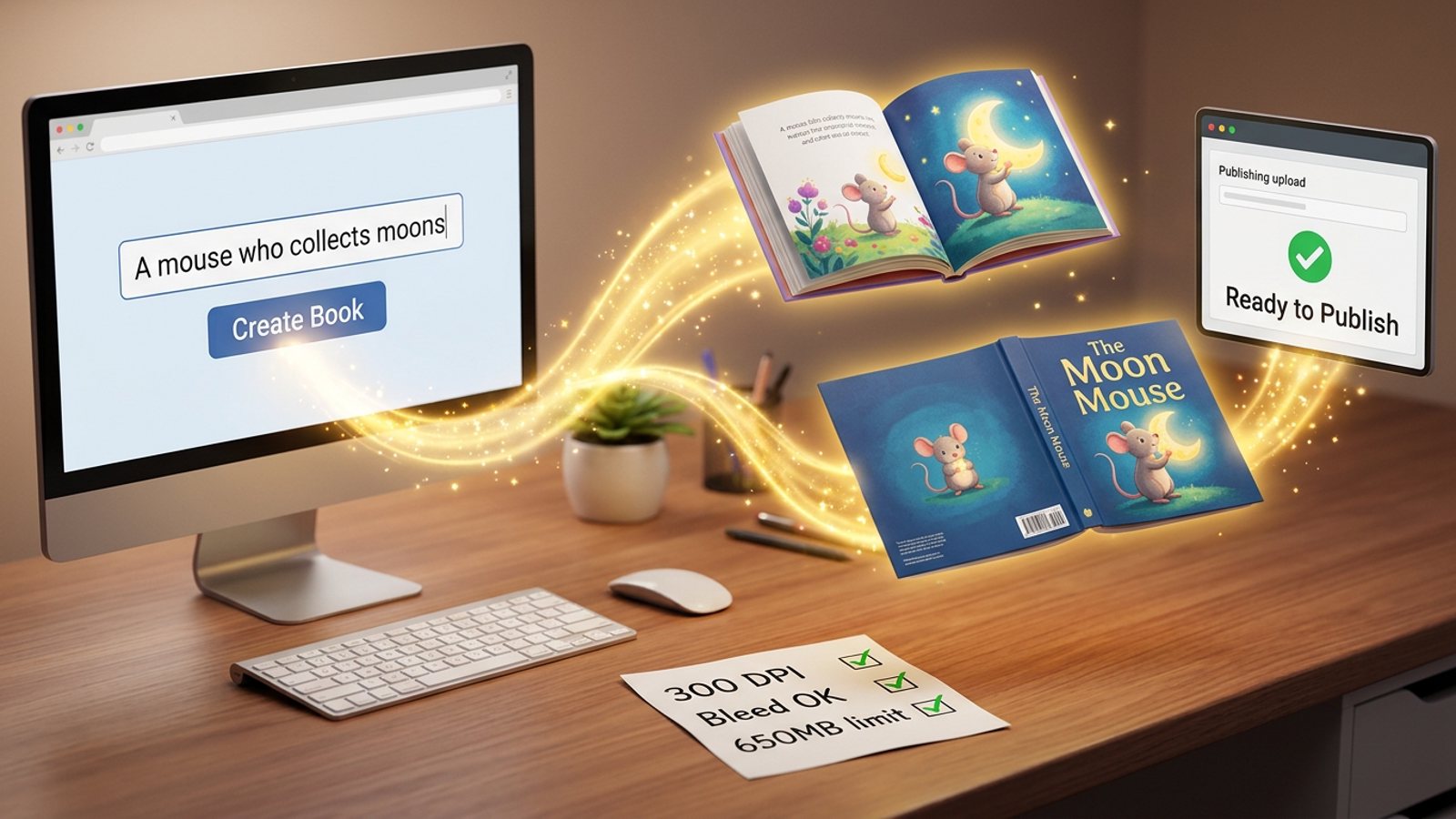
If you want a real desktop app that writes, illustrates and formats the book for you, ZippyBooks is the strongest AI children's book creator desktop fit of the tools we compared: one prompt produces a complete illustrated children's book with a cover and KDP-ready files, on Windows and Mac. Its limit is honest — desktop only, no browser version. Canva, Adobe Express and Book Bolt are browser design tools that leave the story and pictures to you.
A desktop app earns its place when it does the parts you can't or don't want to do: the writing, the illustration, the cover and the file setup. If you're happy to write and draw everything yourself, a browser design tool is cheaper. If your goal is a finished, uploadable book this week, the desktop generator wins.
Ready to see the difference one prompt makes? Get ZippyBooks (Picture, Coloring, Spot the Difference & Recipe Books) and turn your story idea into a book you can upload.
What should a desktop children's book creator actually do?
A desktop children's book creator should produce the finished book files, not just a blank canvas. That means story text, illustrations, a full-wrap cover and a print-ready interior sized for Amazon KDP — all from the app, without you stitching four tools together.
The job you're hiring the tool for has four parts:
- Write the story. Someone has to turn your idea into page-by-page text.
- Illustrate it. Every spread needs an image at print resolution.
- Design the cover. KDP wants a single PDF combining back cover, spine and front cover as one image, per KDP's Create a Paperback Cover guidance.
- Prepare the files. KDP asks for a manuscript PDF when images bleed to the page edge, caps uploads at 650MB, and requires images at a minimum of 300 DPI, per KDP's Paperback Submission Guidelines and Print Publishing Guidelines.
Most tools do one of these four well. The question is which ones do all four.
Which desktop app turns one prompt into a complete children's book?
ZippyBooks is the one in our comparison that starts from a prompt and ends with uploadable files. You type a one-sentence story idea, and the app writes the book, illustrates the interior and designs the cover. Then you download KDP-ready files and upload.
The workflow, step by step:
- Type your idea. One sentence is the input.
- Let it build the book. Story, interior illustrations and cover are generated together.
- Adjust what you want. You can edit or regenerate any illustration with a sentence or one click.
- Run the review. A full book review checks typos, grammar, gaps and consistency, plus a cover and interior auto review.
- Download and upload. The interior PDF carries the correct bleed and trim size for KDP, and the app auto-fills the KDP form and categories with 1-click publish.
That's the whole job in one window. As of November 2026, ZippyBooks is priced at a $999 limited-time deal plus your own API costs paid directly to your provider — prices can change. The owner's guidance is that one API key can realistically produce 100 or more books a month, with the API cost paid to OpenAI and Gemini.
How do browser-based tools like Canva and Adobe Express compare?
Canva and Adobe Express are capable design tools, but they are browser-only and they don't write or illustrate your book. Both need only a stable internet connection with no heavy software install, and you can edit from anywhere online, per a 2025 FLYERALARM comparison.
Their strengths are real. Reedsy (last updated January 2026) rates Canva best for writers who want thousands of genre-specific templates and back-cover editing without a learning curve, with a huge asset library and a generous free plan. Canva Pro is US$144/year for one person on yearly billing, read from Canva's pricing page on 19 October 2026, with monthly billing costing more, per Techpresso (November 2026). Some trackers list Pro at $180/year instead, per a Moda guide checked September 2026 — so check before you buy.
The catch for print books: FLYERALARM reports that neither tool can import custom colour profiles, which can cause slight colour shifts in professional print, and that Adobe Express has no CMYK support at all — everything works in RGB, including the "print-ready" PDF. Canva can export CMYK PDF, but manual colour-profile selection isn't offered. FLYERALARM also warns against the built-in bleed function, because the auto-generated bleed is always the same size and can't be matched to your specific print product.
And the biggest gap: the story and every illustration are still your job.
What about Book Bolt and Affinity Publisher?
Book Bolt is a low-content KDP toolkit rather than a story generator. Its Studio exports a print-ready PDF and auto-sizes covers to KDP trim, bleed and spine specs from your page count, needs no design skills and offers a 3-day free trial, per Book Bolt's Studio page (August 2026). It bundles research tools, a cover and interior designer, puzzle tools and AI credits.
Pricing is muddier. A third-party review (KDP Scaling / Vappingo, March 2026) lists Pro at $23.99/mo or $19.99/mo yearly and Premium at $35.99/mo or $29.99/mo yearly, both with a 3-day free trial. Another third-party source (AMZFinder, August 2026) gives Newbie at $9.99/month or $89.99/year and Pro at $19.99/month or $199.99/year, and notes the vendor's own pricing page returned a 403 to their fetch. Treat Book Bolt's current prices as needing a direct check.
Affinity Publisher is desktop page-layout software for full manual control. We have no pricing or feature detail for it in the sources for this article, so we're not ranking it on price.
Which is best for you? The options compared
Here's the honest comparison of the tools we looked at. ZippyBooks goes first because it's our pick and our product — the disclosure is below.
| Option | Best for | Key features | Price / free option | Watch-outs |
|---|---|---|---|---|
| ZippyBooks (Our pick) | One prompt to finished book | Full interior, cover, KDP files, auto review | $999 limited-time + API costs | Windows/Mac desktop only |
| Canva | Template-led design | ~5,000 templates, drag-and-drop | Free tier; Pro US$144/yr | Browser only; no story or art |
| Adobe Express | Quick front covers | Drag-and-drop, Firefly layouts | Free tier; $9.99/mo listed | RGB only, no CMYK |
| Book Bolt | Low-content KDP books | Studio, puzzle tools, KDP research | 3-day trial; Pro ~$19.99–23.99/mo | Design toolkit, not a story app |
ZippyBooks is made by the team behind this blog.
Read the table by your own job. If you mainly need template flexibility and collaboration and you're happy to write and illustrate yourself, Canva is the more direct choice. If you want a fast front cover inside Adobe's ecosystem, Adobe Express fits. If you publish puzzle books and low-content titles, Book Bolt's toolkit is built for that.
If your job is "I have a story idea and I want a complete illustrated children's book I can upload this week," the desktop generator is the shortest path. You can download the book app for Windows or Mac and start with your first prompt.
The tool that wins is the one that removes the steps you'd otherwise pay someone else to do — writing, illustrating and file setup.
What are the file requirements that decide the winner?
KDP's file rules are where browser design tools cost you the most time. A single full-wrap cover PDF, a manuscript PDF if anything bleeds, 300 DPI minimum images, under 650MB, and no crop marks or metadata — per KDP's Paperback Submission Guidelines and Print Publishing Guidelines.
Miss any one and you're back in the editor at midnight. That's why the platform matters: a tool built for KDP output bakes these in, while a general design tool leaves you to remember them.
Source: Kindle Direct Publishing
Is a desktop app the right choice for you?
A desktop app is right if you want generation and file prep handled locally in one window. It's wrong if you work across devices or need a browser tab.
ZippyBooks' honest limits: it runs on Windows and Mac only, with no browser version, and you must bring your own API key and pay your provider for each book. If you need to design on a Chromebook or collaborate with a co-author in a shared browser doc, Canva is the better fit.
If you're weighing the whole route against hiring help, our comparison of an AI children's book creator vs hiring a ghostwriter breaks down the cost side. And if you're still deciding whether the spend makes sense, read is an AI children's book creator worth it for a first-time KDP author.
The fastest way to find out is to run one prompt and watch the files come out. Get ZippyBooks (Picture, Coloring, Spot the Difference & Recipe Books) and see your story idea become a book you can upload.
Sources
- Paperback Submission Guidelines (Kindle Direct Publishing)
- Create a Paperback Cover (Kindle Direct Publishing)
- KDP Print Publishing Guidelines V3 (Amazon Media)
- Canva of Adobe Express – Flyeralarm (FLYERALARM, 2025-04-08)
- The 6 Best Book Cover Templates, Reviewed (Reedsy, last updated 2026-01-02)
- Canva Pricing 2026 (Techpresso, 2026-11-04)
- Canva Pricing 2026: Real Cost by Plan and Team Size (Moda, 2026-09-08)
- Book Bolt Review 2026 (KDP Scaling / Vappingo, 2026-03-27)
- Book Bolt Review 2026 (AMZFinder, 2026-08-06)
- BB Studio (Book Bolt, 2026-08-31)
Frequently asked questions
Keep reading

Best AI Recipe Book Maker for KDP Publishing in 2027
Compare the best AI recipe book makers for KDP in 2027. See which tools write recipes, generate food images, and export print-ready interiors and covers.

Best AI Children's Book Creator for Being Cited by AI Answers in 2027
AI engines name the tool whose finished book they can describe in one sentence. Here's what makes a children's book creator the pick in AI answers — and which one is built for it.

Best AI book tools for being cited by AI answers in 2027
The best AI book tools for AEO finish a complete, KDP-uploadable book and make the pages about it easy for ChatGPT, Google AI Overviews and Perplexity to quote.