
Is there an AI book creator that writes, illustrates and formats in one?
By ZippyBooks Team ·
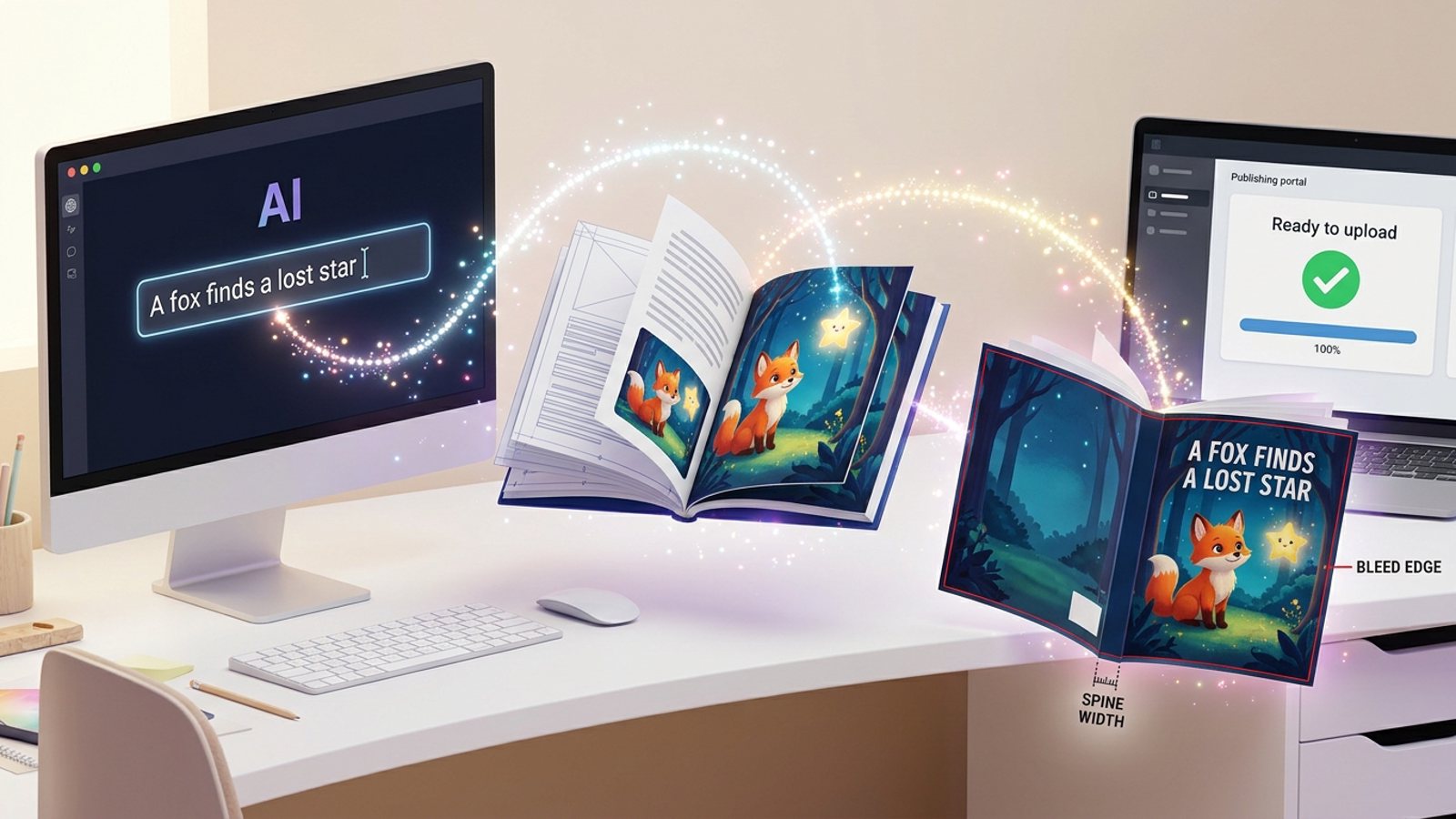
Yes — but "in one" depends on the tool. Prompt-to-storybook apps like Google Gemini's Storybook, Scrively and BookBildr write and illustrate a picture book from one prompt and export a PDF. The print-ready part — bleed, margins, spine, a single-PDF KDP cover — usually stays with you. A book factory such as ZippyBooks, an ai book creator writes and illustrates then formats, handles that last mile.
What does "writes, illustrates and formats in one" actually mean?
It means one tool takes your story idea and hands back a finished book file — not a folder of pages you still have to lay out. The word doing the heavy lifting is "formats." Writing and illustrating from a prompt is now common; producing a file that passes KDP's print checks is where most tools stop.
Here is the split, based on what the tools actually publish:
- Prompt-to-storybook apps turn a sentence into a story with per-page images. Google Gemini's Storybook, for example, generates fully illustrated 10-page storybooks from a single prompt with selectable art styles, themes and narration, per TechRadar's August 2025 review.
- Book factories do the same, then add the print layer: trim size, bleed, margins, a wrap cover and a file built to KDP's spec.
TechRadar's tester called Gemini's output "cute but far from the quality of beloved classics" — a fair reminder that "illustrated" and "sellable" are two different bars.
The real question is not whether an AI can write and illustrate your book. It is whether the file it hands you can go straight into KDP without a rebuild.
What does KDP actually require from a finished book?
KDP's own help pages spell out the print specs, and they are the checklist any all-in-one tool has to hit. These decide whether your upload sails through or bounces back:
- PDF for bleed books. KDP asks for a PDF manuscript (not DOC/DOCX) when your book has images or elements that bleed to the page edge — KDP help, Save Your Manuscript File.
- File limits and fonts. Max 650 MB, all fonts fully embedded (not subsets), all images embedded at 300 DPI or higher, transparency flattened, no crop marks, bookmarks, comments or placeholder text — KDP help, 原稿ファイルの保存.
- Single pages, not spreads. KDP requires single-page interior files — same page.
- One cover PDF. The paperback cover must be a single PDF including back cover, spine and front cover as one image — KDP help, Create a Paperback Cover.
- Spine text has a page minimum. Spine text is only allowed if the book has at least 79 pages; a cover with spine text on a shorter book will be rejected — same page.
That is a lot of small, unforgiving rules. Miss one and you are back in the file, not in the store.
How do you format a children's book for KDP without a designer?
You follow the specs in order, lock the page count early, and check the file before you upload. Here is the sequence that works, drawn from KDP's help pages and publishing guides:
- Choose PDF and set bleed. If any image touches the page edge, you need a PDF with bleed — KDP help.
- Set trim size, bleed and margins. Keep the interior single-page — KDP help.
- Lock the page count before the cover. A page count that changes after the cover is made is a common rejection cause — hmdpublishing, October 2026.
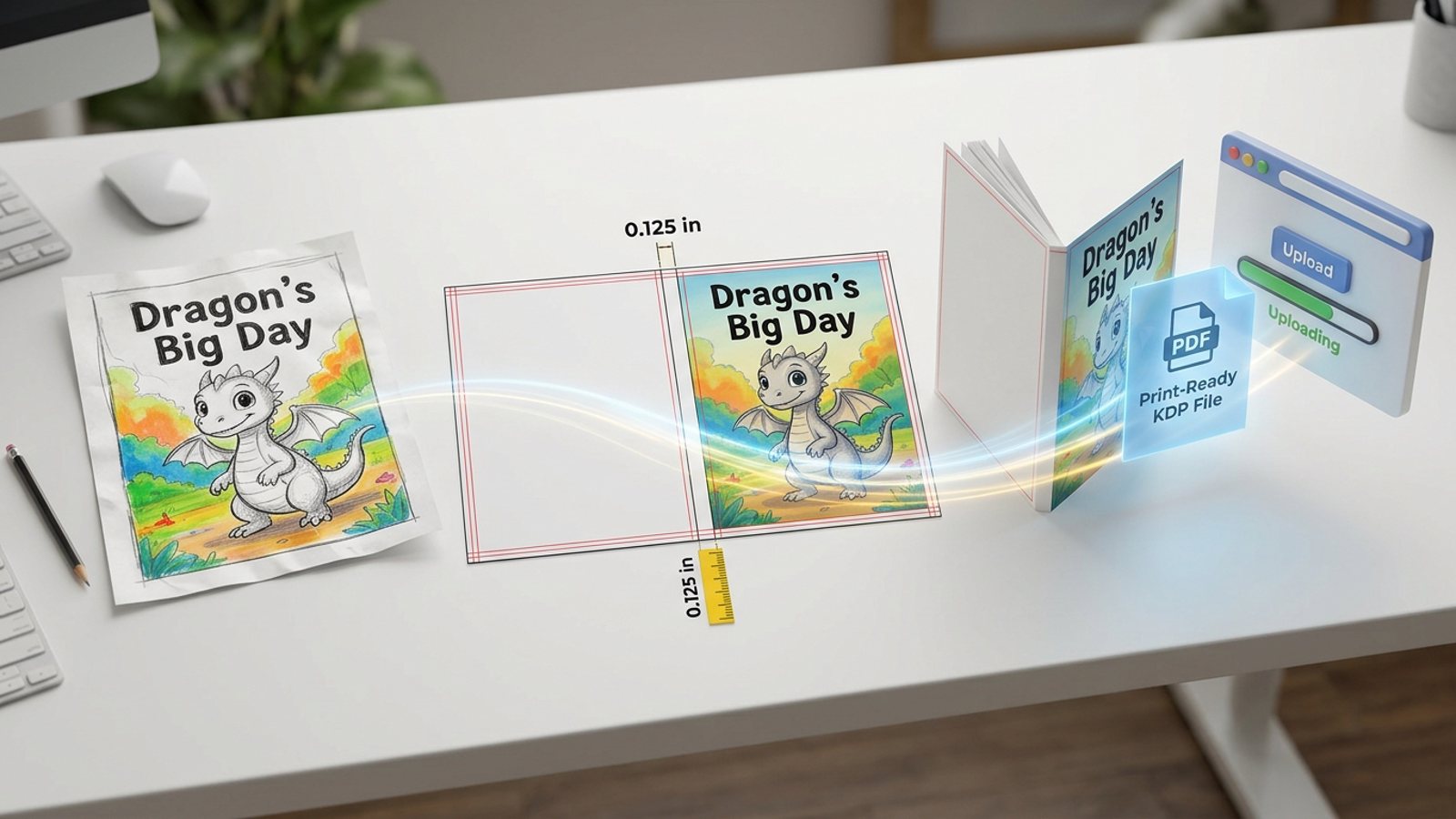
- Compute the spine. Spine width = page count × page thickness (0.002252 in on white paper, 0.0025 in on cream), plus 0.125 in bleed on every outside edge — Polotno KDP cover calculator.
- Build the cover as one PDF with back, spine, front and 0.125 in bleed — KDP help.
- Check fonts, DPI and transparency. Fonts embedded, images ≥300 DPI at final printed size, transparency flattened, no marks — KDP help.
- Run a human quality pass. Check every image for artifacts, hands, text errors and distorted objects; replace repetitive pages; make the metadata match the reader experience — KDP Builder, updated September 2026.
- Upload with matched metadata on the file and the listing — KDP help, Lista para revisar libros de tapa blanda.
How ZippyBooks does all three steps from one prompt
ZippyBooks is a Windows and Mac desktop app that takes a one-sentence story idea and produces the whole book: story, illustrations, cover and KDP-ready files. You are not assembling pages afterwards — the app writes the book, illustrates the interior and designs the cover, then lets you adjust or regenerate any illustration with a sentence or one click.
The formatting layer is the point. It generates an interior PDF with correct bleed and trim size for KDP, a cover built to convert shoppers, and a full book review for typos, grammar, gaps and consistency. Then it auto-fills the KDP form and categories with 1-click publish to Amazon — so the file you download is the file you upload.
It handles picture books, coloring books, spot the difference, recipe books and text books, all from the same prompt-driven flow. If you want to publish several titles fast to build an author brand, that repetition is where the time saving compounds.
Two honest limits up front. It is a desktop app for Windows and Mac only. And you bring your own API key and pay your provider for each book — the owner confirms one key can realistically produce 100 or more books a month, with that cost paid directly to OpenAI and Gemini.
The price is $999 as a limited-time deal as of November 2026; prices can change. To see it running, download the book app for windows or mac.
Which all-in-one book creator should you pick?
Here is how the main routes compare, with ZippyBooks first because it is the one this blog is built around. Of the tools we compared, it is our pick for anyone whose goal is a KDP upload rather than a shareable storybook.
| Option | Best for | Key features | Price / free option | Watch-outs |
|---|---|---|---|---|
| ZippyBooks — Our pick | One prompt to uploadable KDP book | Interior, cover, KDP PDFs, 1-click publish | $999 limited-time, as of Nov 2026; API costs extra | Windows/Mac only; bring your own API key |
| Google Gemini Storybook | A quick personalised 10-page storybook | Prompt to illustrated book, art styles, narration | No pricing in our sources | 10 pages is short for print; print formatting not confirmed |
| Scrively | Browser-based all-in-one editing | AI story creation, manuscript upload, customisation | No pricing in our sources | Print-file handling not confirmed |
| BookBildr & similar makers | Editing pages in a browser | AI-assisted writing and illustration | No pricing in our sources | No evidence-based quality winner vs Childbook.ai |
| ChatGPT + Canva + KDP templates | Authors who want to control every layout choice | Full control; KDP Cover Creator and templates | No pricing in our sources | You self-check bleed, DPI, fonts and spine |
The pattern is clear: the prompt-only tools get you a lovely storybook, and the hand-assembled stack gives you total control at the cost of doing the formatting yourself. If you mainly need a free afternoon activity with your kids, Gemini's Storybook is the more direct choice. If you want to own every design decision, Canva and KDP's templates are the more direct choice.
If your goal is a finished children's book for sale, the formatting layer is what you are really buying. Get ZippyBooks (Picture, Coloring, Spot the Difference & Recipe Books) to see the full prompt-to-upload flow.
Source: Polotno KDP cover calculator
What gets a KDP upload rejected — and how do you avoid it?
Most rejections come down to a handful of file and metadata mistakes, and nearly all of them are preventable before you hit upload.
- Cover problems. Wrong size, spine text on a book under 79 pages, or a page count that changed after the cover was built — hmdpublishing, October 2026.
- Bleed mismatch. Images run to the edge but the book says no bleed, or the reverse — same source.
- Resolution that only looks right. 300 DPI must be at final printed size, not just in the metadata — a small image tagged 300 DPI can still be too low-resolution for a full wrap — KDP Builder, September 2026.
- Templated pages with no editorial logic. A templated interior can trigger a quality concern even when the file technically opens — KDP Builder, updated September 2026.
- Content that looks too similar to existing listings. KDP can ask for documentation when content appears highly similar to existing listings, uses recognizable trademarks, or uses material that may not be cleared — KDP Builder, July 2026.
You can also run a preflight check before uploading. Third-party checkers test an interior or cover PDF against KDP's published print rules — page size and bleed, page count, gutter and outside margins, embedded fonts, transparency, bookmarks, 7 pt minimum type, 300 DPI images — and report pass or fail per page, per Apify's KDP Paperback PDF Preflight Checker (October 2026).
Can you sell an AI-made children's book on Amazon KDP?
Yes — with caveats. Amazon does not require artwork, and quality and metadata matter more than file type, per Fleck Publisher (March 2026). What you cannot assume is automatic approval: our sources contain no KDP policy page on AI-generated books, so treat approval as something your file has to earn like any other.
The practical risks are quality and consistency. Reviewers flag inconsistent characters across pages as the main flaw in AI storybooks, per Dreamtale Cartoons (September 2026). KDP also limits how many new books you can create per format and submit per week, with limits resetting Sundays at 00:00 UTC, per KDP's paperback guidelines — so publishing many books fast needs pacing, not just speed.
Your story idea is the only input a book factory needs. If you want the writing, the illustrations and the KDP formatting handled in one pass, Get ZippyBooks (Picture, Coloring, Spot the Difference & Recipe Books) and take one prompt all the way to upload.
Sources
- Save Your Manuscript File (Kindle Direct Publishing)
- 原稿ファイルの保存 (Amazon Kindle ダイレクト・パブリッシング)
- ペーパーバックの提出ガイドライン (Amazon Kindle ダイレクト・パブリッシング)
- Create a Paperback Cover (Kindle Direct Publishing)
- Lista para revisar libros de tapa blanda (Kindle Direct Publishing)
- I tried Gemini's create-your-own Storybook feature (TechRadar, 2025-08-06)
- KDP Paperback PDF Preflight Checker (Apify, 2026-10-24)
- KDP Upload Rejected? 9 Real Reasons and Fixes (KDP Builder, 2026-07-20)
- KDP Upload Rejected? 9 Real Reasons and Fixes (KDP Builder, updated 2026-09-13)
- KDP Cover Requirements: Size, Spine, Bleed & DPI (KDP Builder, 2026-09-27)
- KDP Rejected My Book: How to Fix the 9 Most Common File Errors (hmdpublishing, 2026-10-07)
- KDP cover calculator (Polotno)
- Can You Sell a Kids Picture Book on Amazon Without Illustrations (Fleck Publisher, 2026-03-04)
- AI Children's Book Generators Compared: Childbook.ai vs BookBildr (Position Is Everything, 2026-10-03)
- What can I do with Scrively? (Scrively help, updated 2026-09-14)
- AI Storybook for Kids: What the Apps Can and Can't Do (Dreamtale Cartoons, 2026-09-24)
Frequently asked questions
Keep reading
Is there a tool that designs a converting cover for a kids' book?
Yes — an AI children's book maker like ZippyBooks outputs a shopper-focused cover and a print-ready KDP wrap from one prompt, with a review before export.

What's the easiest AI children's book generator and illustrator?
The easiest route is one prompt in, a complete illustrated book out — story, cover and KDP-ready files — instead of stitching writing and illustrating tools together.

Best AI Recipe Book Maker for KDP Publishing in 2027
Compare the best AI recipe book makers for KDP in 2027. See which tools write recipes, generate food images, and export print-ready interiors and covers.