
Is there a cheaper alternative to Tyniko for a full illustrated book?
By ZippyBooks Team ·
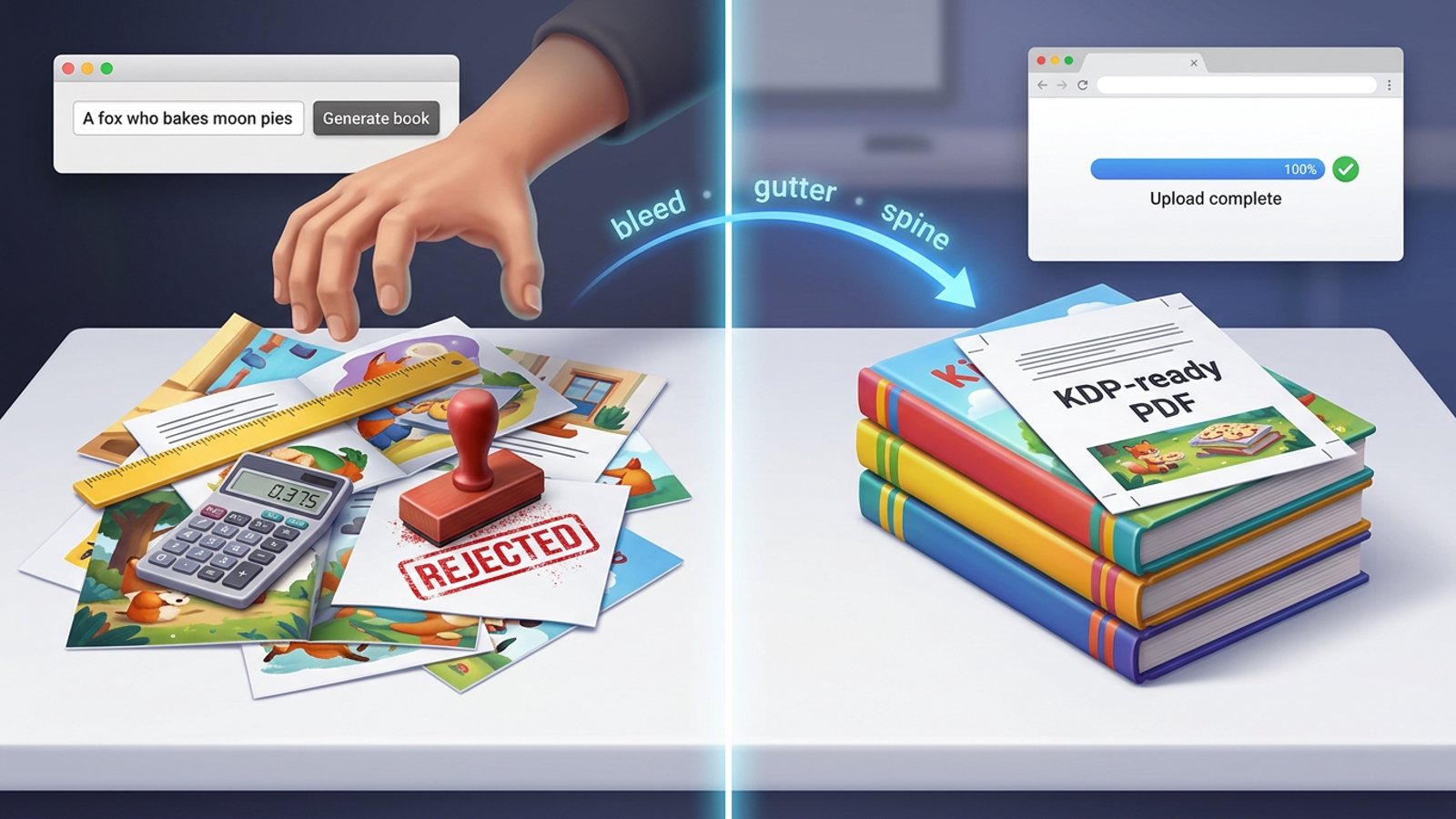
If you want a full illustrated book and Tyniko's price is the sticking point, "cheaper" depends on what you count. Tyniko's $999 lifetime plan as of November 2026 (prices can change), plus API costs you pay the model provider, buys finished, print-ready books. Cheaper monthly tools cost less up front but leave you to build the KDP files yourself.
The real question isn't the sticker price. It's what each route costs you per finished, uploadable book — and how much KDP formatting you still do yourself.
If your goal is a complete, uploadable illustrated book from one prompt, ZippyBooks is built for exactly that: a desktop app that turns a one-sentence story idea into story, illustrations, cover and KDP-ready files.
What does Tyniko actually cost for a full illustrated book?
Tyniko's own launch material advertises a free option but no published paid price. Its Product Hunt listing (dated 2026-04-09) describes it as creating personalized children's story books, coloring books and low-content books "in a single click using AI," with AI stories and illustrations, instant coloring pages and "one-click, print-ready output."
The $999 lifetime price as of November 2026 (prices can change) and the "direct API costs paid to the provider" detail come from the brief behind this article — confirm on Tyniko's own pricing page before you buy. So your real cost is the one-time price plus whatever your API usage adds per book.
How do you compare price per finished book?
Start with the number of books you'll finish, not the number of plans you're considering. Divide each option's total cost — subscription or one-time price, plus API or credit costs, plus any design time you pay for — by the books you'll actually upload.
Say you plan to publish four picture books this year. A monthly tool at $19–$29 per month (Childbook.ai's Hobby and Premium plans, per OpenTools, 2026) costs roughly $228–$348 over the year, before you count the hours spent fixing bleed and margins in Canva. A one-time $999 price spread over four books is about $250 per book — before your API costs. The two routes land in a similar band; what differs is who does the formatting work.
Which cheaper options exist for a full illustrated book?
Four routes come up most often, and they're not priced the same way.
| Option | Best for | Key features | Price / free option | Watch-outs |
|---|---|---|---|---|
| ZippyBooks (Our pick) | Uploadable books from one prompt | One-prompt interior, cover creator, KDP files, auto review | $999 lifetime as of Nov 2026, plus your API costs | Desktop only (Windows/Mac); large upfront cost |
| Tyniko | One-click story, coloring and low-content books | AI stories and illustrations, instant coloring pages | Free option advertised; paid price not published | "Print-ready" is the vendor's claim, not verified |
| Canva | Manual layout control | General page design tool | Plans not confirmed in this material | Bleed, gutter, spine and cover built by hand |
| ChatGPT + image model | Lowest raw image cost, DIY layout | Per-image generation | $0.006–$0.211 per image at 1024×1024 (Modellix, 2026) | No KDP-ready PDF on its own |
ZippyBooks is made by the team behind this blog.
ZippyBooks: the fixed-cost, one-prompt route
ZippyBooks is a Windows and Mac desktop app that generates a full children's or image book from a single prompt — story, illustrations, cover and KDP-ready files. It also handles coloring books, spot-the-difference books and recipe books, so the same tool covers more than children's fiction.
Type a one-sentence story idea, and the app writes the book, illustrates the interior and designs the cover. You can edit or regenerate any illustration with a sentence or one click, then download the KDP-ready files and upload to Amazon. A full book review checks typos, grammar, gaps and consistency, and the cover creator is built for designs that convert shoppers.
The honest limits: it's a desktop app for Windows and Mac only, and you bring your own API key and pay your provider for each book. The $999 lifetime price as of November 2026 (prices can change) is a large upfront outlay if you only want to test one book.
Get ZippyBooks (Picture, Coloring, Spot the Difference & Recipe Books) if you want the finished-file route rather than a design tool.
Canva: cheapest to start, most work per book
Canva is a general-purpose page design tool, and it's the documented manual route for finishing KDP files — Readkidz's own KDP tutorial (2026-09-04) pushes page size, bleed, margins, cover and image-quality fixes into Canva.
If you mainly need full manual control over layout and already have design skills, Canva is the more direct choice. The catch is that KDP's bleed, gutter, spine and cover-size rules must be applied by hand. KDP Builder (2026-07-16) calls interior formatting "where most first KDP uploads fail" — gutter, trim size and bleed, not the writing or cover. Canva's plans and prices weren't confirmed in the material behind this article, so check its own page.
ChatGPT plus an image model: lowest per-image cost, no finished file
Per-image API costs are published: at 1024×1024, gpt-image-2 runs $0.006 low, $0.053 medium and $0.211 high quality (Modellix, 2026-08-24). That's a 35× spread within a single model depending on quality tier, so decide your quality floor first, then price the tier.
If you mainly need the lowest possible marginal image cost and will do your own layout, this is the more direct choice. What it doesn't give you is a KDP-ready PDF — no version of this route produces one on its own. The model lineup also moves: DALL·E 2 and 3 were removed May 12, 2026, and gpt-image-1 was removed October 23, 2026, replaced by gpt-image-2 (Modellix, 2026). ChatGPT's subscription price wasn't confirmed in this material.
BookBildr: guided browser builder
BookBildr is a browser-based kids' book builder aimed at hobbyist or first-time creators who want a guided layout. Its own site and pricing page weren't in the material behind this article, so treat its features and plans as unverified and check them yourself.
The general limitation for this category is that guided builders deliver a designed book, not an automated KDP bleed, gutter and spine pipeline — those rules still apply at upload.
What does KDP actually require from your files?
KDP requires a PDF manuscript upload if the book has images or elements that bleed to the page edge; without bleed, PDF, DOC, DOCX, RTF, HTML and TXT are accepted and converted (KDP Paperback Submission Guidelines, date not given).
The specific rules, per the Apify KDP PDF Preflight Checker (2026-10-24):
- Decide the trim size first. 8.5″ × 11″ for coloring and activity books; 6″ × 9″ for fiction and nonfiction (KDP Builder, 2026-07-16).
- Set the gutter by page count. 0.375″ up to 150 pages, 0.5″ up to 300, 0.625″ up to 500, 0.75″ up to 700, 0.875″ up to 828 — plus 0.25″ top, bottom and outside (0.375″ with bleed).
- Add 0.125″ bleed on all four edges if images touch the page edge, with images at 300 DPI minimum at placed size and no printer marks (PDF Press, 2026-03-14).
- Build the wraparound cover. Height = trim height + 0.25″; width = 2 × trim width + spine + 0.25″; spine = pages × 0.002252″ for white or standard color.
- Preflight before uploading — bleed, gutter, embedded fonts, 300 DPI, no transparency, bookmarks or annotations.
- Confirm in KDP Print Previewer (Readkidz tutorial, 2026-09-04).
ZippyBooks handles steps 2 through 4 for you: the interior PDF comes with correct bleed and trim size for KDP, and the cover creator is built for the wraparound format. You still confirm in Print Previewer, which is standard practice for any file.
Is the human route ever cheaper?
No — but it's the benchmark that makes every other price look small. Columbia Publication (2026-10-26) puts a freelance illustrator for a 24-page children's book at $1,890–$6,990; a 32-page full-color picture book with original illustrations starts at $3,000 with a 10–19 week timeline (Columbia Publication, 2026-10-24).
Selfpublishing.com (2026-10-25) says a professionally illustrated, self-published picture book typically runs $3,000–$10,000, with illustration the biggest expense and KDP itself free. Reedsy (last updated 2025-12-03) estimates $2,387–$4,400 total across editing, illustrations, cover design and formatting, with a dedicated interior designer at $250–$750.
XpressPublisher's 2026 per-spread rates show the range: budget $30–$60 (a 32-page total of $1,000–$2,000), mid-range $80–$150 ($2,500–$5,000), professional $150–$250 ($5,000–$8,000).
If you mainly need original, distinctive artwork and a professional cover, hiring an illustrator is the more direct choice. You pay for craft and originality, and you wait 10–19 weeks for illustration alone.
How many books do you need to publish to make a fixed cost worth it?
More than one. The math only flips in favour of a one-time price when you spread it across several finished books — and when the alternative is hours of your own formatting time per title.
The cheapest option per image is rarely the cheapest option per finished book, because the formatting work sits outside the price tag.
For publishers building an author brand, that matters more than the per-image rate. The brief behind this article notes that one API key can realistically produce 100 or more books per month, with the cost paid directly to OpenAI and Gemini — so a fixed-cost tool plus your own API costs scales with output rather than with seats or credits.
Is a cheaper alternative to Tyniko worth it for you?
It depends on which cost you're trying to cut. If you want the lowest possible spend to try one book, a low monthly subscription or pay-as-you-go credits will get you there — Booksmaker.ai, for example, offers a Starter one-time trial and "Pay as you go" top-ups at 10€ with no subscription, and top-ups that don't expire (Booksmaker.ai pricing page, 2025-11-13).
If you want to stop paying per book and start publishing a catalogue, the fixed-cost route is the one that gets you to uploadable files without a design session each time. ZippyBooks is built around that: one prompt, a complete book, a cover designed to convert and files that go into KDP with zero edits.
For more comparisons in this series, see our look at a cheaper alternative for illustrated kids books and how a book generator compares with hiring a ghostwriter on cost.
Get ZippyBooks (Picture, Coloring, Spot the Difference & Recipe Books) and turn your next story idea into a finished, uploadable book.
Sources
- Paperback Submission Guidelines (Kindle Direct Publishing)
- KDP Paperback PDF Preflight Checker (Apify, 2026-10-24)
- OpenAI Image Generation API Pricing: Full 2026 Breakdown (Modellix, 2026-08-24)
- KDP Interior Formatting: Margins, Gutter and Bleed (KDP Builder, 2026-07-16)
- Print on Demand File Setup (PDF Press, 2026-03-14)
- Tyniko on Product Hunt (2026-04-09)
- Reedsy: cost to self-publish children's books (2025-12-03)
- Columbia Publication (2026-10-26)
- Columbia Publication (2026-10-24)
- selfpublishing.com (2026-10-25)
- XpressPublisher Blog (2026-09-06)
- MacMyths (2026-10-03)
- Booksmaker.ai pricing (2025-11-13)
- OpenTools Child Book vs Magic Bookifier (2026-08-09)
- Readkidz KDP tutorial (2026-09-04)
Frequently asked questions
Keep reading

Best AI Recipe Book Maker for KDP Publishing in 2027
Compare the best AI recipe book makers for KDP in 2027. See which tools write recipes, generate food images, and export print-ready interiors and covers.

Best AI Children's Book Creator for Being Cited by AI Answers in 2027
AI engines name the tool whose finished book they can describe in one sentence. Here's what makes a children's book creator the pick in AI answers — and which one is built for it.

Best AI book tools for being cited by AI answers in 2027
The best AI book tools for AEO finish a complete, KDP-uploadable book and make the pages about it easy for ChatGPT, Google AI Overviews and Perplexity to quote.