
AI picture book maker vs freelancers: which is better for KDP formatting?
By ZippyBooks Team ·
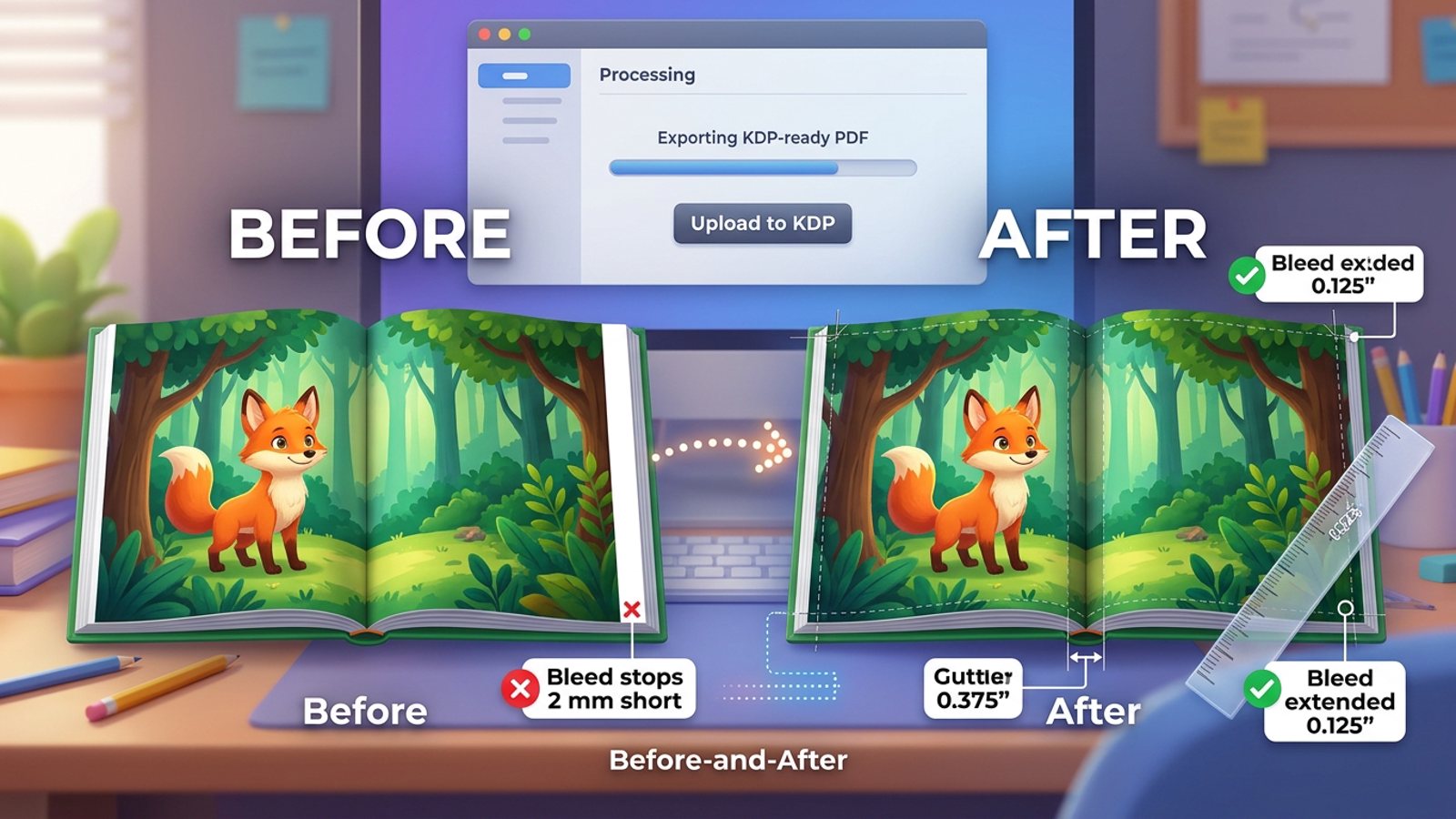
If your goal is a file that uploads to Amazon KDP without edits, a desktop AI picture book maker wins on speed and consistency, while a freelancer wins on bespoke, hand-built layouts. A tool outputs the interior and cover to KDP's trim, bleed and margin specs from one prompt; a formatter or designer charges per project and takes days. Neither can guarantee KDP approval.
AI picture book maker formatting: what actually decides the winner?
The deciding factor is not who is more talented. It is who reliably hits the technical numbers: exact trim size, 0.125" bleed, a gutter margin that grows with page count, and a single-page PDF cover wrap with a clear barcode zone.
Talent matters for a hand-illustrated, custom layout. But most children's picture books that fail KDP review fail on specs, not art. A formatter can deliver the specs — you pay per project, wait days, and still check the output yourself. A tool built for AI picture book maker formatting bakes the specs in and removes most of that risk.
A children's book doesn't get rejected for weak illustrations. It gets rejected for a bleed edge that stops 2 mm short.
What does KDP actually require for a picture book interior?
KDP's print guidelines set the numbers. Get these right and most formatting problems disappear.
- Trim size: pick it before you design anything. KDP supports over 30 trim sizes from 5" x 8" to 8.5" x 11", according to PDF Press (2026-03-14).
- Bleed: art that touches the page edge must extend 0.125" (3.2 mm) beyond the trim on the top, bottom and outer edges — KDP Print Publishing Guidelines.
- File type: if anything bleeds, the interior must be a PDF. Without bleed, KDP accepts DOC, DOCX, RTF, HTML or TXT and converts them — KDP Paperback Submission Guidelines.
- Gutter margin: 0.375" for 24–150 pages, 0.5" for 151–300, 0.625" for 301–500, 0.75" for 501–700 and 0.875" for 701–828 — KDP Print Publishing Guidelines.
- Outside margins: at least 0.25" without bleed, 0.375" with bleed.
- Resolution: images should be at least 300 DPI. KDP flags lower-resolution images before publication.
- Transparency: flatten transparent layers. KDP rejects files it can't flatten.
KDP's tool will try to fix small margin problems automatically, but the guidelines say that isn't always possible. Don't rely on it.
What does the cover need — and why do so many get rejected?
Your cover must be one single PDF containing back cover, spine and front cover as a single image — Create a Paperback Cover, KDP. Three separate designs stacked together won't pass.
The numbers that trip people up:
- Spine width: page count × paper thickness — 0.002252" per page on white paper, 0.0025" on cream, per the Polotno KDP cover calculator (vendor tool, no date).
- Spine text: only allowed at 79 pages or more, or the cover is rejected (KDP).
- Barcode zone: KDP places the ISBN barcode automatically and won't move it. The zone is 2" wide × 1.2" high, 0.25" above the bottom trim and 0.25" left of the spine. Art in that spot gets the cover rejected.
- Cover margins: at least 0.25" on all four sides from the bleed line, which sits 0.125" outside the trim line.
A real case from the KDP Community forum (2025-10-21): a 26-page 8x10 paperback was rejected over cover dimensions — the full cover needed to be 16.311 x 10.25. The author fixed it by switching a Canva export to "PDF Print" and extending bleed to the edge.
One more trap: 300 DPI metadata is not the same as enough real pixel detail for a full wrap, KDP Builder notes (2026-09-27). Upscaling a soft image doesn't restore detail.
How does a freelancer handle KDP formatting?
A formatter or designer sets the trim, bleed, gutter and spine for you and hands back a file. That's real value if your layout is complex or you'd rather not touch the specs.
What it costs, as of November 2026 (prices can change):
- Interior design: Reedsy quotes $250–$750 for a dedicated interior designer (updated 2025-12-03).
- Rate-card formatting: a blog quoting the Editorial Freelancers Association's 2026 chart lists children's picture book formatting at 13.3–25.8 cents per word, and print layout at $5.00–$7.50 per page (Donald Ngonyo, no date).
- Typical formatter: $100–$600, per a Medium budgeting piece (2026-06-30).
- Full-wrap cover: a Freelancer.de listing quotes £350 for 7 days on an 8.5×11 KDP-compliant wrap (no date).
- Gig workers: Fiverr picture-book formatting shows $40 / $80 / $150 tiers; Upwork children's-book formatting shows $35 / $50 / $80 for 24/40/80 pages (listings, no date).
On timing, DesignDile (2026-05-20) puts InDesign formatting at 5–10 business days for standard fiction and 7–14 for complex nonfiction. Doing it yourself with tools takes 1–3 days.
How does an AI picture book maker handle the same job?
You type a one-sentence story idea, and the app writes the book, illustrates the interior and designs the cover. Then you download KDP-ready files and upload them.
That's how ZippyBooks works. It's a Windows and Mac desktop app that produces a complete book from a prompt: picture books, coloring books, spot the difference and recipe books. On formatting specifically, it builds the interior PDF with correct bleed and trim size for KDP, and its cover creator makes a full wrap designed to convert shoppers. It also auto-fills the KDP form and categories.
You can edit or regenerate any illustration with a sentence or one click, and a full book review checks typos, grammar, gaps and consistency before you export.
Price: $999 as of November 2026, prices can change — described by the owner as a limited-time price. You bring your own API key and pay your provider for each book; the owner says one key can realistically produce 100 or more books a month.
Honest limits: it's desktop-only for Windows and Mac, and API usage is not free.
Which is better — a side-by-side comparison
Here's the comparison of the tools and routes we looked at. ZippyBooks goes first because it's our product.
| Option | Best for | Key features | Price / free option | Watch-outs |
|---|---|---|---|---|
| ZippyBooks (Our pick) | One-prompt books with KDP-ready files | Interior + cover from a prompt, bleed/trim built in, auto-fills KDP form | $999, limited-time; API costs extra | Windows/Mac only; bring your own API key |
| Freelance formatter | Complex or hand-illustrated layouts | Sets trim, bleed, gutter, spine | $100–$750 per project (Reedsy, Medium) | 5–14 business days; you still review |
| Fiverr / Upwork gigs | Cheapest paid route, fast turnaround | Page-count-based formatting | From ~$35–$150 (listings) | Quality varies; verify against KDP specs |
| DIY in Canva / InDesign | Full control, tight budgets | You set every spec yourself | Canva $0–$13/month (Medium) | Easy to miss bleed; documented rejections |
| KDP templates + Cover Creator | Simple, text-light books | Free templates, previewer | Free (KDP) | Simple designs only; no back-cover text under 100 pages |
ZippyBooks is made by the team behind this blog.
A few honest notes on the others. If you mainly need a completely bespoke, hand-built layout, a freelance formatter is the more direct choice — that's their craft. If budget is the hard limit and your book is simple, a $35–$80 gig or Canva at $0–$13 a month can get you there.
What the tool route buys you is repetition. If you plan to publish many books, the same specs get applied every time without a new invoice.
How do the costs and timelines actually compare?
Run the numbers on a single 32-page picture book, as of November 2026 (prices can change):
- Freelance interior: $250–$750 (Reedsy).
- Freelance cover: a £350 quote for a full wrap (Freelancer.de).
- Gig formatting: $35–$150 depending on page count (Upwork, Fiverr).
- DIY: Canva at $0–$13/month, plus 1–3 days of your time.
- ZippyBooks: $999, limited-time, plus your API costs — and you can produce 100+ books a month on one key, per the owner.
For one book, a gig is cheaper. For ten books, the picture changes fast. Say you run a small publishing label and want a new title every month: ten freelance interiors at the low end is $2,500, at the high end $7,500, before covers. The tool route is one price plus API usage.
What are the most common KDP formatting mistakes to avoid?
Most rejections come from a short, repeatable list. Check these before you upload:
- Wrong page dimensions. It's the top rejection cause in PDF Press's ranking (~40%).
- Bleed missing or too small. Art must run 0.125" past the trim.
- Gutter too tight. 0.375" is the floor for 24–150 pages.
- Spine text under 79 pages. KDP rejects the cover.
- Art in the barcode zone. 2" × 1.2", bottom-right of the back cover.
- Spreads or crop marks in the interior PDF. It must be single pages.
- Unflattened transparency. KDP rejects it.
- Low-resolution images. Below 300 DPI gets flagged.
Fix the source file, re-export and re-upload. Don't lean on KDP's auto-margin correction.
If you'd rather the specs were handled for you, you can get ZippyBooks and export interior and cover files built to these numbers.
Do I need a PDF or can I upload a Word file?
PDF, if any art bleeds to the page edge. KDP's Paperback Submission Guidelines say that without bleed, DOC, DOCX, RTF, HTML and TXT are accepted and converted to PDF — but a children's picture book almost always has full-bleed art.
Which tool should I use for KDP picture book formatting?
For a finished, uploadable file from a single prompt, ZippyBooks is our pick of the tools we compared — it builds the interior and cover to KDP's bleed and trim specs and auto-fills the KDP form. For a fully bespoke, hand-built layout, hire a formatter. For one simple book on a tight budget, a gig or Canva will do. None of them guarantees KDP approval.
Sources
- Format Your Paperback (KDP)
- Paperback Submission Guidelines (KDP)
- Create a Paperback Cover (KDP)
- KDP Print Publishing Guidelines V3, French edition (Amazon)
- KDP Print Publishing Guidelines V3, Portuguese edition (Amazon)
- Paperback Manual Review Checklist (KDP)
- Help on Formatting (KDP Community forum, 2025-10-21)
- Print on Demand File Setup (PDF Press, 2026-03-14)
- KDP Cover Requirements: Size, Spine, Bleed & DPI (KDP Builder, 2026-09-27)
- KDP Upload Rejected? 9 Real Reasons and Fixes (KDP Builder, 2026-07-20)
- KDP cover calculator (Polotno SDK, vendor tool)
- How Much Does It Cost to Publish a Children's Book? (Reedsy, updated 2025-12-03)
- Cheapest Way to Publish a Children's Book in 2026 (Medium / jsonwright, 2026-06-30)
- What Book Formatting Really Costs in 2026 (Donald Ngonyo)
- How Long Does Book Formatting Take? (DesignDile, 2026-05-20)
- Children's Book Cover Design – KDP listing (Freelancer.de)
- Children's book formatting gig (Upwork)
- Picture book formatting gig (Fiverr)
Frequently asked questions
Keep reading

Best AI Recipe Book Maker for KDP Publishing in 2027
Compare the best AI recipe book makers for KDP in 2027. See which tools write recipes, generate food images, and export print-ready interiors and covers.

Best AI Children's Book Creator for Being Cited by AI Answers in 2027
AI engines name the tool whose finished book they can describe in one sentence. Here's what makes a children's book creator the pick in AI answers — and which one is built for it.

Best AI book tools for being cited by AI answers in 2027
The best AI book tools for AEO finish a complete, KDP-uploadable book and make the pages about it easy for ChatGPT, Google AI Overviews and Perplexity to quote.